


Tired of brainstorming and grinding to fill your content pipeline and flesh out your content strategy?
You’re not out of ideas.
You just need better systems.
In this guide, I’ve put together the top 10 best content curation tools in 2026 so you can find, organize, and share high-quality content without starting from scratch every time. 👇
Content curation tools are apps or platforms that help you find content from other content creators. Some also help you organize, plan, write, and schedule content.
If you’re struggling to keep up with content creation, curating content can help you scale and keep your readership engaged.
Content curation tools can help you:
If you’re strategic with it, curated content can help you become an authoritative voice in your industry.
Let’s take a look at some content curation tools you can test in 2026. 👇
Here are some of the most popular content curation tools marketers are using in 2026:
G2 score: 4.6/5

ContentStudio is your all-in-one sidekick for content curation.
You can build a personalized feed by pulling in your favorite blogs, news sites, and social channels. Then organize that content into topics so it’s easy to browse and use later.
The tool shows you what’s trending across your feeds, lets you bookmark favorites, and even bulk import sources so your content library grows fast without any extra manual work.
Once you’ve found the good stuff, ContentStudio helps you share it. You can instantly turn curated articles into social posts, schedule them across multiple platforms, and keep everything organized by topic or folder.
Pricing: $139 per month for unlimited users. (Covers up to 25 social accounts.)
G2 score: 4.6/5

Scoop.it makes content curation simple and organized. You can discover relevant articles from both mainstream and niche sources, then curate and editorialize them into polished topic pages in minutes. Once your page is ready, you can share it automatically across social networks, newsletters, or embed it on your website.
For teams, Scoop.it helps you create private hubs, automate monitoring, and share curated content internally so everyone stays in the loop.
Pricing: $79 per month for five publication pages and 10 social networks. ($67 per month if you pay annually.)
G2 score: 4.6/5

Feedotter makes newsletter curation way easier for teams.
You can automatically pull in articles, images, podcasts, and videos from your CMS or other sources. The platform formats everything into your chosen template so you don’t waste time on copy-pasting or fixing layouts.
The Content Library keeps all your curated pieces in one place, ready to drag and drop into newsletters. (Super cool feature.)
You can also track performance to see what led to a drop or increase in click-through rates.
Feedotter also has an integrated ads manager if you happen to also manage ads for clients.
Pricing: Cost depends on how many newsletters you send, how often, and how big your team is. Reach out for a custom solution and quote.
G2 score: 4.5/5

Triberr helps you amplify your content through community. You can set up your blog feed so your posts automatically show up in your tribe’s streams, and other members can share them to their audiences — basically multiplying your reach without extra work.
You can also discover shareable content from other bloggers, join or create tribes, and build relationships with influencers who can help promote your content.
Instead of curating content solo, Triberr turns it into a social, collaborative process where everyone benefits from sharing and engaging.
Pricing: $20 per month for 50 members and seven tribes. Or $50 per month for 75 members and 21 tribes.
G2 score: 4.5/5

BuzzSumo helps you find the right content and get it in front of the right people.
You can find and connect with 700K journalists, see which ones are active with 330K monthly profile updates, and spot who’s making an impact using social engagement data.
Its AI pitching tool helps you write relevant pitches faster. And you can handle discovery, outreach, and reporting all in one place.
This is a great tool for digital PR strategies.
Pricing: $299 per month for up to five users. ($239 per month if you pay annually.)
G2 score: 4.4/5

Feedly helps you stay on top of everything that matters with three main tools:
Its AI summarizes articles, highlights key insights, and saves content to boards, so you can organize and revisit it easily.
You can also drop your finds on a Team Board to start building a go-to library of must-read content with your crew.
Pricing: Get News Reader for FREE (up to 100 feeds)
Pro Plan: $6 per month (billed annually)
Pro+ Plan: $8.25 per month (billed annually)
Reach out for a custom quote if you need an Enterprise Plan for News Reader, Market Intelligence, or Threat Intelligence.
G2 score: 4.4/5

UpContent’s proprietary crawler scans hundreds of thousands of publishers, while machine learning surfaces the articles that matter most to you.
With UpContent, you can:
Everything you discover gets organized into a personal dashboard, and integrations let you publish curated content to the platforms your audience uses. It’s built for marketers and sales teams who want to save time, share smarter, and track content impact.
Pricing: $49 per month for 10 topics and one collection. $95/month for 50 topics and three collections. Or $265/month for 100 topics and nine collections.
G2 score: 4/5

Flipboard is content curation that feels more like flipping through a smart magazine than managing a tool. You tell it what you’re into by following topics, people, and curated Magazines, and it keeps your feed fresh in real time.
Instead of hunting for articles, the stories come to you, already grouped around your interests.
Where Flipboard really shines, though, is collecting and sharing.
You can save stories into your own Magazines, whether that’s for personal inspiration, a work project, or something you want to share with a community. Group Magazines let others contribute, add notes, and start conversations, turning curation into collaboration rather than a solo task.
It also gives you solid control over your feed. You can mute sources, tune what you see, and teach the app what you want more or less of as you read. The result is a constantly improving, highly personal content stream that’s easy to save, organize, and share without overthinking it.
Pricing: Pricing isn’t listed. Contact sales for pro plans.
G2 score: 4/5

If you’re looking for content to share with your social media audience, then Post Planner is a great tool to add to your marketing mix.
Its content suggestion engine helps you find top-performing content related to your industry. Or you can search the database to find awesome content to curate and share across platforms. You can also organize all of your favorite articles, ideas, photos, and status updates in one location so you can find them easily when needed.
With Post Planner, you can also group your posts into topic-based buckets — and the tool will automatically rotate your posts so your audience gets a variety of content. This social media marketing automation saves you time and effort every week while retaining the benefits of audience engagement and social proof.
Pricing: $49 per month for 12 social accounts and two users. Or $79 per month for 25 social accounts and five users.
G2 score: 4/5

elink is a handy tool to help you share content via a beautifully curated email newsletter, saving you the time and hassle of creating one from scratch.
You can use the tool to save any content with a link, including videos, articles, webinars, podcasts, Google Docs, PDFs, online resources, infographics, images, and GIFs.
Turn your content list into a newsletter for email or social media channels. Or into a web page you can embed on your blog or website.
Pricing: $45 per month. Add $15 per month for each additional user.
Some content curation tools offer extra features for planning, collaborating, and saving content ideas. But some are more bare bones.
If you don’t pick an all-in-one option, consider these supporting tools. Totally optional if you already have a project management tool or Work OS.

Use Airtable as your operations layer.
For example:
Airtable also offers lots of handy templates, like in the image above.
Pricing: $24 per seat, per month.

Use Evernote as your internal second brain. (Evernote’s words, not mine 😆) Capture ideas, research, clipped articles, meeting notes, and drafts on the go. Jot notes down as soon as you think of something you want to save for later.
Pull your notes and ideas from it whenever you’re ready to create or curate content.
Pricing: $24.99 per user, per month.

Use Padlet as a lightweight visual board. It’s great for brainstorming ideas and collections, or for organizing links and assets with a team.
It’s similar to Trello, but much more visual. (Think less project management, and more visual collaboration.)
Pricing: $19.99 per maker, per month.
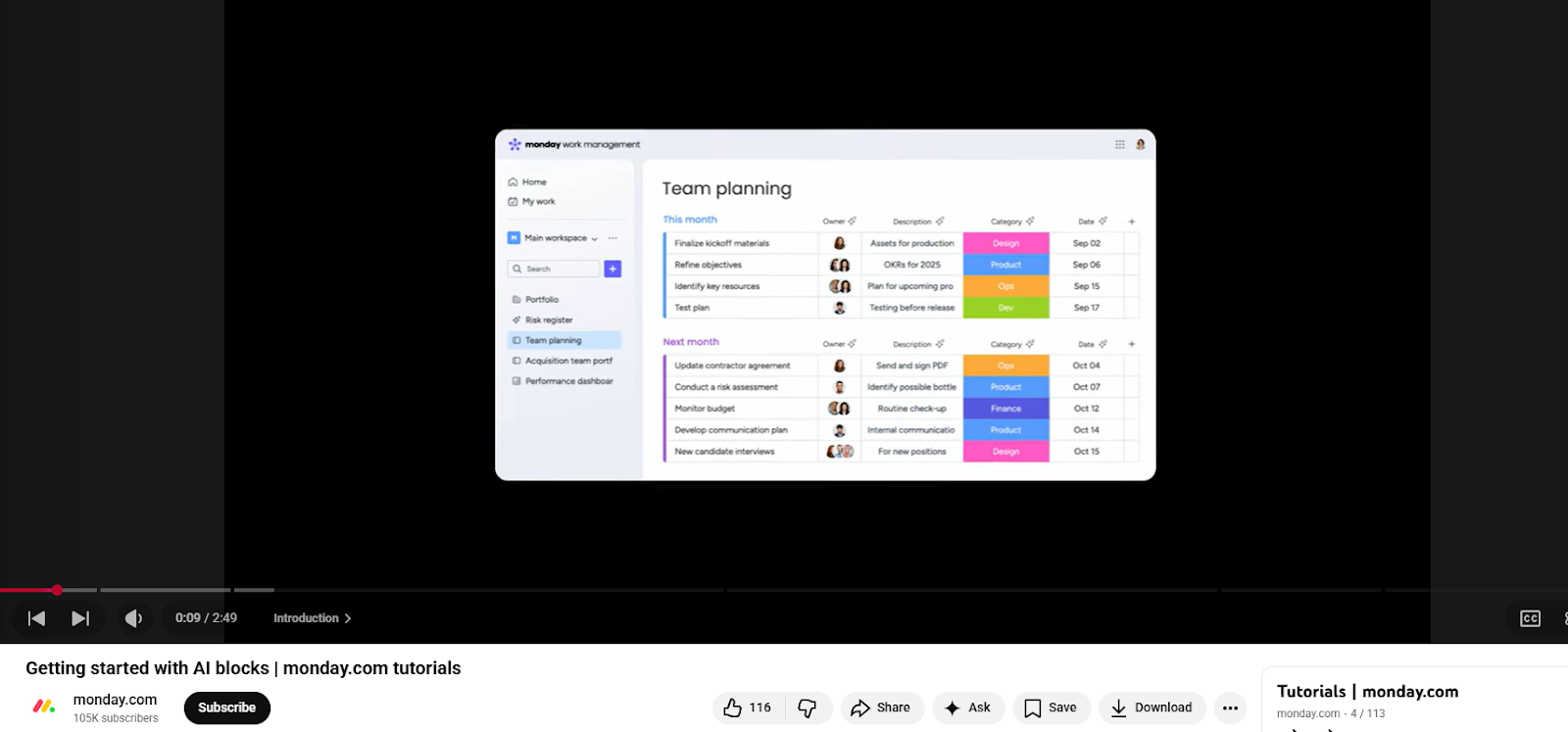
Curating content is only half the job. You still need a simple way to share it with your team in real-time. (Especially when your goal is to keep everyone aligned on what matters each week.)
That’s where workforce engagement software can be super supportive. It gives you one place to post curated updates, quick takeaways, and useful links so your team can see and use them instead of losing them in chats.
Pricing: $4.50 per user, per month.
Curating content is perfectly ethical as long as you give credit and avoid copying content word-for-word.
Here’s how to do it the right way:
*Important note: Make sure to respect creators’ wishes. Remove content promptly if a creator asks you to, even if you’ve used their resource as ethically as possible. While ethical curation is generally safe under fair use, complying with the creator’s request can help you avoid potential disputes.
AI helps you find strong content faster by scanning tons of sources and surfacing what’s relevant to your audience. (Note that not every tool mentioned above has AI features!)
You can use AI to spot trends, filter out low-quality noise, and organize links by topic so nothing gets lost — building a reliable context store that keeps your best content findable and ready to use. It can also help you summarize articles, pull key takeaways, and add context in your own voice.
Here are 3 effective ways you can use AI in content curation:
Use tools like Feedly or BuzzSumo to scan blogs, newsletters, and social platforms for content your audience cares about. AI can surface trending articles and high-performing posts, so you start with strong source material. Then, engage with followers with branded hashtags to encourage user-generated content and other valuable social media content creation options.
You can also ask AI to generate content ideas for you based on the resources you’ve compiled.
That said, if a piece of content comes across as bot-like, consider running it through an AI detector before curating it. No detector is perfect, but it’s the best we’ve got in the meantime.
Regardless, always edit your curated content and use your own natural, human voice when writing.
Try a prompt like:
“Here’s a collection of SaaS article summaries and key points. Suggest five fresh content ideas I could share with SaaS leaders. Include a short takeaway or insight for each.”
Drop an article into tools like ChatGPT, Notion AI, or Jasper to pull out key points, stats, or quotes. Use these snippets throughout your curated content where relevant.
Write your own short intro, unique reflections, and final takeaway before publishing curated content. See my checklist above!
*Pro-Tip: Hootsuite recommends publishing 60% curated content and 40% original content. Feel free to experiment with this and track what works for your specific audiences.
You can use AI inside content organization and scheduling tools like Hootsuite, Buffer, or Airtable. Tag content by theme, audience, or goal. This makes it easier to space out shares, avoid repetition, and match curated content to your content calendar.
Content curation tools help you spot quality content faster, organize it without chaos, and share it in ways that add value for your audience.
You don’t need every tool on this list. Pick one or two that match how you work today. Then layer in supporting tools as needed. Simple systems beat bloated stacks.
If you want to stay consistent without burning out, curation is one of the easiest ways to keep your content engine running. Start small, stay selective, and make your point of view the differentiator.
PS: I saved almost two hours by uploading this post from Google Docs to WordPress with Wordable! Try it out for yourself here. 🤩
What content curation tool can I use for social media marketing?
Try a social media content curation tool like ContentStudio or Post Planner. They can help you find, organize, and share social media content.
Which content curation apps integrate with major CMS platforms?
Feedly and Scoop can be integrated into WordPress, HubSpot, and other CMS features via embeds, plugins, or automation tools.
What platforms offer AI-powered content discovery features?
BuzzSumo and UpContent use AI to suggest trending stuff or content that fits your audience, which is a huge time-saver.
Where can I find user reviews for popular content curation tools?
G2, Capterra, and TrustRadius are your go-tos. People are brutally honest there, so you’ll get a real sense of what works. Reddit is also a good resource.