


The CRM software market is BOOMING.
It was valued at $73.4B in 2024 and is predicted to grow to top $163B by 2030, according to Grandview Research.
As CRMs grow, they continue to improve features such as analytics and personalization. This helps us, as content marketers, more accurately track how our content drives leads and proves ROI.
If you’re curious what features you need in a customer relationship management tool, keep reading. In this guide, I’m covering 14 important CRM features and three top CRMs that offer them.
(Bookmark this guide now and forward it to your marketing team before you forget.)
Now on to those features and tools.
Highlights
While you may not need all of the features listed below, keep in mind that your customer relationship management software is essentially a command center.
The right features will help you understand what content drives leads, where prospects drop off, and how to turn important customer insights into action.
Here are some of the top CRM capabilities that can help you improve customer relationships and encourage more sales:
Every marketer wants to know which piece of content pulled its weight. Multi-touch attribution reveals how each asset contributes to a lead’s journey. From the first blog read to the final purchase.
With this visibility, you stop guessing where to invest your time and budget. You can show exactly how a whitepaper or webinar influenced revenue. And that makes your content strategy smarter and more defensible.
➜ Test it yourself: Use a CRM to generate a report for one campaign with three content assets. Export every touchpoint and confirm the data shows which asset drove conversions.
Think of this as a story map for every lead. You can see what each person read, clicked, or downloaded, and when they did it.
This contact timeline helps you understand motivation and timing.
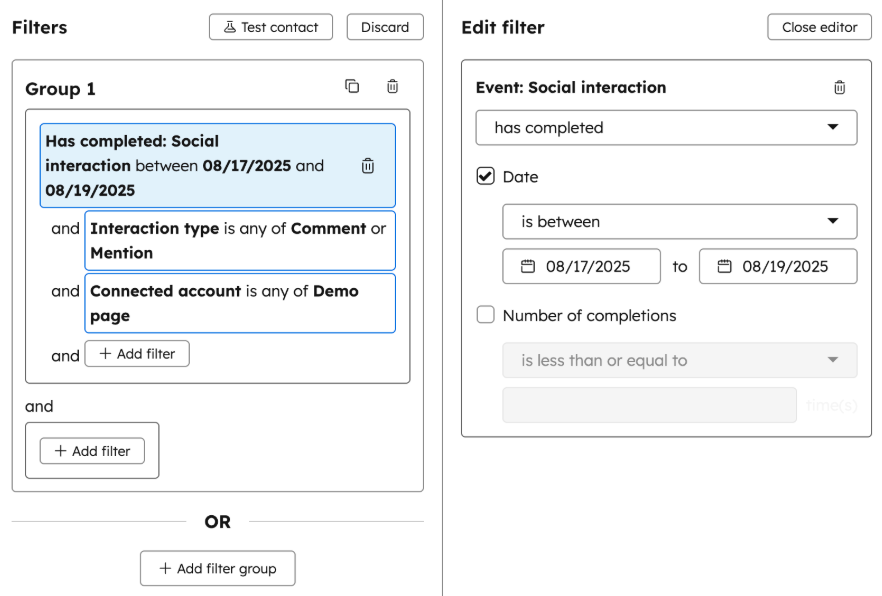
With this context, you can tailor sales conversations and fine-tune personalized marketing campaigns.
➜ Test it yourself: Pick a test contact, interact with three assets, and check the timeline. Each event, with its UTM and content ID, should appear in the right order.
The right CRM gives you powerful automation tools.
When someone downloads a guide, your CRM should trigger automatic steps. Those could include: A follow-up email, a retargeting ad, and a sales alert if the lead fits your criteria.
This keeps your audience moving through the sales funnel without gaps or delays.
(It also saves hours on manual work, so your team can focus on creating new content instead of managing touchpoints.)
Various email marketing platforms can help with this and comparing journey orchestration platforms helps clarify which triggers a CRM handles out of the box, which require outside integrations, and how easily teams can adjust a journey once it’s running.
➜ Test it yourself: Build a journey triggered by a content download. Sequence an email, a retargeting step, and a sales alert. Confirm that each action fires automatically and in the right order.
A CRM connected to a digital asset management system (DAM) keeps your content assets and images organized and compliant.
You can track versions, manage approvals, and make sure everyone uses the right files.
It also speeds up production, which is super helpful when you’re managing multiple marketing campaigns.
➜ Test it yourself: Upload an approved PDF or image into the content library or use the DAM integration. And confirm that relevant team members can easily access it.
A CRM with a built-in content management system (CMS) consolidates your tools. Meaning, you cancreate, optimize, and publish landing pages or blogs within the same software.
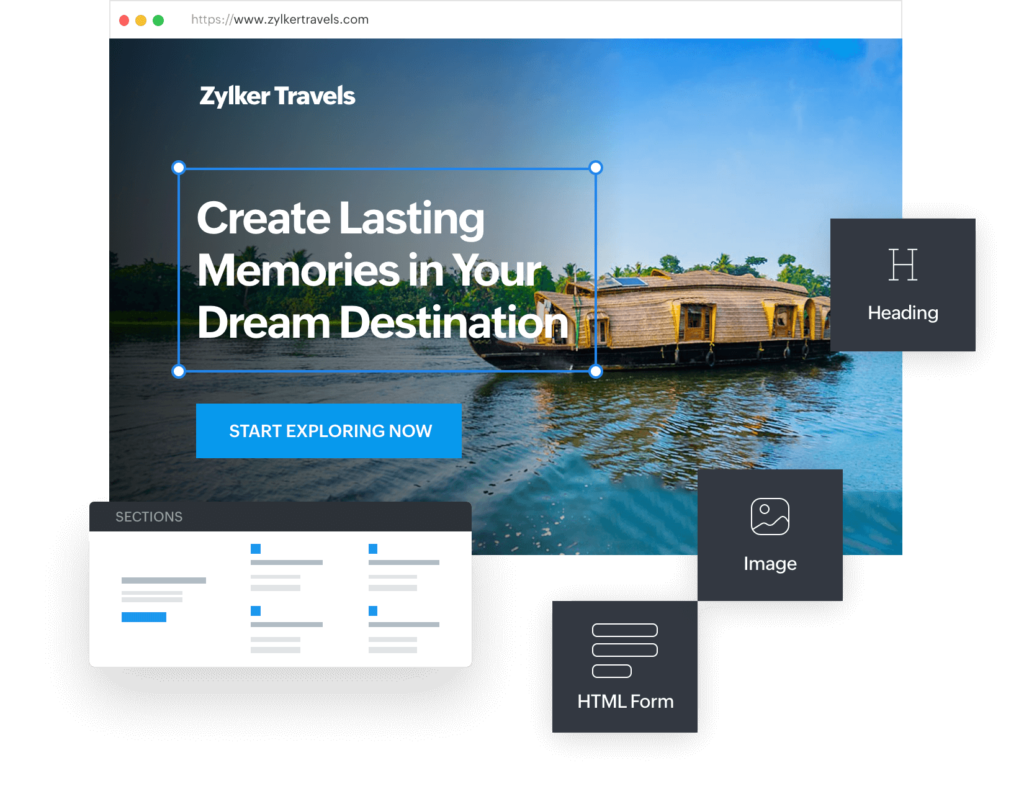
The best systems also include SEO guidance, so you can tweak headlines, meta tags, and schema as you publish. It also connects content creation directly with conversion tracking, so you get seamless clarity into what performs.
➜ Test it yourself: Build a high-converting blog post or landing page and publish it. Add a lead-capture form, such as a newsletter sign-up or a gated content download. Then, confirm that submissions automatically flow into your CRM and attach to the correct contact records. (This part’s really cool!)
Smart marketers test everything.
With A/B and multivariate testing built into your CRM, you can experiment with headlines, calls to action, or layouts and see which version performs best.
➜ Test it yourself: Use the A/B testing capabilities embedded in your CRM to run an A/B test on a landing page headline. The platform should track each variation, collect the performance data, and generate a results report without manual intervention.
Personalization tools in your CRM help you tailor what people see based on who they are or what they’ve done. (A first-time visitor might see an introductory message. While a returning lead sees a case study or a stronger call to action.)
In other words, dynamic content keeps your messaging aligned with each person’s journey.
It makes every email or landing page feel intentional instead of generic.
In fact, according to Attentive’s 2025 Consumer Trends Report, 71% of customers expect a tailored experience based on how they interacted with content in the past.
➜ Test it yourself: Create an email and a landing page with two conditional field content blocks. Send them to two contacts with different job titles or behaviors — and confirm that each version displays correctly.
Consistent UTM tagging helps you track where every lead came from and which marketing campaigns drove the results. Without clean parameters, reports get messy.
A quality CRM should capture UTMs automatically and tie them to each contact record. (Some CRMs require an integration for this.)
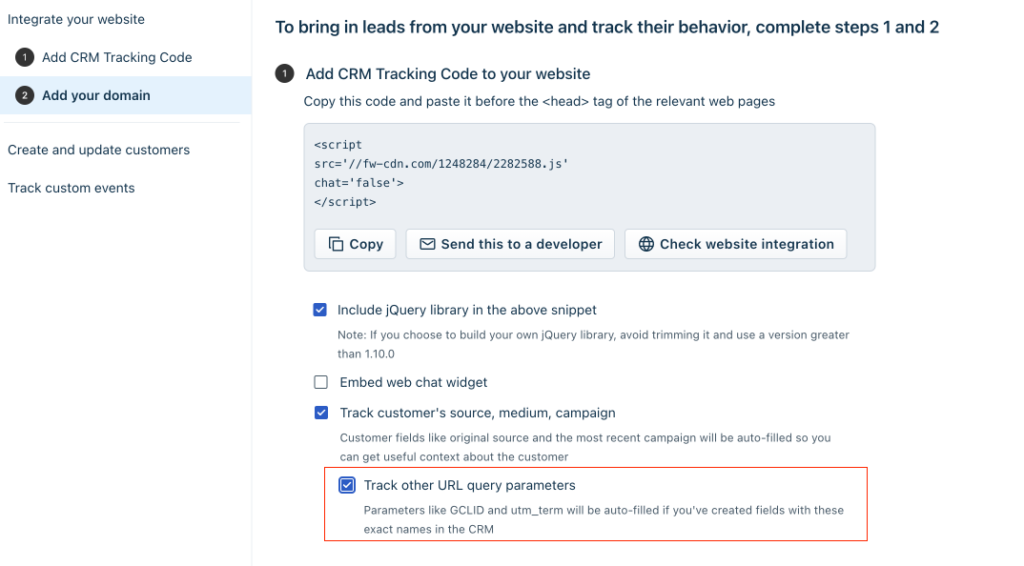
➜ Test it yourself: Publish three links with unique UTM tags. Confirm that the customer relationship management software records every parameter correctly under each contact record.
Connecting SEO metrics to CRM data shows you how organic visitors turn into leads and customers. With this insight, you get visibility that a lead gen agency provides. This is super helpful because you can see which keywords and pages directly contribute to sales pipeline and revenue.
This link provides direction for your content strategy. You can double down on the topics that attract qualified leads. And stop spending energy on content that only drives empty clicks and site traffic.
➜ Test it yourself: Check if your CRM tracks keyword rankings for your posts and attributes leads to those same pages.
You can craft the perfect email, but it only matters if it reaches your recipients’ inboxes.
A CRM that monitors deliverability and sender reputation helps you stay ahead of issues that could land your messages in spam.
➜ Test it yourself: Review your domain authentication settings. Run a seed list test and check how often your messages reach inboxes versus spam folders.
In B2B marketing, you sell to teams, not individuals. Account-based marketing tools in your CRM help you target entire companies based on engagement signals, firmographics, and buying intent.
This lets you match content to company-level needs. (Instead of sending the same assets to everyone.)
➜ Test it yourself: Create an account list and apply an intent filter. Then, launch a content campaign tailored to that group.
Similar to feature 11, segmentation capabilities help you deliver content to specific customer segments.
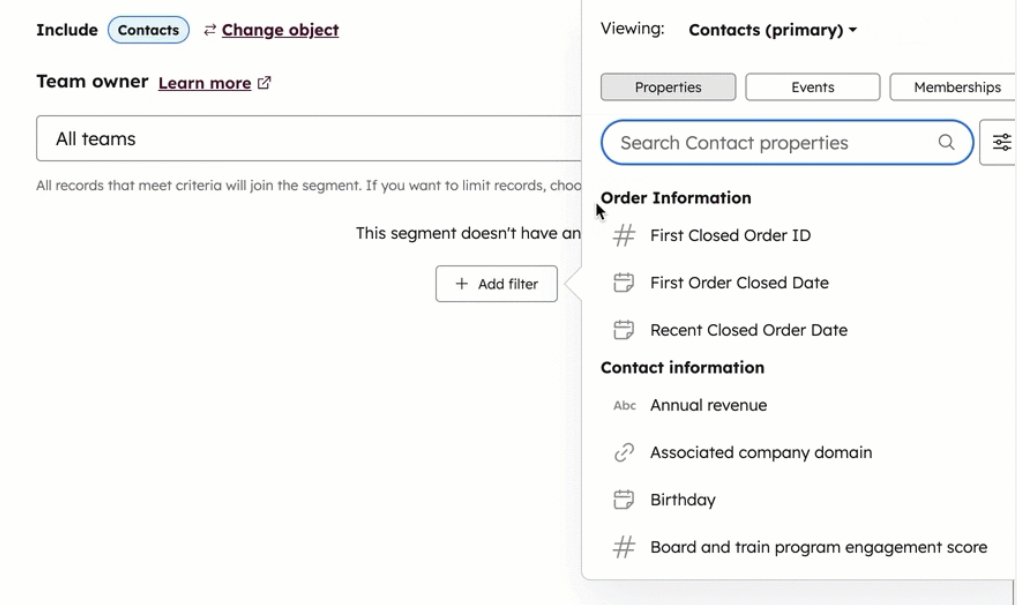
For example, enterprise-level project managers would receive different content than startup project managers. And health and wellness leads would receive different content than personal training leads.
This feature can improve engagement by presenting information relevant to users.
➜ Test it yourself: Build a segment for contacts who share a similar job title. And another segment for contacts with a different job title. Confirm that the CRM adds real contacts who match those descriptions.
Modern marketing runs on connected tools.
APIs and webhooks let your CRM instantly exchange data with your CMS, reporting and analytics platform, or personalization engine.
When these systems talk to each other, you get a complete picture of how people engage with your content. (In other words, you need this feature to connect your CRM to other content tools you use often.)
➜ Test it yourself: Send a content-view webhook from your CMS to your CRM. Confirm that the event appears instantly and triggers the next automation step.
Every form fill comes with responsibility. Strong privacy and consent management tools protect both your audience and your reputation. They let you collect data ethically, manage opt-outs, and stay compliant with laws like GDPR and CCPA.
When you handle data transparency well, people notice. It signals that your brand values trust, and that trust can translate into better engagement over time.
➜ Test it yourself: Create a consent toggle and submit a deletion request. Confirm that your CRM logs the actions and removes the contact data as required.
The CRMs below support the features listed above. But please note that not all features are available at the same plan level. And some only appear in higher tiers (like Enterprise). Or require native or non-native integrations.
(Audit your content marketing goals and processes to determine which features you absolutely need.)
That said, here are some of the most trusted CRMs for content marketers.
If you’re a new content marketer or have a smaller workload, Freshsales is a great start.
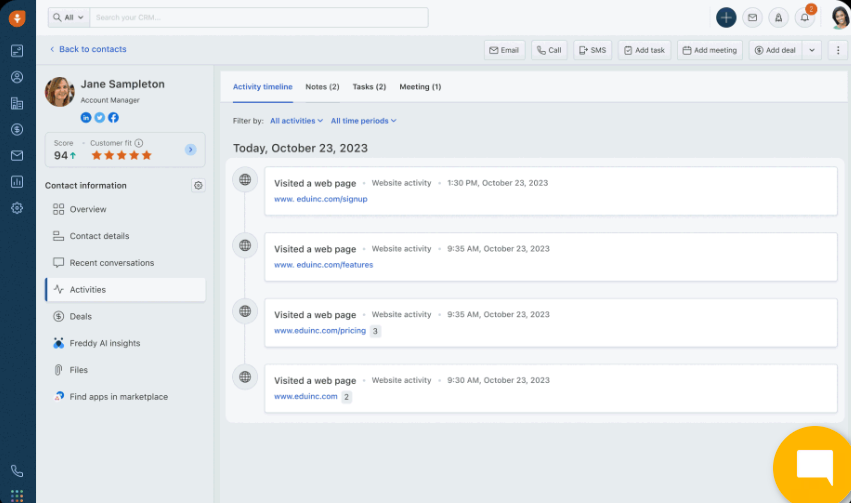
Here’s Freshworks CRM’s (Freshsales Suite) pricing in USD:
Best for: Small content marketing teams looking for a lightweight option for sales, lead management, and content marketing.
The next level up is Zoho CRM. This customer relationship management tool is still pretty affordable and great for small to mid-sized content marketing teams.
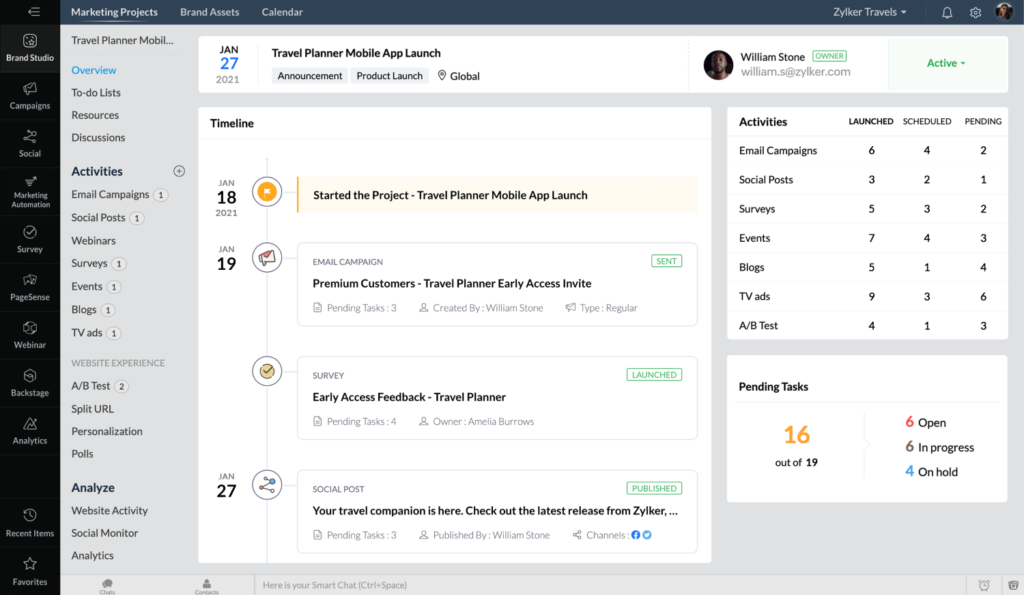
Here’s the pricing for Zoho CRM paired with Zoho Marketing Plus in USD:
Zoho CRM Pricing (per user, billed annually):
Zoho Marketing Plus Pricing (billed annually):
Best for: Small to medium content marketing teams or agencies that want an easy-to-use, flexible system.
HubSpot Marketing Hub is wildly popular for bigger or more established content marketing teams.
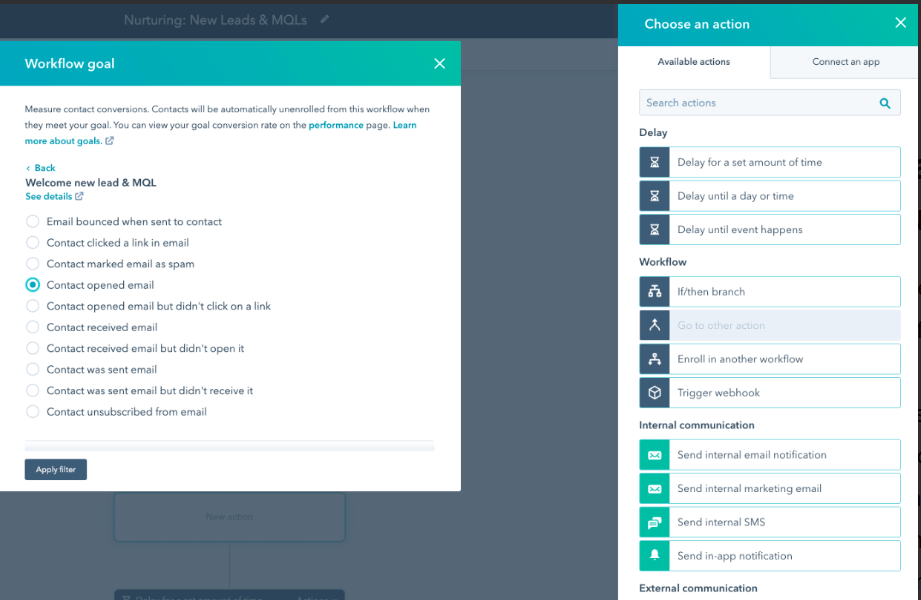
Here’s HubSpot Marketing Hub’s pricing in USD:
Best for: Mid-size to enterprise content marketing teams (or agencies) that need powerful tools to manage and grow their campaigns and reach many customers.
HubSpot also publishes trends and official marketing reports, so you can get ahead in your content marketing business. (Most of my content marketing friends and agency partners use HubSpot!)
Now it’s time to test the features I’ve listed above and choose your customer relationship management tool.
Each one offers a free trial, so you can start testing the waters before committing.
Oh! And if you need a content staging and publishing tool, you HAVE to try Wordable. In mere seconds, you can stage and publish content from Google Docs to WordPress. A total lifesaver. Sign up to try Wordable now.
What key features should I look for in a CRM?
Look for: Contact/lead management, interaction tracking, sales pipeline visibility, automation, reporting and analytics, email integration, and customizable fields/actions.
Can a CRM automate marketing and sales processes?
Yes. Modern CRMs trigger emails, tasks, or alerts based on contact behavior, which reduces manual effort. It’s a must for content teams and sales reps who need to streamline complex processes. (Many also have Artificial Intelligence features.)
Will a CRM help segment my contact database?
Yes. Group contacts by behavior, demographics, or lifecycle stage for targeted campaigns and a rich customer experience.
How does a CRM fit into my Martech stack?
It centralizes customer data and must integrate with marketing automation, analytics, and content systems. A must for streamlined collaboration.
Can I scale later if my CRM has limited features now?
Yes, you can. But migration, integration complexity, and data loss are risks. Plan for APIs, automation, and custom fields if you want to scale later. (Make sure you also enjoy the user experience, or it’ll be a headache to scale later.)