


Hosting webinars can feel challenging when you’re just starting out. There are tools to learn, slides to prepare, and people waiting on the other end of the screen. But once you understand the steps, the process becomes much easier. A webinar lets you reach people anywhere and share what you know in a simple, focused way.
This guide walks you through each part of hosting a successful session. You’ll learn how to select the right topic, set up your tools, craft clear content, and maintain your audience’s engagement. By the end, you’ll feel ready to run a webinar that feels smooth, organized, and confident.
A webinar is a live online session where you share ideas, teach a topic, or guide people through a process. Anyone can join from anywhere. They only need a device, whether that’s a laptop, tablet, smartphone, or even a smart TV, and a stable internet connection.
Most webinars feel like simple virtual classrooms. Some support higher education. Others help professionals learn new skills at their own pace. They work well because people can listen, ask questions, and learn from each other without being in the same room.
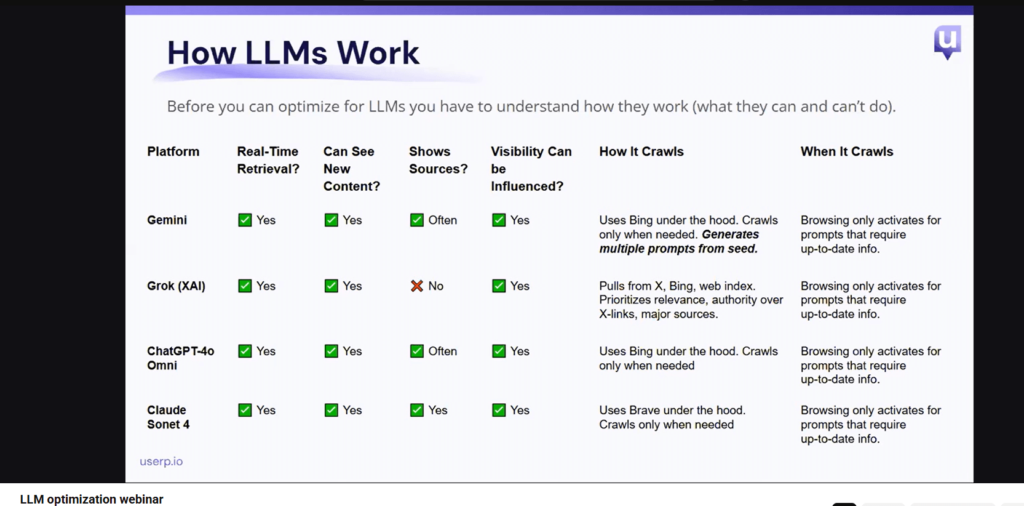
Platforms like Zoom make setup easy by offering built-in screen sharing. You speak to your audience and share your screen. Attendees watch, take notes, and type questions in the chat. Most platforms also allow you to record the session, which helps you share the webinar recordings later.
These steps give you a clear path to follow when hosting a webinar. They help you plan, prepare, and deliver a live session that feels smooth and organized for everyone attending.
Before you plan anything, you need to know who your webinar is for. This helps you choose the right tone, examples, and pacing. When you understand your audience, you make the session easier for them to follow and easier for you to teach.
Start by asking a simple question: Who will join this webinar?
Different groups have different needs.
Next, think about why you’re hosting the session. Your purpose should align with your audience’s business needs and shape the content from start to finish. Some webinars teach a skill. Others share updates. And some walk people through an application process.
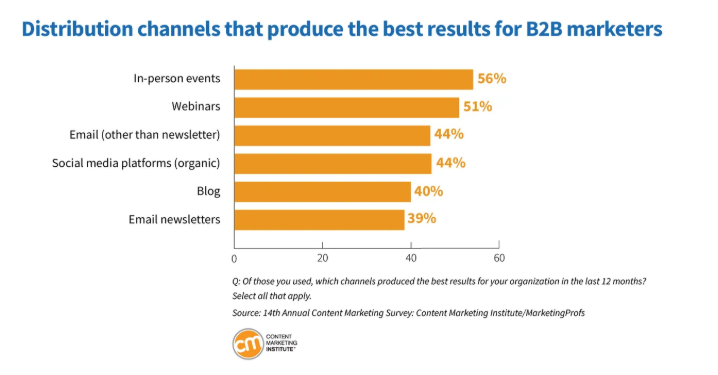
The Content Marketing Institute reports that 51% of marketers believe that webinars deliver the best results of all online channels. That is why it’s essential to select your topic carefully. It’s what pulls people in. If the topic matters to them, they’ll show up. If it doesn’t, they’ll scroll past it.
Think about the questions your audience asks most. What do they struggle with? What do they want to learn right now? Pick a topic that gives them something useful. If your audience is region-specific, focusing on local content can make your webinar more relevant. You might talk about the latest SEO technologies, digital accessibility, or updates on course certifications. When your topic solves a real problem, people stay engaged.
Your tools shape the entire customer experience of your webinar. They let you share your screen, answer questions, and stay in control throughout the process. They also help you stay secure and accessible, which matters for every audience.
Many beginners start with a simple webinar platform because it’s easy to learn. Zoom is a great example. You can talk, share slides, and use the chat without prior technical experience. It offers clear audio and video so people can follow along.
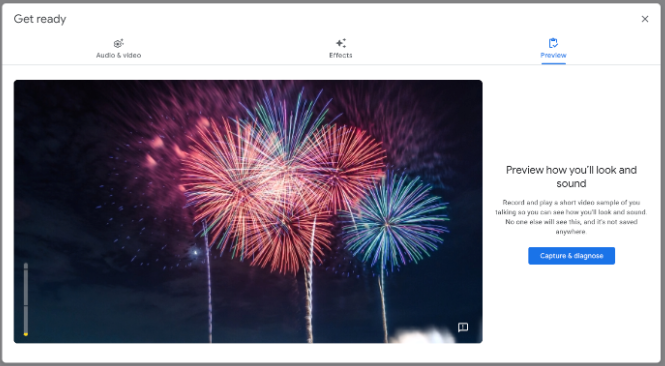
Take a few minutes to explore the tool before the event. Test your audio, camera, and screen share. Check where the chat, mute, and share buttons are. When you know the basics, you can focus on teaching instead of trying to figure things out during the live session.
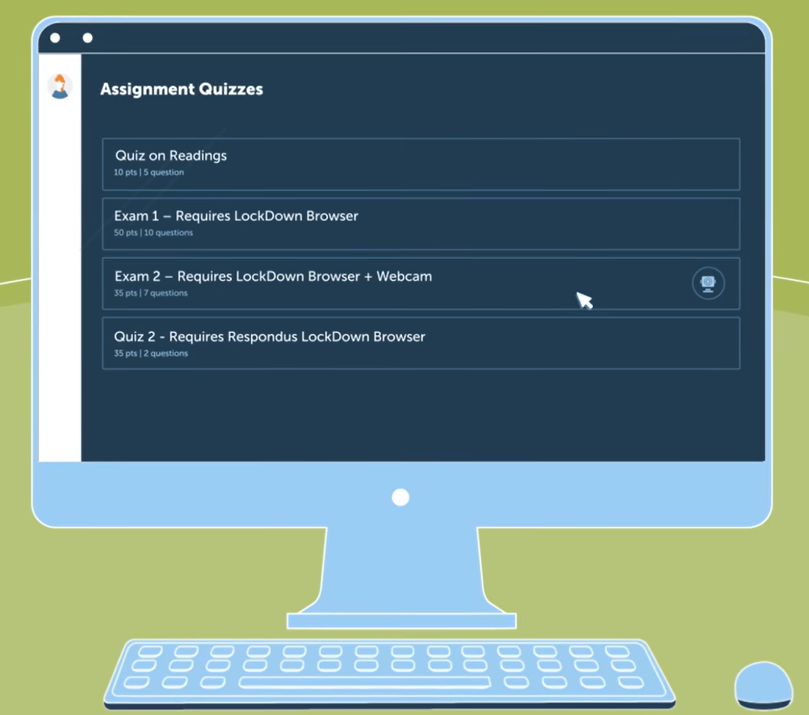
Some webinars may involve exams or official tasks. These sessions need strong security to protect everyone involved. Use tools that ensure a secure connection and protect your content from misuse.
Platforms like Honorlock and Respondus Monitor watch for cheating and unusual activity during online exams. They can flag suspicious behavior and record students through their webcam while they test.
Accessibility should be a key consideration from the start. Your webinar needs to be accessible to people with disabilities, not just those without them, so everyone has a fair chance to learn.
Keep your content simple and clear. Along with reliable video streaming quality, offer captions so people who are hard of hearing can follow along. Use large, readable text. Avoid slides packed with too much information. You can also share documents before the session so people can prepare at their own pace.
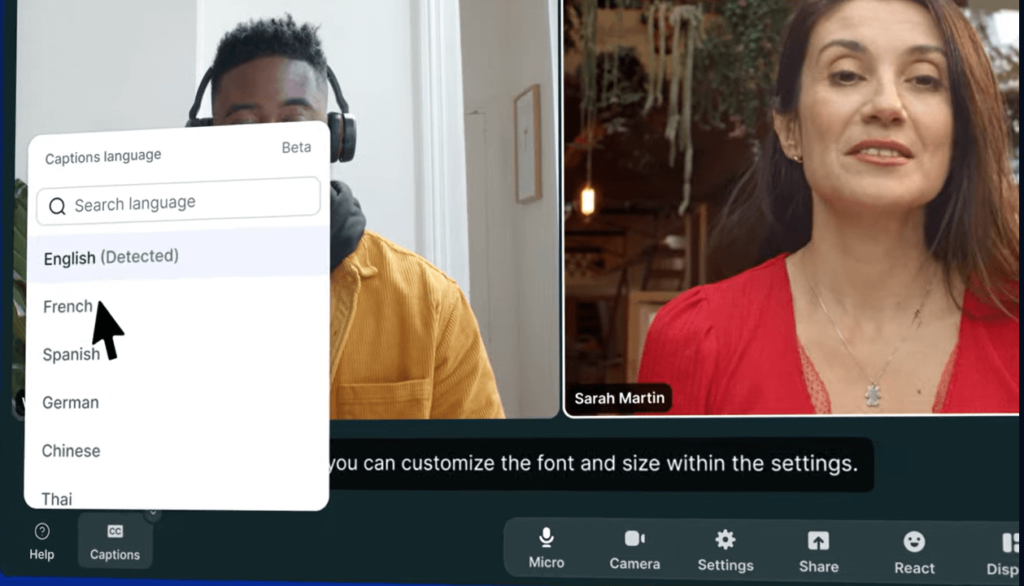
Additionally, ask attendees if they have accommodation requests. Some may need slower pacing. Others may need written notes or extra time for questions. These small steps help people feel supported and included.
A clear structure also improves audience engagement throughout the session. Start by planning the flow from start to finish. Think about how you’ll open the session, what main points you’ll cover, and how you’ll close. Here are a few tips.
Begin with a short welcome. Say who you are, why the topic matters, and what people will learn during your webinar. Keep it friendly and brief. You want your audience to feel ready, not overwhelmed.
Break your webinar into small, focused parts. Let each section cover one idea. Progress from simple points to more complex ones. If you’re an SEO consultant, you may first talk about search engine optimization in general. Afterward, you might discuss more advanced techniques, such as technical SEO. This steady flow prevents confusion and helps people stay with you.
People understand concepts more quickly when they can see a process in action. Share your screen or incorporate short demos to show how something works. This can be particularly useful, for instance, when showing your participants how to create their first blog in WordPress.
Conclude with a brief summary and emphasize the key points. Then, answer the questions or provide a few next steps. For example, a session for teachers may conclude with a few ideas they can implement in their classrooms immediately after the webinar.
If you’re not presenting alone, assign a presentation manager to monitor chat, timing, and technical issues.
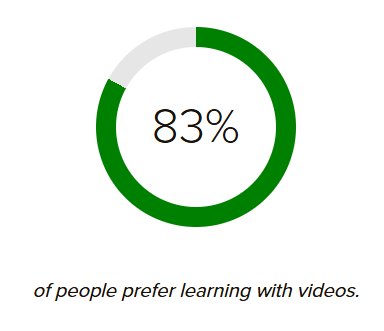
Good content keeps people interested. According to TechSmith, the majority of people (83%) prefer learning through video. This means visuals, demos, and short clips can make your webinar much easier for people to follow.
Here’s how to make your content engaging:
People can only attend your webinar if they hear about it. Plan a promotion strategy in advance, so people have enough time to sign up and share the event with others. Use short messages that clearly explain the topic, its significance, and what people can learn from it.
Email works well, especially when you use marketing automation platforms and tools to schedule reminders and segment your audience. Inform participants about how the session will benefit them.
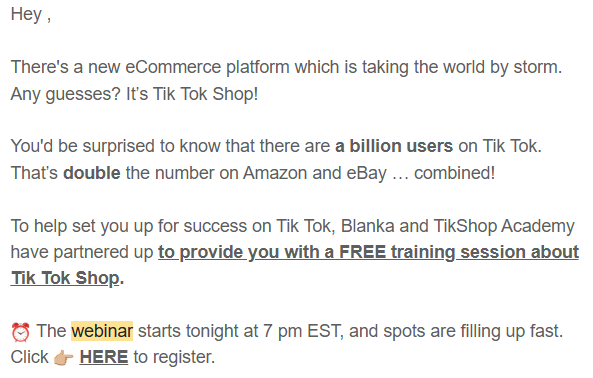
Screenshot provided by the author
You can also use social media broadcasting to promote your webinar across LinkedIn, Facebook, or YouTube. This helps new people discover it, even if they’re not on your email list.
Use clear titles, like “5 Ways to Maximize Ecommerce Revenue With SEO”. It highlights the main benefit (to maximize e-commerce revenue with SEO), which increases the chance for people to join.
Send reminders. A short message the day before and one more right before the webinar helps boost attendance.
Recording your webinars lets you turn them into on-demand webinars that people can access anytime. It also helps people who missed the live session. Recording sessions can extend the teaching experience long after the event concludes. It can even support selling courses if you use the content in future training.
Turn on the recording before you start. Check that your microphone works and your slides show clearly. This quick step saves you from losing a whole session.
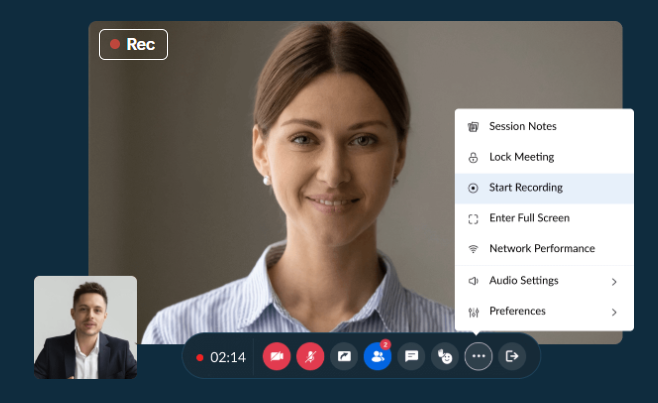
After the webinar, share the recording anywhere your audience looks for help.
Keep the link easy to find so people can return to it whenever they need a refresher.
Your webinar can also become new content through content repurposing. You can turn the most helpful moments into short clips for social media. Or transform the main ideas into a blog post or a simple guide.
Long demos can become short, focused tutorials.
Say your session focuses on AI writing tools for content creation and broader AI adoption. You may create a short video series. And each clip can show one tool or one feature people want to learn.
Following up after your webinar strengthens the overall customer experience and keeps the connection strong. It shows people you care about their experience and want them to get real value from the session.
Begin with a brief thank-you message. Keep it warm and simple. Thank attendees for attending. Include the recording so they can review anything they missed at their convenience.
Share extra resources when you can. This might be a guide, a checklist, or your slide deck. These materials help people apply what they learned.
Don’t forget to ask for feedback. Many CX experts recommend collecting structured feedback to refine future sessions and improve attendee satisfaction. Most people appreciate the opportunity to share their honest opinions.
If your webinar is part of a bigger series or program, explain the next steps. Let people know about upcoming topics or sessions they might want to attend.
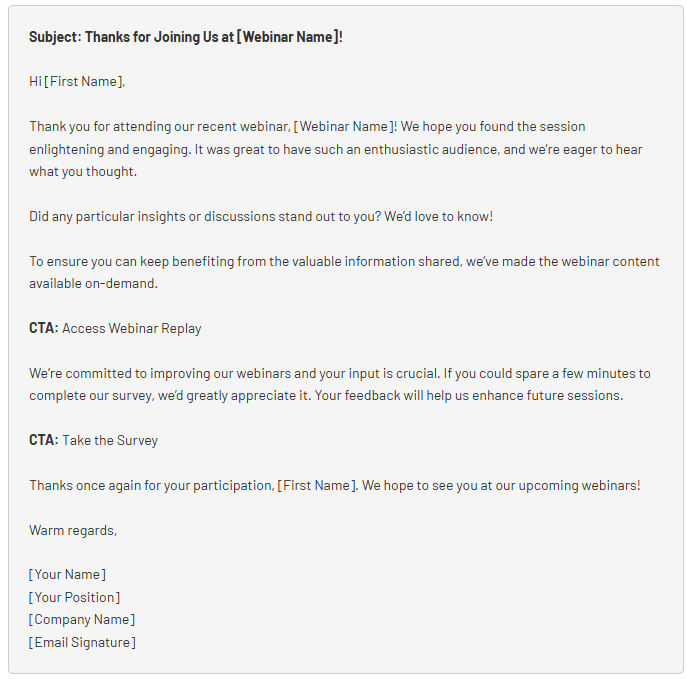
Tip: After a session on the latest marketing and technology trends, you might send a thank-you email with the recording, a quick quiz, and a small list of future topics they can vote on.
Also review how the webinar performed. Check attendance numbers, watch time, and which segments sparked the most questions — then look at what people did afterward to understand what worked and what to improve next time.
Your first webinar doesn’t need to be perfect. What matters is knowing who you’re speaking to, choosing a topic they care about, and preparing content that guides them step by step. With these steps, the whole process should feel easier. And, with every session, you’ll learn what works, improve your delivery, and build the confidence to lead a room full of people from anywhere.
If you want to sharpen your skills even further, Wordable has prepared a library of guides to help you write, publish, and organize your content with less effort. Explore tutorials, tips, and workflows designed to make your process faster and smoother, so you can create valuable content your audience will trust. Visit our Wordable blog.