


Sales kits usually get handed off to sales ops or a random design agency
… which results in a shiny folder full of PDFs that nobody uses. 🙃
That’s because they produce something that looks polished but doesn’t reflect how buyers actually buy. No shade. We all have our specialities!
But the truth is: The content team should own sales kit creation. PERIODT. (Yes, with a T.)
Content teams are in a better position to build sales kits because they understand how online buyers think, what questions they ask, and what content helps them move to the next stage in the sales funnel.
That said, here’s exactly how I’d build a sales kit as a content strategist. 👇
Highlights:
A sales kit is a collection of sales materials that help sales reps educate buyers, handle objections, and move deals forward. Some of them can also live on your website for online searchers.
Sales materials go in a sales kit. Content assets might include educational one-pagers, objection guides, case studies, and pricing sheets.
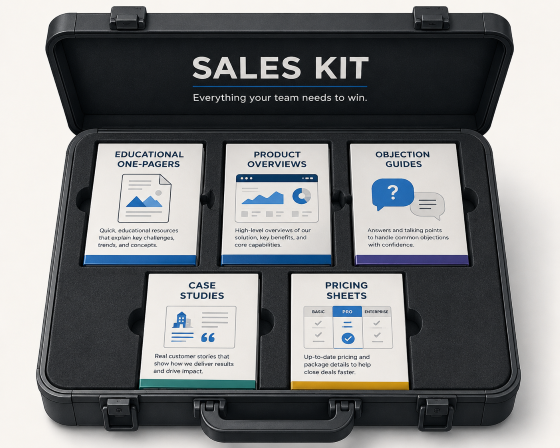
(Image by Ioana)
Here’s what to include in a sales kit by buyer stage.
Pro-Tip: Bookmark this article now so you can come back to it later when you’re ready to create your sales kit. Or copy and paste the content structures and examples below in a Google Doc, and forward it to your content team.
At this stage, buyers are trying to understand the problem and explore their options. Give sales reps content that educates and softly sells.
I recommend quick, educational one-pagers and product overviews for top-of-the-funnel leads.
Below, I’ve broken down what these are, how they help, and how to structure both.
What it is: A one-page resource that explains a problem, trend, or concept relevant to your audience.
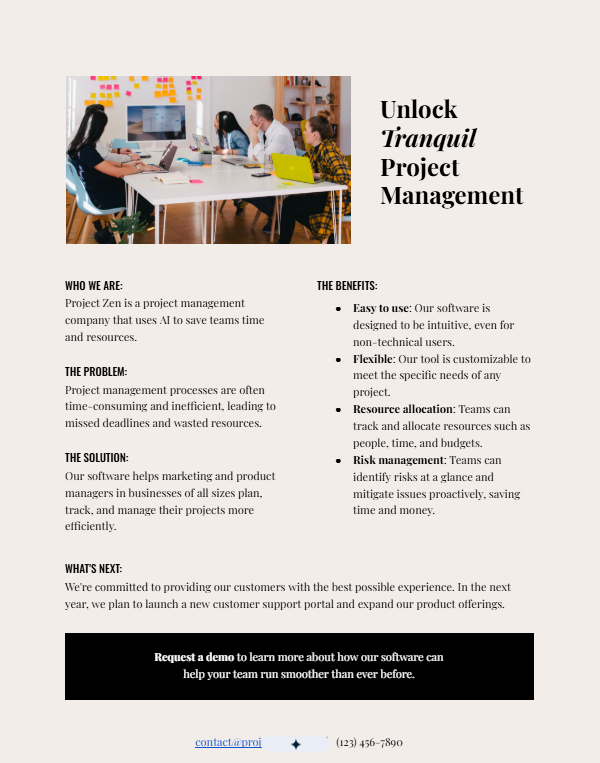
How it helps: Builds credibility and gives buyers useful information before they’re ready for a sales conversation.
Here’s the content structure you need for an educational one-pager:
As you can tell from the title “one-pager,” this is meant to be a short-and-sweet guide. (See the example above. I especially like the quick benefits list!)
I highly recommend hiring a copywriter to help you with this asset. If this is your first chance to impress cold leads, you need the right words to make a strong impression.
What it is: A high-level overview of your product, who it’s for, and the value it delivers.
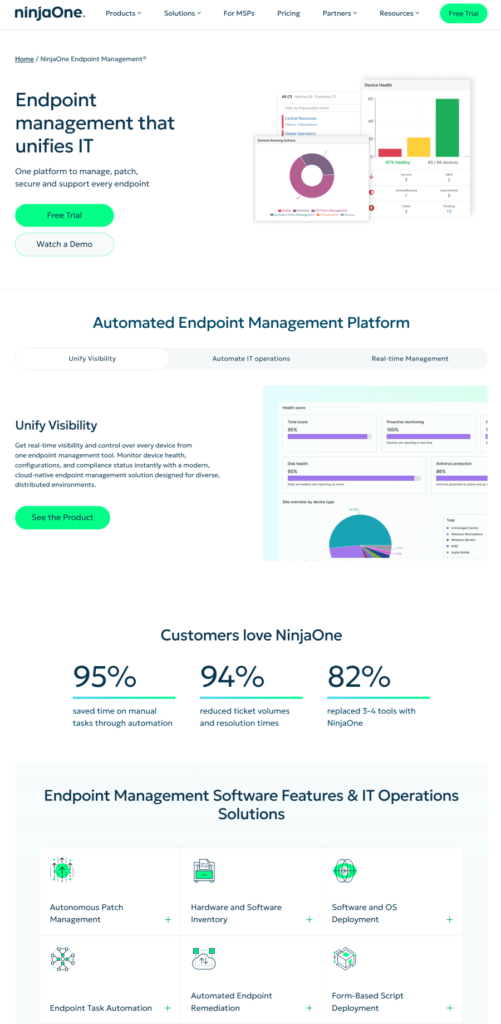
How it helps: Gives buyers a quick way to understand what your product does and whether it’s a good fit before they dive into demos, pricing, or feature comparisons.
Copy this product overview content structure:
Note: This asset needs engaging visuals to captivate the prospect and hold their attention.
Look at NinjaOne’s example again from above. It has clear, designated sections, plenty of white space, and images that showcase its solutions. Even the stats look good! They’re formatted using a block and stat cards.
I also like the feature cards with mini illustrations that demonstrate how each capability works.
All of these (seemingly) little details make the asset easier to scan, read, and understand. This is especially important if you sell a complex product or service or if you’re in the tech or SaaS industry.
At this stage, buyers are comparing solutions and looking for reasons to choose yours.
Give sales reps content that answers questions, handles objections, and builds confidence in your solution.
I recommend battle cards and objection handling guides for middle-of-the-funnel leads.
Here’s how to structure these. 👇
What it is: A quick-reference guide that compares your product against competitors.
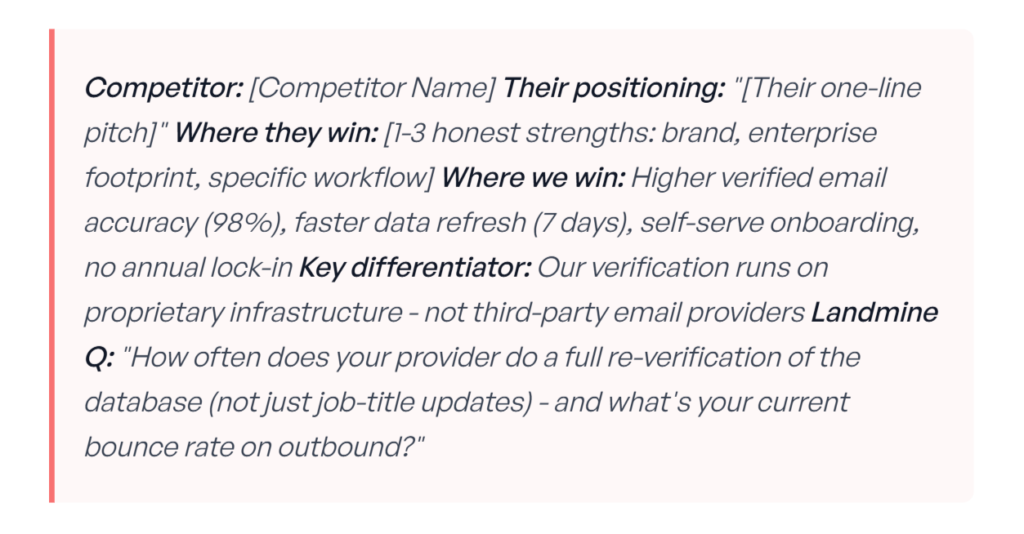
How it helps: Gives sales reps talking points to handle competitive conversations with confidence.
Steal this battlecard content structure:
Here’s an example that shows you how to position those last three questions. 👇
Landmine question: “Does your current content publishing process preserve formatting automatically, or does your team still fix layouts manually?”
Corresponding customer question: “How long does publishing a typical article take today?”
Follow-up: “If you eliminated those manual fixes, what could your team do with those extra hours?”
Take another glance up at Prospeo’s battlecard to see this sequence in action.
What it is: A resource that prepares sales reps for common buyer concerns.
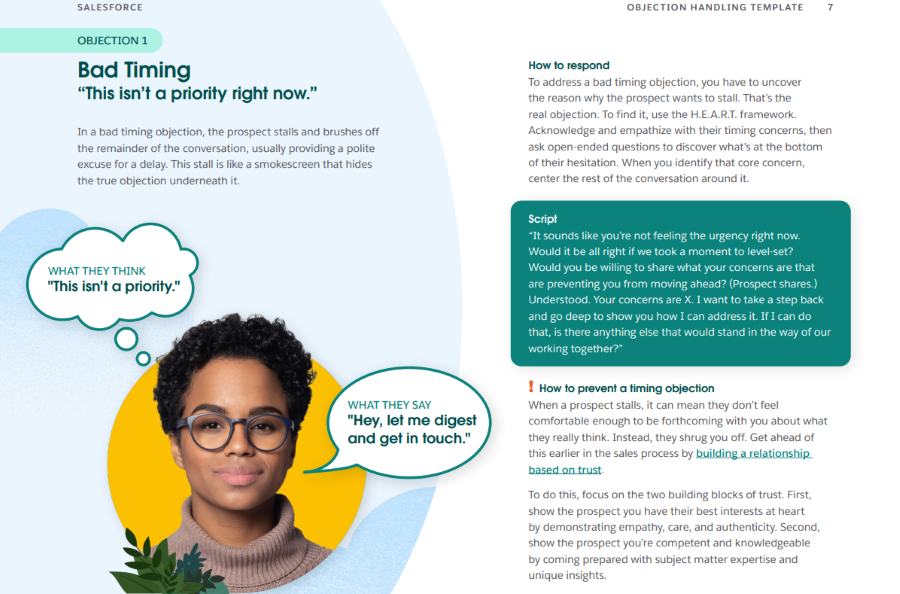
How it helps: Reps have exact scripts they can use to overcome common buying objections and hesitations.
Here’s a straightforward way to structure your objection handling guides:
The most important part here is uncovering and highlighting what the potential buyer really means. Leads often say one thing, when they really mean another. So reps end up answering objections the prospect never really had. 🙃
Look at Salesforce’s objection handling template from above.
Objection 1 is “Hey, let me digest and get in touch.”
But what the prospect really means is “This isn’t a priority.”
Here’s Objection 2. 👇
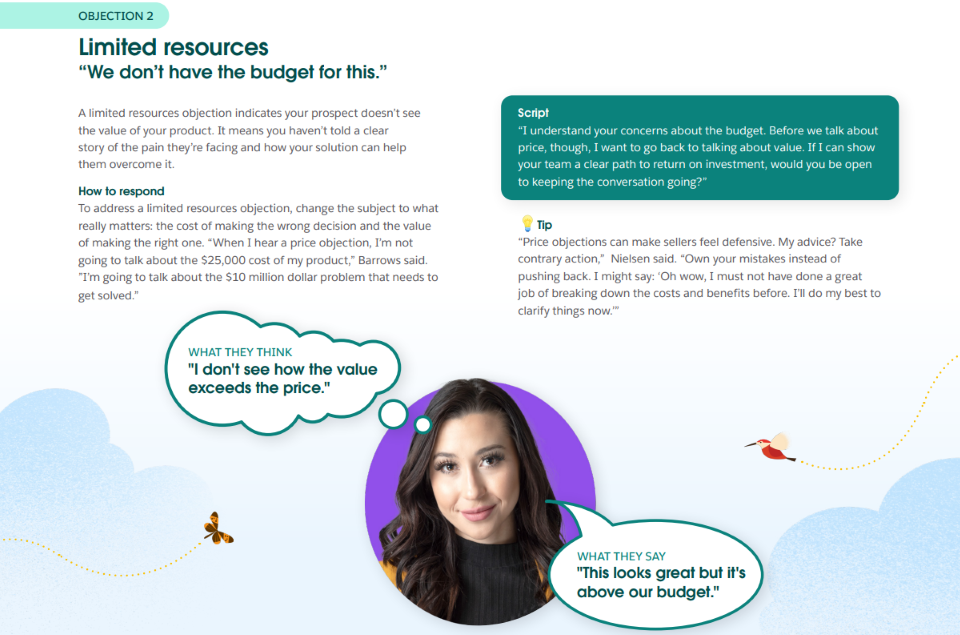
The prospect says “This looks great, but it’s above our budget.”
But what they really mean is “I don’t see how the value exceeds the price.”
Once you understand the buyer’s true concerns, you can write response scripts that help sales reps have more productive conversations.
At this stage, buyers think your product could potentially solve their problem.
They just need one final nudge to make sure your solution is the best fit for their specific needs and budget.
I recommend case studies and pricing sheets for bottom-of-the-funnel leads.
Here’s how to structure both. 👇
What it is: A customer success story that describes a challenge, how your product solved it, and the final results.
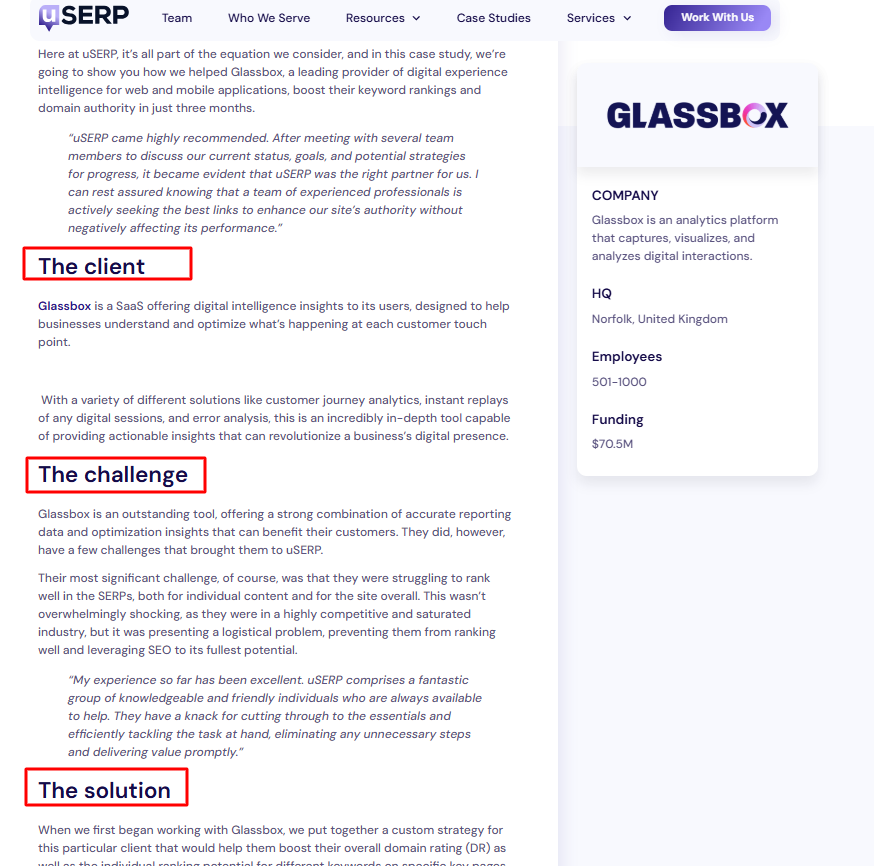
How it helps: Gives buyers proof that your solution delivers real results for other similar customers.
Steal this case study content structure:
Make sure to focus on measurable results when writing your case studies. Hard numbers are more convincing than general success stories.
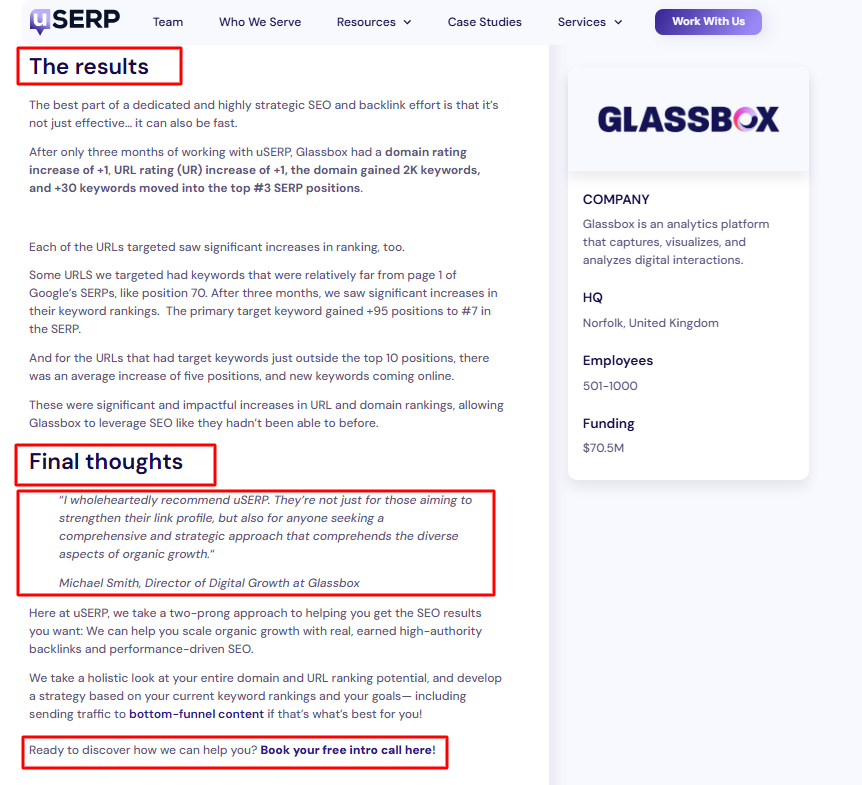
Look above at uSERP’s case study for Glassbox.
The content team mentioned exact figures:
“After only three months of working with uSERP, Glassbox had a domain rating increase of +1, URL rating (UR) increase of +1, the domain gained 2K keywords, and +30 keywords moved into the top #3 SERP positions.”
Other measurable results you could highlight in your case studies include:
What it is: A document that explains your pricing, plans, and what’s included in each option.
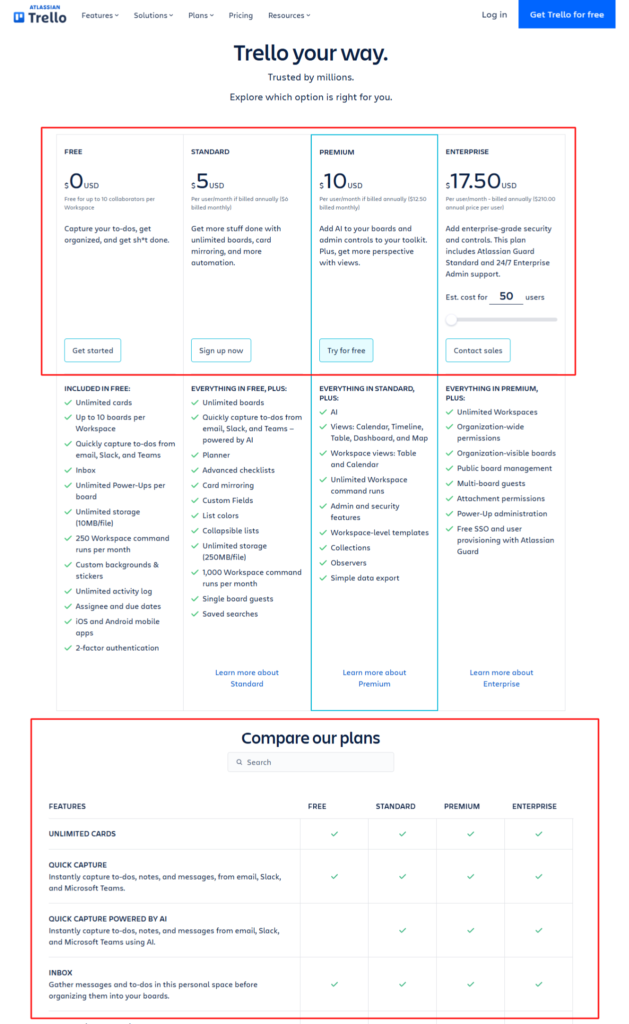
How it helps: Buyers can compare plans, understand costs, and make a purchasing decision faster.
Copy this pricing sheet content structure:
The goal with this asset is to be very clear about what’s included in each plan or solution.
Picture a buyer scrolling through this after a demo, looking for the right plan. What information would help them compare their options without emailing sales to clarify? Make sure the primary differences are obvious at a glance.
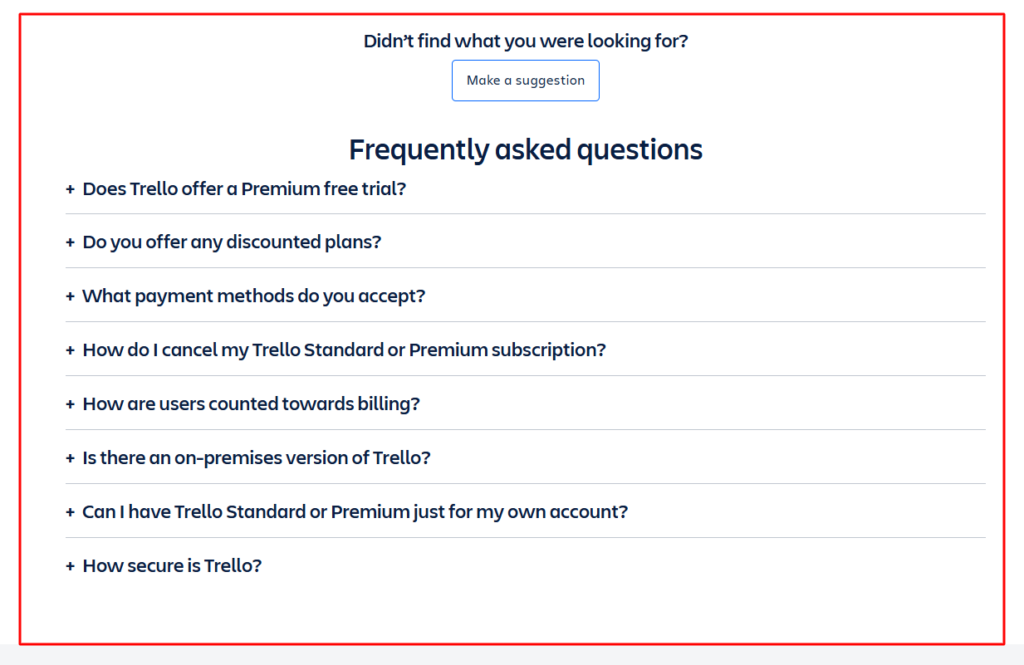
Look at Trello’s pricing sheet above and take the “scroll test.” (It’s a test I just invented.) 😂
After just a few seconds of scrolling, you understand which plans are available, what they cost, and the differences between them.
Everything’s organized into clear blocks and pricing panels. Even the FAQs are tucked into easy-to-open dropdowns. The copy is also direct and easy to understand.
Sales kits convert prospects into buyers when every asset moves the lead one step closer to a decision.
That can happen when content teams:
These six assets create a complete sales kit that’s built around how buyers actually buy. ☑️
BTW, if you write in Google Docs, Wordable lets you publish one-pagers, product overviews, case studies, pricing pages, and other sales content to WordPress or HubSpot in just one click.
(No copying and pasting. And no fixing formatting.)
Curious to see if this could help? Check out our guide on exporting Google Docs to WordPress.
Or … Try Wordable for free. ✨
What’s the biggest mistake companies make when creating sales kits?
Treating the sales kit as a one-time project. I didn’t mention this in the guide above, but sales kits should evolve as your product, customers, competitors, and messaging change.
How do you know if your sales kit is working?
You need to track how often sales reps use each asset.
Make sure to ask for regular feedback from the sales team and monitor whether the content helps move deals through the pipeline faster.
Should sales kits be digital or printed?
I recommend using digital sales kits because they’re easier to update, search, and share. (Plus, published content marketing assets can also rank in search results and in AI search experiences.)
Printed versions still work well for conferences, trade shows, and in-person meetings.