


Search engines are smart. But they still struggle to read your blog posts as a person does.
That’s where schema markup helps. It’s a specific code you add to your website. This code tells search engines what your content means.
It helps Google, AI Overviews, and new answer engines understand your topics. Schema doesn’t guarantee higher rankings. It simply helps systems read your data.
It makes your pages eligible for eye-catching rich results.
This guide covers schema markup for blog posts. You’ll learn how to add it, test it, and avoid common mistakes. You’ll also see examples.
Highlights
Search changes fast. To keep up, you need to know how machines read your words.
Here’s how structured data helps.
Schema markup is a structured data vocabulary. It uses Schema.org standards to label parts of your page. These include articles, authors, and FAQs. Search engines then know exactly what the page holds.
Take the BlogPosting schema, for example. It tells Google who wrote the article and when it was published. The University of Mannheim found that by 2024, structured data appeared on 51.25% of analyzed webpages. This shows how common schema has become.
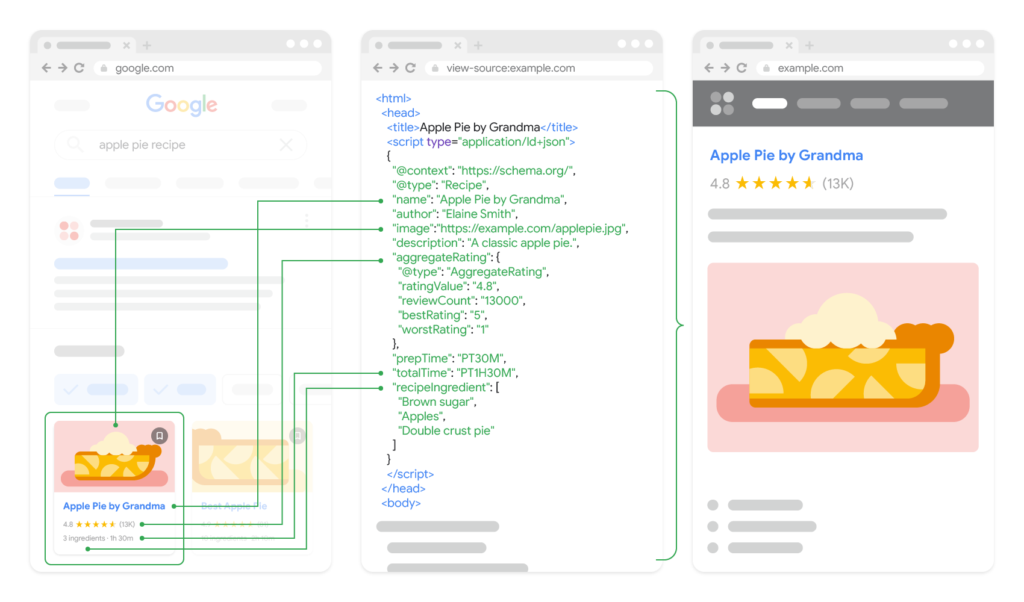
Search engines use schema to sort content faster. It also shows them how parts of a page connect. That helps Google show rich results, such as article previews and other search features.
For example, the Article schema can tell Google a page is an article, not a product page. That context also supports SEO content production because teams can plan pages around topics, entities, and page intent.
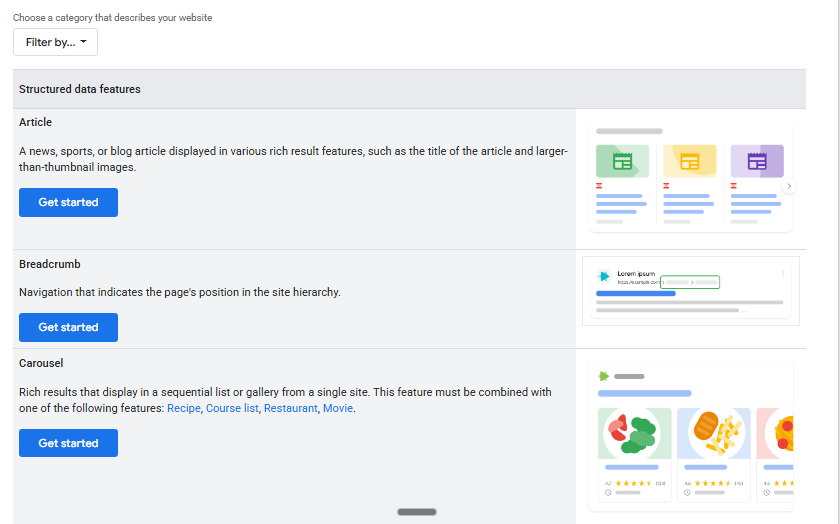
AI engines rely on structured signals to build answers. Schema defines entities, the links between them, and page topics. It does this in a format machines can read.
In an analysis, BrightEdge’s research found that AI Overviews appeared for 44.4% of queries, up from 26.6%. That growth shows why structured content now matters more for search.
Different schema types serve different kinds of content. You need to pick the right option for your page content.
Let’s break down the choices.
Article schema marks up written content, including:
It includes common properties like:
For example, a news analysis or industry update fits the Article schema. The page focuses on written editorial content.
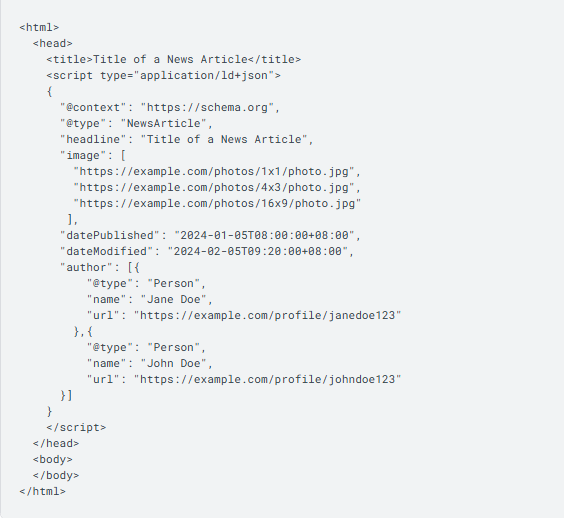
The BlogPosting schema is a subtype of the Article schema. It works best for:
It shares many Article properties. But it gives search engines a clearer blog context.
A company blog post about a repeatable WordPress SEO checklist would use BlogPosting schema. The page sits inside a blog and helps readers who want guidance.
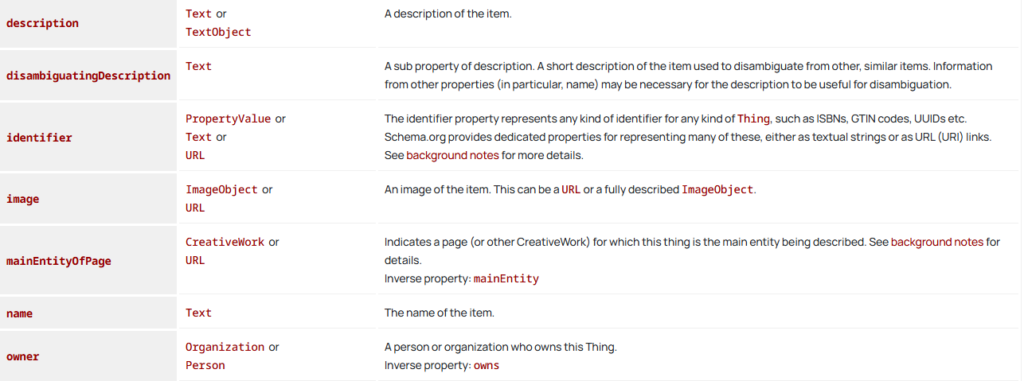
HowTo schema works for tutorials that teach a process. To qualify, the page needs clear steps, instructions, and supporting details.
Required elements often include step names, instructions, and images.
For example, take a tutorial on adding JSON-LD code to WordPress. It can use the HowTo schema if each step appears in order with instructions and images.
Author and Organization schema connect your content to the people and brand behind it. This helps search engines understand who created and published the page.
For example, an Author schema can link a blog post to a writer bio page. The Organization schema can identify the publishing company, logo, and website. These links support E-E-A-T signals. They also help search engines understand the entities across your site.
Adding this code to your blog does not take hours. You just need a clear process.
Follow these steps to set up your structured data correctly.
Your schema type should match what readers see on the page. A tutorial page needs different markup than a news article.
Avoid adding a schema that doesn’t fit the content. For example, a recipe page can use the HowTo schema if it includes steps. But a standard marketing article should use BlogPosting or Article schema instead.
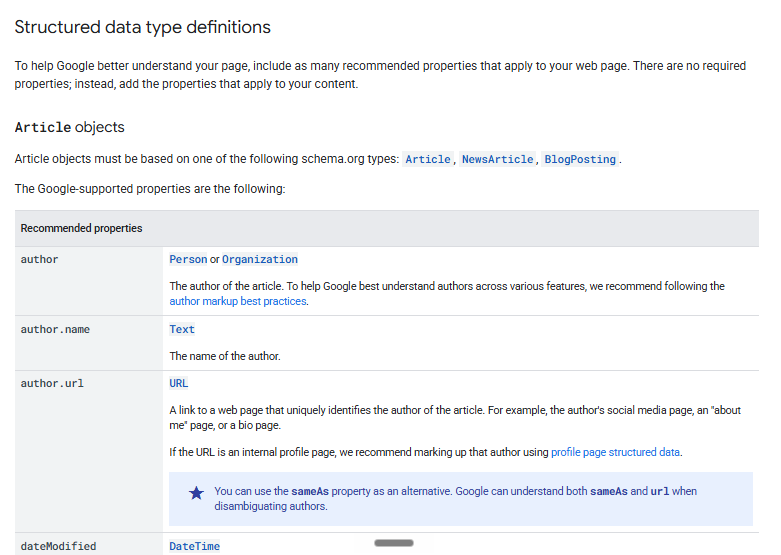
Most blog schema types need a few core fields to work. Common fields include:
For example, the BlogPosting schema should include the article title, featured image, and publish date. Missing fields can make a page less likely to earn rich results. They also make the content less clear.
Your SEO brief should define these fields before drafting. That is one practical difference in a content brief vs SEO brief workflow.
Many WordPress SEO plugins generate schema without custom coding. Some CMS platforms also have schema settings in the editor or theme.
You can also add JSON-LD code manually in the page header. For example, headless CMS setups often need manual schema work. That’s because the frontend and backend run separately.
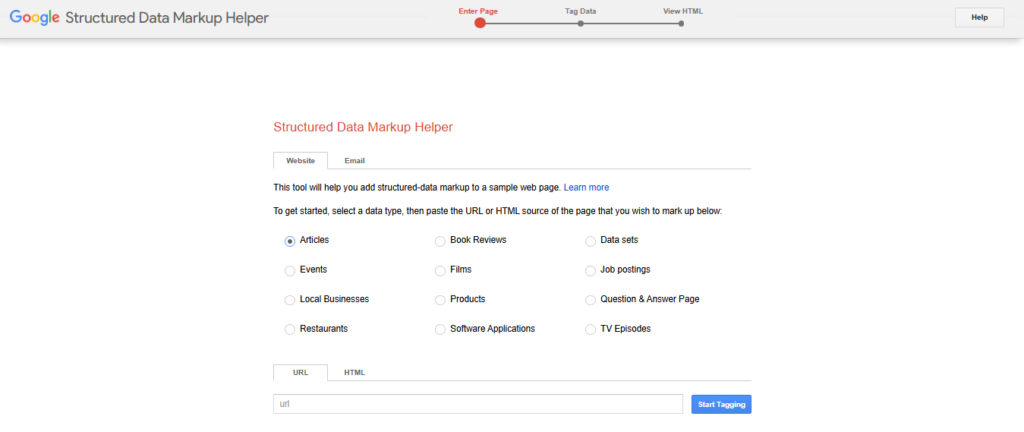
Validation tools help catch missing fields. They also spot format issues before they cause indexing problems. Google’s Rich Results Test checks if a page can earn rich results.
The Schema Markup Validator checks your code and how schema types relate. For example, a warning may suggest improvements. But an error can block valid schema output.

Schema work doesn’t stop after publishing. Search Console enhancement reports can show errors, warnings, and valid rich result pages.
You should also track rich result visibility after content updates. Let’s say you update product details without updating the schema. This can create mismatched page signals over time.
Seeing the markup in action makes implementation easier.
The examples below show how the BlogPosting schema works and what each property means. They also show how several schema types can share one page without conflicts.
Here’s an example that shows a basic BlogPosting schema setup. It includes the required properties.
{
“@context”: “https://schema.org”,
“@type”: “BlogPosting”,
“headline”: “Schema Markup for Blog Posts”,
“image”: “https://example.com/image.jpg”,
“author”: {
“@type”: “Person”,
“name”: “Jane Smith”
},
“publisher”: {
“@type”: “Organization”,
“name”: “Example Media”
},
“datePublished”: “2026-01-10”,
“dateModified”: “2026-01-15”,
“mainEntityOfPage”: {
“@type”: “WebPage”,
“@id”: “https://example.com/schema-guide”
}
}
Each property gives search engines more context about the page. The headline identifies the article title. And the image points to the featured image readers see on the page.
The author and publisher fields define who created and published the content. There’s also datePublished and dateModified. These tell search systems when the article first went live and when it was last updated.
One page can support multiple schema types. This matters for a content funnel when AI-led discovery rewards clear answers, useful structure, and scannable formats.
For example, a blog post reviewing a gadget might have:
Schema can be hard to manage if you publish a lot of content.
You need a system that keeps your code accurate without slowing down your team.
Large content teams often hit publishing delays. This happens when editors use different formatting or schema settings.
Manual schema work also creates gaps across the site. For example, one article may include author, publisher, and modified date fields. Another may miss half of them. Someone simply forgot to update the markup before publishing.
The schema should reflect what readers see on the page. When content changes, the structured data should change too.
Say a blog post gets a new author. The publish date and the FAQ section change too. If the schema still shows old details, search engines may get mixed signals about the page.
Publishing tools can help reduce formatting problems before content goes live. If your team needs to export Google Docs to WordPress, publishing tools can help reduce formatting problems before content goes live.
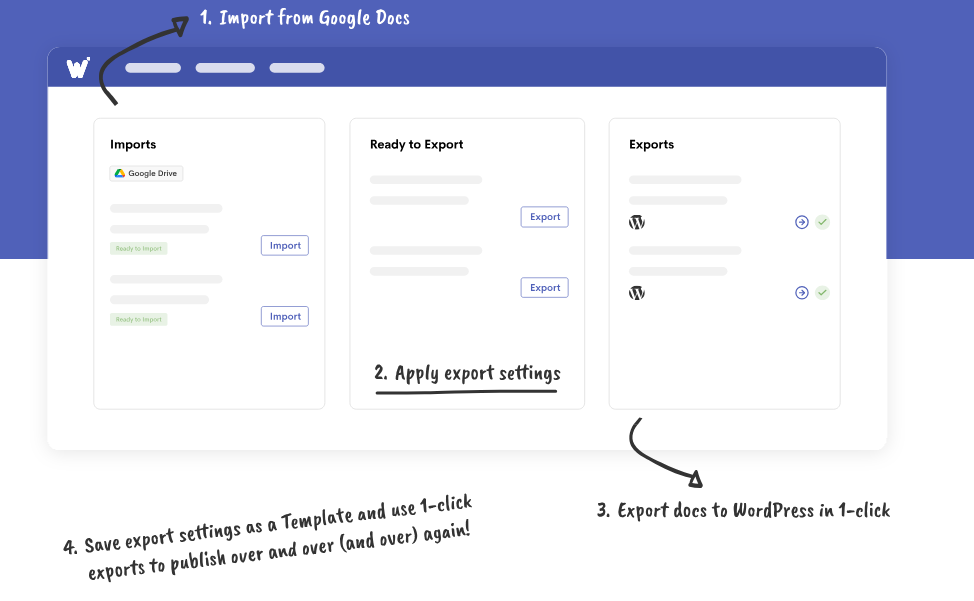
This reduces manual cleanup after upload. Imagine a content team that needs to update 50 blog posts in one day. Wordable helps keep formatting and structure more consistent. The team doesn’t have to fix layout and publishing issues page by page.
Search systems rely more and more on structured content. So your schema should be accurate and consistent. It should also be part of your publishing workflow, not a one-time SEO task.
Adding more schema doesn’t always improve search visibility. Too many markup types on one page can confuse search engines.
Use fewer schema types that match the content. For example, a standard blog post may only need BlogPosting and Organization schema. You may not need extra markup that adds no clear purpose.
Search engines look for consistent entity signals across your website. Author names, organization details, and profile pages should stay connected from one page to another.
Consider an author bio page. It should link back to published articles using the same author entity. Internal links between authors, articles, and organization pages help too. They show search systems how those pages relate.
Schema works alongside SEO, content structure, and AI visibility. It helps search engines and answer systems see what the page holds. It also shows how the facts connect.
Structured publishing workflows also help maintain schema markup. McKinsey estimates that about 50% of Google searches already include AI summaries. This number could pass 75% by 2028.
Schema code improves how search engines understand your context. It gives systems direct facts about your pages.
This code makes your text clear for traditional bots and new answer engines.
Your implementation must always be accurate. Schema requires regular upkeep when your content changes. Outdated details can hurt your search presence.
Structured data performs best when you pair it with a strong content layout. Clear headings and writing help machines read your ideas. Good code cannot rescue a messy page format.
You can simplify your publishing process. Wordable automates your uploads so you can manage layout and text updates with ease. It keeps your format safe from errors during exports.
Sign up for Wordable today to smooth out your web production flow.
Schema markup for blog posts is structured data. It helps search engines understand article details. These include author, publish date, headline, and page type.
Schema doesn’t guarantee higher rankings. It helps search engines read content more accurately. It can also improve eligibility for rich results and AI search features.
BlogPosting schema works best for most blog content. Article schema also works for editorial pages, news stories, and long guides.
Yes. A page can use BlogPosting, Product, or HowTo schema together. The visible content must support each type, and the entities must stay consistent.
You can test your schema using Google’s Rich Results Test and Schema Markup Validator. These tools find missing fields, format issues, and invalid code.