


The best Amazon SES alternatives for sending transactional emails in 2026 are Mailtrap, Twilio SendGrid, Mailgun, Postmark, Brevo, and MailerSend. We compared all six across deliverability, pricing, SMTP and API setup, analytics, and support so you can skip the trial-and-error and pick the one that fits how you actually send.
Each section below tells you what a provider excels at, where it slows you down, and what it costs after you outgrow the free tier.
Amazon SES is cheap and powerful, and for teams already working within AWS, that combination is hard to beat. The catch is that SES ships as raw infrastructure.
There is no built-in bounce suppression, no native stream separation, and no real analytics dashboard. So you build those pieces yourself, or you do without them.
If you would rather not staff an email infrastructure project, the providers below hand you those parts on day one.
Highlights
An Amazon SES alternative is a transactional email platform that handles deliverability, authentication, and reporting for you, rather than leaving these as a do-it-yourself configuration.
Mailtrap is the strongest all-around pick for teams that want high deliverability without having to build the surrounding infrastructure themselves. MailerSend is the most budget-friendly entry point, with a paid plan starting at $7 per month.
| Provider | Best For | Free Tier | Starting Price |
|---|---|---|---|
| Mailtrap | High deliverability | 4,000 emails/mo | $15/mo |
| Twilio SendGrid | Multi-channel ecosystem | 100/day (60-day trial) | $19.95/mo |
| Mailgun | API routing and validation | 100 emails/day | $15/mo |
| Postmark | Delivery speed | Trial credits only | $15/mo |
| Brevo | Marketing and transactional in one | 300 emails/day | $9/mo via credits |
| MailerSend | Modern API-first sending | 500 emails/mo | $7/mo |
Transactional email is not the same job as email marketing. A password reset that lands in spam means a locked-out user and a support ticket, not a missed promotion. So the criteria that matter for marketing emails (segmentation, A/B testing, landing pages) take a back seat to the ones that keep critical transactional emails in the inbox. Here is what to weigh before you switch.
Look for providers that separate transactional emails and bulk traffic by default, because mixing a marketing campaign with your receipts on the same IP drags down your sender reputation for both. Whether you send over an SMTP relay or a REST email API, that stream separation is what protects inbox placement.
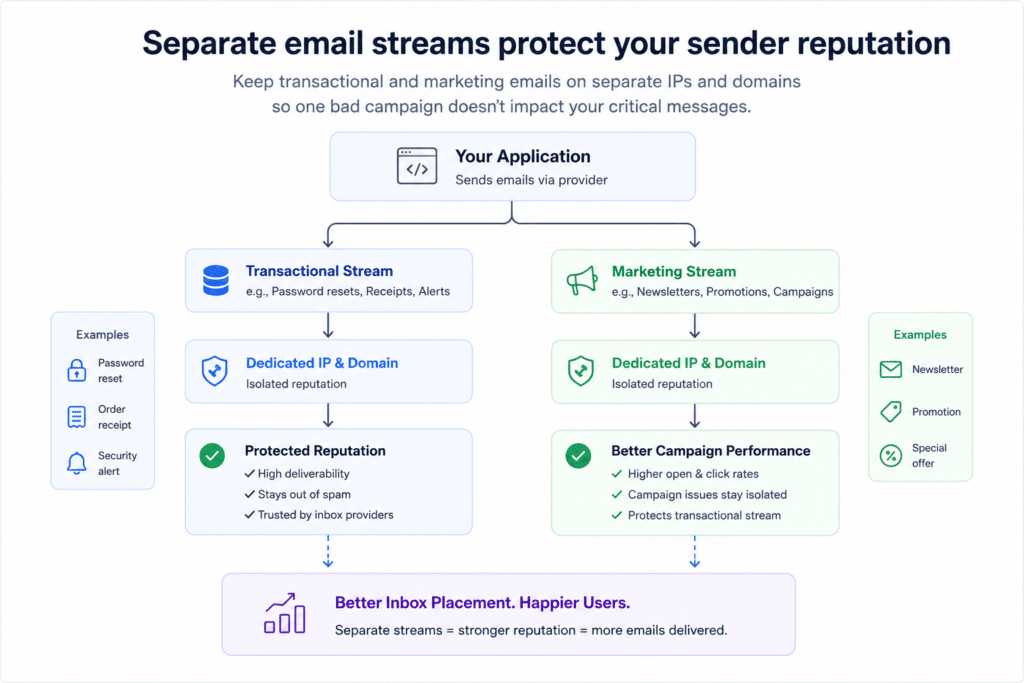
Image by writer
According to Validity’s State of Email 2024 report, the average global inbox placement rate is 86%, meaning roughly one in seven emails still fails to reach the inbox. That makes sender reputation and proper stream separation essential for transactional email reliability.
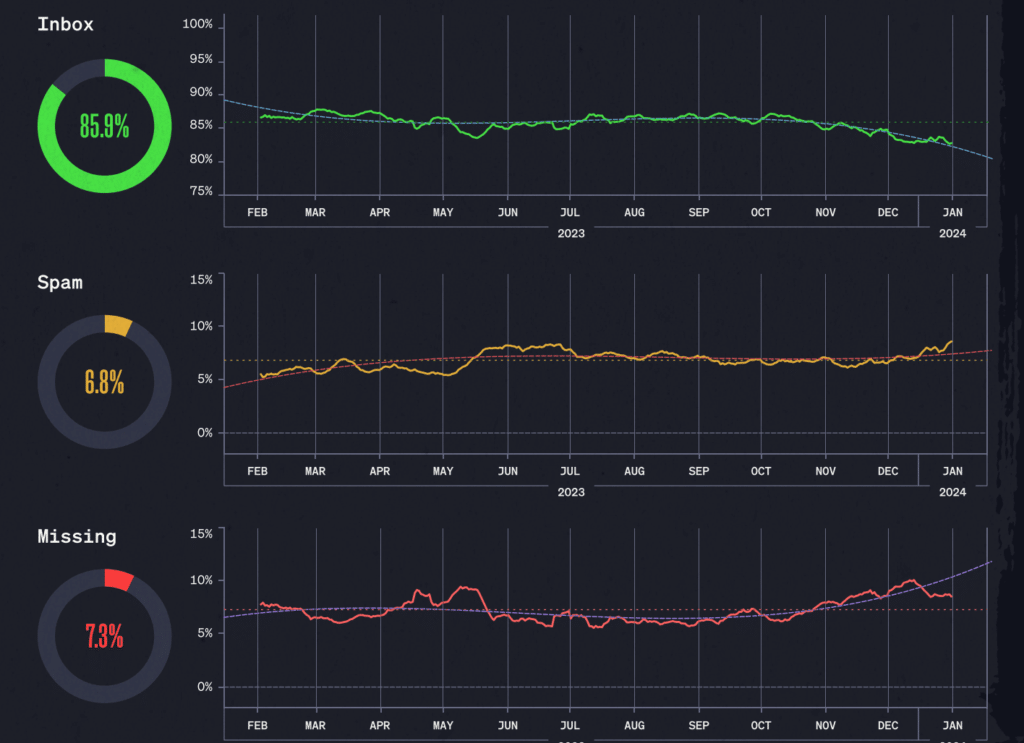
SPF, DKIM, and DMARC setup is where most senders trip, and a good provider walks you through the DNS records instead of leaving you to guess.
Delivery logs, bounce categories, and per-provider breakdowns turn a vague “emails aren’t arriving” into an actual fix.
Free plans are great for a test run, but the comparison that counts is based on the volume you send every month, including overage rates and the cost of dedicated IPs.
The fastest way to narrow the field:
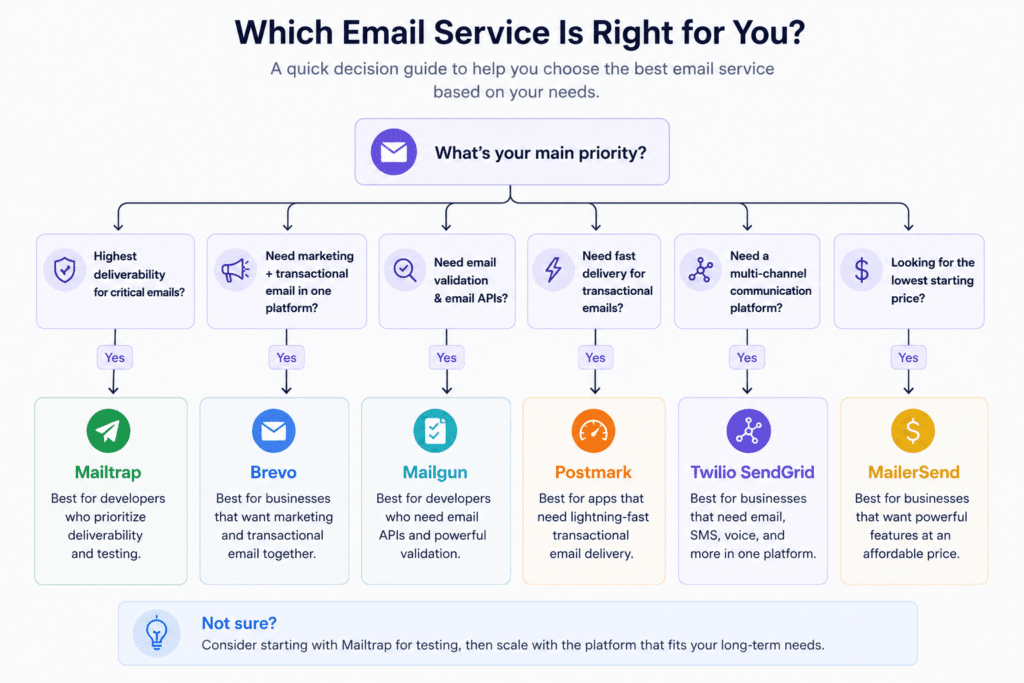
Image by writer
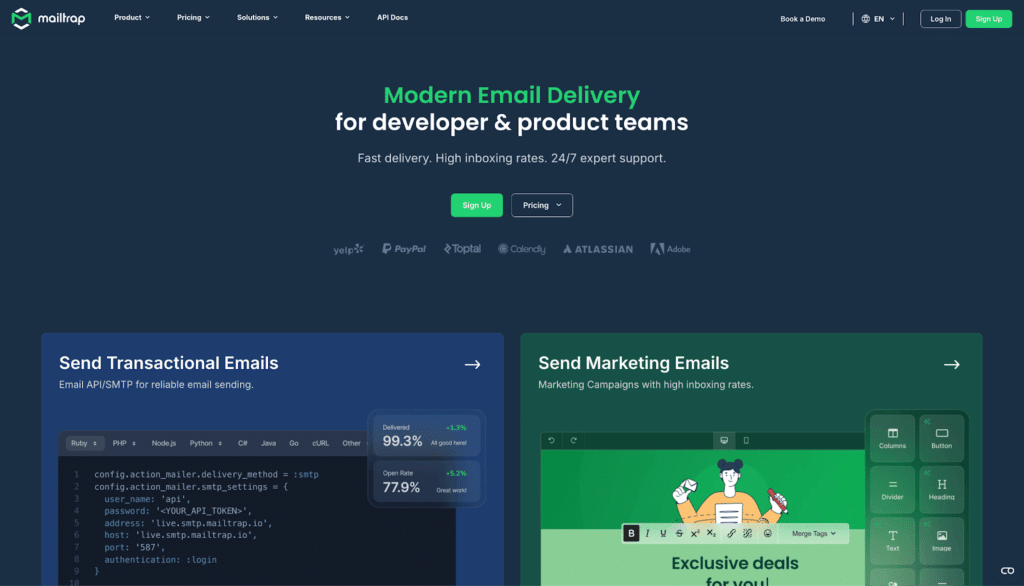
Mailtrap is an email delivery platform built for developers and product teams who need their messages to reach inboxes. It separates transactional and bulk traffic into isolated sending streams by default, and most of its other features build on that separation.
Run your onboarding sequence and your password resets side by side, and one will not sink the other’s sender reputation.
Setup takes under five minutes from account creation to first send, over either the SMTP relay or the email API. SPF, DKIM, and DMARC are configured once you add the DNS records, and the DKIM keys rotate automatically every month with no input from you. Dedicated IPs on the Business plan ship with automatic warmup, so you skip hand-scheduling the usual ramp.
Official SDKs cover Node.js, Ruby, PHP, Python, .NET, Elixir, and Java, plus more than 25 framework snippets for Laravel, Symfony, Django, Rails, and Next.js. Native integrations exist for Vercel and Supabase, and an MCP server lets AI coding tools call Mailtrap directly as an email action.
This is where Mailtrap pulls ahead of raw infrastructure like Amazon SES. Drill-down reports break out delivery, opens, clicks, bounces, and spam complaints by mailbox provider, domain, and stream, so you can see exactly where inbox placement drops off.
Email logs are retained for up to 60 days, including body previews, which makes after-the-fact debugging far less painful. Webhooks fire on all standard delivery events, the platform runs on a 99% uptime SLA, and it carries ISO 27001, SOC 2 Type II, and GDPR certifications.
The free tier covers 4,000 emails per month, which is roomy for early projects. Paid plans start at $15 a month for 10,000 emails. Business runs $85/month for 100,000 emails and includes a dedicated IP with automatic warm-up. Enterprise starts at $750 a month for 1.5 million emails.
Best for: developer and product teams that want high deliverability, native stream separation, and full analytics included from the start.

Twilio SendGrid is the longest-running option in this category. It launched in 2009, was acquired by Twilio in 2019, and now sits within a communications platform that spans email, SMS, voice, and WhatsApp. If you already route other messages through Twilio, keeping email there gives you one bill and one vendor.
Twilio SendGrid has broad SDK adoption across several major programming languages. The PHP SDK alone has more than 44 million installs on Packagist, and official libraries cover Node.js, PHP, Python, Ruby, Java, Go, and C#. You can send over either SMTP or the API, and server-side dynamic templates with Handlebars are a first-class feature for personalized content.
This helps when your transactional emails carry order details or account data. Stream separation is not built in, though. Teams approximate it through IP pools or subuser accounts, and both need manual configuration. So a marketing campaign and your receipts can end up leaning on the same reputation if you are not careful.
Event webhooks retry for 24 hours after a failure, and activity logs are retained for 30 days on paid plans. The platform is SOC 2 Type II certified and GDPR compliant under Twilio’s data processing agreements.
One recurring theme in G2 reviews is slow support response times, so factor that in if you expect to lean on the support team during a migration. If you need SMS and chat alongside email, the broader Twilio stack covers more channels than a single-purpose rival.
MessageBird is another name that comes up in this multi-channel bracket, but SendGrid’s edge is that email and the other channels share a single billing account and set of credentials.
The free plan covers 100 emails per day during a 60-day trial, then it expires. Essentials starts at $19.95 a month for 50,000 emails. Pro is $89.95 a month for 100,000 emails and adds dedicated IPs. Premier is custom-quoted for enterprise volume.
Best for: enterprise teams already inside the Twilio ecosystem that want unified billing across email, SMS, and voice.
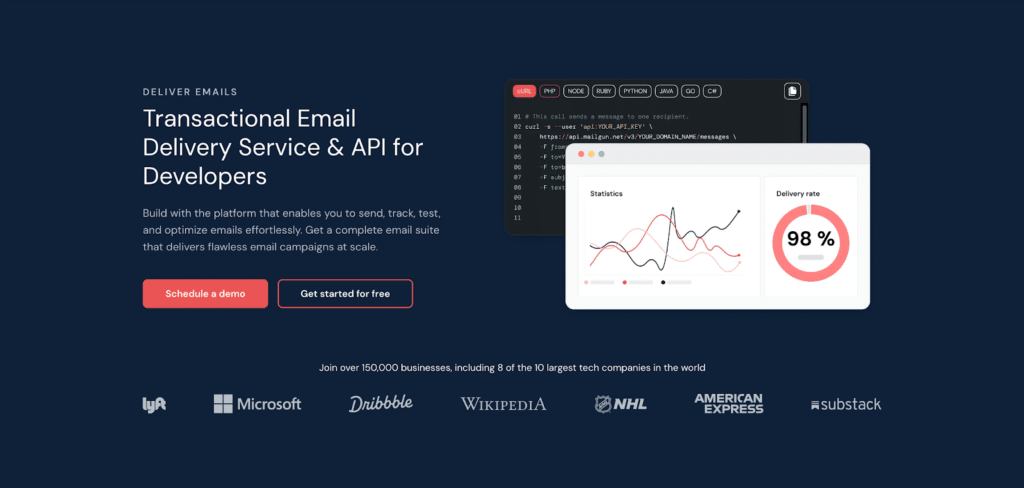
Mailgun is an API-first email service for engineering teams that want fine-grained routing and pre-send validation. Its standout feature is a built-in email validation API that checks addresses against DNS and MX records, disposable-domain lists, and syntax rules before a message goes out. At scale, that one step heads off the bounce spikes that quietly erode sender reputation.
Configuration takes about 10 to 15 minutes to complete, including DNS records, domain verification, and API keys. After setup, you can send email through the API or an SMTP relay. Official SDKs cover Node.js, Python, PHP, Ruby, Java, Go, and C#, and the PHP SDK records over 1.3 million weekly installs on Packagist.
Batch sends accept up to 1,000 recipients per API call with per-address recipient variables. So a single email campaign can stay personalized without a thousand separate requests. Domain-specific API keys give per-domain permission control, which is handy for agencies and multi-tenant SaaS.
Webhooks retry for 8 hours on failure. Event log retention on the base plan is limited to 5 days. This is short if you investigate issues reported a week later, so heavier users tend to pipe logs elsewhere. Mailgun is SOC 2 Type II and GDPR compliant, and Scale plans include a 99.99% uptime SLA.
The free tier covers 100 emails per day. Paid plans start at $15 a month for 10,000 emails. Foundation is $35 per month for 50,000 emails, and Scale starts at $90 per month for 100,000 or more emails. Dedicated IPs cost $59 a month, the highest in this comparison, and overage runs $1.80 per 1,000 emails.
Best for: engineering teams that need pre-send email validation and per-domain routing control.
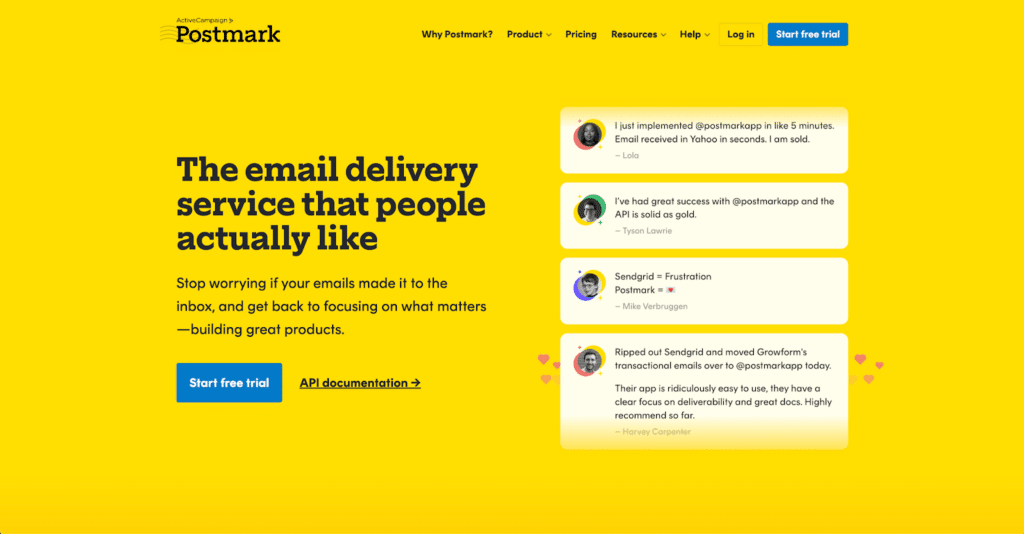
Postmark is an email delivery service tuned to get transactional emails into the inbox fast. It conducts a strict account review before enabling live sending, which keeps the shared IP pool clean for everyone on it. Like Mailtrap, it uses Message Streams to isolate transactional, broadcast, and inbound traffic at the infrastructure level rather than as an IP-pool workaround.
New accounts go through a review before live sending opens, and they usually clear within a business day. Setup itself takes 5 to 10 minutes. Official libraries cover Node.js, PHP, Python, Ruby, .NET, Java, and Go.
Message Streams are first-class API objects: pass a stream ID on each send, and Postmark routes the message to the right pipeline so your receipts and your broadcasts never share a reputation.
Activity logs are retained for 45 days. Every bounce is automatically processed, categorized, and suppressed. This keeps your sending hygiene clean without manual list management. Webhooks cover delivery, bounce, open, click, and spam complaint events, and the platform is SOC 2 Type II certified.
Postmark starts at $15 a month for 10,000 emails. 50,000 emails run $60.50 a month, and 125,000 emails cost $138 a month. A dedicated IP is $50 a month and is only available to accounts sending 300,000 or more emails per month. The pricing is volume-based rather than feature-gated, so you get the full feature set on every plan.
Best for: products where delivery speed is the priority and cost at scale is secondary.
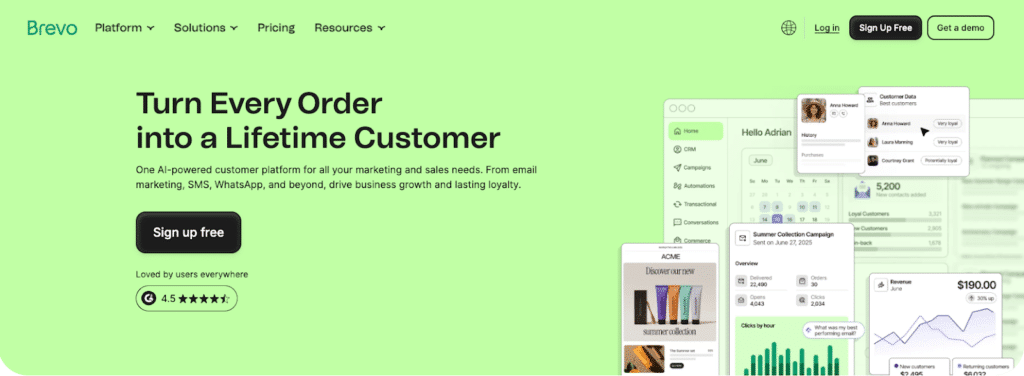
Brevo is a CRM suite that runs transactional emails, email marketing, and SMS on a single platform. If you would rather not juggle separate tools for receipts and campaigns, that consolidation is the whole appeal.
You can build a marketing campaign, schedule it, and send your transactional emails from the same account. Its permanent free tier of 300 emails per day, with no expiry, is the most generous of the six providers here.
SDKs cover C#, Go, Java, Node.js, PHP, Python, and Ruby, and you can send through the API or an SMTP relay. The platform includes deep integrations for Shopify and WooCommerce, plus both drag-and-drop and custom HTML email template editors. This makes it friendly to marketers running email marketing and not just developers.
A workflow builder handles eCommerce automation triggers, such as cart abandonment and order follow-ups. You can also create campaign landing pages from the same dashboard. The user-friendly interface is part of why small teams reach for it.
Transactional and marketing sending share the same platform, so account management is simpler, but you get less granular stream control than a dedicated delivery tool. Analytics are functional rather than deep. A few transactional settings also sit in profile menus rather than on the main dashboard.
The free tier allows up to 300 emails per day with no time limit. The dedicated transactional email plan starts at $15 a month for 20,000 emails. Transactional sending is also available through credits on the Marketing Platform plans, starting at $9 a month. This is the cheapest way in if you are already sending email marketing campaigns through Brevo.
Best for: eCommerce businesses and SMBs that want transactional and marketing email on one platform.
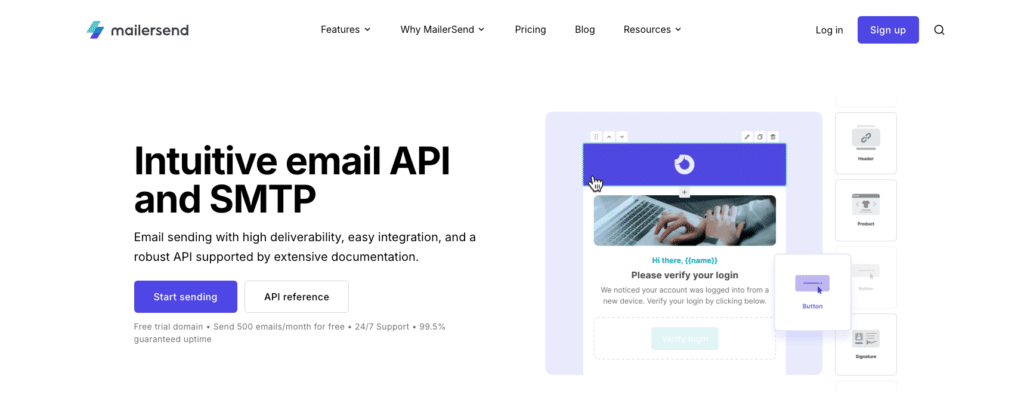
MailerSend is the transactional email service from MailerLite, and it carries over the clean interface and fast email builder that MailerLite is known for. It is built around emails sent rather than contacts stored. So your bill tracks your actual transactional email volume rather than the size of your database. Its approval process is designed to help teams begin live sending quickly.
Every plan, including the free one, comes with the email API, an SMTP relay, webhooks, inbound routing, email tracking, real-time activity, and multiple template editors. That is a fuller starter kit than many rivals gate behind paid tiers.
A built-in email verification add-on checks addresses in bulk or in real time. And SMS API is available for sending in the USA and Canada, which puts it, loosely, in the same multi-channel conversation as MessageBird, without the full CPaaS footprint.
Domain authentication follows the standard SPF and DKIM DNS setup, and a free trial domain lets you test before you point your own records at it.
MailerSend keeps real-time activity and email tracking on all plans. An activity-data retention add-on extends searchable history up to 365 days when you need a longer audit window.
The Starter plan includes 7-day activity retention and live chat support, while higher tiers raise the limits on domains, API requests, and webhooks.
The free plan is capped at 100 API requests per day and adds a “Delivered with MailerSend” footer to outgoing emails, so it suits testing more than production.
In December 2025, MailerSend reset its entry tiers. The free plan now covers 500 emails per month with a 100-per-day cap, down from the older 3,000.
The Hobby plan is the practical starting point at $7 a month for 5,000 emails, with 5 user seats and the bulk-send endpoint.
Starter begins at $35 a month ($31.50 on an annual plan) for 50,000 emails and adds up to 10 sending domains.
Professional starts at $110 a month for 50,000 emails with higher limits, and Enterprise is custom. Overage starts at roughly $1.30 per 1,000 emails and drops as your plan size grows.
Best for: SaaS and eCommerce teams that want a modern, API-first platform with straightforward volume-based pricing.
Each provider solves a different limitation of Amazon SES, so the right choice depends on whether you prioritize deliverability, routing control, multi-channel support, delivery speed, or cost.
Before comparing monthly prices, account for the work required to migrate templates, DNS records, webhooks, suppression lists, and delivery logs. A lower-priced provider may end up costing more overall if your team has to rebuild critical workflows or maintain additional tools after the switch.
Amazon SES still makes sense for teams already on AWS with the engineering capacity to build deliverability tooling around it. For most other senders, the overhead is not worth it when these alternatives handle bounce management, stream separation, and analytics out of the box.
Whichever Amazon SES alternative you land on, set up SPF, DKIM, and DMARC before your first production send. Sender reputation is slow to rebuild once it slips, and a single bad DNS record can quietly push your transactional emails out of the inbox with nothing in the logs to explain why.
Get the authentication right, keep your transactional emails on a separate stream from any marketing campaign, and match the provider to how you actually send. Do that, and the switch from Amazon SES pays off fast.
Once you choose an email provider, use Wordable to migrate supporting content from Google Docs to WordPress without manually rebuilding the formatting.