

Content formatting for SEO directly impacts your search visibility and user experience. Today, structure does more than guide human eyes. Clean formatting helps AI engines and AI Overviews extract, interpret, and surface your content.
For SEO teams, formatting is no longer just about readability. Heading order, paragraph length, lists, tables, image placement, and how consistently you publish all affect how easily search engines can pick out the main answer on a page.
Good formatting isn’t about making your page look pretty. Instead, a clear structure helps readers scan, understand, and trust your information faster. When you use poor formatting, you bury strong insights inside hard-to-read pages.
This article discusses how to build a clear heading layout, format text for quick scanning, and optimize your posts for AI search tools. You’ll also learn how to fix publishing bugs and keep your formatting clean.
Highlights
Formatting affects more than readability. It helps Google, AI engines, and readers understand your page faster. Google rolled out AI Overviews to hundreds of millions of U.S. users in 2024. This makes answer-ready formatting more important for search visibility.
Headings, spacing, and page hierarchy help search engines understand how ideas connect. An H2 about email outreach, followed by H3s on subject lines and follow-ups, creates a clear relationship between topics.
A good structure also helps crawlers navigate the page. When sections flow in a logical order, search engines can extract the content without sorting through cluttered formatting.
A good structure moves from the broad topic down into supporting subtopics, then into examples or steps. That gives each section a clear purpose, rather than making readers and search engines work to piece the argument together on their own.
AI engines look for content they can use to generate short answers. A direct explanation under a heading or a short numbered process is a great example. It gives them something clear to surface in AI Overviews.
Poor formatting makes it harder for search engines to pull the right answer from your page. Long paragraphs, vague headings, and inconsistent layouts all get in the way.
Most people scan pages before they start reading. Short paragraphs, lists, headings, and spacing help them move through the content without feeling stuck.
That can keep visitors engaged longer. Contentsquare found that sites with a 10% or greater increase in session depth saw an average 5.4% lift in conversions. Clean formatting also supports accessibility for mobile users and people using screen readers.
You need a solid plan before you write. A strong heading layout gives search engines a clear context about the topic. It also provides an idea of how each section connects to the next.
Every page needs one clear H1. It should explain the main topic quickly. For example, “Content Formatting for SEO” tells readers what to expect right away.
Vague titles such as “Helpful Tips” create confusion. Using multiple H1s can also weaken the focus of the topic and the page structure.
H2s should guide readers through the main sections of the topic. H3s then break those sections into smaller ideas. For example, you might use an H2 about readability. Then, you might include H3s for paragraphs, lists, and whitespace.
This structure improves content flow. Readers can scan the page faster. And search engines can understand how related ideas connect.
Don’t use weak headings. “Overview” or “More Information” doesn’t provide much information. Consider a heading like “Format Content for Readability and Scanning”. It gives readers a clear reason to keep reading.
Specific headings also improve search relevance. They help search engines match sections of your content to user questions and search intent.
Consistent formatting makes content easier to follow. Let’s say that one section uses H2s followed by H3s. Keep that pattern across the article where possible.
Avoid jumping from an H2 straight to an H4. A clear hierarchy helps both readers and search engines move through the page with less confusion.
People don’t read web pages the same way they read books. Most scan first, especially on mobile. Good formatting helps readers find useful information fast. They don’t have to dig through heavy blocks of text.
Large text blocks feel hard to read, even when the information is useful. Short paragraphs create breathing room. They help readers stay focused as they move through the page.
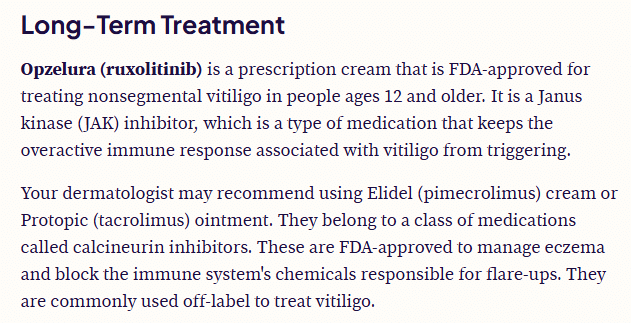
This becomes even more important on mobile devices. Baymard reports that 81% of leading ecommerce sites have mediocre or worse mobile UX scores. Using short and medium sentence lengths creates a better reading rhythm.
Lists help readers scan key points without reading every line. A numbered list works well for step-by-step instructions. But bullet points help summarize takeaways or features.
They also help AI engines extract information faster.
Bold text draws attention to the parts readers shouldn’t miss. It works well for:
Especially if you want to highlight something important in a long section, don’t overdo it, though. Don’t bold whole paragraphs. Bold only a few words or a short sentence.
Whitespace is another important element in search engine optimization. It gives content room to breathe. Some companies add spacing between headings, paragraphs, images, and lists. It makes the page easier to navigate.
This also improves mobile readability. A page with tight spacing can feel crowded on a phone screen, even if the writing itself is helpful.
AI engines look for content they can interpret fast. Formatting helps them pull answers, summaries, comparisons, and definitions without sorting through cluttered paragraphs or inconsistent page structure.
Start sections with a direct answer before moving into deeper detail. This follows the inverted pyramid format. It’s where the most useful information appears first.
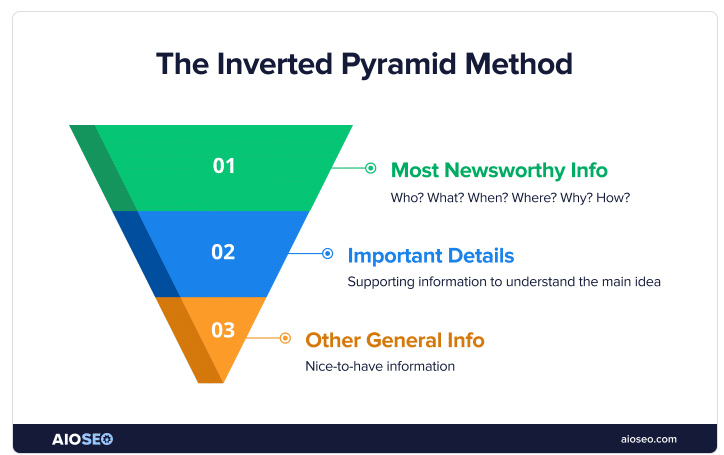
A heading might ask what content formatting is. Answer that question in the opening sentence. Then, you expand on strategy or examples later in the section.
Tables make comparisons easier to scan. They work well for:
They also help answer engines summarize information. Imagine you add a table comparing HubSpot versus WordPress. It gives AI systems a cleaner structure to interpret.
Next in this Content Formatting for SEO Guide is definition-style formatting. It helps readers find answers faster. A short explanation placed right under the heading creates a cleaner reading experience. It also improves content clarity.
For example, if a section is titled “What is content formatting for SEO?”, the first sentence should answer it directly before getting into the details. Something like: “Content formatting for SEO is the process of structuring headings, paragraphs, lists, images, and media so both readers and search engines can understand the page more easily.” That gives the section a clear answer first.
This format can also support featured snippets. For example, you add a heading followed by a one or two-sentence definition. This gives search engines a direct answer they can use in results.
Consistent structure makes pages easier to scan. Let’s say one comparison section uses short summaries and bullet points. Repeating that layout across the article creates a smoother experience.
This also helps AI engines understand page patterns. For example, repeated FAQ layouts or step-by-step sections give systems clearer signals about how information is organized.
Media assets require a correct structural setup. Poorly configured images slow down your site and confuse search engine crawlers.
Using descriptive image alt text is an on-page SEO technique. It helps screen readers describe images to users who cannot see them. It provides Google with more context about the image and the surrounding page.
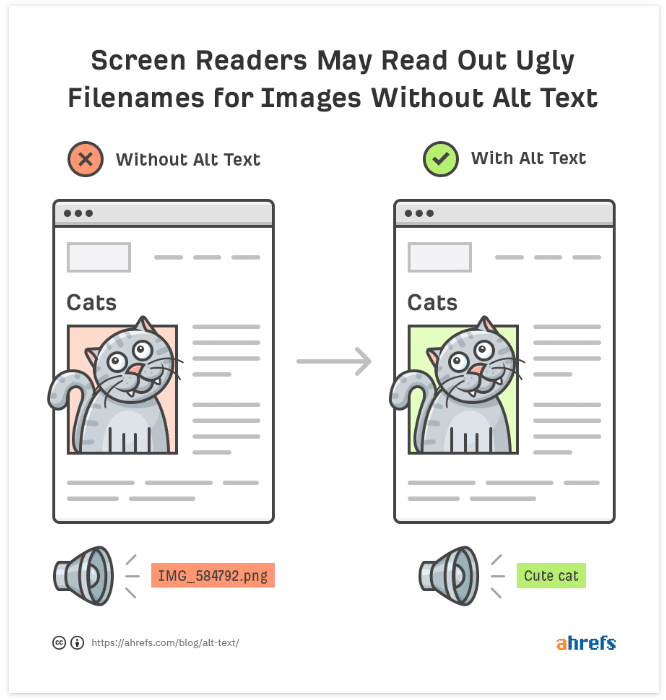
Keep descriptions short and useful. For example, “WordPress content formatting checklist” provides clearer context than a vague label like “image123.”
Large visuals can slow down a page’s loading time. They also hurt the user experience. Compress screenshots, graphics, and videos. This helps pages load faster across desktop and mobile devices.
This also connects to Core Web Vitals. For example, oversized homepage banners can increase load times. They can also create performance issues that affect search visibility.
Visuals should appear close to the text they support. A chart next to performance data helps readers connect the information more quickly.
Context improves clarity. Place a workflow diagram next to a publishing section. That way, readers don’t have to search for it later on the page.
Captions provide readers with more context without adding extra text to the main paragraph. They work well for charts, screenshots, and tutorials.
Take a caption under a traffic graph. It can explain what caused the increase. You’re not leaving readers to interpret the image on their own.
Your content should have a consistent structure from draft to the final live page. A broken workflow ruins your careful optimization effort before anyone reads the text.
Copying and pasting your Google Docs draft into WordPress can create messy formatting. Spacing can disappear. And tables and links may stop working as expected.
Someone from the content team should give drafts a final check before publishing. This ensures that all sections are consistent and that nothing was missed.
Templates, style guides, and formatting checks prevent publishing errors. You could have a brand style guide. Or a blog comparison template. These assets build editorial consistency across your writing team.
Create a checklist. This ensures every writer uses the same heading styles and spacing rules across all blog posts. This makes pages easier to read and easier to manage during editing.
Tools like Wordable help teams move content from Google Docs to WordPress, HubSpot, or Medium while maintaining the same structure. Headings, lists, images, and metadata stay intact during the publishing process.
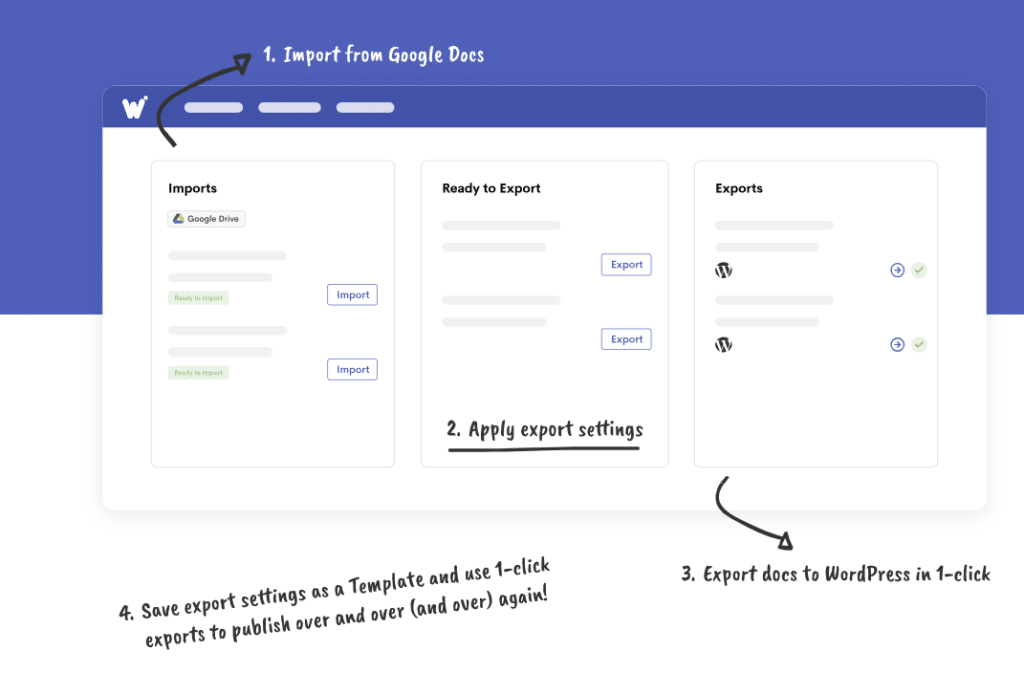
That saves time and protects content quality. Clean workflows also reduce formatting mistakes that can hurt readability later.
Even great writers fall into bad formatting habits. These errors ruin your hard work and hide your best insights from the web. Avoid these layout mistakes to keep your rankings safe.
Use this section as a final formatting QA pass before publishing, especially when moving content from a draft into a CMS.
Strong content becomes harder to use when the formatting gets in the way. A clean structure helps readers navigate a page more easily. It also helps search engines and AI systems understand what the content is trying to say.
That affects more than readability. Good SEO content formatting improves crawlability and makes answer extraction easier for AI Overviews and other answer engines. Consider using headings, spacing, lists, and tables. These make important ideas stand out more quickly, rather than getting buried in long blocks of text.
Readers benefit from that structure too. Most people scan pages before they decide to keep reading. When content feels organized, visitors can find answers faster and stay engaged longer.
That is why formatting should become part of the editorial process from day one. Teams that use consistent formatting workflows often spend less time fixing broken layouts after publishing.
This is where formatting becomes more than just an editing concern. If your team puts time into building clean headings, lists, tables, and image placement in the draft, the publishing workflow needs to keep that structure intact when the page goes live.
Keep your formatting intact. Wordable helps preserve headings, lists, images, and structure when moving content from Google Docs to your CMS. Try Wordable now.