


What happens to a blog post after the first draft lands in Google Docs?
For many content teams, the answer is messy. Feedback is scattered, drafts get duplicated, and formatting needs cleanup. Updates are forgotten. Old files pile up, and nobody knows what to do with them.
Document lifecycle management gives that whole journey a structure. Many teams just never call it that.
Traditional document lifecycle management focuses on business records. The goal is to control how documents are made, stored, kept, and deleted for compliance. Content teams follow a different path. Their workflow moves from idea to draft, review, publication, updates, and archive.
Managing each stage helps:
It also gives everyone a clear process to follow, from writers to editors and publishers.
This guide explains each stage of the editorial lifecycle. It shows how a clear workflow helps teams stay organized and publish with fewer problems. It also keeps good content useful long after it goes live.
Highlights
Traditional document lifecycle management was built for business records.
Content teams create documents too. But their work doesn’t end once a file is stored or published.
Traditional document lifecycle management follows a simple process. A document is made, stored, and kept for a set time. Then, it’s deleted when it’s no longer needed.
Think of contracts, invoices, or employee records. Those documents remain the same once finalized. So the focus is on retention, storage, and compliance.
Content works differently. A blog post, for example, is expected to evolve. It starts as an idea and becomes a draft. Then it goes through review and gets published. Teams may also update it as products, search intent, or information change. Then, they archive it when it no longer provides value.
These six stages make up the editorial lifecycle: idea, draft, review, publish, update, and archive. Content teams don’t manage static documents. Their documents keep changing over time.
Content often passes through several people before it reaches readers. A writer creates the first draft. An editor refines it, and a subject expert checks the facts. The work doesn’t stop there. Articles also need edits, refreshes, and upkeep.
Without a shared framework, duplicate drafts, missed deadlines, and outdated content show up more often. A clear lifecycle shows every contributor what comes next. It keeps work organized from the first idea to the final archive.
The lifecycle begins long before content is published. Good planning makes every later stage smoother, from draft to archive.
Every article should begin with a content brief. It gives everyone the same starting point before writing begins. Without one, writers may target the wrong audience or answer the wrong questions. They may also miss the original goal. That often leads to extra revisions later.
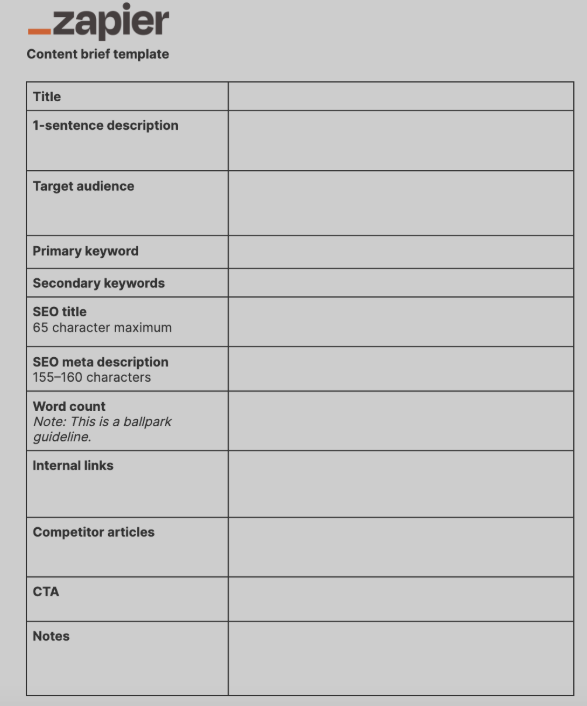
Create a content brief that outlines the target audience, search intent, primary keywords, and the piece’s objective. For example, if the goal is to help readers compare product management software, the brief should explain:
Start organizing content with the first draft, not after finishing the article. As more people join in, poorly named files and scattered folders make the right document hard to find. That causes confusion. It also raises the chance that someone edits an old draft.
Use consistent file names, clear folders, and shared workspaces. Then everyone knows where active content belongs.
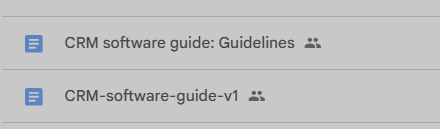
For example, naming a file “CRM-software-guide-v1” makes it much easier to identify than “new blog final.” Simple habits like these prevent duplicate drafts. They also make the latest version easy to find.
Screenshot provided by author
Once the first draft is complete, the focus turns to improving it.
A clear review process helps teams catch issues before publication. It keeps feedback organized and moves content through approvals without delays.
Every draft should follow the same review process. When people review content in the same order, each person can focus on their own area. Nobody repeats someone else’s work.
This keeps feedback clear. It also stops the document from bouncing between reviewers.
For example:
A product guide might go from the writer to an editor. Then it goes to a product manager, and finally to marketing for approval. A set process brings in the right feedback at the right time. It also cuts extra revisions.
Collaboration becomes harder when people work from different copies of the same document. One person may edit an older draft while someone else reviews a newer one. Merging those changes takes time. It can also bring back mistakes that were already fixed.
Instead, keep one document as the single source of truth. In Google Docs, use:
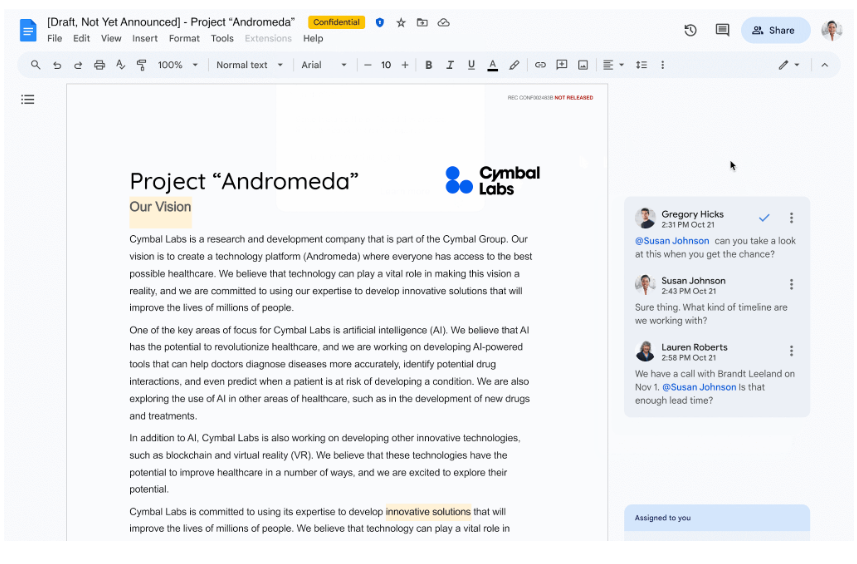
So if an editor and a subject matter expert review the same article, they both work in one document. No duplicate versions get made, and no feedback gets lost.
A finished draft isn’t always ready to publish. Before content goes live, you often need to prepare it for your CMS.
A consistent publishing process prevents errors and cuts manual work. It also keeps every article looking the same.
Formatting often changes as content moves from a document into a CMS. Headings may lose their structure. Images can land in the wrong place, and internal links may be missed.
Without a standard process, editors fix the same issues again and again.
Create one publishing standard that every article follows. Before publishing, check headings, images, internal links, and metadata.
For example, if every writer follows the same formatting rules, editors spend less time fixing layouts. They get more time to review the content itself.
Bynder’s 2024 survey found that 45% of marketing directors named poor tools for delivering content across platforms as their biggest challenge. Readers also get the same experience in every article.
An easy way to do this is to create content guidelines and a Google Doc template in your Workspace account. Then all writers can start each new Google Doc from the template:
Many publishing tasks don’t change from one article to another. You still need to export documents and move content into your CMS. You also need to make sure formatting stays intact. Doing those steps by hand slows publishing. It also raises the chance of small formatting errors.
Automation removes most of that repeat work. Your team doesn’t need to copy and reformat every section by hand. Instead, it can use Wordable to export Google Docs content into HubSpot, Medium, or WordPress while preserving formatting.
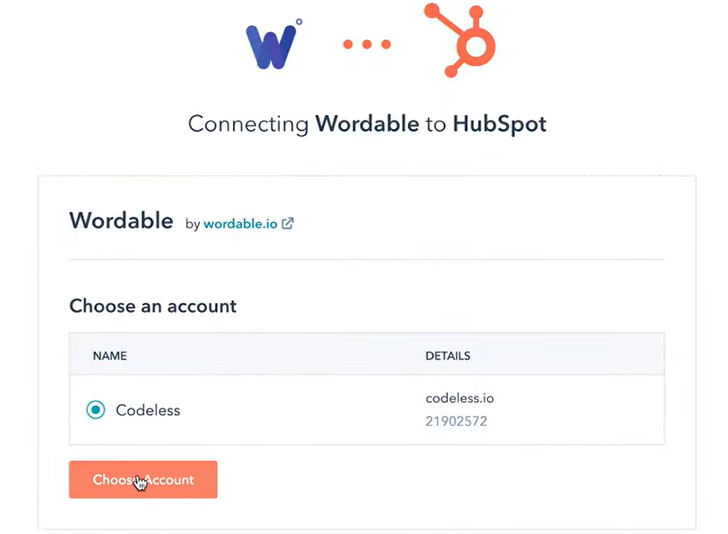
That saves time and creates a more consistent publishing workflow.
Publishing isn’t the final stage of the lifecycle. Once content goes live, review it on a regular schedule. That keeps it accurate, useful, and relevant.
Information changes, statistics become outdated, and links may stop working. Search intent can change too. Without reviews, even a great article can lose value over time.
Refreshing old content helps keep it accurate and useful instead of letting it fall behind.
Set a schedule to review published content and check for issues such as:
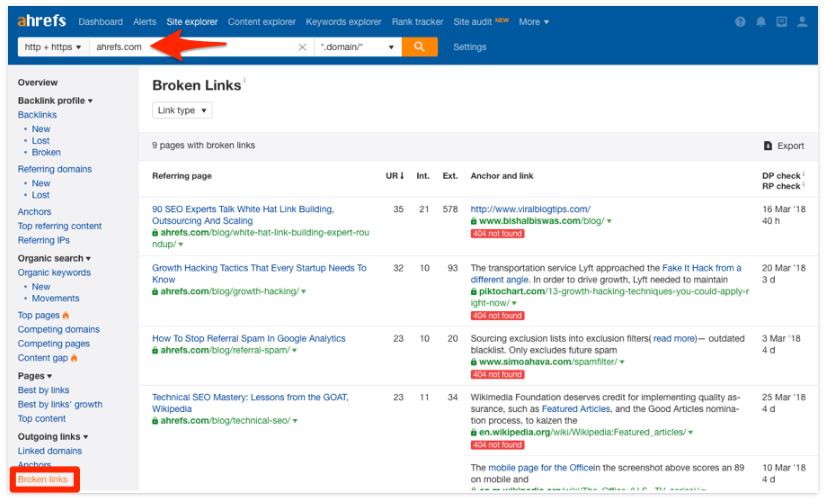
Small updates through the year are often easier than rewriting a whole article later. Ahrefs’ 2024 link rot study found that at least 66.5% of links to sampled websites had decayed over nine years. So check for broken links in every content review.
For instance, an evergreen guide from last year may still rank well. But some of its facts may be out of date. Replacing old data, fixing broken links, and expanding sections keep the article useful. They also help it hold its place in search.
Every content lifecycle has an endpoint. When a page is no longer useful, the goal is not to keep updating it forever.
Instead, decide whether it belongs in the archive. Then your team can focus on content that still supports current goals.
Not every page is worth another update. If the content no longer supports current goals or the readers’ search intent, archiving is often a better choice than continuing to revise it. This keeps teams from wasting time on content with no purpose.
For instance, expired campaigns lose relevance after the promotion ends.
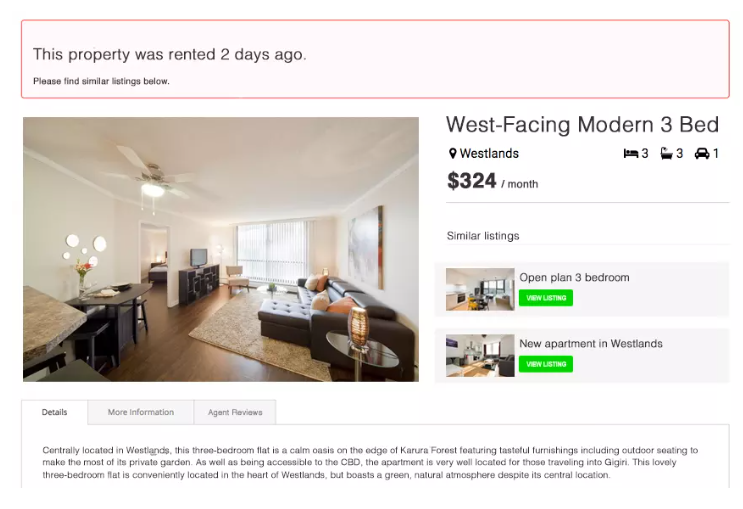
Archiving these pages keeps the active library focused. Teams still keep access to past work.
Archived content should remain easy to find, even though it’s no longer part of the active content workflow. Teams may need to look back at older pages for historical reference, internal documentation, or compliance requirements.
For example, move retired content into archive folders. Note when and why it was archived. That gives future team members the context they need. It also keeps active folders free of documents that no longer need attention.
Every stage of the editorial lifecycle has a purpose.
That’s what document lifecycle management looks like for content teams. Content stops being a one-time project. It becomes a process that supports better teamwork and a smoother editorial workflow.
Wordable fits into the publishing stage by helping teams move content from Google Docs to a CMS tool while preserving formatting. That means less time on repeat publishing tasks and more time to create and improve content.
If you want a smoother publishing workflow, Wordable is worth a try.
For content teams, document lifecycle management means managing content from the first idea to the final archive. It includes:
This process keeps every document organized, accurate, and easy to maintain over time.
Review evergreen content every 6 to 12 months. Schedule reviews sooner when products or services change, new statistics become available, or search intent changes.
Regular reviews keep published content accurate, useful, and relevant before it goes stale.
A structured lifecycle gives every contributor a clear process to follow. It: