


Marketing today is a balancing act. You’re planning campaigns, optimizing content, tracking results, and juggling endless approvals. It’s exciting, sure, but it can also feel like chaos waiting to happen.
Each project takes time and focus. Small tasks pile up. Deadlines never stop coming.
That’s why the smartest marketers are mastering the tools they already have in their arsenal. And few tools are as underrated (or as powerful) as Google Docs.
With 71% of marketers anticipating that content will increase at least fivefold by 2027, it’s even more crucial to speed up processes.
Consider using free Google Docs templates to organize campaigns, streamline collaboration, and reclaim focus in your marketing strategy.
You’ll save time, reduce clutter, and keep your attention on work that drives results.
Highlights
You’re managing marketing campaigns, content calendars, and client expectations. So, every minute counts.
Below are the best free Google Docs templates that help you organize smarter and execute stronger.
Creativity thrives on structure. Daily workflow templates allow you to channel your energy into what truly drives results.
The templates below bring order to the chaos.
Start your day with a realistic plan. Use this daily planner template to block time for strategy, content creation, and meetings.
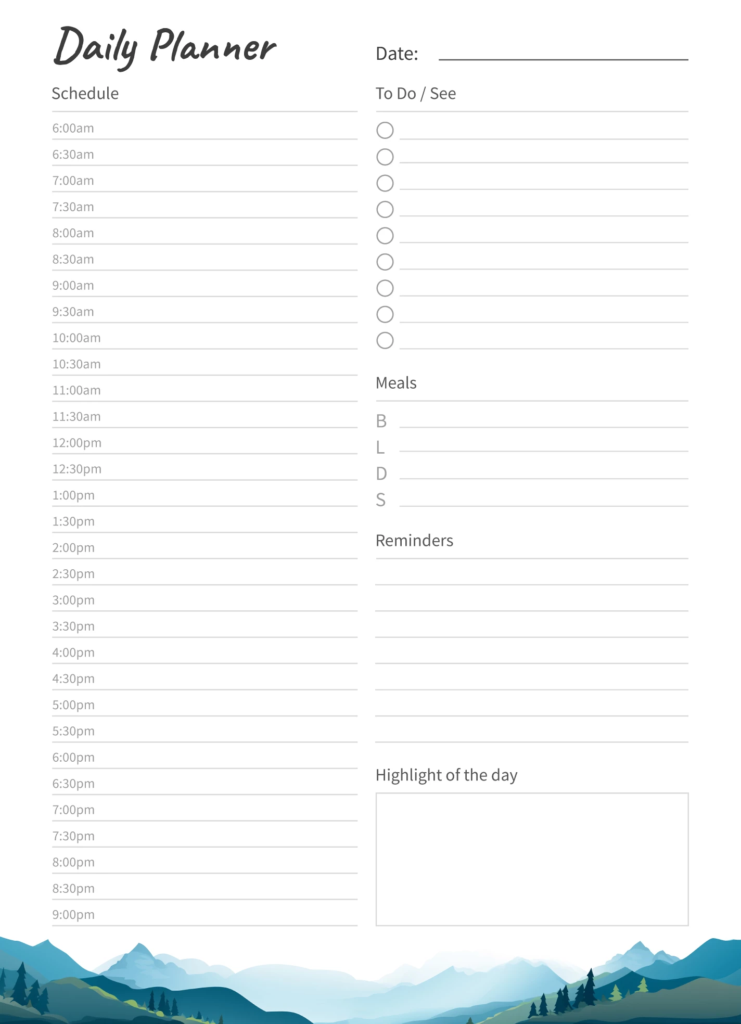
Over 80% of people don’t use a dedicated time management system, which means a lot of marketers are still relying on mental lists. A free planning template changes that.
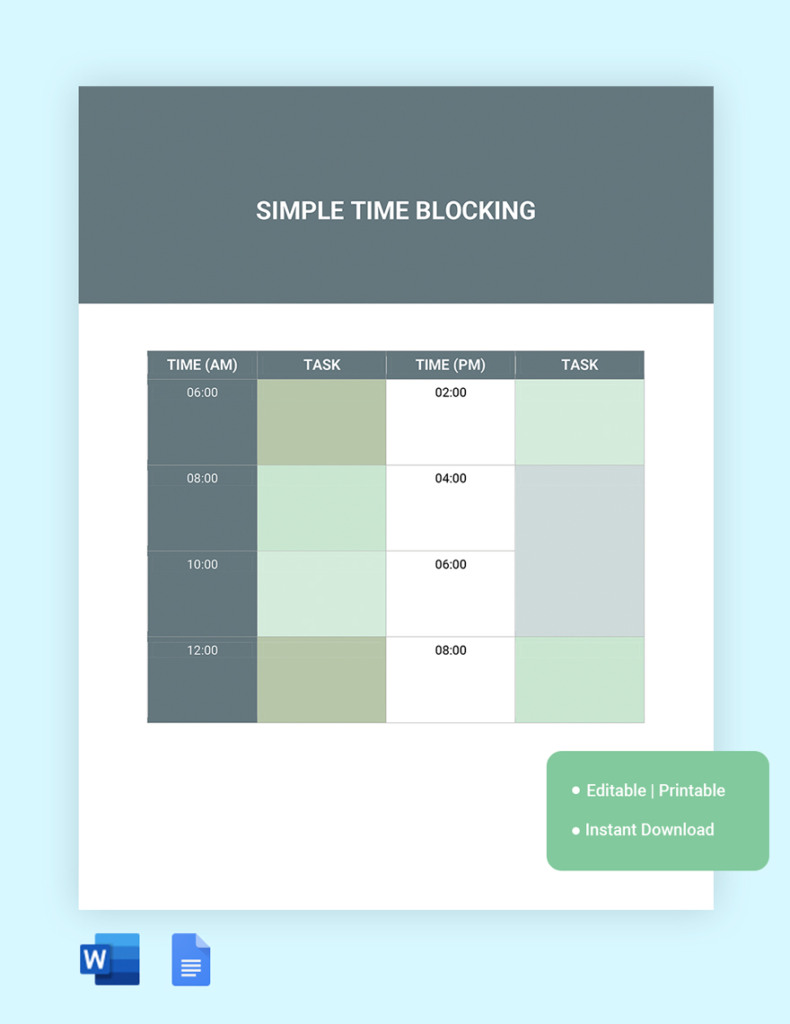
Break your day into focused sessions and short breaks to maintain momentum.
Time-blocking templates can be lifesavers here. Use them to break your day into 20- or 25-minute chunks. This helps you stay in control of your energy and time.
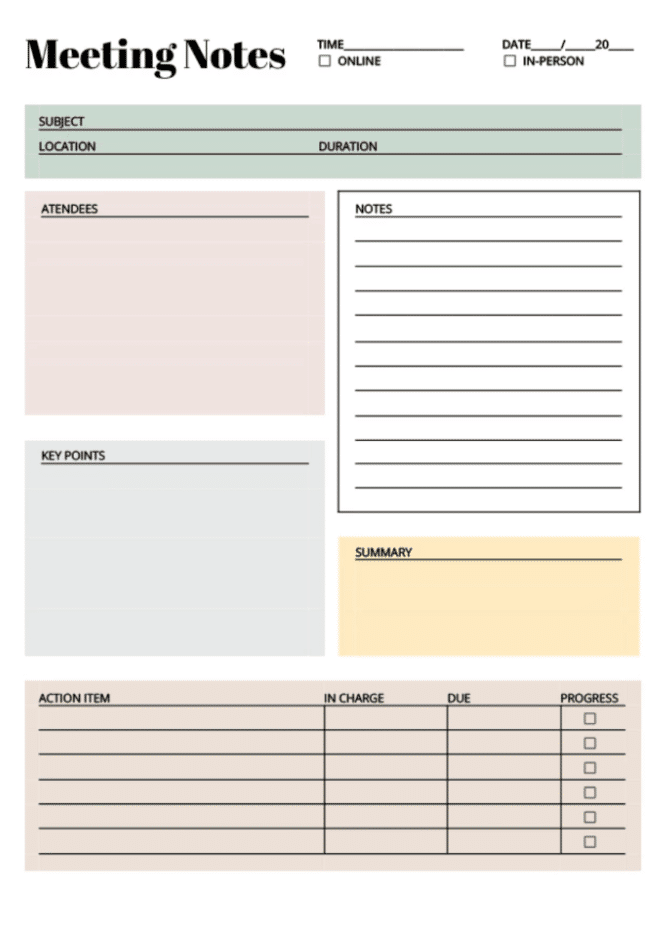
Meetings are the top obstacle to getting work done, according to 5,000+ knowledge workers from a recent survey. This meeting notes template captures agendas, decisions, and next steps so nothing gets lost after the call ends.
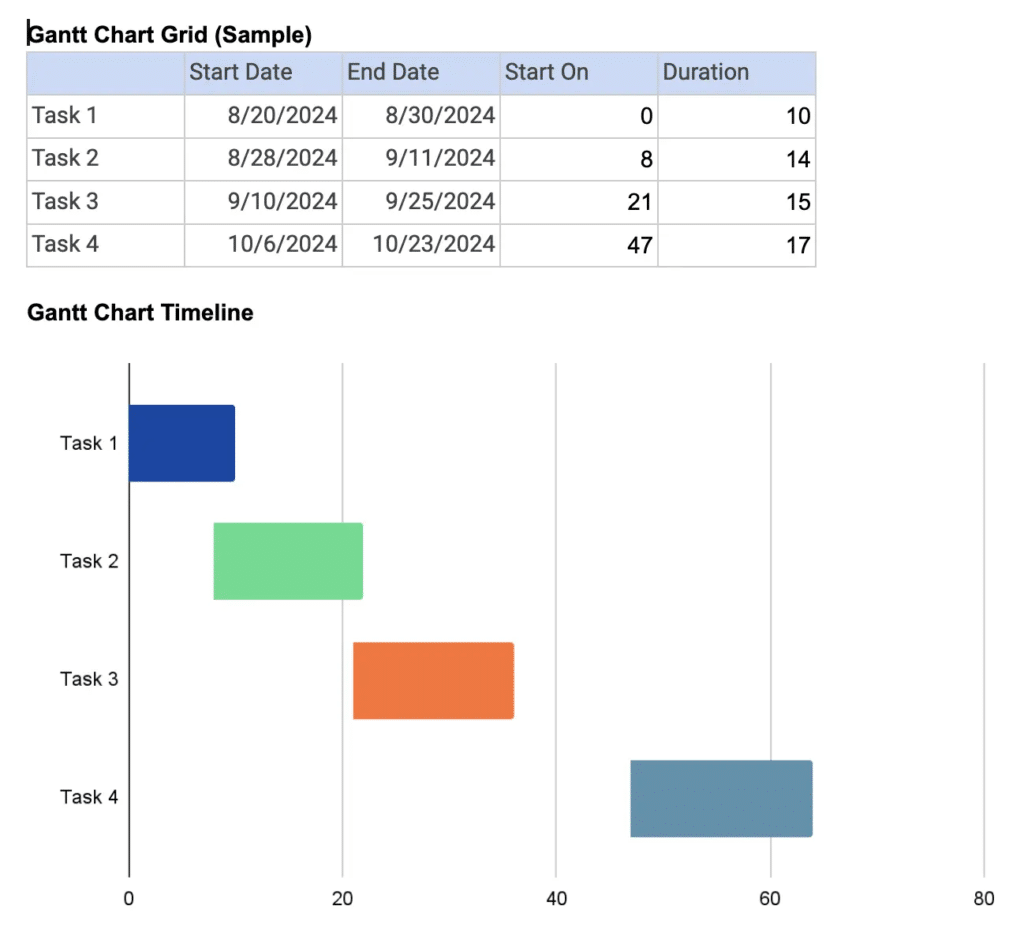
Campaigns succeed when everyone knows what’s happening and when. Project management templates keep marketing projects visible and accountable from kickoff to delivery.
This Gantt chart Google Docs template shows tasks, owners, and deadlines at a glance. It’s great for agencies or in-house teams managing multiple clients or campaigns at once.
Define objectives, key results, and timelines in one shared document.
Here’s an example of a simple goal-setting template.
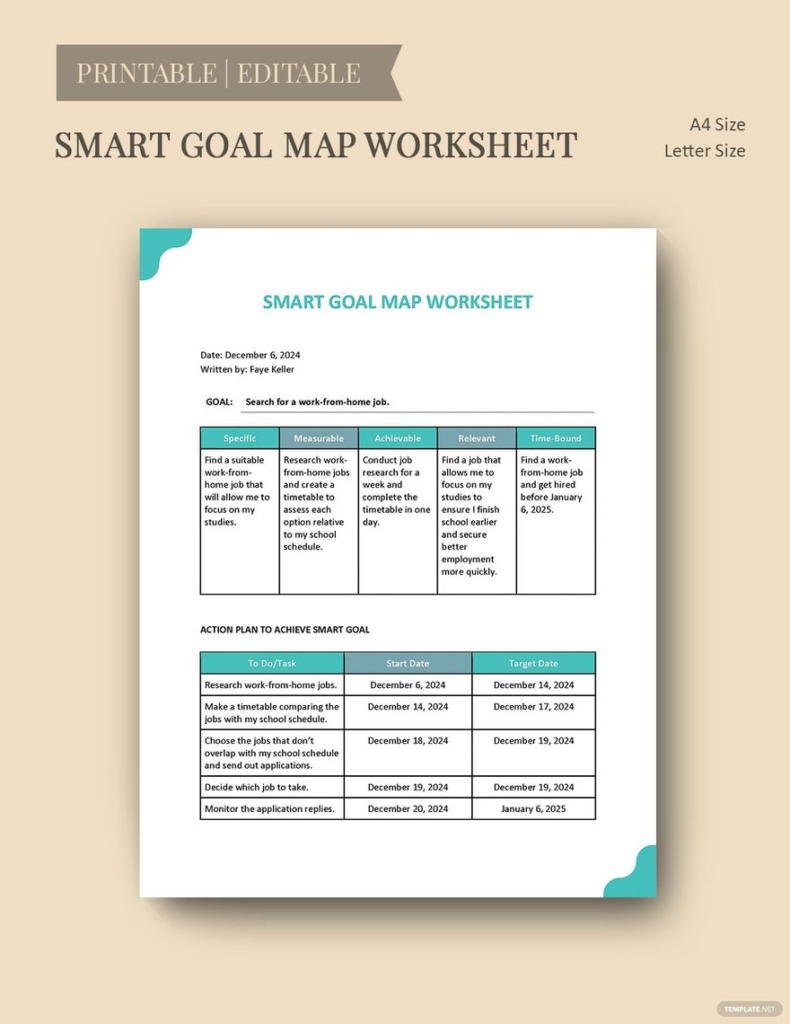
OKR templates help teams connect individual work to company goals.
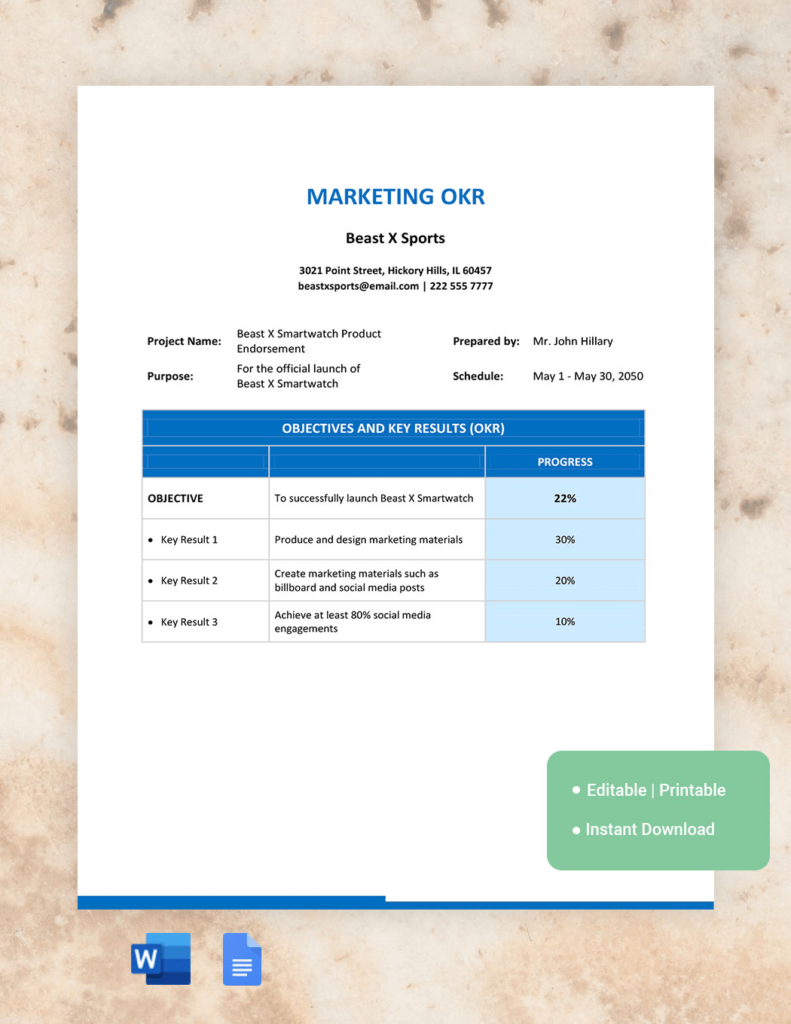
Assign responsibilities and update progress directly in the document. Everyone sees both completed tasks and those that still need attention. This reduces duplicate effort.
Here’s a highly effective task delegation tracker you can use:
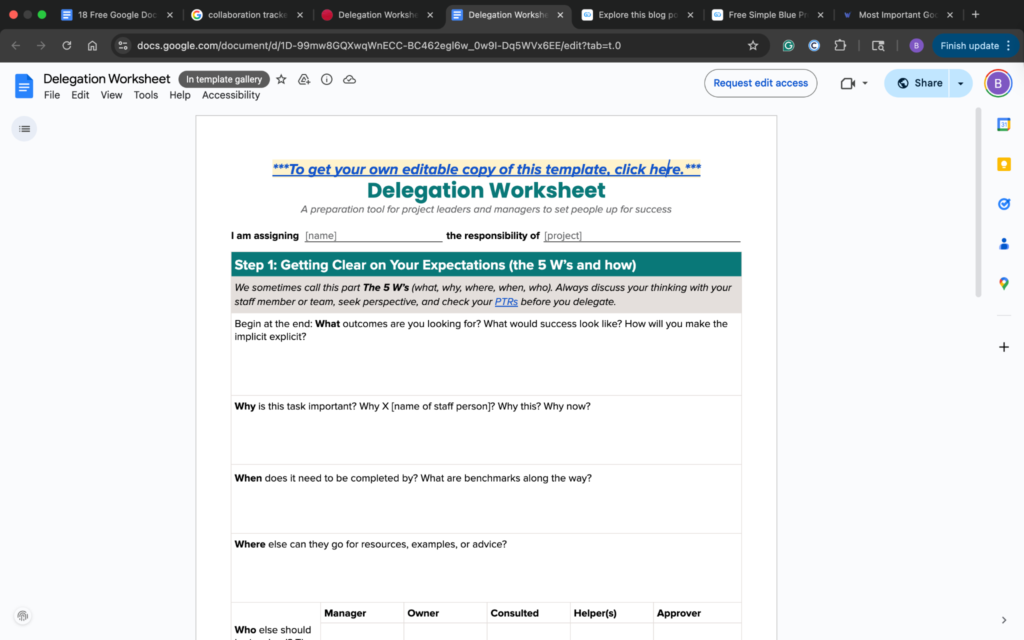
Content is the foundation of every marketing strategy. You can use these free Google Docs templates to plan, brief, and track content efficiently.
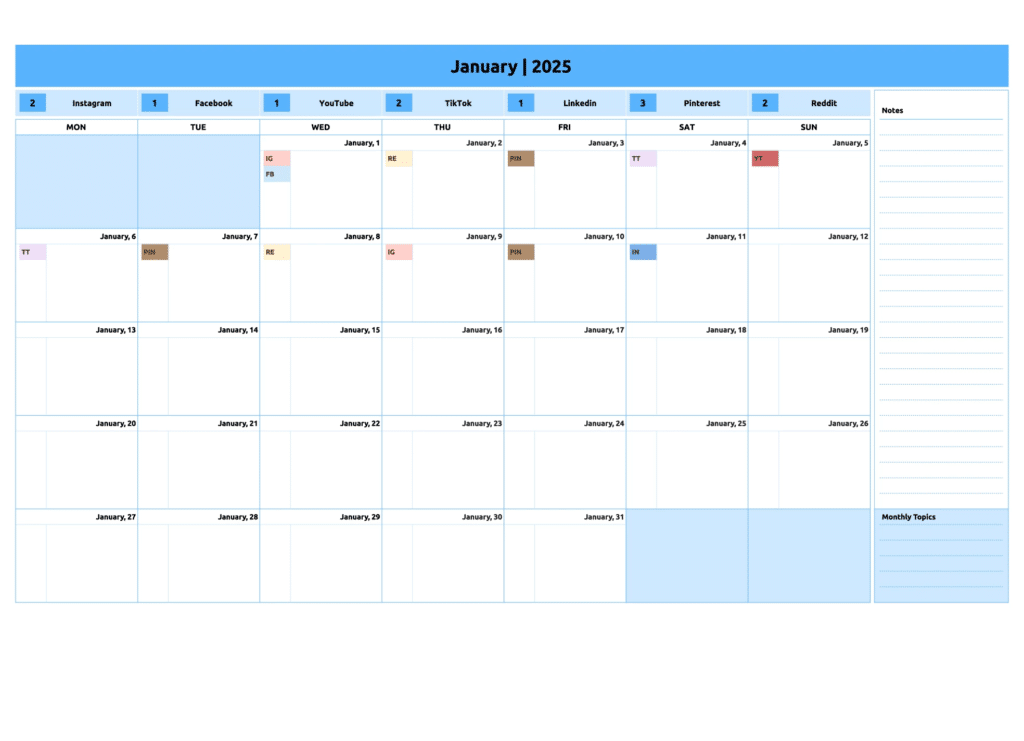
Plan blog posts, campaigns, and publishing dates in one place. In your content calendar template, use filters or color coding to track status and keep your pipeline consistent.
Provide writers or freelancers with clear direction. This content brief template outlines audience, timeline, keywords, and calls to action (CTAs). That way, content quality remains high across every piece.
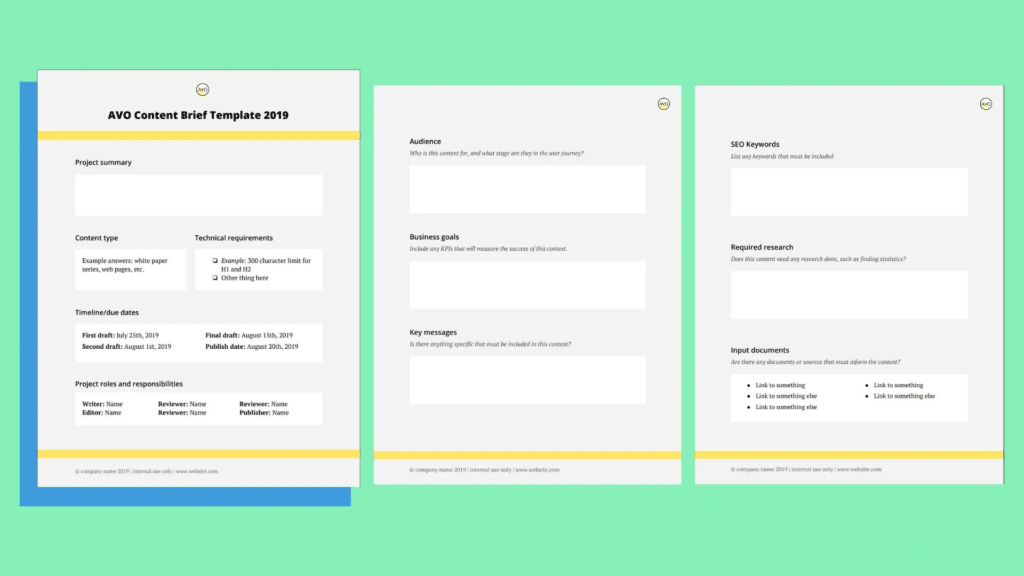
These briefs also work perfectly for creating lead magnets, newsletters, and landing pages. Use the same layout to define audience pain points, value propositions, and CTAs.
By treating every piece of content like a mini-campaign, you ensure consistent messaging across your funnel.
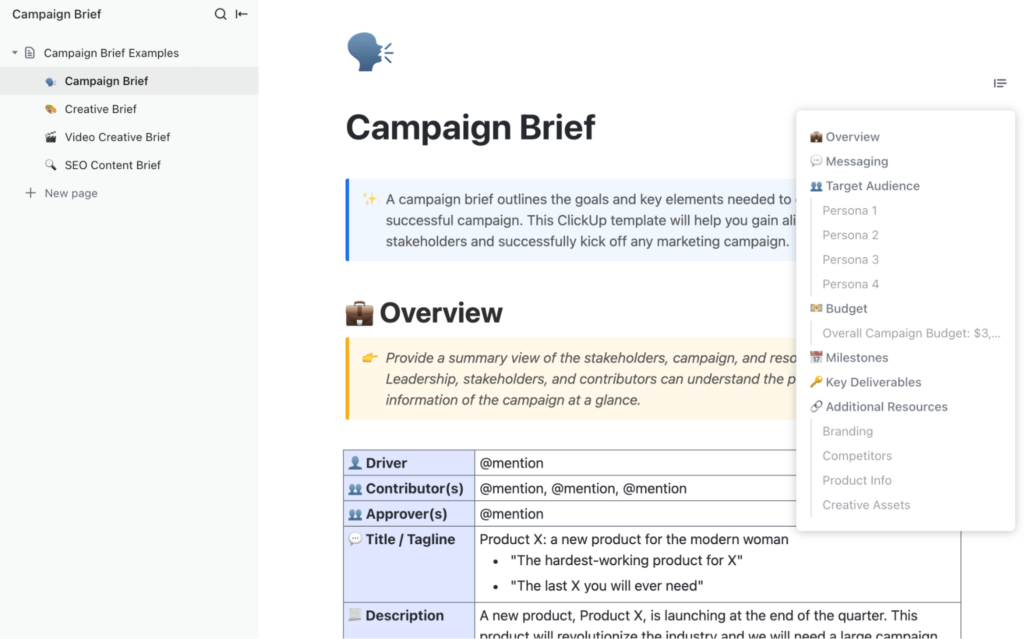
Monitor multi-channel campaigns across email, SEO, and social media. Check out this campaign brief template from ClickUp. You can use it to track metrics, deadlines, and creative assets all in one collaborative file.
Marketers rely on data, but raw numbers alone don’t tell the story. Consider these templates to help you organize information into meaningful insights. As a result, it’ll be easier to track performance and present results with confidence.
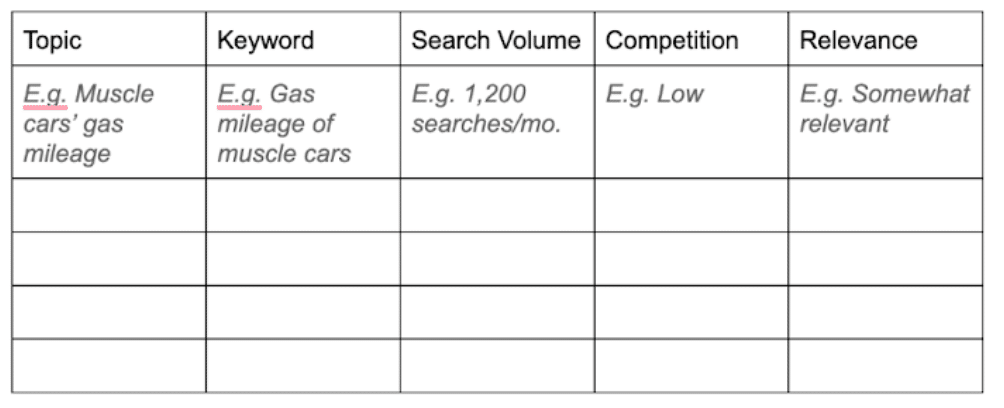
Record keyword ideas, search volume, competition, and target URLs. Use this SEO strategy template to keep everything in one place. This helps you organize your content strategy and maintain a data-driven process.
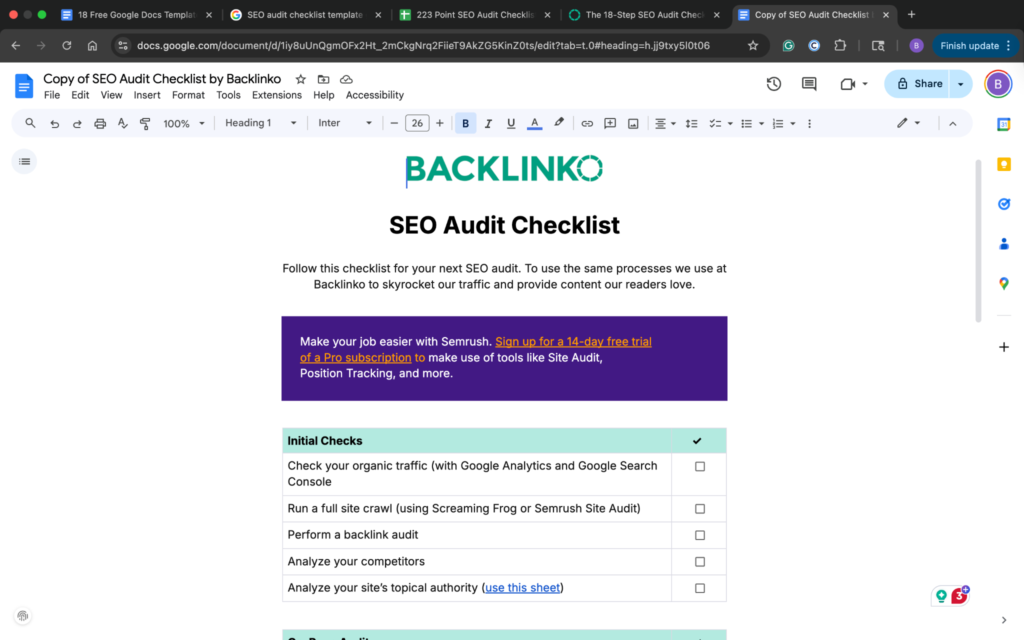
List technical, on-page, and content-related checks in a repeatable format. Use it each quarter to identify opportunities and maintain site health.
This SEO audit checklist is a great example:
Turn analytics into insights. This SEO report template organizes key data points into a report. Examples of data to track include traffic, conversions, and engagement.
If your reports start as PDF to Google Docs conversions, you can easily update, edit, and collaborate on them before sharing. This helps keep SEO data organized and makes it easier for stakeholders to clearly visualize performance.
Marketing isn’t solo work. Docs templates bring structure to collaboration.
Plan campaigns or pitches in a repeatable framework. The outline covers audience, messaging, and success metrics, making for consistent, impactful presentations.
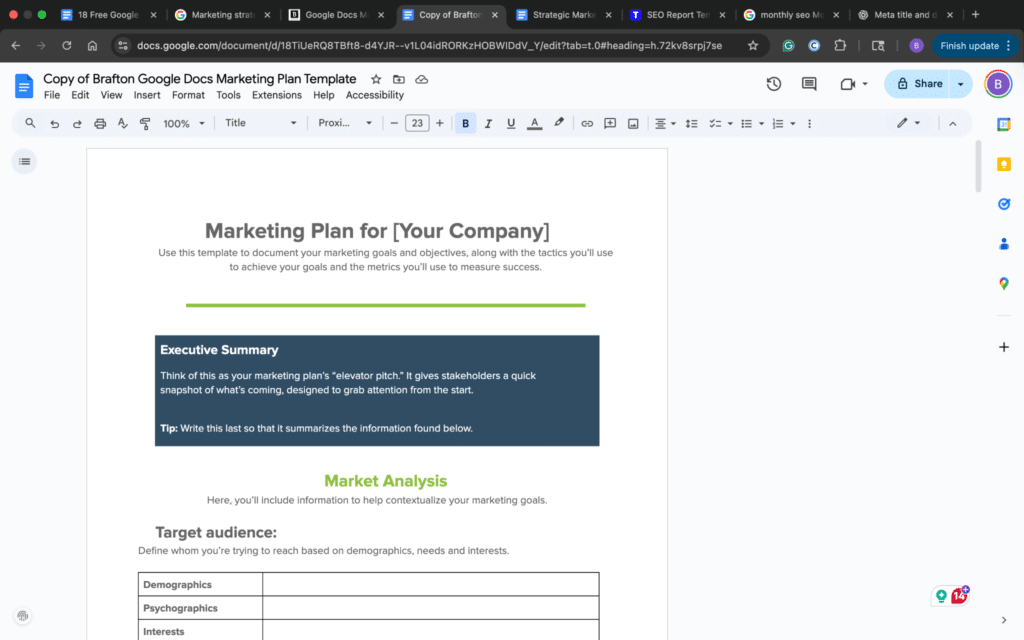
Strategy decks are also useful for mapping outreach plans, such as cold email sequences or newsletter launches. Outline your target audience, message angles, and follow-up cadence. That way, every touchpoint aligns with your larger campaign goals.
Replace scattered updates with one running document. Keep decisions, deliverables, and comments in one place so everyone is always on the same page.
Track the most important metrics, like traffic growth, CTR, conversion rate, and engagement in a single doc. Regularly reviewing this KPI tracker helps keep campaigns on target.
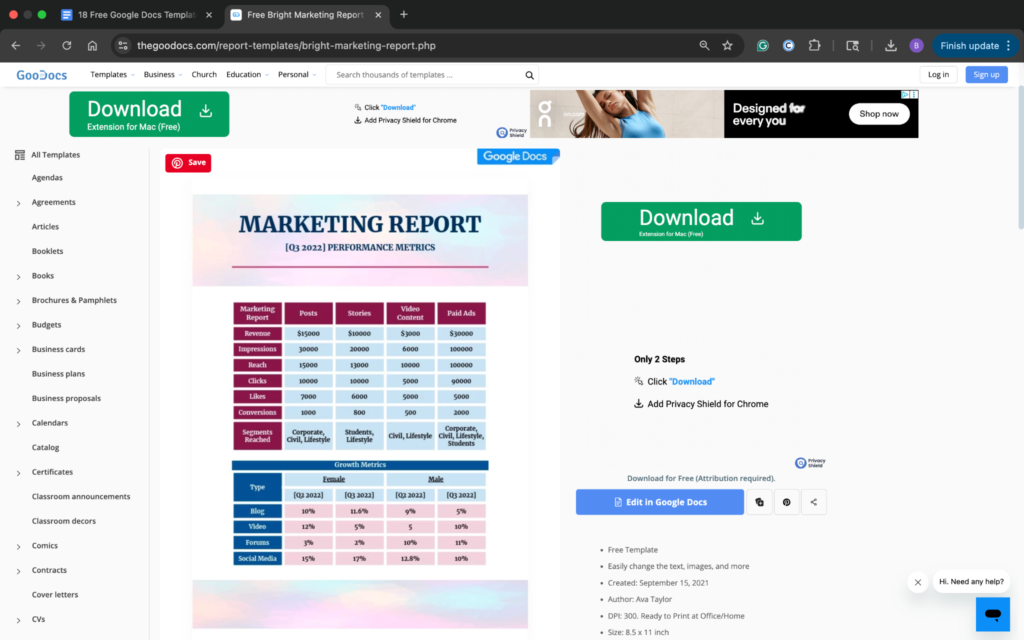
You can also extend this template to your newsletter performance tracking. Newsletters are a recurring touchpoint that drives both engagement and conversions. Monitor open rates, click-throughs, and subscriber growth.
Doing so provides valuable insight into long-term audience health.
Using the same KPI tracker ensures your newsletter data aligns with broader campaign goals, rather than living in a separate system.
Templates are only as effective as the system you build around them. Knowing which ones to use is a great start.
However, how you set them up, organize them, and share them determines whether they truly save you time or add another layer of clutter.
The beauty of Google Docs is its flexibility. It works like a blank canvas you can customize for everything from campaign briefs to SEO reports.
Here’s how to get the most out of every free template you download or create.
Before you create or download any templates, decide where they’ll live. Create a shared folder named “Marketing Templates” or “Operational Systems.”
Within it, create subfolders for core categories such as:
Organizing them this way makes it easy for everyone to locate the right document without sorting through dozens of random files.
It also ensures consistency, which is key for growing teams or content agencies managing multiple clients.
Open each template and click File → Make a copy. Rename it clearly with a project-specific title such as “Q4 SEO Tracker – 2025” or “Weekly Marketing Planner – April Edition.”
This prevents confusion as your library grows and helps you identify the purpose of each file at a glance.
Use a standard naming convention across all templates. For example:
Format: Team/Client_TemplateType_Month/Quarter/Year
Example: AdOps_OKR_Q3_2025
Take time to adapt free Google Docs templates to your team’s goals and habits.
The team at Google designed Docs for collaboration, but that can become messy fast if access isn’t seamless.
Assign permission levels strategically:
This maintains document integrity and keeps collaboration seamless. Encourage your team to use comments and the suggestion mode. That way, they’re not using direct edits, which protects key templates from accidental overwriting.
Your templates become far more powerful when connected to the rest of your marketing stack.
API for presentations can also connect your document workflows with presentation tools, making it easier to automate and manage slide content.
If you run similar processes each month, automate the duplication step using tools like Zapier or Google Apps Script.
Set up simple, streamlined workflows like:
One of the biggest productivity killers in shared environments is document chaos. This happens when multiple versions of the same file have unclear edits.
Avoid this by using Google’s Version History feature. This allows you to see progress and roll back if necessary.
When campaigns end, move old versions into an “Archive” subfolder to keep your main workspace clean and searchable.
Templates are living systems. Schedule a quarterly review to see which ones still support your team and which need an update. Identify redundant sections and refresh outdated formatting and branding. You might also consider replacing manual steps with automation.
If your team grows, you might merge two templates into one system. For example, let’s say you combine your Content Tracker and SEO Keyword Planner into a single integrated workflow.
Treat your template library as a product that evolves alongside your marketing strategy.
Having dozens of documents isn’t the end goal. But you do want systems. A well-organized set of templates replaces project chaos with predictable structure.
Over time, you’ll build repeatable workflows for:
Strong systems are the foundation of productive marketing. Free Google Docs templates help teams plan campaigns, organize their work, and keep projects on schedule.
Once your templates are in place, the next step is publishing content efficiently. Copying and reformatting between tools slows productivity and disrupts momentum.
Wordable removes that extra step. You can export Google Docs directly into your CMS with clean formatting. This allows you to move seamlessly from planning to publishing.
Ready to optimize your workflow? Start by choosing one of these free templates, and make it your own. When your system’s running smoothly, try Wordable today. Start simplifying how you publish content and free up more time for creativity.