


I get really nerdy about content production. Mostly because I’m a process nerd, and I live and breathe content.
I’ve also been fortunate enough to work with the best SEO content teams on the planet.
Here’s what I’ve learned from seeing firsthand how they operate — and from running my own team.
Highlights
Content production means creating and publishing content so it reaches the right audience and supports a defined business outcome.
This process usually includes:
Each stage prepares the next one. When the system flows, content moves smoothly from stage to stage.
Content marketing is a digital marketing and search engine optimization strategy that helps you attract people to your website.
You do this by creating and publishing content for your ideal customer. Within your content, you answer their top questions and guide them to solutions.
Over time, this personalized content builds trust, and conversions follow.
And the data backs this up.
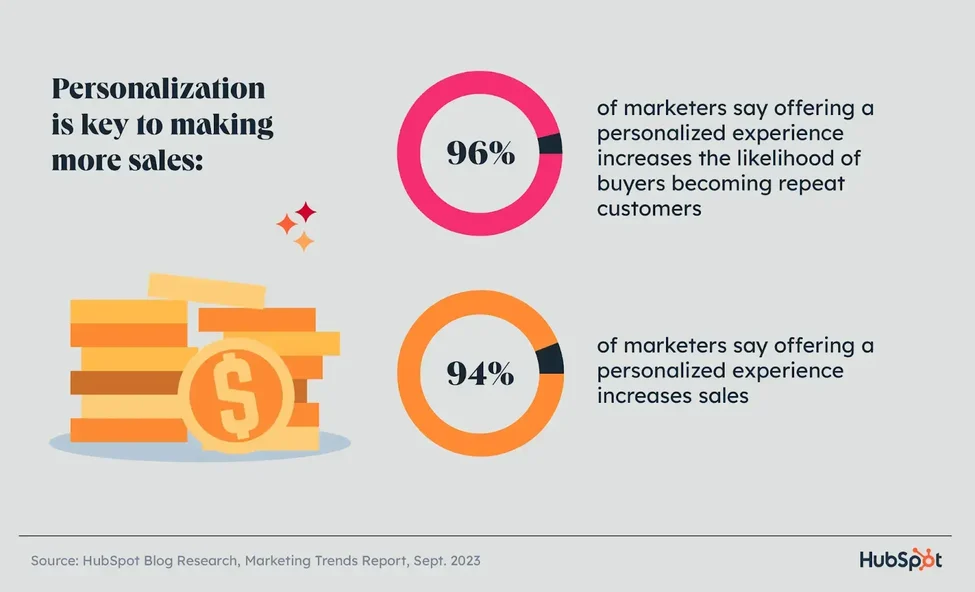
According to HubSpot research, 96% of marketers say offering a personalized experience boosts repeat customers. And 94% say it increases sales.
Here are some of the most important types of content used in content marketing, with examples:
Website pages set audience expectations and build credibility. They explain who you help, how you help, and lay out the next steps.
Example: A services page that walks through outcomes, process, and next steps in plain language.
Landing pages guide attention toward one clear action. These typically focus on sales or growing your list.
Example: A signup page designed around a single offer.
Blog posts support search engine optimization and long-term traffic growth. In fact, according to the Content Marketing Institute, online articles are one of the top content type that marketers use nowadays.
Example: A detailed guide answering a focused search query.
Social media content keeps your brand familiar and visible across social platforms.
Example: Short posts sharing one idea or insight at a time.
Email marketing helps you build direct relationships with leads and customers.
Example: A weekly email newsletter that shares one lesson, one link, and one takeaway.
Gated content offers depth in exchange for contact details.
Example: A downloadable checklist or guide.
Ad content supports immediate visibility and encourages short-term sales.
Example: Short copy paired with a focused call to action.
Video content explains ideas visually and quickly.
Example: Walkthroughs, tutorials, or demos.
With the basics out of the way, let’s get into those content production steps I promised you!
Here’s the most strategic and efficient way to produce high-quality content.
Print this checklist out and use it to create your content workflows.
Start with audience research:
From there, gather insight from real conversations:
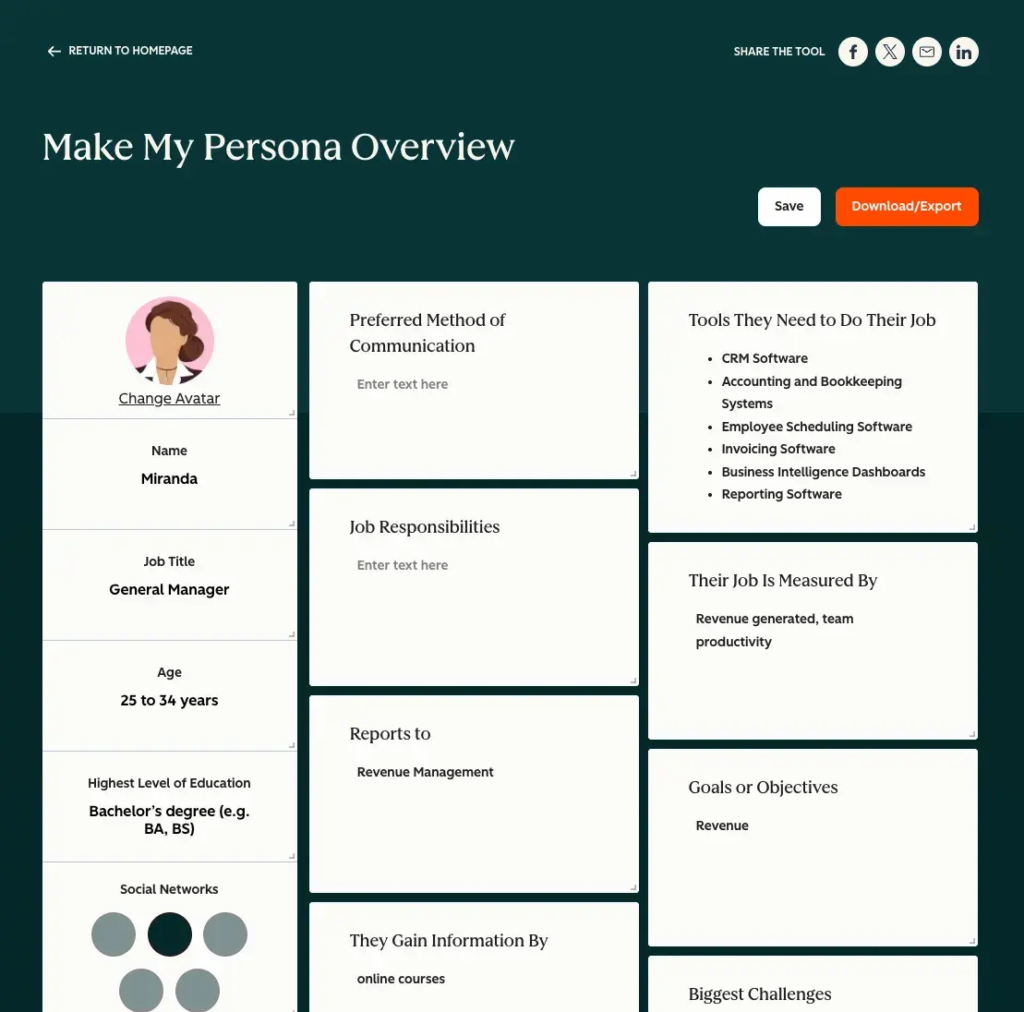
Use this data to create detailed buyer personas. Add these to your research doc.
Next, conduct keyword research:
*TOFU = Top-of-the-sales funnel
*MOFU = Middle-of-the-sales funnel
*BOFU = Bottom-of-the-sales funnel
With research in place, shift into decision mode.
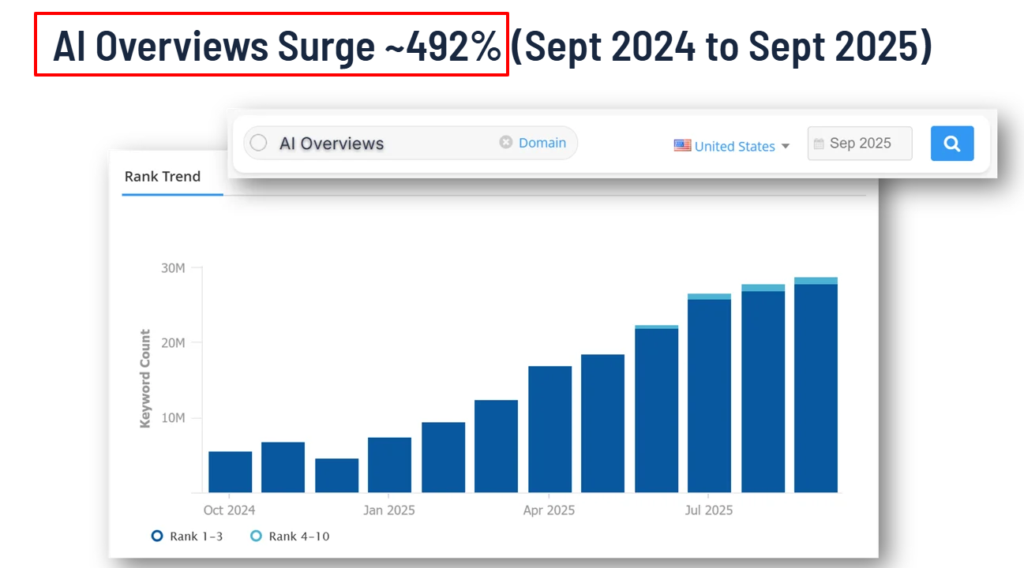
*Pro-Tip: Target micro-intent queries and conversational long-tail keywords. These are easier to rank for and are less competitive than short-tail keywords. This strategy is one of the top ways uSERP helps clients rank quickly, AND win AI citations. And with AI overviews surging ~492% (according to SEOClarity) in just a year, you can use all the ammo you can get.
Here’s an example of some TOFU, MOFU, BOFU keywords you might’ve pulled for an HR software SaaS. (With labeled search intent.)
Copy and paste this into a doc and add your own keywords.
TOFU keywords, awareness stage
Search intent: Informational
MOFU keywords, consideration stage
Search intent: Commercial investigation
BOFU keywords, decision stage
Search intent: Transactional
Next, strategize content clusters based on your research.
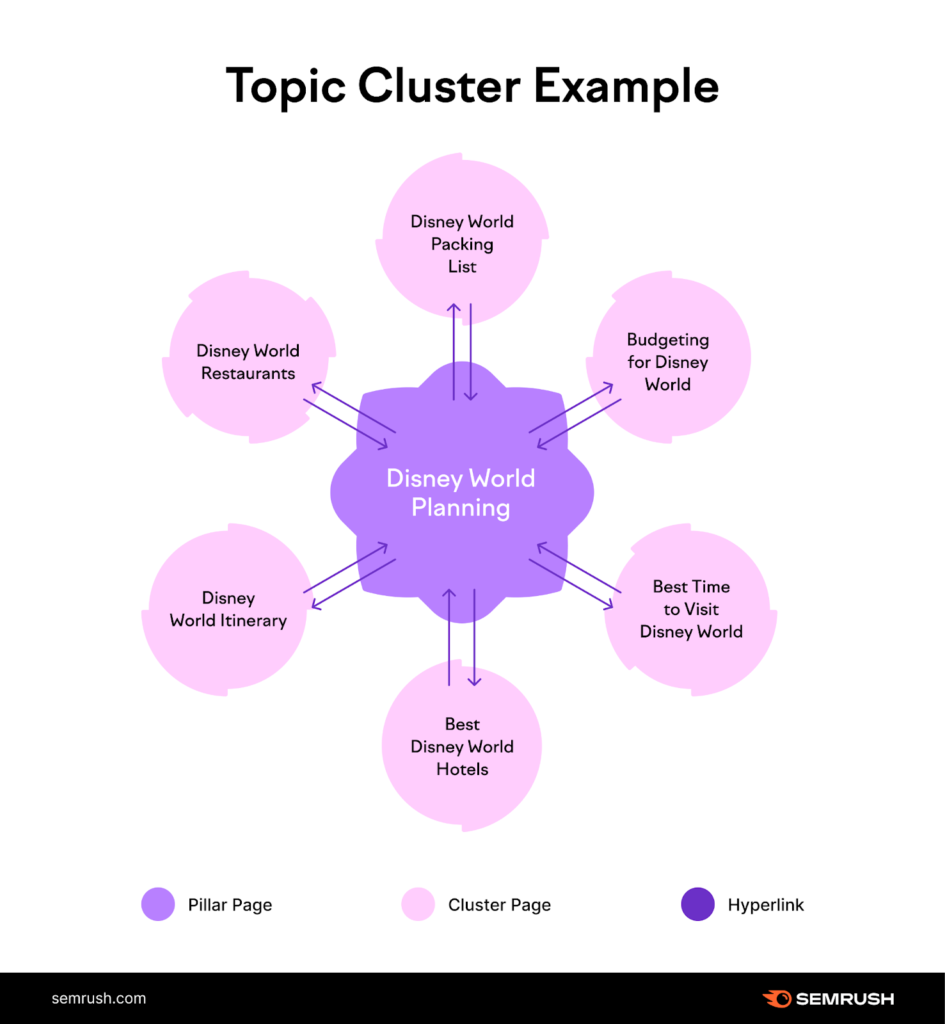
Here’s a thorough cluster strategy example you can copy and edit. I’ve also included an interlinking flow example for each cluster, which is so important for SEO.
Cluster strategy example
Cluster 1: HR software fundamentals
Parent page:
HR software: A complete guide for modern teams
Child pages:
How interlinking flows:
Start by linking TOFU pages to the parent guide for broad context. From those pages, add in-text links pointing to feature explanations and use-case pages. As readers explore how HR software applies to real workflows, guide them toward solution-focused pages that introduce product benefits and next steps, such as demos or product overviews.
Cluster 2: HR automation and efficiency
Parent page:
HR automation: How teams save time and scale
Child pages:
How interlinking flows:
Begin with example-based content that explains automation in plain terms. From each example, link to deeper workflow pages that show how automation plays out inside HR teams. As readers connect efficiency gains to business growth, direct them toward pages that position your platform as the system that supports these outcomes.
Cluster 3: HR software by business type
Parent page:
HR software by company size
Child pages:
How interlinking flows:
Guide early-stage readers from general company-size pages into more specific scenarios as their needs mature. Each page links sideways to adjacent stages, helping readers self-identify where they fit. As complexity increases, links naturally lead toward enterprise-ready solutions, pricing pages, and tailored demos.
Cluster 4: Buying and evaluating HR software
Parent page:
How to choose the right HR software
Child pages:
How interlinking flows:
Position this cluster as the decision support layer. Link into it from earlier educational content once readers start comparing options. Inside the cluster, guide readers from evaluation tools toward implementation, pricing, and trust-building pages that support confident purchasing decisions.
Next:
And now the fun stuff …
At this stage, it’s time to turn your content ideas into content assets.
Here’s a content brief template you can draw inspiration from:
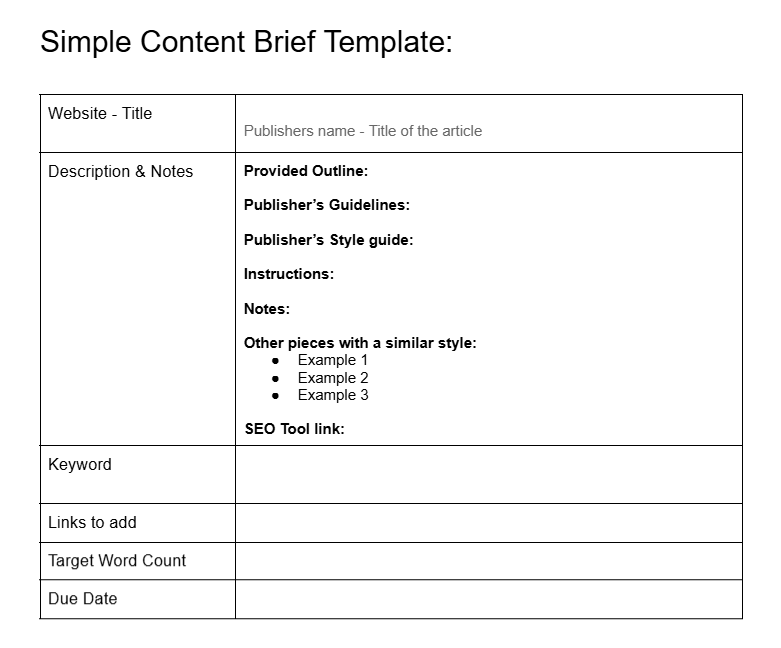
(Image by Ioana)
At this point, planning ends and production begins.
Assign content tasks to your team members.
For each assignment:
Also, make sure your writers have access to the necessary tools. For example, a tool that helps make sure content is free of accidental plagiarism. And a semantic SEO tool (like Surfer or Frase).
Give writers links to these in the briefs so they can access everything in one spot.

The next step is content review.
Have your editors:
With approval complete, move the content into staging.
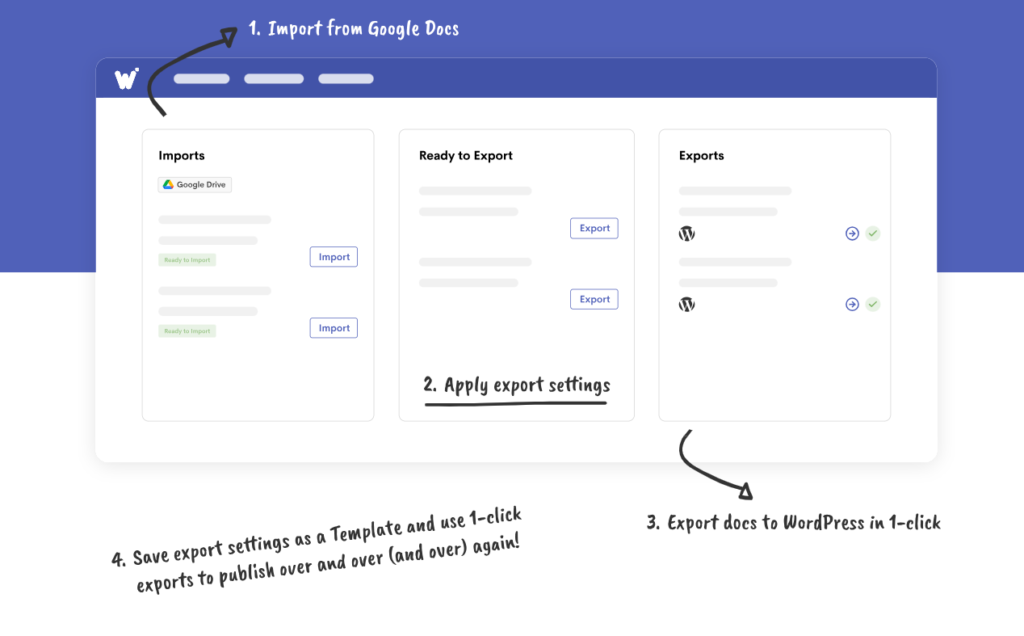
Wordable Graphic
After publishing:
Adapt each piece into multiple formats suited to different platforms.
For example:
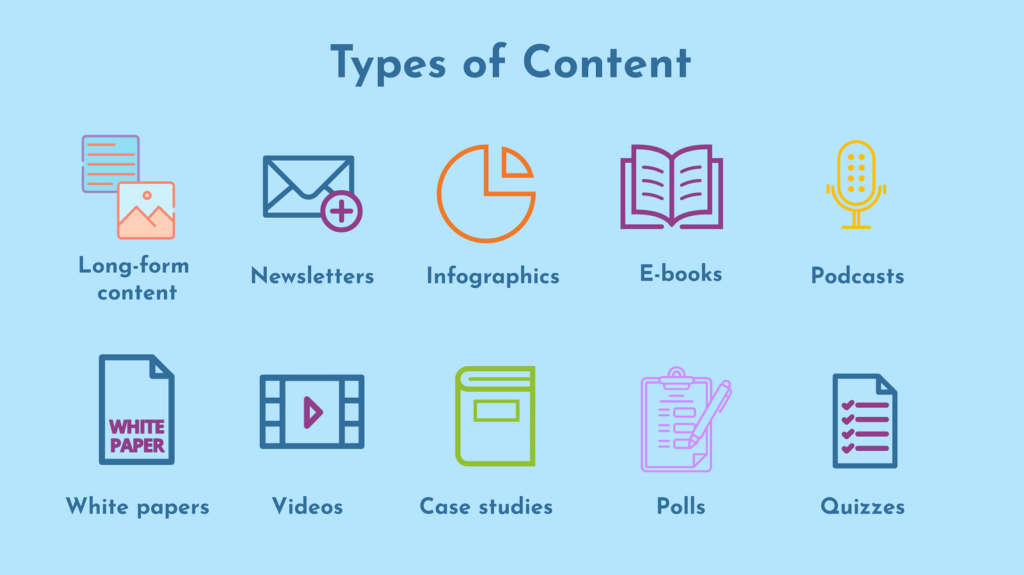
Use a paraphrasing tool to make this process more efficient, like a Quillbot alternative. But make sure to edit each output so it matches the brand voice. (Make sure to also adjust the length and structure to match each platform.)
Once content circulates …
You can analyze traffic, engagement, and conversions with Google Analytics
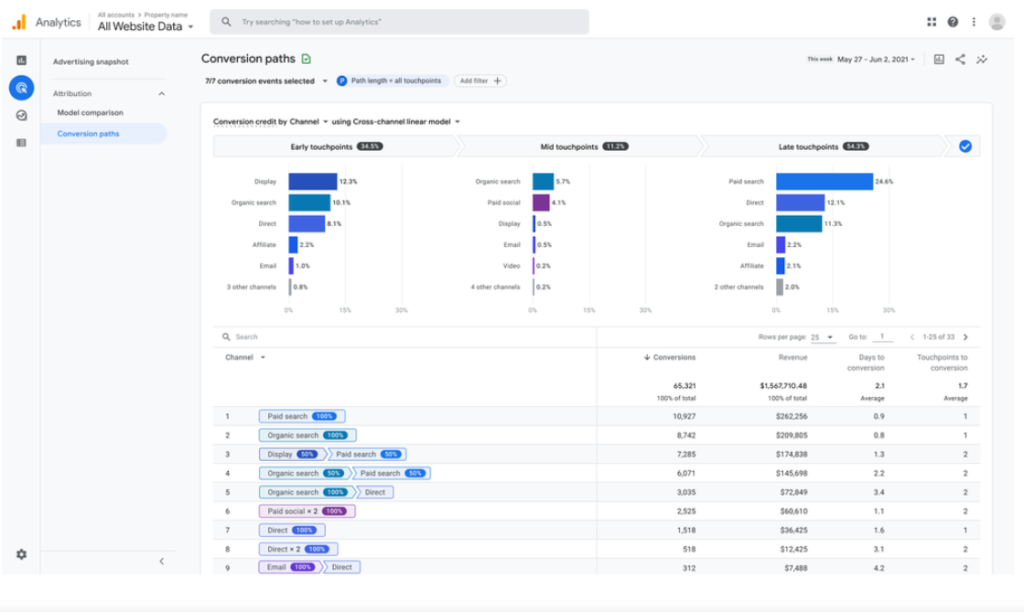
Google Search Console for search-specific data. (Shows queries driving impressions and clicks, average positions, CTR, indexing status, and page-level search performance.)
Semrush and Ahrefs to tie content performance to search visibility. (Connect content to keyword rankings, organic traffic estimates, backlinks, and competitive visibility trends.)
Hotjar for behavior analytics. (Use heatmaps, scroll depth, session recordings, and on-page behavior insights.)
Make sure to also review your email and social media marketing campaigns.
Use your email service provider’s analytics, such as HubSpot, Mailchimp, or Klaviyo. Track open rates, click-through rates, and conversions.
Review social media performance through native platform analytics on LinkedIn, X, Instagram, and Facebook. Or through management tools like Hootsuite, Sprout Social, or Buffer. Look at reach, engagement, and traffic driven back to your site.
Audit your content quarterly.
Then:
This is how you continue to create data-driven content that ranks.
Encourage high-quality publishers to link back to your best content assets.
To do this, create a link building plan to acquire quality backlinks:
Quality content production requires a strategic process.
Every step (from research and strategy to publishing, distribution, and analysis) builds on the last. When you follow a clear, repeatable process, your content performs better, your team works faster, and your audience finds exactly what they need.
Psst … Remember to save this article and share it with your team. I also recommend printing it so you can check off the steps, old-school style.
*Pro-Tip: Start using Wordable today to streamline your publishing workflow. Thank me later.😉
What tools are used in modern content production?
Most teams use AI tools for brainstorming and editing, analytics platforms to track performance, and scheduling tools to publish content where it performs best.
How do you create engaging content?
Start with what your audience cares about. Tell clear stories, keep the message simple, use formats they already like, and tailor content to each platform.
Why is agile content production important?
Trends change fast. Agile workflows help you adjust quickly, respond to feedback, and stay relevant instead of stuck in long planning cycles.
How do you measure content success?
Look at engagement, conversions, and retention first. Then tie results back to revenue, growth, or another clear business goal.
How important is collaboration in content teams?
It’s essential. Strong content comes from creative ideas backed by data, strategy, and marketing alignment.