


Every team loves a project that runs smoothly.
When it actually happens, at least. 😅
The work progresses more efficiently, updates are clear, and the team settles into a rhythm that keeps everything moving forward.
The trick is creating a setup that facilitates this kind of flow.
This guide provides an overview of the habits and structures that support stronger project collaboration. You’ll learn how to build a smoother process, maintain seamless communication, and help your projects stay organized from start to finish.
Let’s walk through it together. 👇
Highlights
According to a report by the Project Management Institute, fewer than half of all projects hit their goals. And a noticeable chunk fails outright. Most fall somewhere in the middle, which explains why teams often feel like they’re pushing uphill even with good intentions.
So, what can teams do to improve the process? They must first understand what project collaboration entails.
Project collaboration is a project management approach that focuses on teamwork, shared visibility, and seamless communication.
Tasks don’t live in separate tools or in people’s heads. The work becomes something the entire team can see, understand, and move forward together.
Strong project management practices help everyone stay aligned, reduce confusion, and give the group a clear path through each stage of the project.
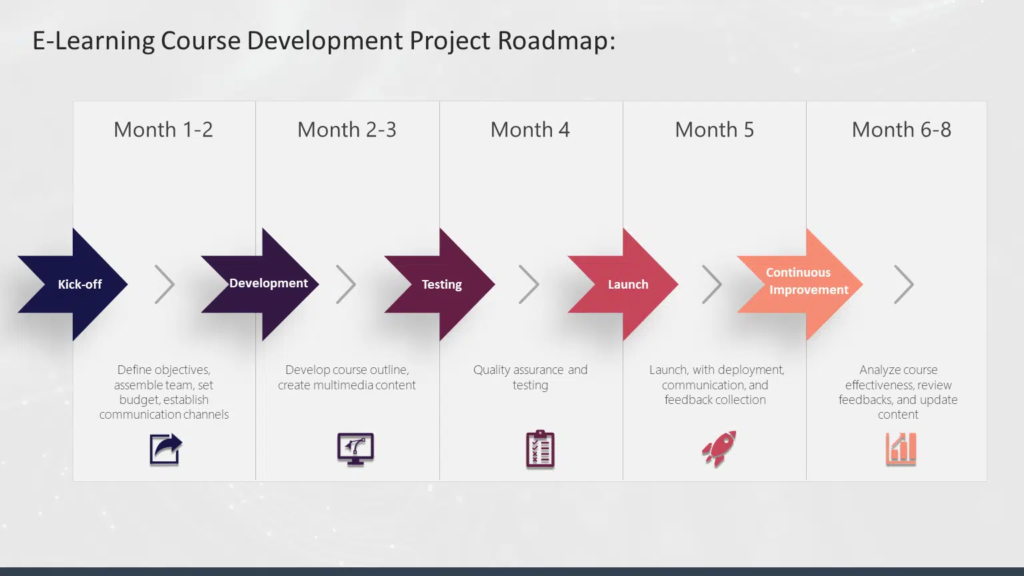
You can see how this plays out in this e-learning course development project roadmap. Each milestone demonstrates how the work progresses step by step.
Collaborative project management works best when teams build systems that support visibility, accountability, and communication from the beginning. The elements below form the structure that keeps projects organized as work progresses.
Together, these elements turn collaboration from informal teamwork into a repeatable project system.
The best part of project collaboration is that sometimes teams don’t need a complex kickoff to bring it all together. A couple of Zoom sessions can help everyone settle into a shared plan and feel ready to move forward.
A strong project structure gives your team a clear roadmap. It keeps everyone moving in the same direction.
Here’s how to build a setup that supports smoother work from start to finish.
A good project schedule sets the rhythm for the whole project. It shows what’s happening this week, what’s coming next, and where things might slow down.
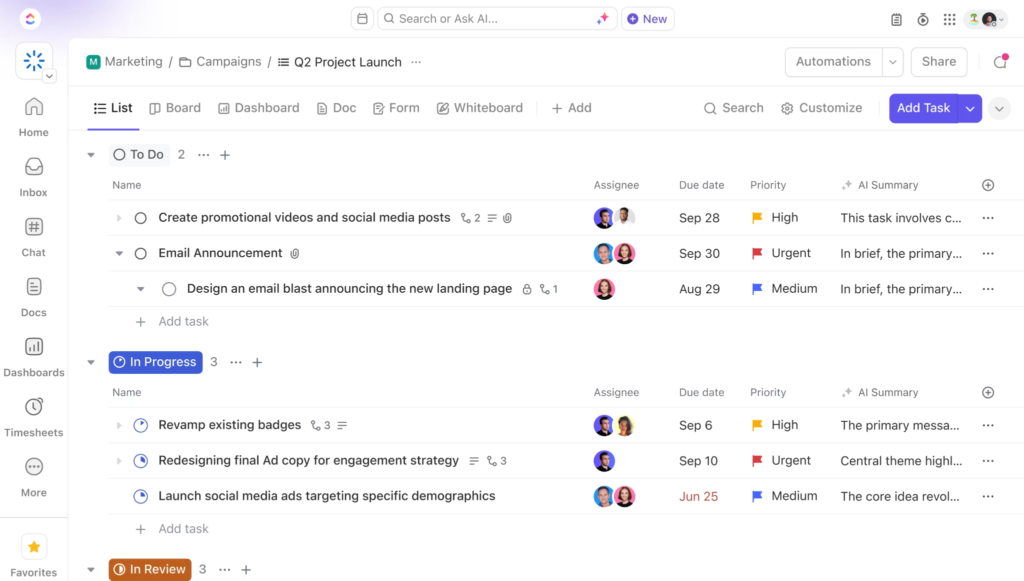
Tools like ClickUp make this simple with timelines, reminders, and views that help your team see the plan without digging through old messages.
How to do it:
Give every task a single home. Pick one tool, one format, and one naming style. This reduces guesswork and helps the team know exactly where to look.
How to do it:
Scope creep is easy to handle when you catch it early. The key is to keep track of all new requests and review them before adding work to the project.
How to do it:
It keeps scope decisions out in the open instead of letting small requests quietly shift the project. When every new request gets weighed against time, resources, and priorities, the team can protect the original plan without shutting down every change that comes in.
Stakeholders want clarity, not long reports. A short weekly update creates a shared sense of direction and reduces the need for unexpected questions.
How to do it:
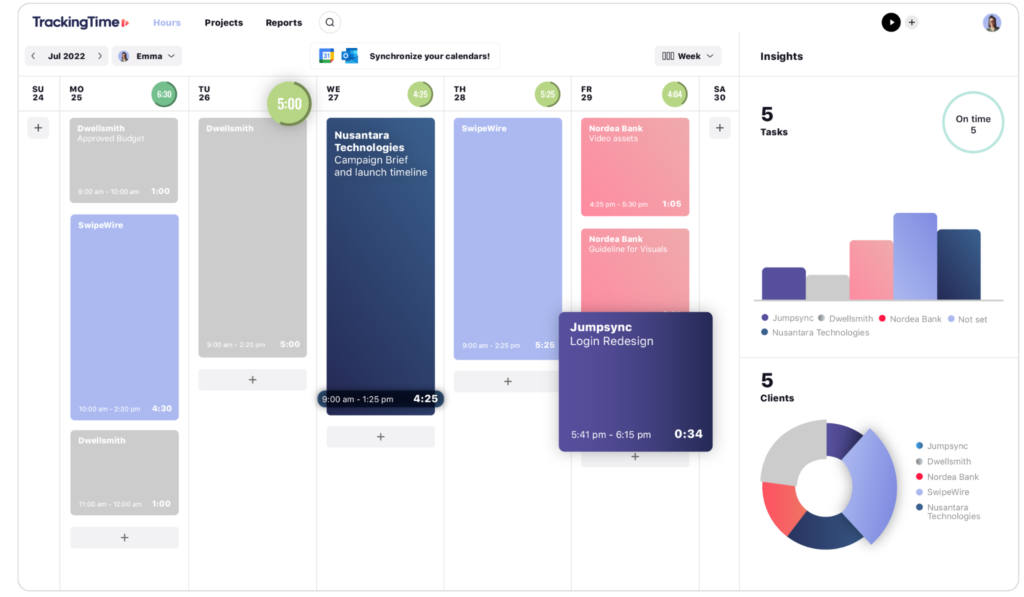
Time tracking helps you see where the team’s time is going and whether tasks are moving at the pace you expected.
You can add a custom field or a card note in your project tool to log the hours your team spends on each task. Trello works well for this because teams can add time notes directly to cards and compare estimates against actual effort during reviews. Over time, those patterns help project managers spot work that’s consistently taking longer than expected.
How to do it:
Delegation works best when people know exactly what they own and how much they can take on.
How to do it:
To streamline project collaboration, many teams manage the entire process in Asana. This makes ownership, capacity, and updates easy to track and manage.
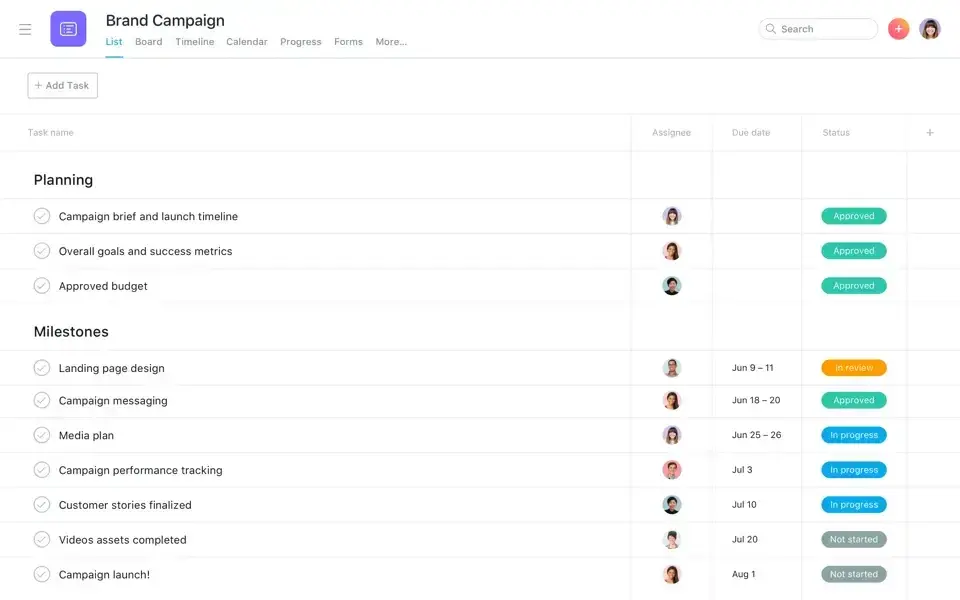
Once ownership and workload become visible, the next step is to ensure resources remain balanced across the project. That’s where resource allocation becomes important.
Good resource allocation helps you streamline workflows and get the most from your team without burnout.
How to do it:
Good collaboration becomes noticeable when updates stay clear, responsibilities remain visible, and teams can move work forward without constant follow-ups or confusion.
But this doesn’t happen by accident. It comes from carefully crafted systems and habits that make teamwork easier.
The sections below walk you through the steps that help a project run with fewer hiccups and more momentum.
The difference between organized teams and reactive ones usually comes down to visibility. When tasks, updates, and documentation are scattered across different places, things fall apart fast. The next sections cover the systems that keep work visible and easier to manage as you scale.
Wondering what high-performing project teams do differently? They’re using project management software. It centralizes communication, tasks, and documentation.
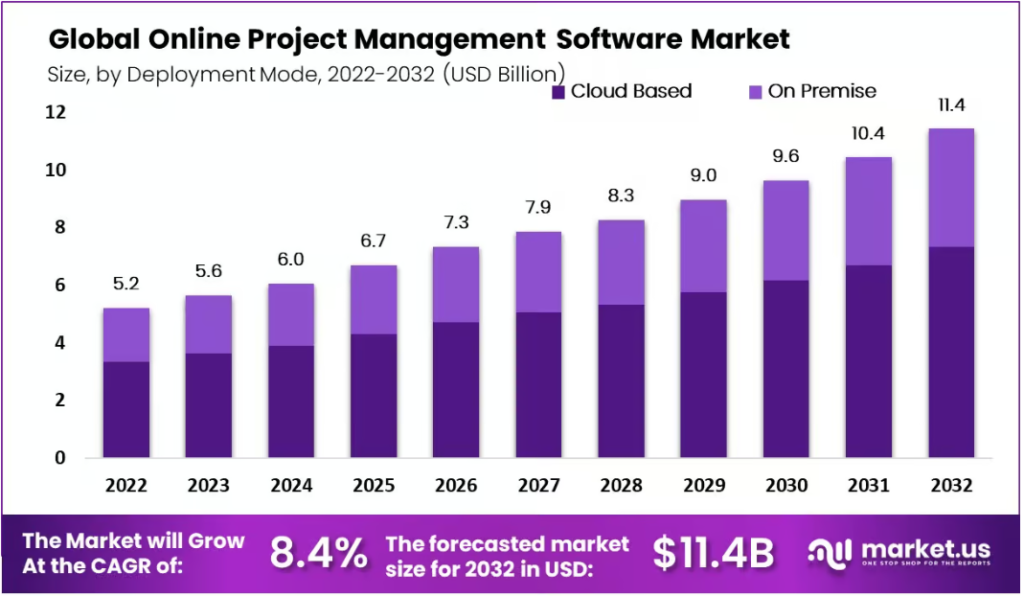
According to Market.us Research, the online project management software market is expected to grow from $5.6 billion in 2023 to $11.4 billion by 2032.
When you pair it with strong collaborative tools, work moves faster and more predictably.
How to do it:
Once the project structure is stable, teams can start reducing manual work that slows execution down.
Repetitive tasks drain time and energy. Automations take these chores off your plate and keep the project running even when the team is busy.
How to do it:
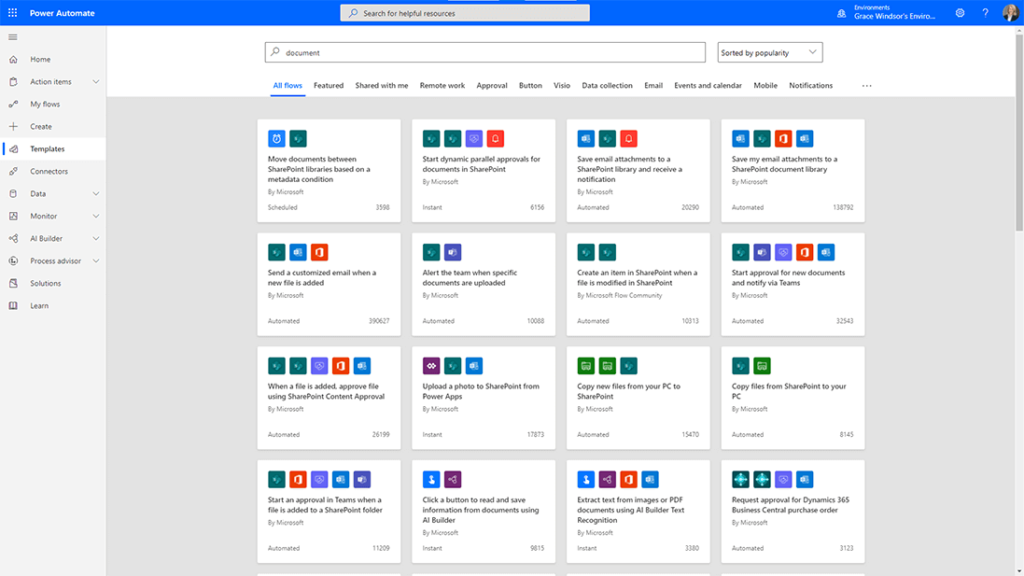
Power Automate makes it easy to link your project system, chat app, files, and calendars so updates happen in the background.
It also streamlines document management by moving, organizing, and approving files for you. And you can import and export files, which means documents can move in and out of your systems automatically without extra steps.
When the busywork runs itself, your team has more time to focus on decision-making.
Culture sets the tone for the entire project. When people feel comfortable sharing ideas, asking questions, and speaking up early, collaboration is a whole lot easier.
How to do it:
Remote work adds distance, but it doesn’t have to add confusion.
Effective remote team management keeps people rowing in the same direction, regardless of their location.
How to do it:
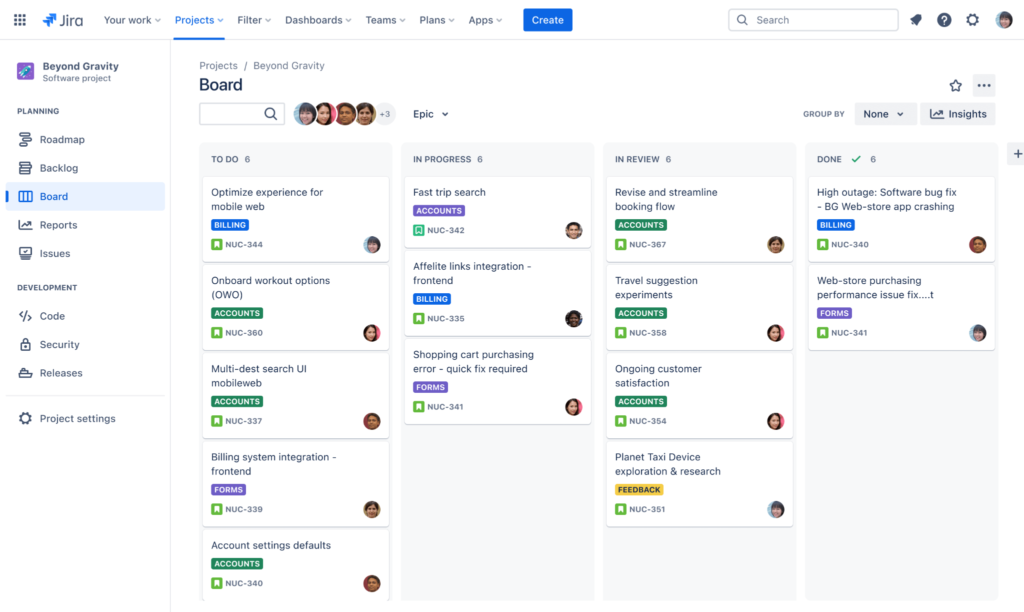
Here’s what a Kanban board looks like. It lays out each task in columns, making it easy to track progress at a glance.
Document collaboration makes teamwork faster and far less stressful.
A clean structure, simple naming conventions, and shared access help your team find what they need without digging through old folders.
How to do it:
If your team runs on WordPress, Document Library Pro lets you publish those files as a searchable document library, so everyone can find the latest version in one place.
Good documentation means less searching and more doing.
Project collaboration works best when the team has a clear structure, established habits, and tools that support the flow of work.
The planning pieces set direction. The systems keep tasks moving. The culture keeps people connected and confident in the process.
Use them together, and all of a sudden, projects will become easier to deliver on time. And every project has a better chance of reaching its goals.
Strong collaboration also improves what happens after the work is finished, especially when teams need to review, format, and publish content efficiently.
👉Wordable helps you move content from Google Docs straight into your CMS with clean formatting, optimized structure, and zero manual cleanup.
Get started with Wordable today and speed up your publishing process.