


Many companies can lean on tools built for general business use.
But if your business operates in a niche industry, you may need specialized software — and a carefully chosen tech stack to support it.
Let’s take a closer look at what specialized software for niche industries is and why it matters. We’ll also walk through real software examples and show you how to choose the best software stack for your niche. 👇
Specialized software for niche industries means tailored tech designed for specific sectors. It helps you handle industry-specific work faster — with fewer workarounds than general business tools require.
For example, a construction company might use construction project management software designed to track permits, subcontractors, and job site schedules.
A medical practice might use software that manages patient records and complies with healthcare privacy rules.
In both cases, the software products these businesses rely on aren’t generic. They’re purpose-built. They’re part of a solutions stack that maps to real industry workflows, not a one-size-fits-all web application that requires constant workarounds.
Specialized software for niche industries matters because it’s built around very specific workflows. This includes regulations and edge cases. People can work faster with fewer mistakes and manual workarounds.
It also helps niche businesses deliver a smoother customer experience — and stand out from competitors who are still trying to force generic tools to fit their needs.
Here are some of the top reasons specialized software for niche industries matters:
One of the biggest problems with general business software is the data gap. Generic tools often track basic information. But they struggle with the details that niche industries rely on.
Take solar companies as an example. A standard CRM can log calls and customer details. It usually can’t track site audits, roof layouts, or installation photos.
But a solar CRM can. A specialized solar CRM lets solar companies manage field data, project documentation, and sales. It also helps manage job site images. Instead of juggling spreadsheets and multiple tools, all data lives in a single platform for solar projects.
That’s the power of purpose-built software products over a generic development stack: unified, structured data that your business intelligence tools can actually use.

General software often comes packed with features your team will never use. That can make tools harder to learn and slow people down during everyday tasks.
Specialized software cuts through that noise. It focuses on the exact functions businesses in your industry rely on.
For example, chiropractic clinics use dedicated chiropractic practice management software. These tools handle appointment booking, patient history, billing codes, and insurance claims. The user interface is designed for how chiropractors actually work — not for a generic back-end development team or a full-stack developer building enterprise apps.
Chiropractors don’t have to adapt their workflow to the software. The software already fits their practice.
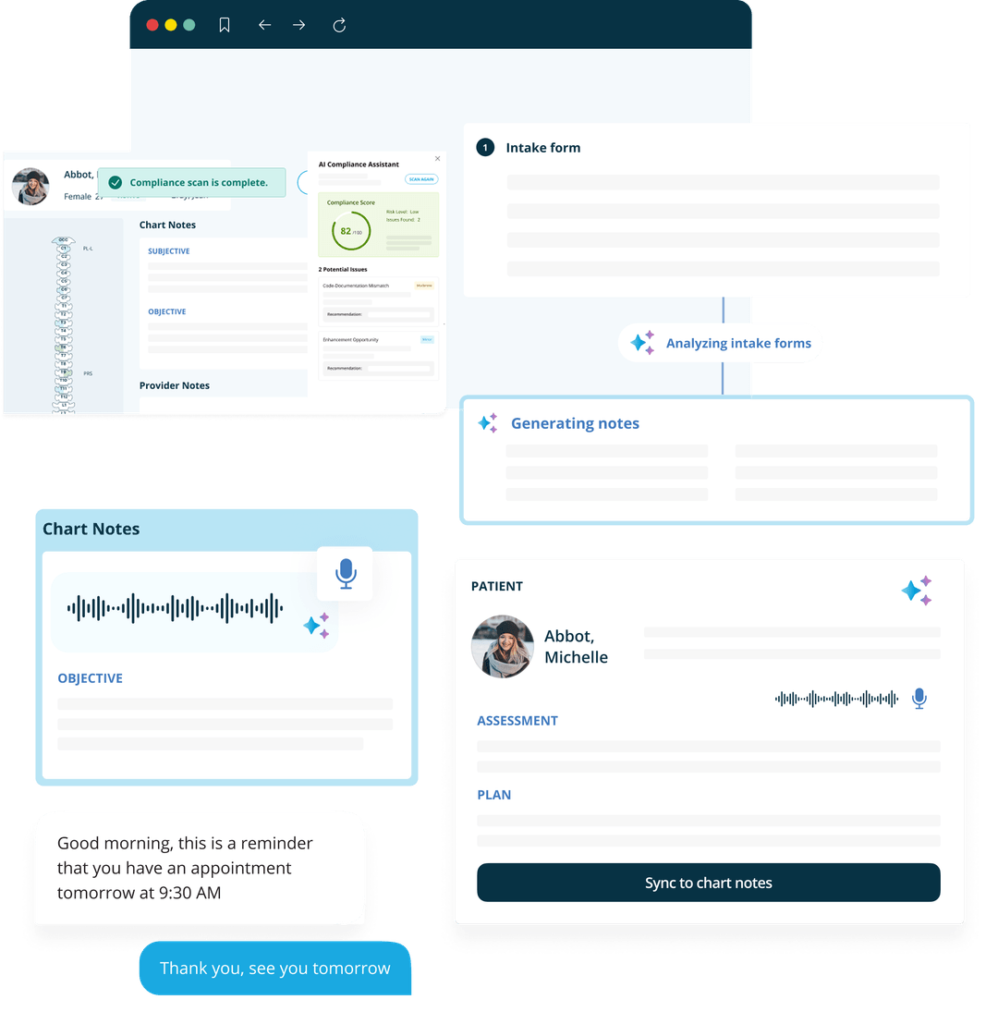
In industries like healthcare, finance, or insurance, compliance isn’t optional. Your software needs to comply with strict data rules.
Generic tools usually aren’t built with these requirements in mind. They lack things like:
That’s why healthcare platforms often rely on EHR integration. Systems built with EHR let hospitals and clinics share patient information safely. They also help keep accurate medical records and maintain compliance with healthcare regulations.
Strong backend technologies and architecture models that support secure data flows aren’t a luxury in these sectors — they’re a baseline requirement.
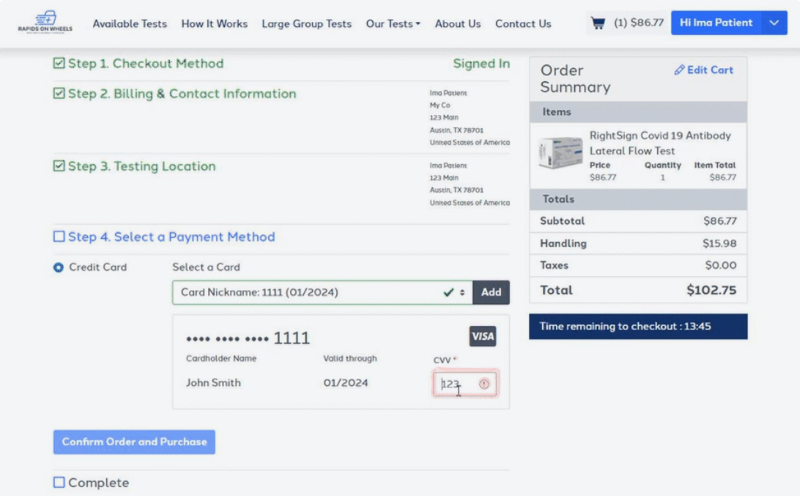
Some industries operate in ways that general business tools simply don’t understand.
The niche fragrances world, for example, runs very differently from mass-market perfume brands. Companies produce small batches and source rare ingredients. They also sell directly to passionate customer communities.
For example, retailers like Scent Split rely on specialized systems. This helps them track limited inventory, manage ingredient sourcing, and personalize customer recommendations. They can also forecast demand so they don’t overproduce.

When your software doesn’t fit your industry, your team usually fills in the gaps — via spreadsheets, duplicate data entry, and manual tracking.
Specialized software removes much of that extra work.
Consider property management companies. Generic accounting tools may track payments. But it’s up to the staff to log maintenance requests, lease renewals, and tenant notes.
A property management platform consolidates these processes into a single workflow. Maintenance tickets, rent payments, lease documents, and tenant updates all connect automatically. Your team can spend less time on data engineering tasks like manually migrating sample data between systems — and more time solving real problems for customers.
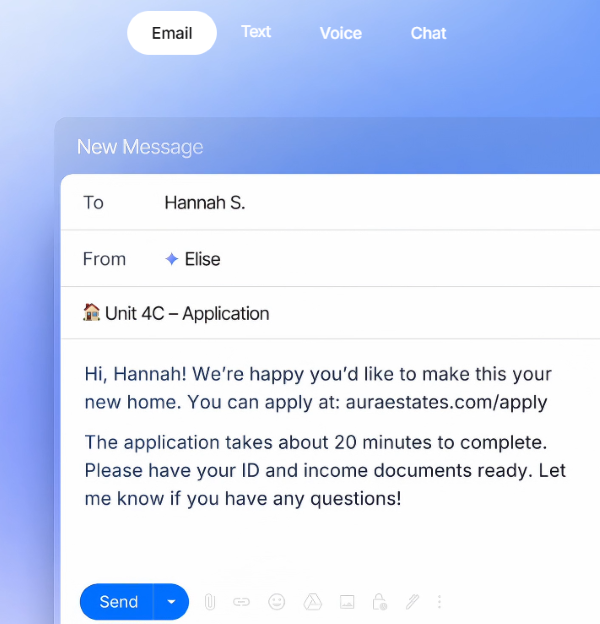
Software should make daily work easier, streamline workflows, and scale with your company. Here’s how to pick the right tech stack for your industry, step by step:
Start by getting clear on what you want your software to accomplish.
Think about the problems your team deals with every day:
Write down the outcomes you want from your software. For example: faster reporting, smooth product management, or automated workflows.
Clear goals make it much easier to filter out tools that look impressive but won’t actually solve your problems. This is especially true if your company is early in its product growth stage, where every hour matters.
Once you know your goals, narrow down the type of software that makes sense for your business.
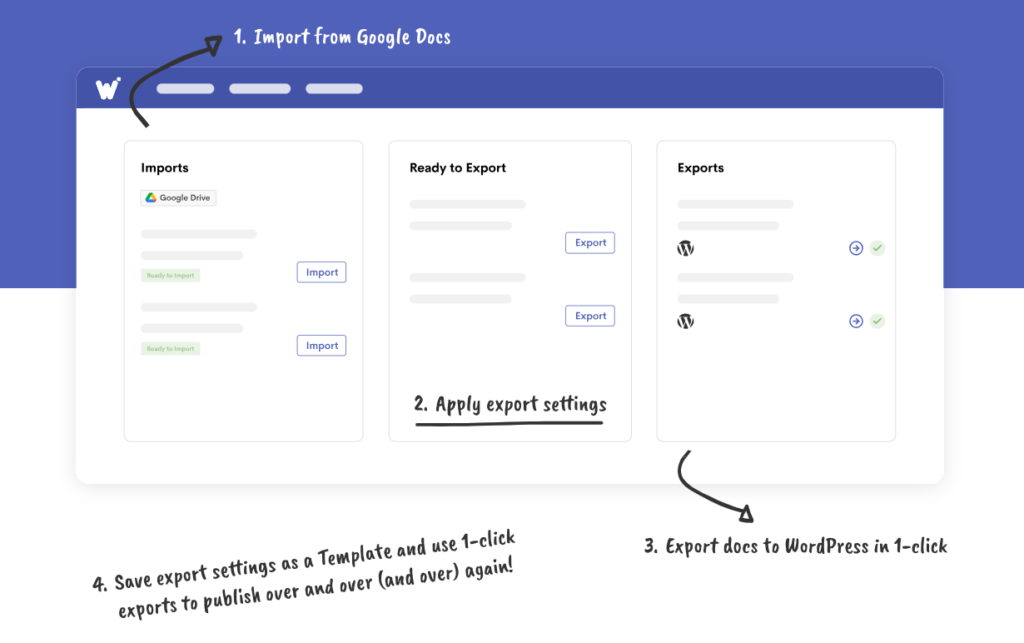
For example, a logistics company might need route-optimization software and fleet tracking. A medical practice may need practice management software that securely handles patient data. A WordPress blogger may prioritize SEO plugins and publishing software, like Wordable.
Think carefully about which layers of your development stack need attention. Front-end development tools shape the user experience and the user interface that your team interacts with daily. Back-end development tools and web servers power the data processing underneath. Your database management system determines how well you store, access, and act on information.
This step keeps you from chasing shiny tools that don’t align with your real needs.
Before committing to any platform, spend time reading reviews from real users.
Sites like G2 and Capterra collect feedback from companies that use these tools. You can learn how the software performs in real-world situations — not just what the marketing pages promise.
Pay attention to comments about reliability, customer support, onboarding, and hidden costs. These details often reveal whether the tool will work well for your team long term.
Review platforms are useful. But community discussions can be more candid and real.
Industry professionals often share honest experiences in niche forums and Reddit threads. You may find discussions about unexpected limitations or integration challenges. Or stumble across creative ways teams are using the software.
These conversations can help you spot problems before you invest in a new software platform or website builder.
At this point, you’ll likely have a shortlist of promising tools. Focus on the ones that match your goals, rather than trying to find a single platform that does everything.
Note that depending on the tools you choose, you may need a dedicated team or a management service to keep things running smoothly. Product strategy matters here: pick tools that support your long-term roadmap, not just your immediate needs.
For example, some companies rely on Oracle to manage their most critical data. But many don’t have the in-house team to keep everything running. Getting support from Oracle managed services can help. The team can optimize performance, security, and updates.
Once you’ve narrowed your options, test them.
Many software providers offer free trials or demo accounts. Use this time to see how the platform fits into your daily workflow. Let your team experiment with features, import sample data, and run through real tasks.
This hands-on experience often reveals usability issues — particularly around the user interface and user experience — that reviews alone can’t show.
After testing a few options, choose the tools that deliver the most value for your team.
Pick platforms that support your workflows, integrate well with your existing tech stack, and include responsive customer support.
Your final software stack should make your team faster, more organized, and easier to manage. If something doesn’t fit naturally into your engineering practices or development process, it’s a sign it may not be the right fit.
This is a common question for companies in niche industries. At some point, teams realize their workflows are unique enough that generic tools don’t quite fit. That’s when the “buy vs. build” conversation starts.
In most cases, it’s smarter to start with an existing specialty tool.
Industry-specific platforms already solve many problems businesses like yours face. They’ve spent years refining features, fixing bugs, and learning from real feedback. You also get updates, customer support, and security improvements — without having to manage everything yourself.
For many companies, this is faster and less expensive than building custom software from scratch — even if you have a skilled full-stack developer or a capable development team in-house.
That said, building your own specialized software can make sense in certain situations. Custom software may be worth the investment if:
But custom software comes with ongoing responsibility. Development, testing, security updates, and infrastructure all mean time, budget, and technical expertise. What starts as a simple internal tool can grow into a full product with constant maintenance — including managing programming languages, backend technologies, web servers, and your database management system.
For most niche businesses, the best path is a hybrid approach. Start with a specialized platform that fits your industry. Then customize it with integrations, plugins, or internal tools as your needs evolve. This helps you get reliable, proven software while still shaping your development stack around how your business works.
Specialized software helps niche businesses run more smoothly by matching how their industry works.
The right tech stack reduces manual work, keeps data organized, and helps teams move faster. Whether you’re managing front-end interfaces, back-end development pipelines, or mobile app ecosystems, choosing tools built for your niche will always beat forcing generic platforms to fit.
If your current tools feel clunky or incomplete, it may be time to explore platforms built for your niche.
Not always.
If your workflows are fairly simple, a general platform may cover what you need. Many small teams start with tools like basic CRMs, project management apps, or accounting software and run smoothly for years.
Specialized software becomes valuable when your industry has unique steps, regulations, or data that generic tools struggle to track. For example, fintech brands use special software to meet compliance requirements that a standard web application simply wasn’t built for.
When your team starts building workarounds or manually moving data between systems — that’s usually a sign your tools no longer match your operations.
Most businesses notice a few clear signals that it’s time to switch to niche software. For example:
Another clue shows up when growth begins to strain your tools. If it doesn’t scale — whether that’s due to limitations in your database management system, web servers, or mobile app capabilities — it’s time to look elsewhere.
It can. The biggest advantage is operational clarity.
When your software reflects how your industry actually works, teams move faster and make fewer mistakes. Sales pipelines become easier to track. Inventory stays accurate. Customer data becomes easier to use.
This efficiency can lead to a better customer experience. Faster service, clearer communication, and smoother projects help businesses stand out — especially in competitive niche markets where reputation matters even more.
The trick is focusing on integration.
Each platform in your stack should connect to the others or share data smoothly. When tools communicate with each other, you avoid duplicate data entry and fragmented reporting.
It also helps to review your tech stack regularly. Businesses evolve, and software that once made sense may become redundant later. Periodically auditing your software tools keeps your system lean and prevents “tool sprawl.”
Not usually. Most niche software is built so your team can use it right away. Providers offer tutorials, support, and customer success teams to help with setup.
You might need IT help — or even a dedicated team — only if you plan custom integrations, manage complex web development infrastructure, or have very complex workflows that touch multiple operating systems.