


Content isn’t hard to find anymore. It’s everywhere. What’s hard is figuring out what’s worth paying attention to.
Feeds are full. Search results are crowded. AI has made it faster to publish, sure, but also tougher to trust what you’re seeing. More posts, more guides, more opinions, but less guidance that tells you what to do with any of it.
Customers are overwhelmed, and it’s causing decision fatigue.
At the same time, companies expect their content teams to show up constantly. Blogs, newsletters, socials, SEO, partnerships. The channel list keeps growing, even as attention keeps shrinking.
This is where content curation starts to matter. You can help customers make decisions and relieve your team from constant ideation.
Let’s explore what content curation is and how you can implement a content curation strategy step-by-step. 👇
Highlights
Content curation is often confused with sharing or repackaging other people’s content. But that approach really focuses on distribution. In this guide, content curation means something stricter: Selecting, comparing, and explaining third-party content to help someone make a decision.
Instead of adding another post to the pile, you’re stepping in as the editor. You decide what matters, what readers can ignore and how the pieces fit together.
In real life, content curation starts with a question. Not a vague theme, but something people are genuinely stuck on.
From there, you pull together a handful of credible sources that already exist. Studies. Benchmarks. Tools. Expert takes.
You explain what each one is for. You show how they’re useful.
Basically, you’re the guide helping readers make decisions without wading through a dozen blogs that all say different things.
Here’s a simple example.
Instead of publishing another generic post about email performance, you create a page called “The most useful resources on the best time to email— and how to interpret them”.
The page links out to academic research, industry benchmarks, and email tools. Then it explains why the advice differs and how a marketer should read the data without taking it too literally. The value sits in the guidance that helps someone decide what to do next.
And companies are already on the bandwagon.
According to Databox’s 2024 State of Content Marketing and SEO report, 40% of companies already plan to curate other people’s content.
But why?
There are two main reasons to turn to content curation:
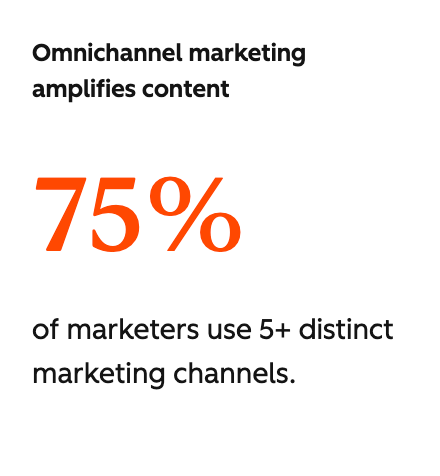
As HubSpot’s 2026 State of Marketing report shows, 75% of marketers publish across five or more channels. More channels. More content. Less time to make sense of any of it.
Content curation steps in here as a way to create a source of valuable content people can trust, without asking your team to publish more just to stay visible.
Content curation only works when it’s intentional. A clear approach gives you boundaries. It tells you what to curate, what to ignore, and where to spend your editorial energy.
Here’s a step-by-step strategy to follow, split into three phases. 👇
Before you curate anything, you need to decide what deserves attention. This phase sets the direction for each asset.
So … What problem are you solving? What decision are you helping someone make?
If Phase 1 is vague, everything that follows turns into a loose collection of links. When it’s clear, curation becomes focused, useful, and much easier to execute.
Start by identifying the moment of uncertainty. You want to figure out what your audience is stuck on.
Ask yourself:
This usually shows up when someone is comparing options, questioning advice, or trying to avoid making the wrong call. Until you can name that moment clearly, you don’t know what kind of help they need.
When the question is clear, you’re no longer curating “content.” You’re curating answers.💡
Resist the urge to widen the scope by setting boundaries. The best way to do this is to center on a decision question rather than a topic.
For example, “email marketing” opens the door to endless opinions.
“When should I send this email?” tells you exactly what to include and what to leave out.
With a defined question, you get a clearer idea of which studies, benchmarks and tools to include because they’re all serving the same decision.
Work out how deep you want to dive. Are you helping someone get a quick sense of the landscape, or are you helping them make a high-stakes choice?
For example, imagine you’re writing a dissertation writing services review.
One option is a basic roundup. You list a long set of services, give each one a short description and move on. This approach works if the goal is simply brand awareness.
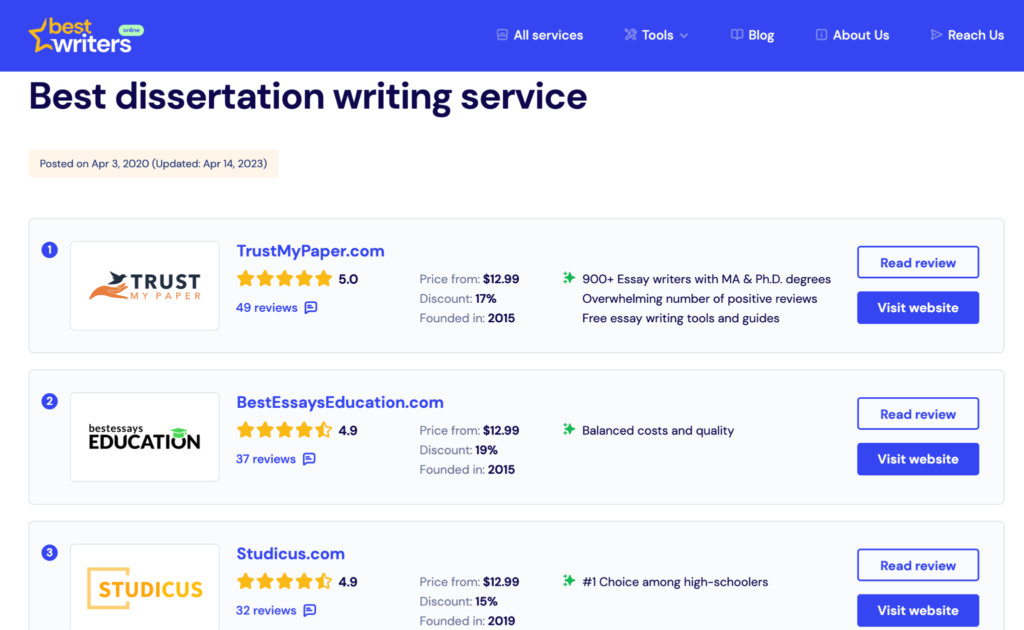
Or, you could create a comparison pillar where you focus on a smaller group of services and go deep. Here you’d break down how they differ on pricing, turnaround time, subject expertise and support.
In this phase, you shape third-party material into an asset that reduces confusion and helps someone move forward. This step focuses on editorial judgment, sequencing, and guidance. 👇
Choose content sources that are helpful for the decision at hand.
(Big names don’t automatically earn a place. Look for artifacts with clear explanations and practical relevance.)
Ask yourself a simple question for every source. Does this genuinely help the reader understand something new or make a better choice?
If it doesn’t help the reader make their decision, it doesn’t belong.
A small set of strong sources will always outperform a long list included for credibility alone.
Make the tradeoffs of each digital asset explicit. Explain where sources agree, where they conflict and why. Call out what each one does well and where it falls short.
This is what saves readers from opening ten tabs and trying to reconcile everything themselves.
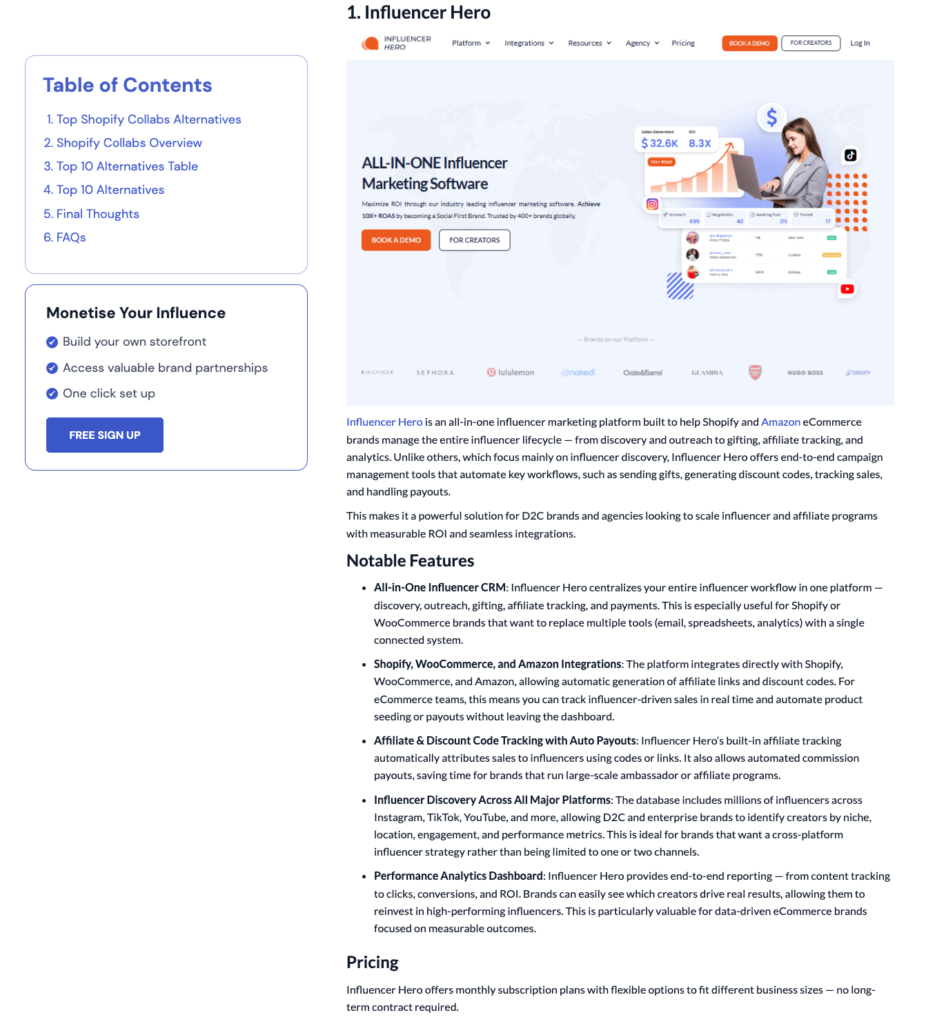
Alternatives-style comparisons work well here.
Sites like Creator Hero do this by explaining why similar tools exist in the first place and who each one is best suited for. The comparison provides value as it breaks down each part of the decision for the reader so they can compare features, price, and fit. 👇
Ground readers with context before you introduce your third-party sources. This extra information does two jobs at once:
Depending on the topic, you might include short sections that cover:
For example, if you’re curating an article on regenerative gardening techniques, you’d first explain what regenerative gardening is. You might also explain why it’s important and how it differs from more conventional approaches.
So when you present the techniques, readers know why you included each asset and when it’s relevant.
This upfront framing turns a curated page into something search engines can understand, and readers can trust. Instead of looking like a collection of links, the asset reads like a coherent guide covering one clear idea.
Add commentary to each asset you recommend to explain its real-world use. These sections offer the help readers need to make a decision.
Talk through scenarios, pros, cons, and limitations. Help readers understand what a source can and can’t tell them.
For example, say you’re listing credit card interest calculator tools.
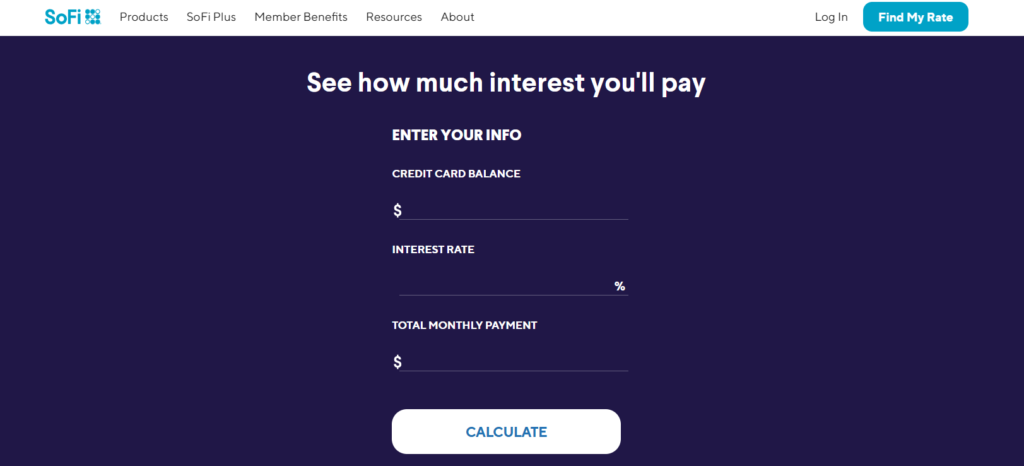
You need to explain which situations each one suits, what assumptions they make, and where their outputs can be misleading.
Clear guidance is what turns a list into decision support.
Make it easy for readers to find what’s relevant to them. Instead of one long list, group sources by who they fit.
For instance, if you’re creating an article about finding a course on influencer marketing, organize the sections by audience.
(E.g., Courses for beauty creators, courses for travel influencers, courses for people focused on brand deals. And so on.)
This helps readers skip straight to what applies to them.
*Pro-Tip: Add anchor links at the top of the page in a mini Table of Contents so readers can jump ahead.
Phase three keeps curated assets working after you’ve published them.
The idea is to turn your curated assets into something that compounds. The focus is on performing over time and earning your place in the wider content ecosystem.
Here’s how. 👇
Create connected hubs that cover adjacent ideas in one place. Well-structured curated content helps search engines understand what you’re an authority on.
For instance, a security team might guide readers across related concepts like SCA, SAST, and SBOM, showing how they connect and when each one matters.This depth signals expertise and gives content more staying power in search.
Repurpose your curated content. Build it once, redesign snippets from it, and cross-post it via email newsletters, social media channels, and private hubs.
Visual summaries, charts, and infographics work especially well here. You can take the information from your list and repurpose the same insights without rewriting the core thinking every time.
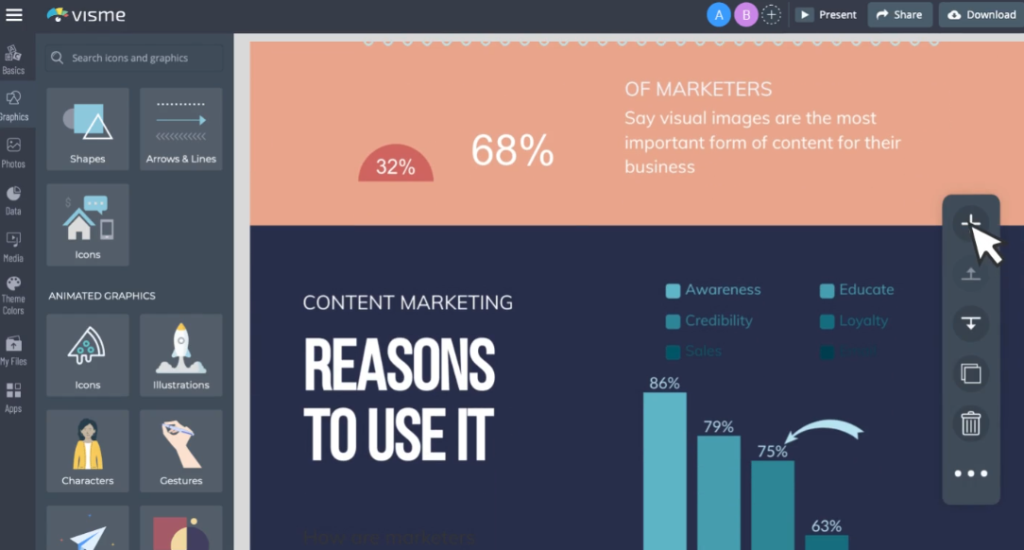
Stand out with hand-picked formats to break away from the flood of AI content.
Try experimenting with editorial roundups or creating a digital scrapbook with industry highlights, visuals, and ideas. This makes your curation feel considered instead of automated.

Track and measure how your curated assets perform to learn where you can improve next time. Take a look at your original curated content metrics and your repurposed snippets.
Look at metrics like:
These signals tell you whether your curation is reducing friction and supporting real decisions, instead of solely generating clicks.
By following this strategy, content curation turns your editorial judgment into a scalable system.
You won’t need to rely on endless content creation or chase original content for every channel. As a content curator, you simply focus on bringing clarity to your specific target audience.
The result is: Smarter content consumption, stronger authority as an expert, and targeted engagement driven by real content intelligence.
Psst. Want to learn more about content curation? Check out our guide on social media content curation. And if you need a faster way to stage and publish your curated content from Google Docs to WordPress, you’ll love Wordable. Try Wordable now.
Happy curating! ✨
Third-party content curation means selecting and organizing content that others create, then adding editorial context to help a specific audience understand a topic or make a decision. The value comes from judgment and guidance, not owning the original content.
Yes, when done well. Curated content can build topical authority and improve relevance. Search engines reward pages that provide clear context and useful comparisons, not pages that simply list links.
Remember to have your own original content and topic clusters on your website as well.
Aggregation collects content. Curation interprets it. Aggregation saves things in one place. Curation explains why they matter and how to use them.