


Good remote work communication is an absolute must for virtual teams.
It’s literally one of the strongest indicators of whether an organization will succeed. (More on this in a bit.)
But with flexible work arrangements and varying time zones, how can you make sure remote communication runs smoothly?
It may not always be perfect, but there are some best practices you can implement to encourage better collaboration across the board.
Let’s take a closer look at the top communication challenges remote teams face and some strategies you can implement. I’ll also walk you through how to minimize misunderstandings using a simple five-step framework.
Get ready to save this post.
Highlights
Remote employees and freelancers usually create their own schedules. They also live in various locations. And sometimes internationally.
With so many factors at play, it’s not always easy to stay in touch in real-time.
If an employee has a question about an upcoming project, they may not get an answer in time. If a product team wants to meet for a virtual coffee chat one afternoon, remote workers in a different time zone might have to miss it.
And sometimes tools don’t help either. (Especially if employees rely on a crowded tech stack.)
Between Slack, email, project management tools, docs, video calls, and more … trying to keep up with communication can get confusing.
Still, finding ways to communicate better has to be a top priority.
According to research by Daoud Jerab (2024), effective communication is the cornerstone of success. It influences every aspect of operations, culture, and outcomes within an organization.
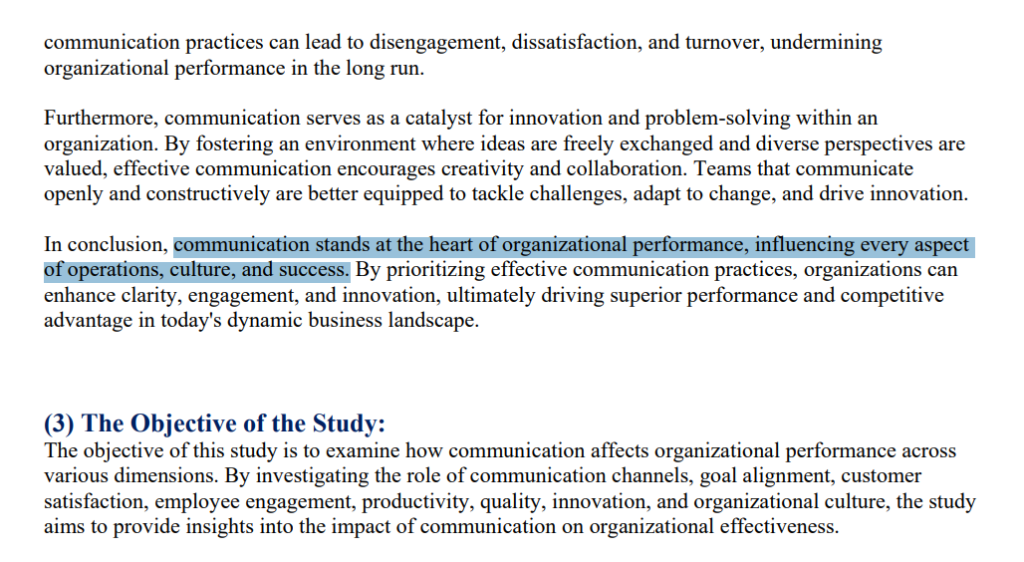
Daoud’s research confirms that good team communication:
Here are some ways to encourage better communication within your remote team.
Bookmark this article or print this out. (Most importantly, put these practices into action!) There’s also a tutorial for you in a bit.
Too little communication leads to silos. But “too much” team communication can also disrupt work-life balance.
To get on the same page about remote work communication, poll and survey your team.
What do they prefer for asynchronous communication? Instant messaging? Email threads?
What about synchronous communication? Video meetings? Real-time collaborative whiteboarding?
And how often do they like to communicate?
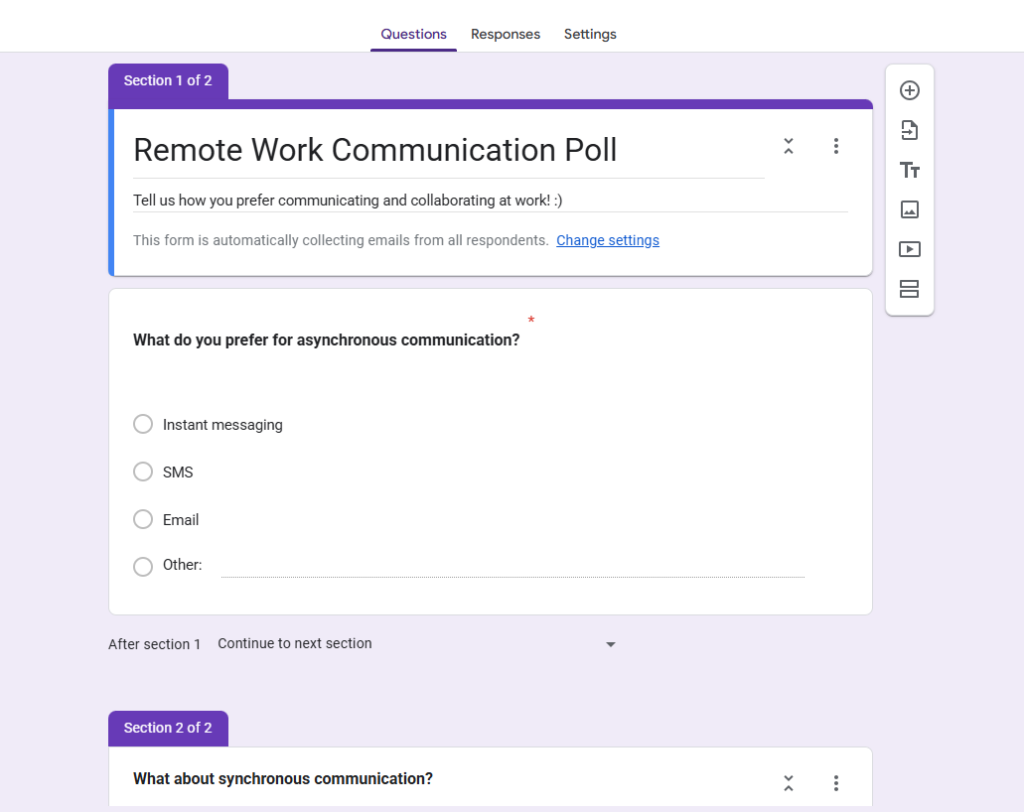
(Poll by Ioana)
It’s easier for team members to communicate well when they feel comfortable with the cadence and the tools you use.
You set the tone for your company culture and working relationships with the way you speak.
This includes the tone of voice you use in all internal communications. (Email, video calls, chat messages, etc.)
Stick with a lighthearted tone and show empathy. Most importantly, offer a solution when you can.
For example:
Always remember there’s a real, breathing person on the other side of your communications. Even when you’re busy, try to add some heart and personality to your words. ❣️
So:
Misunderstandings usually happen when employees aren’t clear on what they need to do. To prevent this, always specify exactly what you need and what “done” looks like.
For example, use content and SEO briefs, work orders, and style guides that break down task expectations.
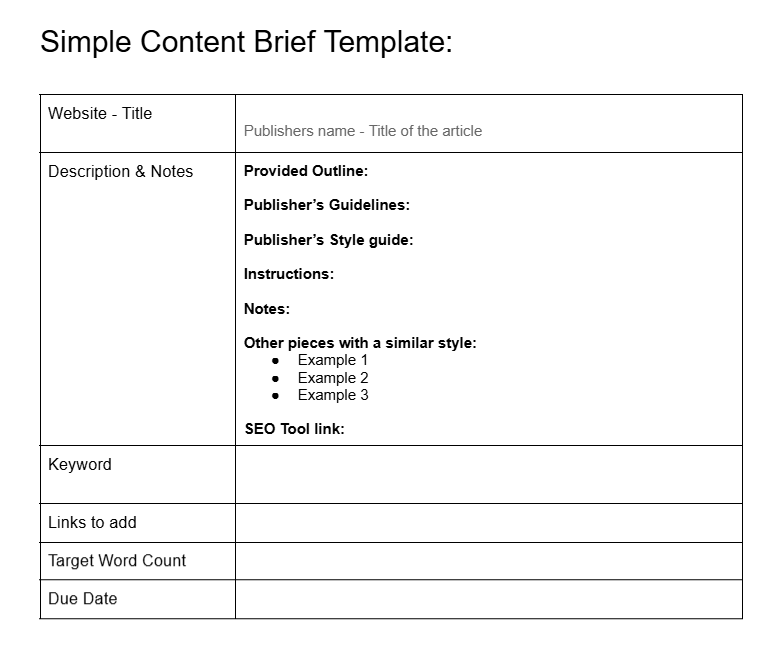
(Image by Ioana)
An example of a simple content brief made with Google Docs.
For complex projects, use video meetings to ensure everyone understands their roles.
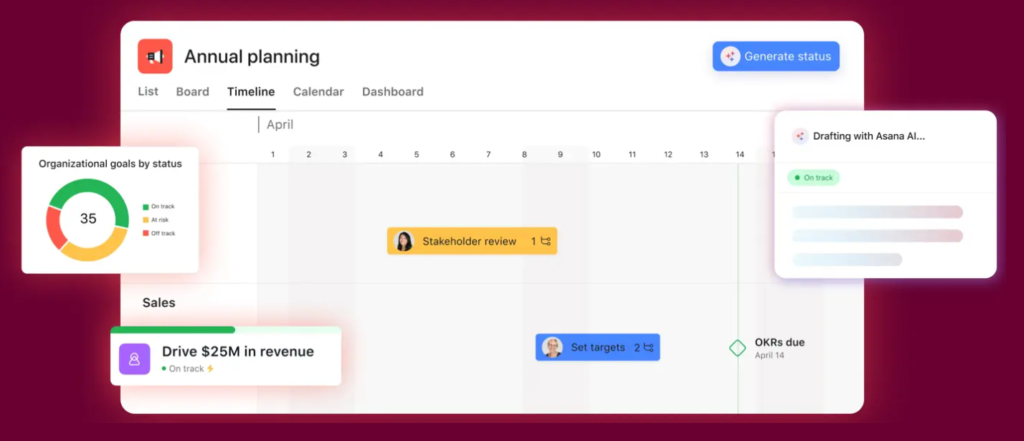
*Pro-Tip: Use project management software (like Asana) to track assignments and end goals. Especially if you manage long or complex projects.
Creating space for casual, human connections helps people feel more comfortable with each other. When teammates know each other better, they’re more likely to trust intentions, ask questions, and collaborate well.
Team-building games and virtual events, for instance, can help strengthen team bonds.Think murder mystery rounds, virtual happy hours, and digital card games.

Here are some more ideas you can try:
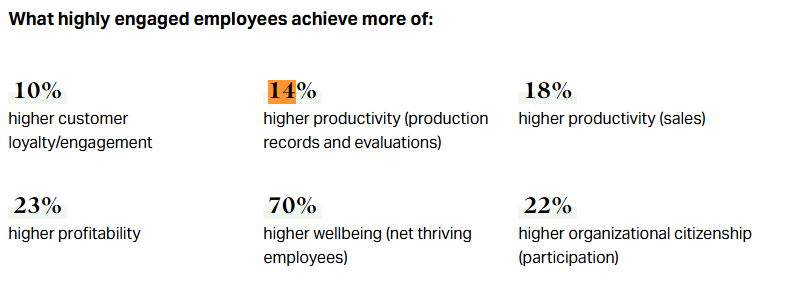
Good communication is a skill. And, luckily, it’s one that teams can learn through training and examples. Communication also boosts employee engagement. According to Gallup, engaged employees deliver approximately 14% higher productivity.
If you’re a pro at communication, you can teach them yourself. Or you can hire an expert or have your team take an online course.
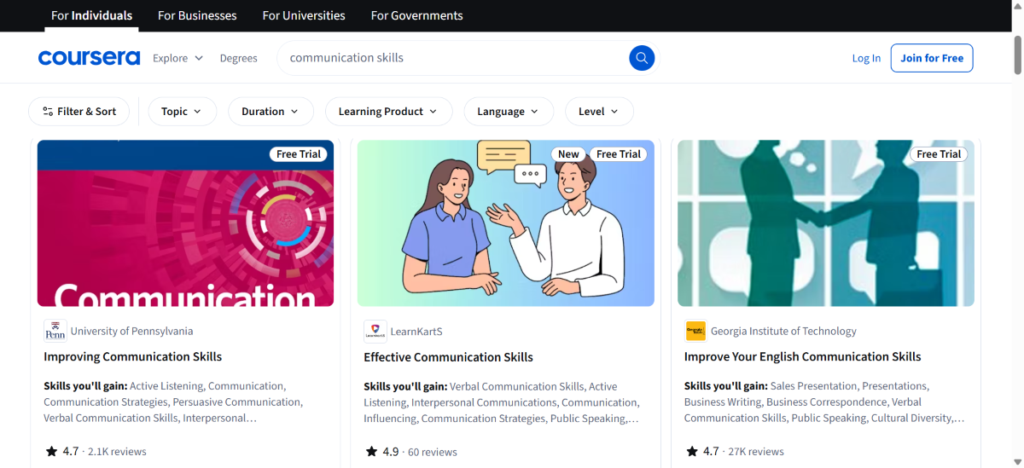
During training, be sure to:
Make sure to also offer tools training. Like how Google Docs collaboration should work — or how to submit assignments in Asana.
Make training a regular, expected part of your team’s workflow. (Not a one-off workshop.)
Over time, these sessions can help everyone write clearer messages, run smoother meetings, and handle tough conversations.
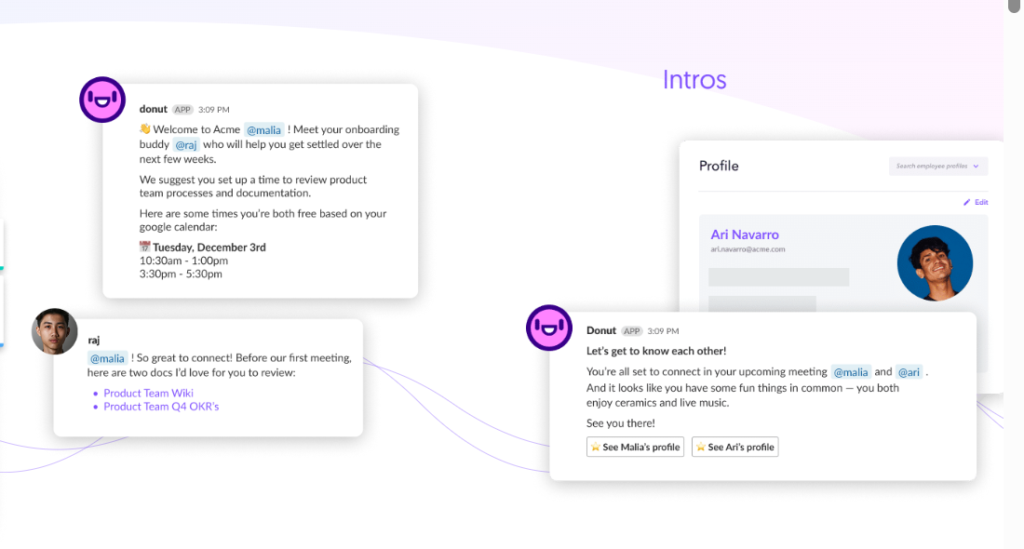
Remote work software is a must for coordinating communication.But you don’t want to overwhelm your team with too many digital tools either.
Stick to the basics. And have a single central document that reminds team members which tools to use and when.
For example, pick one tool for video conferencing and screen sharing, like Microsoft Teams or a Zoom plan. Also, be sure to:
These are six great communication practices you can start implementing right away.
But before you do, run through the steps below. They’ll walk you through how to clear up misunderstandings for your specific remote team.
Here’s how to create a communication protocol for your remote team members:
Find out what’s holding your team back right now.
Identify where messages break down. Look at every channel your team uses: Email, chat apps, video calls, project management tools, and ask:
Take notes from your team, too.
Ask them where they feel communication slows down or becomes frustrating. Send out polls and surveys to track patterns. (For the surveys, leave some room for open-ended answers so you can get candid responses, too.)
Mapping out these bottlenecks gives you a clear starting point.
List your bottlenecks from most painful to least painful.
A mismanaged project meeting can stall the whole team, so that’d go first. A slightly confusing email style might take mid-priority. And unclear norms for using emojis in Slack might take precedence.
Find solutions to your specific bottlenecks and streamline workflows. (Our best practices list from above should be super helpful for this step!)
For example, to address communication issues that lead to disorganized projects, you might consider adopting a new digital platform. Like monday.com or Jira.
For email communication, a few quick templates can be super helpful.
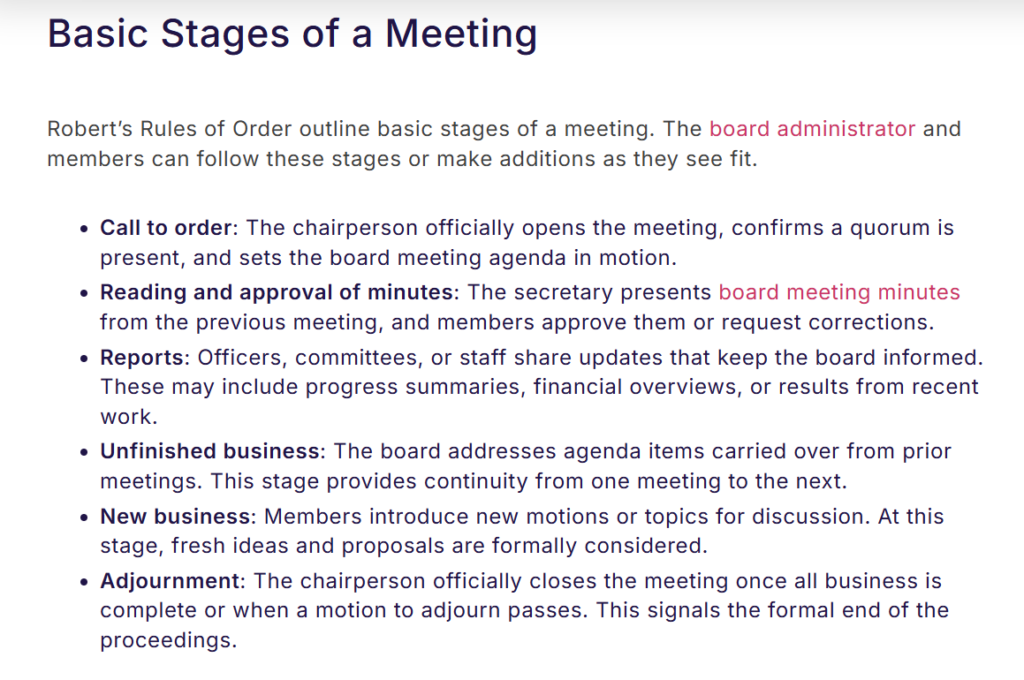
And for meetings, you might test out Robert’s Rules of Order or another framework.
Address the most painful bottlenecks first.
Focus on fixes that will:
Once you’ve settled on solutions, add them to your regular workflow, and make sure everyone knows how to use them.
Give everyone their tool logins, and practice the new processes together.
Keep in mind that the transition to telecommuting may still be new to some team members, so they might need extra guidance and support to adjust. Offer ongoing help and remind everyone about these practices regularly, so collaboration feels smoother.
Remember to have a central doc that lists all of your communication norms. Save this in Google Drive or in your shared project management solution. (This is especially important if your team uses multiple tools or ways to collaborate.)
Here’s a quick example of what you might write inside your doc:
Don’t assume your new communication setup is working. Ask.
Run pulse surveys or polls to see how clear things feel and where people get stuck. Keep it simple. For instance: “How do you like our new task assignment cadence? What would you keep or change?”
Look at your implementation results, too. Are projects moving faster? Are fewer things getting sent back for clarification? Is team morale steady? Are employees happy?
Track KPI’s like:
Review these metrics regularly. And make adjustments where necessary. (Maybe a tool is adding more confusion and unnecessary work. Or maybe meetings are too frequent — or not frequent enough.)
*Pro-Tip: Call out the wins, too. When a project runs smoothly or a misunderstanding gets avoided, say something. This can help continue to reinforce good communication norms.
Remote communication doesn’t fail because teams don’t care. It fails because expectations are unclear and habits never get documented.
When you give your team clear norms, the right tools, and a shared communication framework, collaboration becomes easier. Projects move faster. Fewer things fall through the cracks. And people spend less time guessing and more time doing their work well.
Audit what’s not working and fix the biggest gaps first. Then, train your team, document the rules, and revisit them regularly.
If you want your remote team to work smoothly, communication can’t be an afterthought. It has to be intentional.
PS: Need a tool to speed up blog post publishing? Try Wordable now. It lets you export your Google Doc directly to WordPress, Medium, or HubSpot.
What helps remote communication work well?
Clear rules make a big difference. Set expectations early, keep async updates structured, don’t overload people with tools, and check in regularly.
Instruct them on how specific workflows function, too. Like how your content workflow in 2026 will look. Most importantly, create an environment where people feel safe speaking up.
How do remote teams cut down on misunderstandings?
Say things plainly. Don’t assume context. Confirm you’re on the same page, and write down decisions in one shared place. Make it easy for people to ask questions without feeling awkward.
Which communication tools tend to work best for remote teams?
When managing a remote team, it’s important to stick to a small, intentional setup. Use one tool for quick chats like Slack or Teams. And one for video calls, such as Zoom or Google Meet. And then one shared space like Notion or Basecamp for docs and decisions.
How often should remote teams meet?
There’s no right answer here; it’s different for each team.
But to strike a balance, you could use async updates daily or weekly for quick questions and updates. And save virtual meetings for group decisions. Or for detailed conversations that need real-time discussion.
How do cultural differences affect remote communication?
Cultural differences can show up in how direct people are, how they give feedback, or how formal they sound. Setting clear team norms can help prevent friction.
What can leaders do to communicate better with remote teams?
Lead by example. Be open, human, and consistent. Show empathy and invite honest feedback so trust can grow naturally.
Why does asynchronous communication matter so much in remote work?
Asynchronous communication gives people flexibility across time zones and space to think before responding. It works best when expectations are clear, and updates follow a simple, repeatable structure.