


Publishing content at scale but getting lost in the weeds?
You’re not alone. Content demand is surging, and marketers don’t expect it to stall anytime soon. Content demand keeps growing, making publishing workflows harder to manage at scale.
Some are even calling it a “content crisis.”
Why?
Teams are juggling AI pilot programs, content planning, and content production all at once.
Editors are stretched thin. Publishing workflows keep growing more complicated. And without a tested content publishing checklist in place, small mistakes pile up (a missing internal link here, outdated metadata there, a draft published before approvals are finished …).
More than ever, teams need solid checks and balances for content production and publishing.
Let’s take a closer look at what a content publishing checklist is and what it should include. Feel free to copy and paste the checklist at the end into your publishing SOP. 👇
Highlights
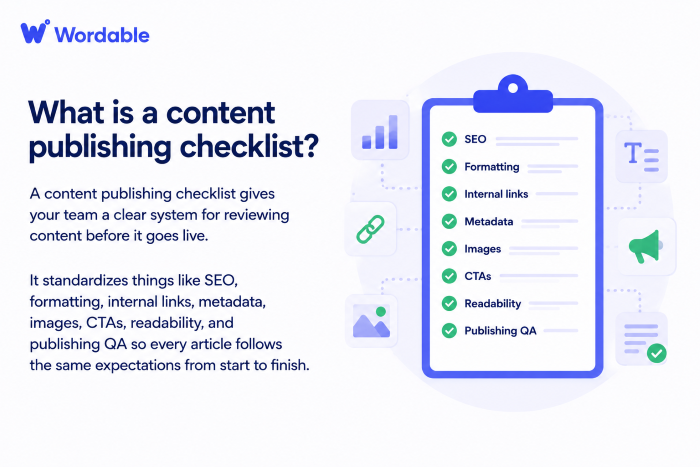
A content publishing checklist helps you standardize your workflow so every article goes through the same quality-control process before it goes live.
It includes expectations for SEO, formatting, internal links, and publishing quality analysis (QA).
(Image by Ioana)
Without a checklist, publishing quality depends on whoever last touches the article.
(One editor may focus heavily on grammar. Another might prioritize formatting. Another may assume the SEO team is in charge of adding all internal links. 🙃)
Inconsistency is a brand killer and a trust killer. That’s the last thing you need when you’re looking to scale content and build authority in your industry.
Content tends to lose momentum during publishing. I’ve seen this across many teams. As content demand continues to grow, more teams are managing larger publishing workloads, making it harder to maintain consistency and quality control.
In fact, Adobe research found that 71% of marketers believe content demand will grow 5X or more between now and 2027.
The article itself may already be solid. But then the page goes live with messy formatting, a poor heading structure, and buried CTAs.
On their own, these issues might not seem like a big deal. But together, they can hold back content that otherwise had a real shot at performing well.
The problem is formatting shapes’ readability, structure affects crawlability, and CTA placement influences conversions.
Individually, these problems may feel small. But across an entire content library? They create an inconsistent UX and pages that never fully reach their ranking potential.
Unaligned versions of what “done” looks like are what make workflows messy.
A writer may think the article is complete once the draft is polished. An editor may still need screenshots, source reviews, formatting cleanup, and CTA revisions. An SEO may still need metadata, internal links, entity coverage, and heading adjustments.
Then the publisher opens the CMS and realizes the tables broke during upload, and half the spacing disappeared. 😅
Publishing checklists can help prevent that.
They set the same standards for everyone on the team, so it’s clear what needs to happen before content moves forward.
(Image by Ioana)
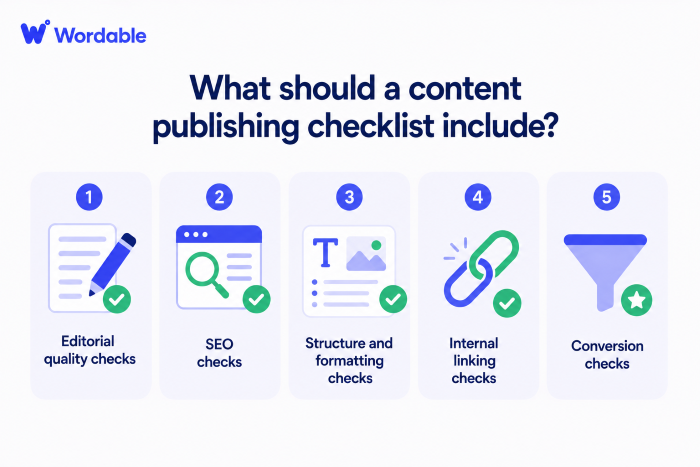
A content publishing checklist reviews five major areas before content goes live:
A publishing checklist should include editorial review standards.
This is the stage where editors verify whether the content matches the brief. The content should speak to the right audience and deliver useful, well-written information. (Not surface-level filler.)
➜ Editors should review clarity, readability, subject matter accuracy, and overall content depth. They should also look for places where the article feels disconnected from search intent or lacks meaningful examples.
This check matters because technically optimized content can still underperform if the writing itself feels weak.
An article may include the right keywords and internal links … but still struggle because the content never fully solves the reader’s problem.
Never skip SEO checks.
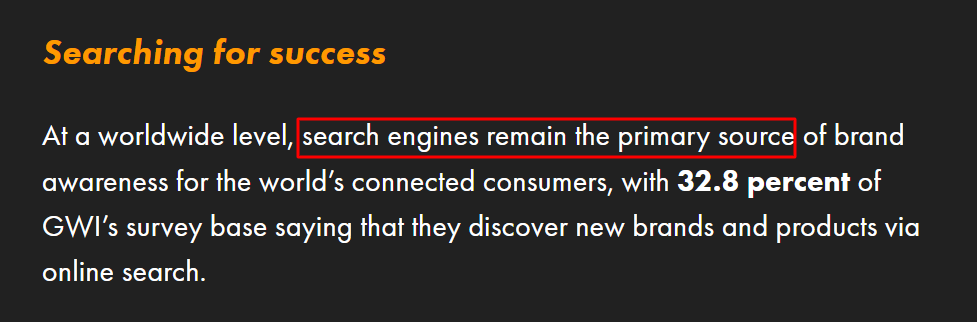
Search engines are the number one source of brand discovery and research, according to DataReportal research. 👇
➜ SEOs should review meta optimization, heading structure, search intent alignment, and topical entity coverage.
This helps create more consistent optimization across your entire content operation, rather than treating SEO differently for every article.
For example, one writer may naturally structure content around search intent and topical relevance, while another might focus mostly on keywords. A publishing checklist helps standardize these expectations before content goes live.
It also helps catch common SEO issues early. (Like weak title tags, thin entity coverage, or content that drifts away from the original search intent halfway through the article.)
Over time, these inconsistencies can lead to uneven rankings and weaker authority across your site.
Formatting problems happen constantly during publishing — especially once content enters the CMS.
➜ Review spacing, H1/H2/H3 structure, readability, mobile formatting, image placement, embeds, bullet formatting, and tables. A cleaner structure improves readability for users and clarity for search engines.
This step matters more than many teams realize because formatting affects how content feels to readers once it’s live.
A well-written article can quickly become hard to read after being uploaded if images are out of place or tables don’t display properly on mobile devices.
Clean formatting also helps reinforce content hierarchy for search engines and AI systems. A strong structure makes it easier for crawlers to understand the relationship between sections, topics, supporting points, and entities across the page.
Internal linking deserves more attention than most publishing workflows give it.
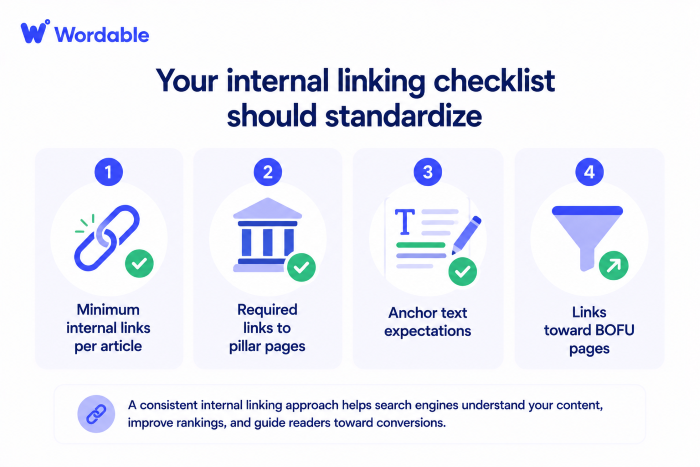
➜ Your checklist should standardize minimum internal links per article, required links to pillar pages, anchor text expectations, and links toward BOFU pages.
(Image by Ioana)
Many teams add internal links inconsistently. Some articles may end up heavily connected, while others remain isolated pages with very little relationship to the rest of the site.
Over time, this weakens topical organization and makes it harder for authority to flow naturally.
Strong internal linking helps connect supporting articles back to pillar pages. It reinforces topical clusters, guides users deeper into the site, and surfaces higher-converting BOFU content more strategically.
It also helps search engines understand which pages are most important within your overall site structure.
Surprisingly, content still goes live every day without a clear next step for the reader. 🤦🏻♀️ If you’re blogging as a business, that’s a major no-no.
➜ Make sure to review CTA placement, demo links, trial links, newsletter opt-ins, and user flow throughout the article before publishing.
Strong publishing workflows help move readers somewhere intentional rather than letting traffic hit a dead end.
Plus, marketing teams are now expected to make a significant contribution to business revenue. In fact, according to Airtable research, 88% of marketing leaders are responsible for meeting a revenue goal.
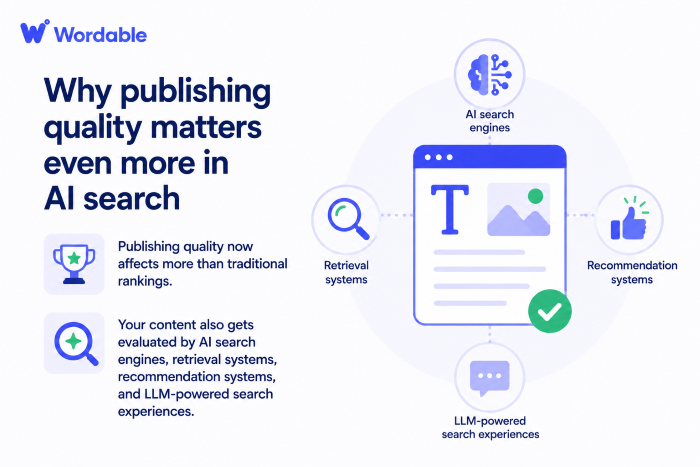
Publishing quality content now affects more than traditional rankings.
Your content also gets evaluated by AI search engines, retrieval systems, recommendation systems, and LLM-powered search experiences.
So structure matters even more now.
(Image by Ioana)
Clear headings, organized formatting, strong entity language, logical internal linking, and readable page structure all help search systems understand your content more effectively.
Messy publishing, on the other hand, creates messy signals.
And messy signals make content harder to retrieve and cite across both search engines and AI systems.
The best publishing workflows feel simple enough to follow consistently.
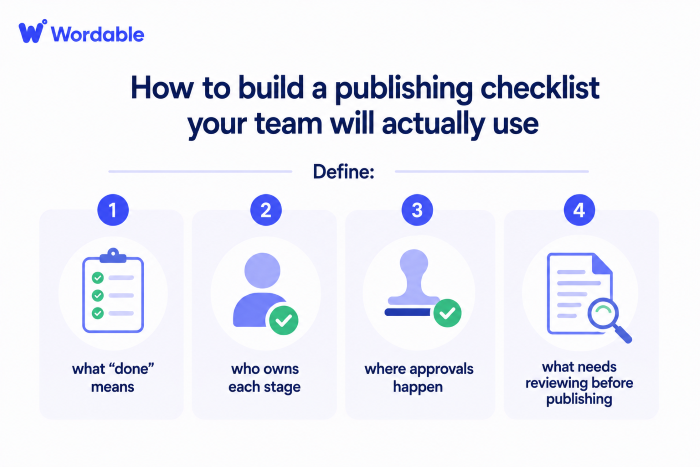
Start by defining what “done” means, who owns each stage, where approvals occur, and what needs to be reviewed before publishing.
Most workflow problems have nothing to do with effort. They happen because different people assume someone else is handling a task. Defining who owns what early on helps close those gaps before they slow down publishing or cause last-minute quality issues.
(Image by Ioana)
Then organize your workflow into clear phases, such as pre-publish checks, SEO review, editorial QA, publishing checks, and post-publish verification.
It also helps to build the checklist directly into tools like Asana, ClickUp, Trello, or monday.com.
This way, the process becomes part of the workflow itself … instead of another document sitting untouched in a random folder somewhere.
Copy and paste the following checklist into a doc, add your own checkpoints, and then paste it into your publishing SOP.
*Pro-Tip: Create a separate checklist for content repurposing to help your blogs reach more audiences.
The final publishing step is where many avoidable issues surface.
Formatting can break during CMS uploads. (Headings can shift, images may disappear, and spacing may become inconsistent.) What looked clean inside Google Docs suddenly needs another 30–60 minutes of manual cleanup before publishing. Yay. 🙃
Wordable can help standardize the process.
Use it to export articles directly from Google Docs into your CMS while preserving formatting, headings, images, links, and overall page structure.
This helps you reduce manual upload work and create more consistency during publishing.
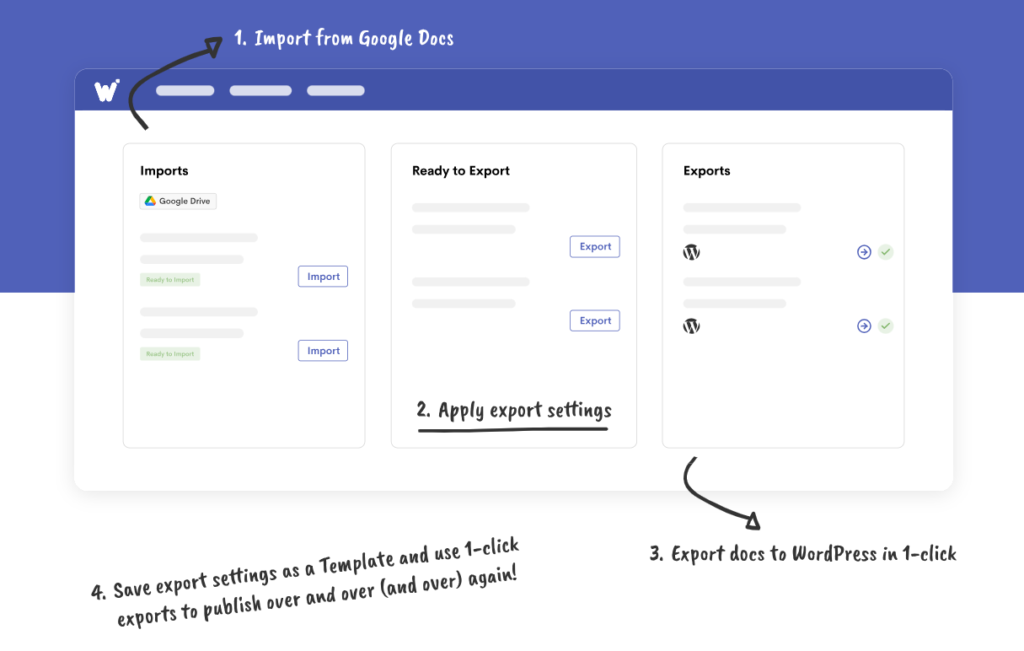
For teams publishing content regularly, this operational consistency is everything.
Cleaner uploads help reduce formatting issues, speed up QA reviews, and make the final publishing stage less chaotic across editors, SEO teams, and publishers.
Once the article is live, your team should still verify indexing, live formatting, internal links, and analytics tracking.
Some publishing issues only appear after the page becomes public. Catching them early helps you stabilize performance and gives the content a stronger long-term foundation.
Want to make the final publishing step way less chaotic? Give Wordable a try.
It helps content teams export articles from Google Docs directly into their CMS while preserving formatting, headings, images, and links — so your team spends less time fixing uploads and more time publishing content. 💪
Publishing checklists is helpful for: content managers, editors, SEO specialists, publishers, freelancers, agencies, and in-house marketing teams.
They’re especially valuable once multiple people touch the same article before publishing.
Publishing checklists helps standardize important SEO elements. These include title tags, metadata, heading structure, and search intent alignment across every page.
You can also create a publishing checklist for your social media content marketing campaigns to improve social SEO.
Yes, post-publish checks should be part of the workflow.
Publishing workflows should also include post-publish reviews like indexing checks, live formatting verification, CTA testing, analytics tracking, and mobile UX reviews.
Your checklist should be detailed enough to create consistency without becoming overwhelming.
I recommend organizing your checklist into sections like editorial review, SEO review, formatting checks, internal linking, conversion checks, and post-publish QA.
Many teams manage content automation and publishing workflows inside tools like Asana, ClickUp, or Notion. Tools like Wordable can also help simplify CMS uploads — and preserve formatting during publishing.
Update your publishing checklists quarterly or whenever workflows, SEO standards, CMS processes, or content requirements change. Regular updates help keep your checklist aligned with how your team operates.