


As your SaaS blog grows, things can start slipping through the cracks.
Old posts get outdated, multiple articles end up targeting the same keyword, internal links stop making sense, and TOFU content brings in traffic … without leading readers anywhere meaningful.
That matters because your blog is one of your biggest organic growth channels and a core part of your content strategy.
More specifically, SaaS content marketing should do more than bring in traffic. It should guide readers from early research to awareness of your product to the next step.
That’s why running a content audit for a SaaS blog is so important.
A content audit helps you find what’s driving the pipeline, what’s underperforming, and what needs updating or consolidating.
Keep reading to learn how to audit your SaaS blog in five straightforward steps. This tutorial also includes mini checklists you can copy into a Google Doc, spreadsheet, or project management tool and work through with your team. 👇
Highlights
Start by opening Google Sheets or Excel. Organize all published blog posts, landing pages, and other priority website content into a single centralized tracking document.
Make sure your audit template tracks each page’s:
Also include whether it’s published on a pillar page or a child page.
This gives you one place to compare your content’s performance against actual business results. Instead of judging posts by traffic alone, you can see which pages are supporting rankings, conversions, internal linking, and pipeline growth all at once.
Here’s a chart you can copy and paste to track blog content during your audit.
| URL/slug | Main keyword | Ranking position | Funnel stage | Search intent | Traffic | Leads generated | Conversion rate/Pipeline MRR influence | Pillar? OR Childpage? |
Next, start evaluating content by comparing each page’s SEO performance, business impact, and its role in your broader content audit.
Note their content gaps, weak performers, and growth opportunities.
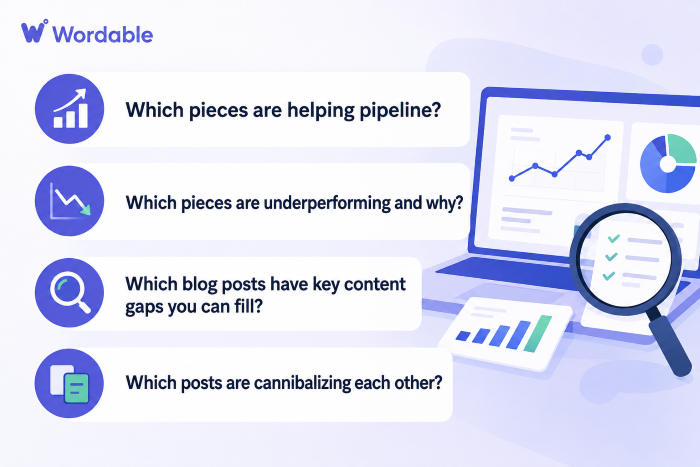
Ask yourself the following key questions as you’re analyzing.
(Image by Ioana)
Look for blog posts that consistently drive demo requests, free trial signups, newsletter subscribers, or qualified leads. (These are often high-intent BOFU or comparison-driven pages that already align well with your product and audience needs.)
Some blog posts may rank poorly, attract irrelevant traffic, or fail to convert despite decent visibility.
Others may have lost rankings over time because competitors published stronger, more up-to-date content.
Make a specific note when you uncover why. For example: “Lost cluster recovery — rebuild the page that previously ranked positions 4–10 for 12 keywords.”
Compare your posts against competing pages currently ranking above them.
Look for missing sections, outdated advice, weak examples, poor UX, shallow explanations, broken links, outdated meta information, and unanswered customer questions.
Check if multiple posts target the same keyword or search intent. Instead of strengthening your content strategy, these pages compete against each other in search results.
For SaaS companies, this is especially bad because BOFU keywords are highly valuable AND conversion-focused pages need concentrated authority.
Make sure to note your findings in your report.
Either create a new page to attach to your chart, or add these columns and fill them in:
| Helping pipeline? | Underperforming? Why? | Content gaps? | Cannibalization? | Strategic priority |
Now that you’ve identified your strongest and weakest content, organize the next stage of the audit process based on impact and effort.
Don’t try to refresh every post at once. Start with the updates most likely to improve rankings, conversions, and pipeline growth.
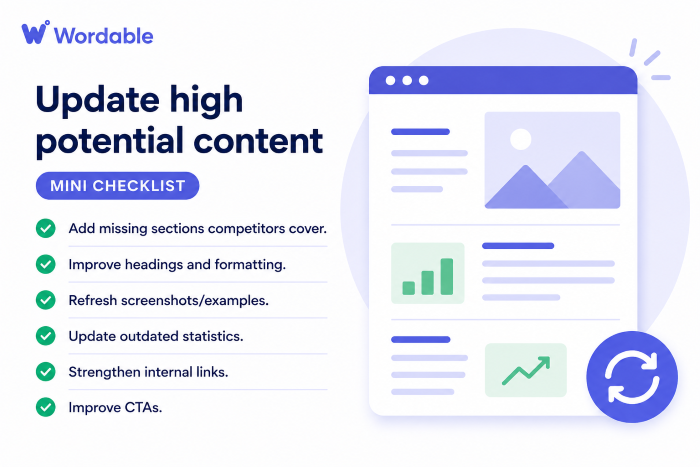
Here’s what to do, with a mini checklist for each part. 👇
(Image by Ioana)
Prioritize posts already ranking in positions 4–20, pages with declining traffic, and high-intent content that is already generating leads or conversions.
If your “Best CRM Software for Startups” post ranks at position 8 and already drives demo requests, improving content depth and updating outdated comparisons may help push it higher on the page.
(Image by Ioana)
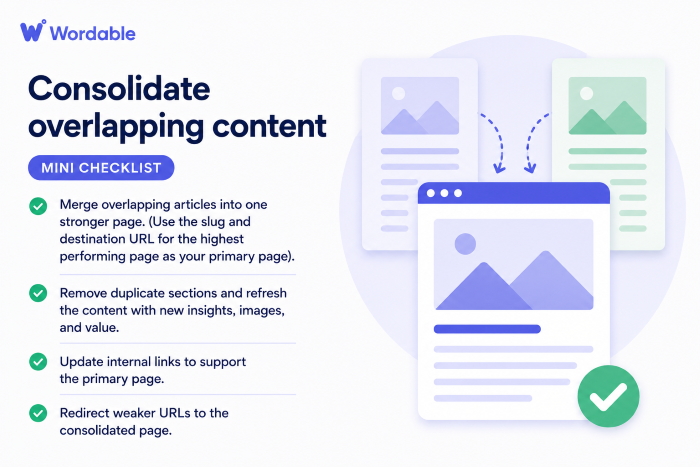
Review posts targeting similar keywords or search intent.
So instead of keeping:
You consolidate them into one stronger, more comprehensive page.
(Image by Ioana)
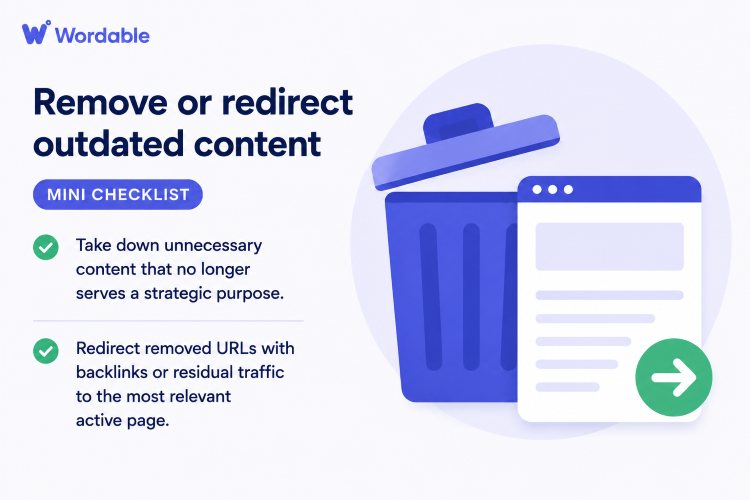
Identify pages with outdated information, thin content, irrelevant topics, or little SEO/business value.
For instance, if you still have a blog post comparing discontinued software tools from 2021, redirect that URL to a newer, updated comparison page covering current solutions.
(Image by Ioana)
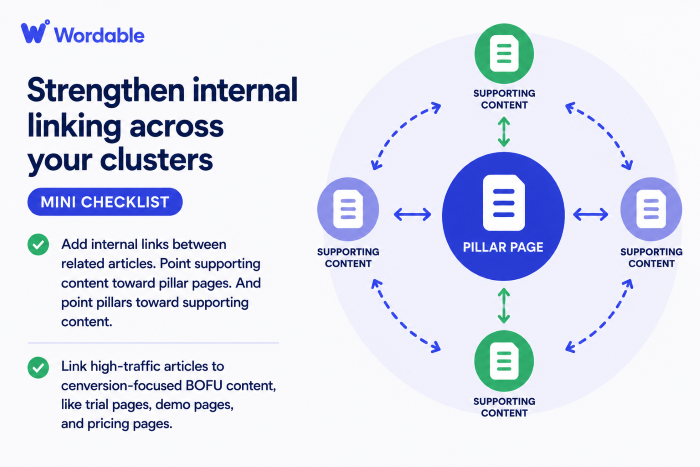
Review how your pillar pages and supporting content connect.
For example, your blog post “What Is Workflow Automation?” should internally link to:
Many SaaS blogs generate traffic but struggle to convert that traffic into demos, trials, and pipeline growth. One of the biggest reasons? There isn’t enough BOFU content connecting informational traffic to buying decisions.
Think of blogging as a marketing tool, not just a traffic channel.
According to HubSpot research, website and blog SEO ranked as the top marketing channel for ROI in 2026, but that ROI only comes when content actually connects readers to a clear next step.
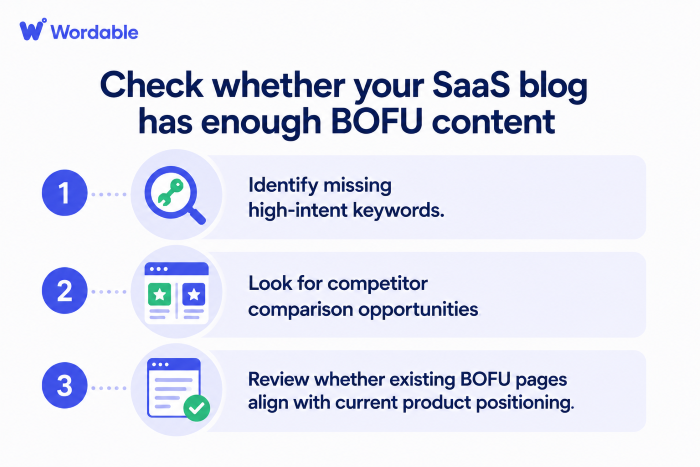
As you go through your content audit, check whether you have enough BOFU pages to move readers from learning about a problem to seriously evaluating your product.
Start by reviewing whether you have enough:
These pages often convert better because the reader is already evaluating solutions and getting closer to a purchase decision. (Hint: If you only have a handful of guides, but your top competitors have 100+, it’s time to add more pieces to your website.)
Here’s what you need to prioritize:
(Image by Ioana)
Review your existing content and look for BOFU keywords you haven’t covered yet.
Focus on searches tied to buying intent, software evaluation, integrations, pricing, alternatives, product comparisons, and landing pages that support your business goals.
For example:
These keywords often attract users much closer to a purchasing decision than broad educational searches. Meaning, they can naturally lead to demos, trials, or pipeline growth.
Note: Traffic isn’t everything. Conversions are your top priority. A keyword with lower traffic but strong demo conversions may deserve more attention than a high-volume informational keyword with little business impact.
Once you uncover these, create content and SEO briefs for them and assign them to your writers.
Have editors verify final drafts against the briefs, and then set up a publishing schedule for your new content.
Check whether competitors are ranking for comparison-style keywords your site doesn’t currently target.
For example:
Many SaaS companies avoid competitor pages, but these searches often have strong commercial intent and high conversion potential. (You can also strengthen these pages with sitewide internal links. For instance, add them to your website footer.)
Your job is to create pages that honestly compare features, pricing, use cases, limitations, and ideal customer fit.
Searchers are looking for comprehensive and honest comparisons. If you praise only your tool and bash the others, your content will feel biased and quickly lose credibility.
Once you know which comparison topics to target, create content briefs, assign them to your writers, edit final drafts against the briefs, and schedule posts for publishing.
Some BOFU pages get outdated as your product evolves, features change, or your target audience shifts.
Make sure to review whether these pages still reflect your current positioning, messaging, and ideal customer profile.
Audit your:
For example, a comparison page targeting startups may no longer align with your product if it now focuses on enterprise buyers.
Update your pages based on your notes, and schedule a quarterly audit going forward.

(Image by Ioana)
Even a perfectly optimized blog post can fail if nobody sees it.
That’s why the final part of your audit should look beyond on-page performance and ask whether each priority page has a realistic path to visibility.
A lot of “good content” is actually invisible content because there’s no real distribution or promotion strategy behind it. 🙃
As you audit your SaaS blog, review whether your highest-priority pages have:
Hint: original research, industry statistics, comparison pages, and opinion-driven content may perform better for backlinks and shares than generic educational posts.
Once you identify your strongest pages, create a digital PR and distribution plan around them.
That may include:
The more visibility and authority your content earns outside your own website, the easier it is to attract backlinks and grow your pipeline over time.
A content audit helps you clean up outdated SaaS content, strengthen your highest-converting pages, and uncover missed BOFU opportunities.
The key is to treat your blog like a revenue-driving asset. As noted above, HubSpot research found that website and blog SEO ranked as the top marketing channel for ROI in 2026, but that return depends on content connecting readers to a clear next step.
If you haven’t audited your SaaS content recently, now’s the time to start. Open up a spreadsheet, work through the steps above, and turn your existing content into a stronger growth channel for your business.
When you’re ready to publish new or refreshed content, use Wordable for perfect formatting and quick CMS uploads.
SaaS companies should run a content audit every quarter or at least twice a year.
Regular audits help you catch declining rankings, outdated content, cannibalization issues, and missed BOFU opportunities before they affect your pipeline growth.
Common tools for a SaaS content audit include:
SaaS teams should combine SEO data, analytics, and CRM insights to evaluate both traffic and business impact.
When conducting a content audit, your report should include each blog post’s URL, target keyword, ranking position, search intent, funnel stage, traffic, leads generated, conversion impact, and strategic priority.
(See the charts included earlier in this blog post.)
Many SaaS teams also track cannibalization issues and content gaps.
Content cannibalization happens when multiple pages target the same keyword or search intent. Instead of strengthening rankings, the pages compete against each other in search results, diluting authority.
BOFU content production helps you convert organic traffic into demos, free trials, and pipeline growth.
Without enough comparison pages, alternative pages, integration pages, and “best tool” content, TOFU traffic often leaves without converting.
Yes, you should audit published SaaS content before creating new blog posts.
Auditing your existing content first helps you avoid publishing overlapping articles, targeting duplicate keywords, or missing opportunities to improve pages that already have rankings and have authority.
In many cases, updating or consolidating existing content can drive faster SEO and pipeline results than creating brand-new posts from scratch.