


Editorial workflow software helps content teams reduce bottlenecks so content moves smoothly from planning to publishing.
Here’s a quick comparison table that shows the best editorial workflow software for content teams in 2026.
| Tool | Best for | Key strengths |
| monday.com | Cross-functional content management | Custom boards, dashboards, and task automations |
| Wordable | Publishing automation | Export Google Docs content to WordPress, HubSpot, and Medium |
| Notion | Content documentation and planning | Centralized SOPs, content briefs, and editorial calendars |
| Asana | Editorial task management | Clear ownership, deadlines, and approval workflows |
| StoryChief | Multi-channel content publishing | Publish content across social media and other channels from a single dashboard |
| Foleon | Interactive B2B content creation | Turn static PDFs and reports into engaging B2B digital experiences |
| Google Docs | Best for content drafting and editing | Real-time collaboration with writers and editors (using comments, suggestions, auto-save, and document sharing features) |
| Writer | AI-assisted editing and brand governance | Enforce brand voice and editorial standards across teams |
This guide breaks down these tools so you can choose the software that best supports your goals.
Highlights
Editorial workflow software refers to cloud-based tools that support content production. Teams use them to plan, assign, draft, approve, and publish content more efficiently.
If you run an agency or have an ambitious content marketing plan, I highly recommend using editorial workflow software.
Here are some of the top reasons why these tools are so helpful.
When you’re managing multiple articles, it’s easy to lose sight of what’s happening. Editorial workflow tools like monday.com or Asana show you every piece of content and where it stands.
You’ll know whether a blog post was approved, when it’s scheduled for staging, and when the next content update is due.
Editorial workflow tools can show you who’s responsible for each stage of content production. You’ll also know who owns the assignment in the following stage.
Content requires input from writers, editors, SEOs, designers, clients, and stakeholders. That’s a lot of people to manage. Shared workflows reduce silos and support better team communication.
Editorial workflow tools can help you set up content reviews and approvals so you don’t have to rely on back-and-forth Slack messages and email reminders.
Reducing delays between planning, creation, review, and publishing can help teams increase output. Workflow software helps coordinate these stages and identify where work is getting held up.
Keep reading for a breakdown of the best editorial workflow software tools.
These tools help content teams plan projects, collaborate with teammates, and keep content production organized.

monday.com helps content teams manage projects using customizable boards, workflows, and dashboards.
It’s especially helpful for teams that need to coordinate content across multiple departments, like marketing, design, SEO, and product.
Cross-team coordination can be difficult when several departments work on the same content. According to CMI’s 2025 enterprise research, 61% of respondents cited communication across organizational silos as a non-creation challenge.
Best monday.com features for content teams:
Why use it: To manage complex content workflows that involve multiple teams and stakeholders.
Price: Plans start at $9 per seat per month, billed annually.
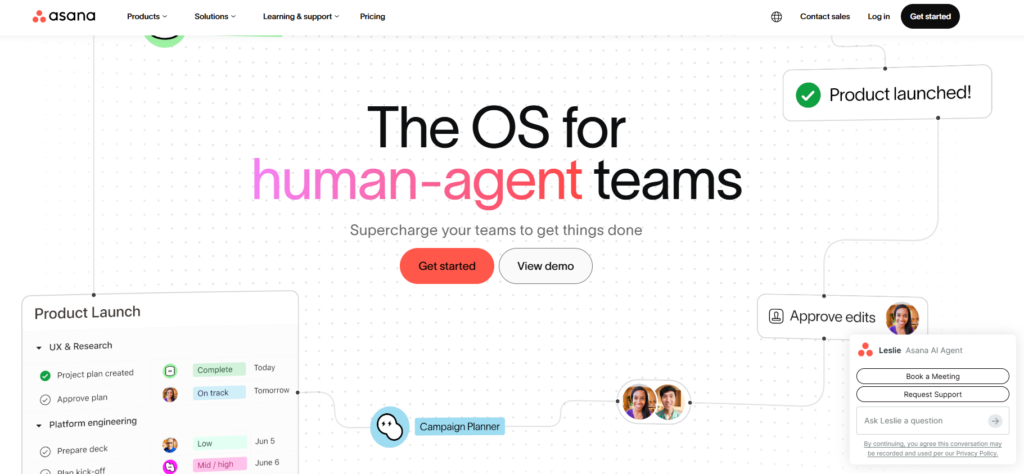
Asana helps content teams assign tasks, manage projects, and track deadlines. It also makes it easy to see who owns each task and where content stands in the review and approval process.
If an article moves from a project manager to a writer, editor, and publishing manager, you need a tool that makes ownership clear at each stage.
Best Asana features for content teams:
Why use it: To keep content projects on schedule and make ownership clear across the team.
Price: Plans start at $10.99 per user per month, billed annually. Advanced plans with approvals and proofing start at $24.99 per user per month, billed annually.
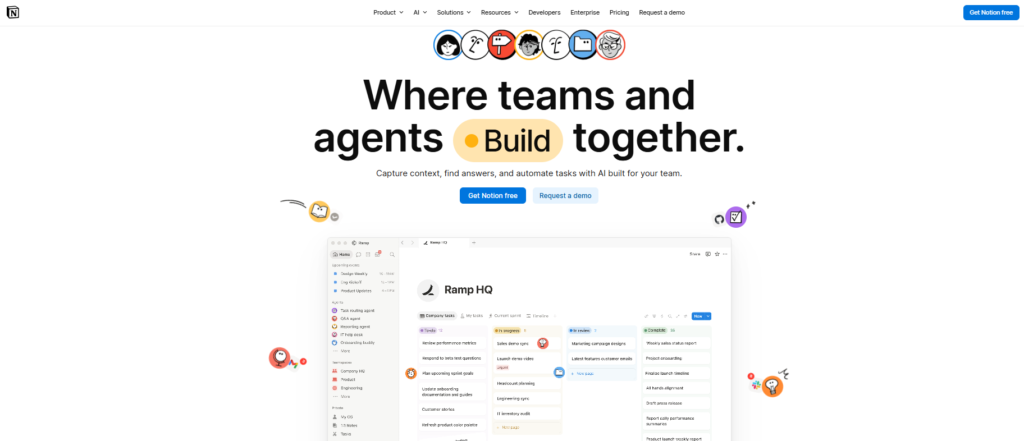
Notion gives content teams one place to manage SOPs, content briefs, editorial calendars, and project documentation. This helps writers, editors, and marketers stay aligned throughout content planning and production.
I really like Notion’s flexibility. You can start with a simple content hub and gradually build out workflows, databases, and team resources as your operation grows.
Best Notion features for content teams:
Why use it: To keep content briefs, documentation, and editorial calendars in one place.
Price: Plans start at $10 per user per month, billed yearly.
After planning and assigning content, the next step is to draft, review, and refine it before publication. Here are the best tools for that.
(Image by Ioana)
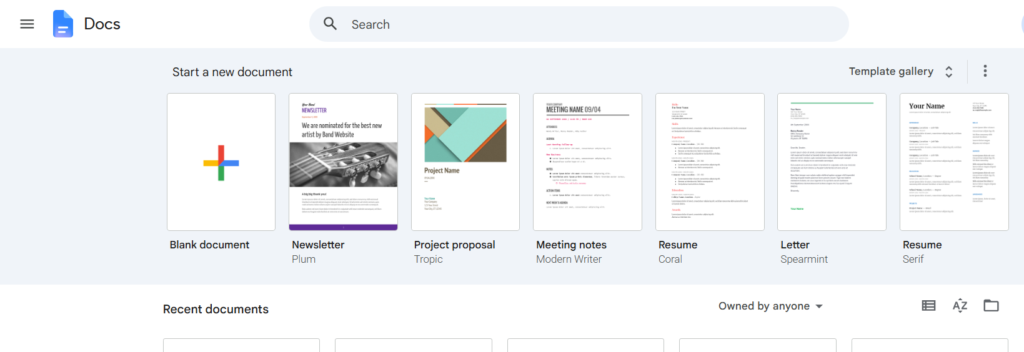
Google Docs helps content teams draft, edit, and collaborate on content in real time.
Writers and editors can leave comments, suggest changes, share documents, and track revisions without sending files back and forth.
Auto-save also helps prevent lost work.
According to AirOps’ 2025 research, 40% of respondents identified outlining and first drafts as a major bottleneck in content production. Collaborative drafting and editing tools can help teams manage this stage more efficiently.
As a writer and editor, I live in Google Docs most days.
Best Google Docs features for content teams:
Why use it: Streamline content drafting, editing, and collaboration between writers and editors.
Price: Free.

Writer helps content teams edit content faster and maintain a consistent brand voice.
When multiple writers contribute, content governance can be challenging without clear editorial standards. Writer uses AI to review content against your company’s style guide and rules so that teams can keep content on brand across writers, editors, and departments.
I prefer Writer over Grammarly because it’s less sensitive and offers suggestions better suited to online writing. In my opinion, Grammarly is more helpful for teachers and students.
Best Writer features for content teams:
Why use it: To strengthen content governance and maintain editorial standards across the team.
Price: Contact Writer for pricing.
Once your content is approved, the final step is to publish and distribute it across your channels.
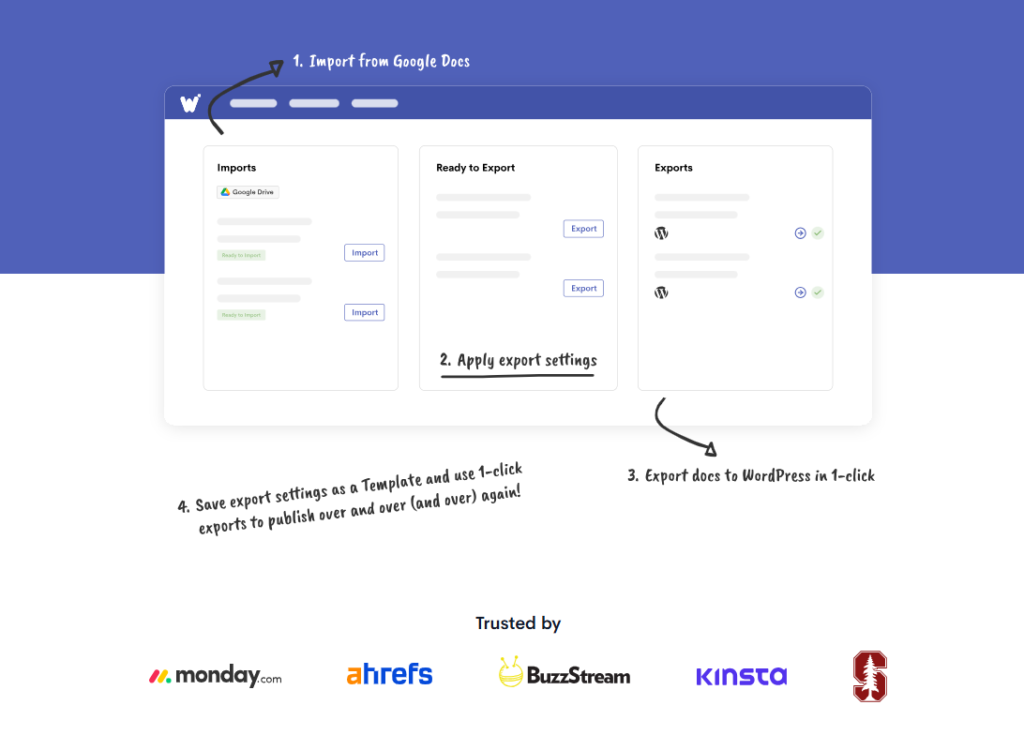
Wordable helps content teams publish blog posts and website content faster. After setup, you can export your content directly from Google Docs to WordPress in just one click.
Wordable’s best feature is that it removes a task many content teams overlook: formatting. Copying content from Google Docs into WordPress can take longer than people expect, especially when you’re publishing multiple articles each week.
Best Wordable features for content teams:
Why use it: To export Google Docs to WordPress, HubSpot, or Medium with less manual work.
Price: Paid plans start at $29/year. There’s also a Hobbyist plan that’s free for one site, two users, and five exports per month.

StoryChief helps content teams publish content more efficiently on social media and other channels without jumping between platforms. You can manage scheduling, publishing, and distribution from a single dashboard.
If you create content for multiple clients across different channels, StoryChief can save you a lot of time.
Best StoryChief features for content teams:
Why use it: To publish content more efficiently on social media and coordinate distribution from one dashboard.
Price: Starter plans begin at €49/month, billed annually.
Some content teams also produce interactive assets alongside their regular blog and social media content.

Foleon helps content teams turn static PDFs, reports, case studies, and other content assets into interactive digital experiences.
Instead of sending readers a downloadable document, you can create branded content that’s easier to read and engage with online.
(It’s great for pitch decks, lead generation forms, and proposals, too.)
Foleon also includes analytics, so you can see how people interact with your content after it goes live.
Best Foleon features for content teams:
Why use it: To make reports, lead forms, and other B2B content more engaging.
Price: Contact Foleon for pricing.
Follow this checklist to uncover which editorial software tools would be the most helpful for your content team:
If you checked the box ➜ Use Google Docs.
If you checked the box ➜ Go with monday.com or Asana.
If you checked the box ➜ Use Wordable.
If you checked the box ➜ Use Writer.
If you checked the box ➜ Use Notion.
If you checked the box ➜ Use StoryChief.
If you checked the box ➜ Use Foleon.
A practical editorial workflow can use monday.com or Asana for assignments and approvals, Google Docs for drafting, Writer for editorial consistency, and Wordable for publishing. Each tool supports a different stage, so teams can choose the combination that addresses their existing bottlenecks.
Other tools in this guide can support additional needs, such as documentation, social media distribution, or interactive content creation.
For example, you can store content plans and SOPs in a project management tool like monday.com or Asana, or create them in Google Docs and save them to Google Drive.
You don’t need every tool on this list.
I recommend starting with the biggest problem in your current workflow. If content gets stuck in reviews, focus on project management and editing tools. If publishing takes too long, look for ways to automate it.
Before adding another platform, check whether your existing tools already cover that stage. A smaller stack can be easier to manage when ownership and handoffs are clear.
If manual formatting slows publication, Wordable can export Google Docs content directly to WordPress. It’s a practical option for teams looking to reduce manual publishing work. TRY WORDABLE NOW.
The best editorial workflow software depends on your team’s needs.
For example, Notion works well for planning and documentation; Asana and monday.com help manage projects and deadlines; Google Docs supports content creation and editing; and Wordable automates publishing.
The main stages of content production are planning, drafting, content editing, approvals, publishing, and distribution. Some teams also include performance tracking and content updates.
Yes. Some editorial workflow tools can automate parts of the publishing process.
For example, Wordable lets teams export content directly from Google Docs to WordPress, which reduces manual formatting and publishing tasks.