


Sending 500,000 cold emails a month takes more than a tool with a high limit. At that volume, cold email outreach turns small mistakes into big ones. A stale list causes thousands of bounces, and a weak setup can burn your sender reputation in a week.
The goal is not to send as fast as possible. It’s to build an outreach process that stays relevant to every prospect while your email volume grows.

If every campaign runs through one domain, one bad campaign can hurt all of them. Agencies should give each client its own domains, inboxes and, when volume justifies it, dedicated IPs. That way you can trace a problem to its source.
Before the first send, check every domain’s SPF, DKIM and DMARC records. Google’s email sender guidelines require all three for bulk senders, and missing records are one of the fastest ways into spam. Picking reliable email hosting services makes this setup easier.
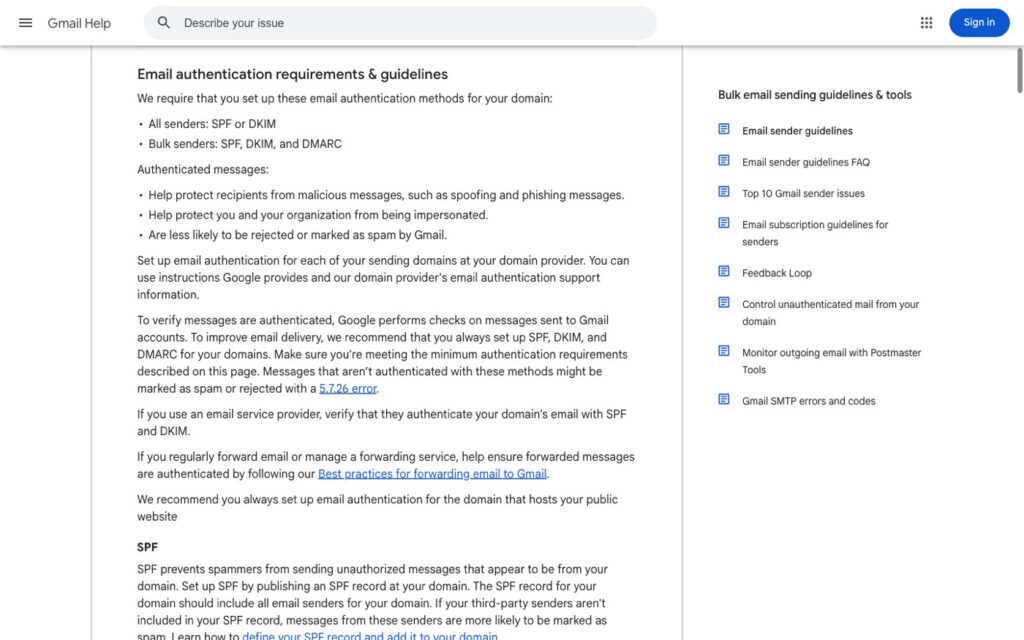
Source: Gmail Help, Email sender guidelines
A dedicated IP gives you control over your sending history, but it won’t fix bad lists. Send to poor data and the IP loses its standing like any other.
Don’t send hundreds of cold emails from a new inbox on day one. A sudden spike looks like spam to mailbox providers.
Start low and raise the send volume a little each week. Email warm-up tools help build early activity, but warm-up can’t rescue a bad list or broken authentication. Keep watching each email account after the campaign starts, because problems often show up later.
A list of 500,000 email addresses is worthless if a big share are dead. Run every prospect list through an email verifier before you upload it, and remove duplicates, unsubscribes and anyone who has already replied.
List cleaning is never one and done. People change jobs and companies close, so verify old lists again before you reuse them.
Then segment by job title, industry, company size or location. Smaller groups let you write copy that fits each one.
Work backward from the monthly target. 500,000 emails over 25 working days is about 20,000 a day.
Most teams cap cold sending at 30 to 50 emails per day per inbox. At that pace, 20,000 daily sends needs roughly 400 to 670 inboxes, usually spread across many secondary domains.
Give older, healthy inboxes more volume and newer ones less. Schedule sends inside each prospect’s work hours, and track daily sends per inbox, domain and campaign so you catch problems a monthly total would hide.
A strong setup can’t save a weak message. To write a cold email that gets replies, explain why you’re reaching out and how you can help that prospect’s business.
Keep the first email short. Use a clear subject line, one call to action and few links. Good personalization goes past a first name and mentions the prospect’s role, company or a real need, as this personalization strategy guide explains.
Test subject lines and email copy against your response rate. Plan your follow-up email steps too, since most replies come after the first touch. At this volume Gmail’s bulk sender rules apply, so keep DMARC in place and make opting out one click.
Sending more emails doesn’t mean you’re getting results. Check these numbers every day for each inbox, domain and campaign.
| Metric | What it shows |
|---|---|
| Bounce rate | Emails that could not be delivered |
| Spam rate | People who marked your email as spam |
| Reply rate | People who answered |
| Positive reply rate | People who showed real interest |
| Unsubscribe rate | People who asked you to stop |
| Inbox placement | How much of your email reaches the inbox |
Google asks senders to keep spam rates below 0.10% and never reach 0.30%. Google Postmaster Tools shows your Gmail spam rate and authentication results, so check it with your platform reports.
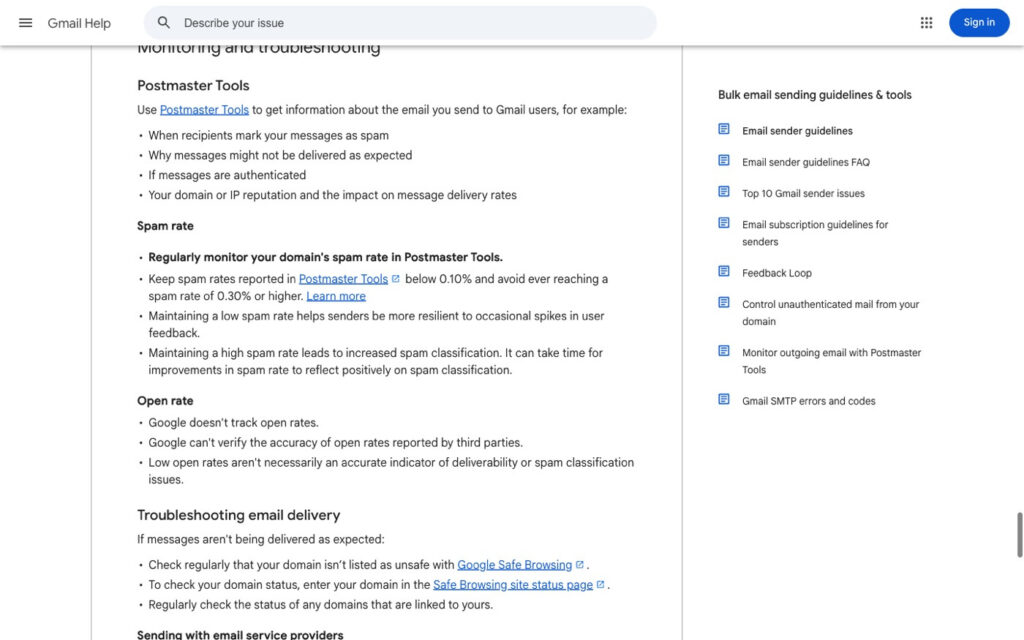
Source: Gmail Help, Email sender guidelines
Don’t trust open rates. Privacy features load tracking pixels automatically, so replies tell you far more. Set clear rules: if hard bounces or spam reports rise, pause the campaign and check the list, setup and copy first.
Running 500,000 emails by hand leads to mistakes. Automation tools can send email sequences, stop follow-ups when someone replies or unsubscribes, and keep opt-out lists in sync.
APIs and webhooks connect your sending tool with the rest of your sales tools. A new reply can alert the right rep, and an unsubscribe can update your CRM. If you’re comparing systems, check which CRM features your sales teams actually need.
Review your rules often. Automation should save time, not replace checks on list quality and deliverability.
EmailBison is built for agencies and teams that run high-volume cold email. It gives each client its own sending environment, with dedicated IPs, private warm-up and bounce protection. Its Master Inbox lets you read and answer replies from every connected email account in one platform, and an API connects it to the rest of your stack.
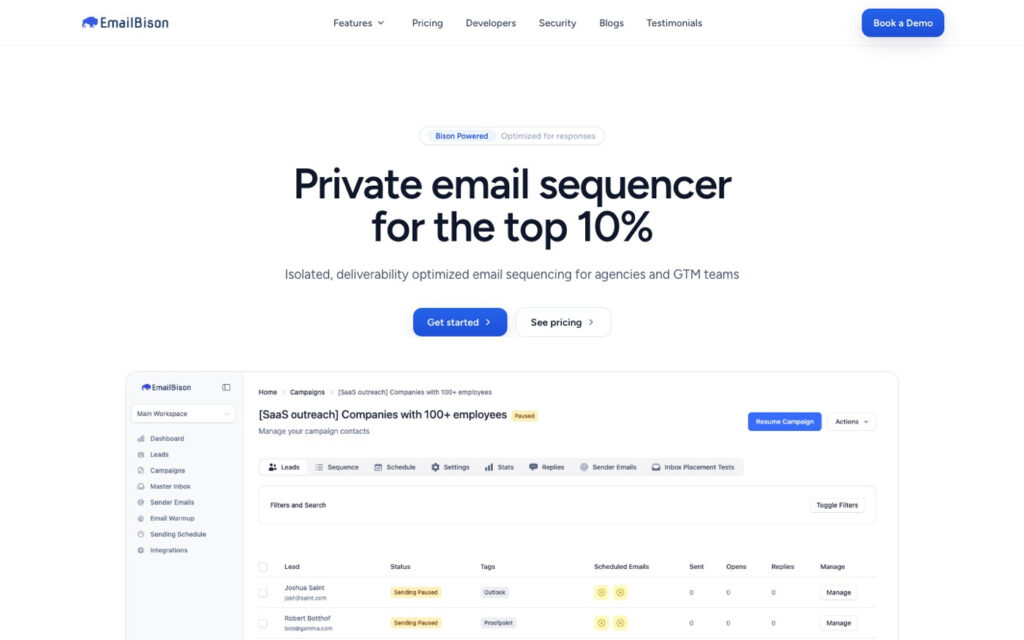
Source: EmailBison
No tool can promise inbox placement, though. You still need clean lists, useful copy and daily checks.
Cold email outreach at 500,000 sends a month works when you treat it as a system. Separate your domains, warm up inboxes, verify lists, spread volume and write for each segment.
Then check your numbers every day. The win isn’t how many emails you send. It’s how many real conversations you start.
A good cold outreach email is short, relevant to the prospect’s role and clear about one next step. It explains why you’re writing to them specifically and makes it easy to say no.
In the US, B2B cold email is legal under CAN-SPAM if you use accurate headers and honest subject lines, include a physical address and honor opt-outs within 10 business days. In the EU and UK, GDPR applies, so you need a legitimate interest and a clear way to object. Rules vary by country, so check local law.
Yes, when the list is targeted and the message is relevant. Volume alone won’t produce results. To see how it stacks up against the phone, read our take on cold emails vs. warm calls.
At 30 to 50 emails per inbox per day and 25 sending days, plan for roughly 400 to 670 inboxes. The exact number depends on each inbox’s age and history.