


If your team creates written content, you may not need an enterprise DAM platform. Enterprise DAM platforms were built for big companies with large libraries of creative files.
Many content teams have a different workflow. Their work centers on documents, not images or videos. So they don’t always need the same software.
That’s where many software purchases go off track. A feature-packed platform can look like the safest choice. But more features don’t always solve the problems content teams face.
Writers and editors often need tidy document storage, shared templates, and an easy way to publish. They rarely need complex rules for assets, usage rights, or creative approvals.
Pick software that matches how your team works. It can save time, cut training, and remove extra steps from the editing process.
In this guide, you’ll learn:
Highlights
An enterprise DAM (digital asset management) system is software for large file libraries. It stores files, keeps them safe, and keeps them in order. Teams get one place for their files instead of spreading them across shared drives, cloud storage, and email.
It makes approved files easier to find. It also controls who can open them and keeps things tidy as the library grows.
Enterprise DAM platforms were built for large companies. These companies create and manage lots of images, videos, design files, and other digital assets. Brand teams, creative departments, and marketing operations use them often. In these groups, many people work with the same files.
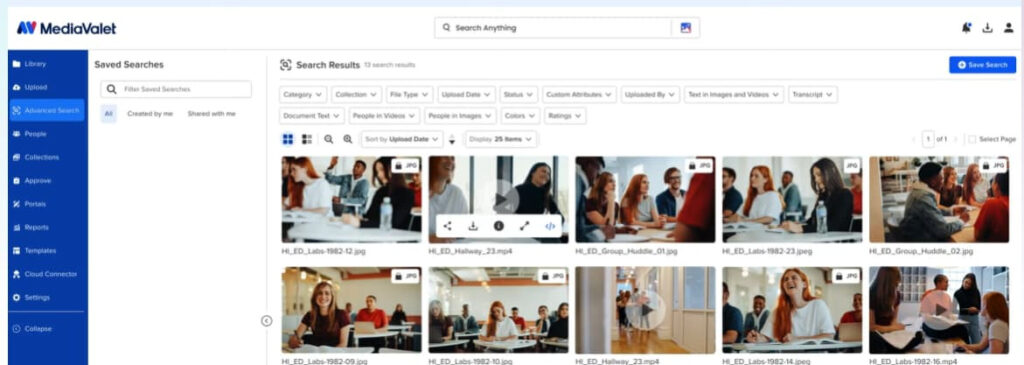
Those companies often support many brands and regions. They need one clear way to sort files. They also need to make sure teams use the right versions.
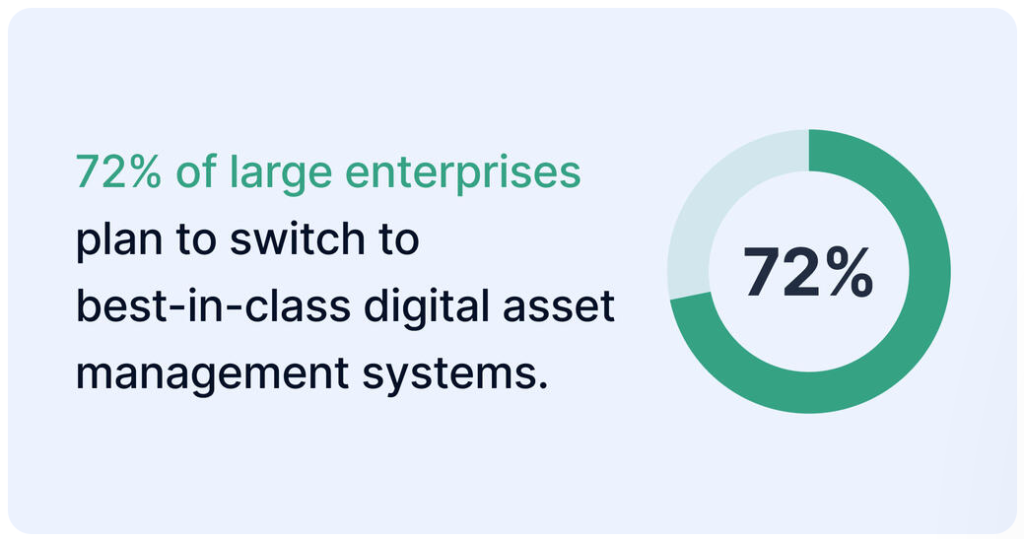
Not every large company uses one, though. According to Bynder’s marketing trends survey, 51% of enterprise organizations use a DAM system for their content needs. More than 70% of large enterprises plan to improve their DAM tech.
For example, a global retailer may manage thousands of product photos, campaign graphics, and videos for different markets. An enterprise DAM keeps those files in order. That way, every team can find and use the right ones.
Most content teams don’t have those requirements. Their work revolves around creating, reviewing, and publishing written content. So their software needs are often much smaller.
Software reviews often focus on feature lists. They skip the work teams do every day.
As a result, content teams can end up paying for features that don’t help them write and edit.
Most content teams spend their day creating, reviewing, and publishing written content. They draft articles, build content briefs, and update editorial templates to keep content consistent. They also keep internal guides so everyone follows the same steps.
From there, the focus turns to editing and publishing. This is what their process looks like:
Writers, editors, and marketers need to work on the same documents. They also need to share feedback and find files without digging through complex systems.
Enterprise DAM platforms were built for creative teams. They often include features editorial teams don’t need. Think:
These all take time to set up and manage.
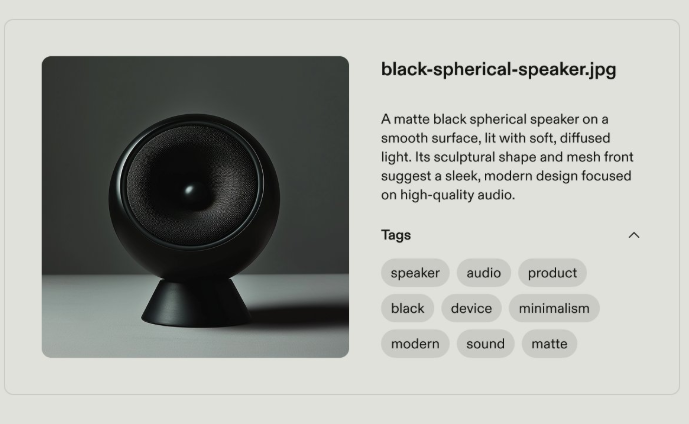
Let’s say you publish blog posts. You may have to classify every document with detailed metadata before anyone can find it. If your team mainly works with articles, that extra setup just adds work. Meanwhile, features you rarely use sit in the background.
Both enterprise DAM platforms and lightweight content asset tools help teams keep content organized. The difference is what they’re built to manage.
Enterprise DAM focuses on large sets of creative files in complex companies. Lightweight content asset tools focus on the documents, templates, and publishing steps that content teams use every day.
Here’s a brief comparison:
| Feature | Enterprise DAM | Lightweight content asset tools |
| Primary users | Brand teams, creative departments, and marketing operations | Content, editorial, and marketing teams |
| Primary asset type | Images, videos, design files, and other digital assets | Articles, content briefs, templates, and supporting documents |
| Written document management | Supports documents, but creative assets remain the priority | Designed for creating, reviewing, and organizing written content |
| Creative asset management | Core capability | Limited |
| Brand governance | Advanced controls for approved assets and brand consistency | Basic organization for editorial content |
| Templates | Supports creative production | Supports editorial workflows and content creation |
| Version tracking | Tracks changes to creative assets | Tracks document revisions and editing history |
| Publishing workflow | Focuses on managing assets before publication | Supports content publishing and CMS workflows |
| Learning curve | Higher because of broader functionality | Lower because the workflow is more focused |
| Implementation | More setup, planning, and administration | Faster to adopt with fewer setup requirements |
| Best fit | Organizations managing large creative asset libraries | Teams producing, reviewing, and publishing written content |
For many editorial teams, a lightweight content asset tool fits the way they already work. The focus stays on writing, reviewing, and publishing. Content teams can start faster. There are fewer settings to set up and fewer steps to learn.
For example, a content team publishing articles each week can store briefs, drafts, templates, and published versions in one place. Then, they move content into a CMS when it’s ready.
Pick software based on everyday work, not long feature lists. Teams are more likely to use it.
Your platform should support how content moves from draft to live post. Then you spend less time learning new systems. You spend more time creating, reviewing, and publishing.
Written content goes through several stages before it reaches readers. Teams write drafts and update content briefs. They review notes and save final versions along the way.
Keep those files in one place so everyone works from the same source. It also makes it easier to pick up work without searching many folders or tools.
Say a writer takes over an article halfway through. They can open the latest draft. Then they can review the content brief and access supporting documents without asking teammates where everything is stored.
Templates give every project a consistent starting point. Writers know what to include. Editors spend less time fixing structure. And teams follow the same standards in every article.
Take a blog post template, for instance. It can include placeholders for headings, metadata, internal links, and a call to action before writing begins. That gives writers a clear structure. It also helps content move through production with fewer rounds of edits.
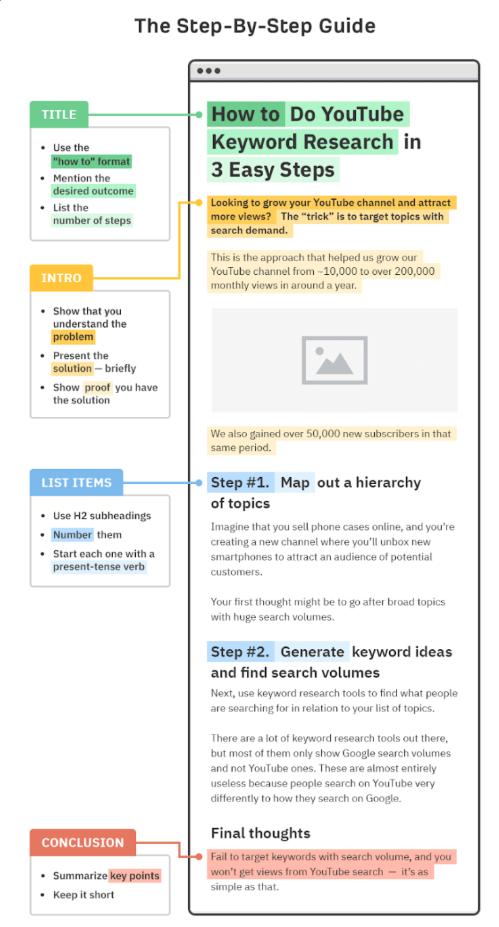
Content changes with every review. Version history records those revisions so teams can:
This DAM software shows the version title, upload date, and version number:
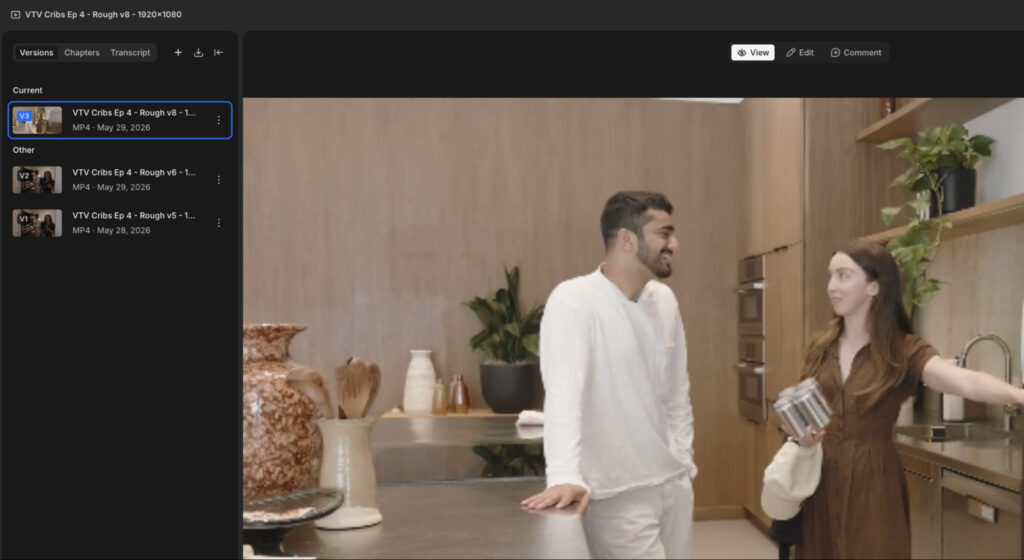
For example, say an editor cuts an important section during edits. The team can restore an earlier version instead of rewriting it from memory.
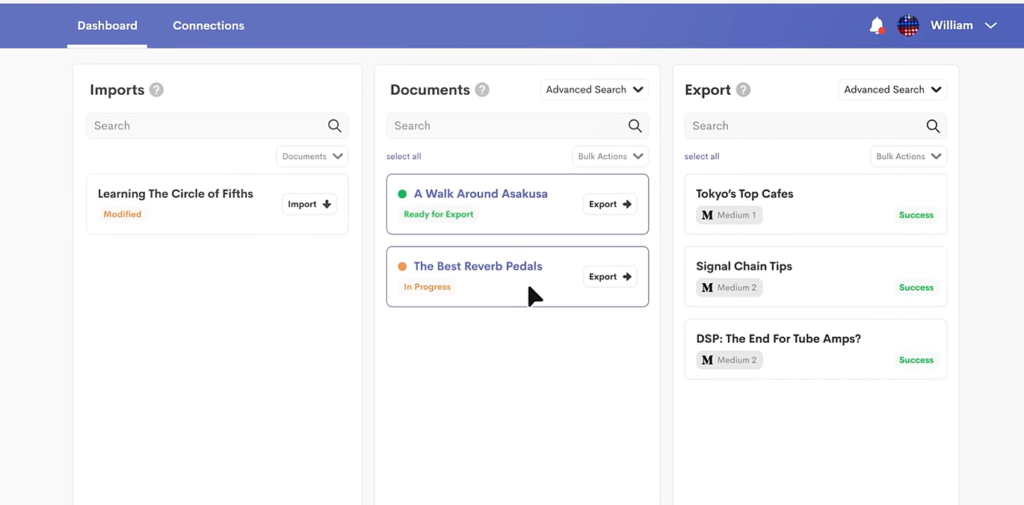
Publishing should feel like the final step. Look for software that works with Google Docs, WordPress, and HubSpot. It helps teams move content into their CMS without redoing the formatting.
For example, after an article is approved, the team can use Wordable. Wordable moves articles from Google Docs into WordPress, Medium, or HubSpot. You don’t need to spend extra time fixing headings, spacing, or other formatting issues.
A growing content library is only useful if people can find what they need. Think about tags, categories, search, and folder organization. These help team members find drafts, templates, and supporting documents.
Canto’s 2026 State of Digital Content Report found that poor digital asset management contributed to:
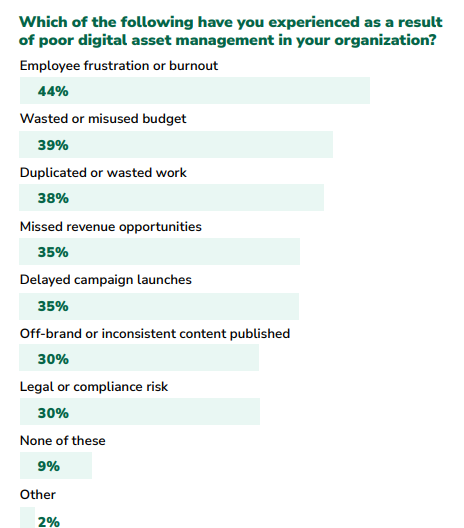
For example, if someone needs last year’s product launch brief, they can find it using tags or search instead of opening folder after folder.
The best choice depends on the content your team manages. It also depends on how work moves from first draft to live post.
Start by looking at your daily workflow before comparing software features.
Enterprise DAM is a good fit for companies with many brands and large creative teams. These companies often have thousands of visual files to manage. It also helps teams that need to manage usage rights and brand rules across many markets.
Take a company running campaigns in several countries. It can use one platform to keep approved creative assets organized and available to every regional team.
A lightweight content asset tool is often the better choice for teams creating mostly written content. If you have a busy workflow, a simpler platform will often support your work better.
If you try a DAM, track how much your team uses it. Ask people about their experience. There’s little point paying for a full solution if you only need half the features.
An enterprise DAM platform is the right choice for companies with large creative libraries. Maybe your teams work across many brands and make thousands of visual files. Maybe you also need strict brand rules. If so, a DAM can handle that level of complexity.
Many editorial and content teams have a different workflow. Their work revolves around:
Software that supports those tasks helps people get more done. Teams use it more, and working together gets easier. That’s because the platform fits the work people already do.
Before you buy an enterprise tool, look closely at your current process. Note what your team uses every day. Then choose the platform that supports those needs. For more practical content workflow tips, explore more guides on Wordable’s blog.
Enterprise DAM manages digital files like images, videos, and design files from start to finish. Content management focuses on written content. It helps teams create, store, review, share, and publish articles and other documents.
While both organize content, they were built to support different workflows.
In many cases, no. Small editorial teams often work with articles, not large creative asset libraries. A lighter content asset tool with templates, version history, and publishing integrations can support that work. It skips the extra setup and admin of an enterprise DAM.
For example, a small marketing team publishing weekly articles can run its whole process without enterprise-level asset controls.
Choose software that supports the way your team creates and publishes content. Put document organization, search, teamwork, templates, version tracking, and CMS integrations first. Advanced creative asset controls matter less.
If your team uses Google Docs and publishes to WordPress or HubSpot, those features will often give you more value than tools made for large creative libraries.