


TL;DR: Jotform is the best free online form builder overall for small businesses, creators, and nontechnical teams in 2026. It makes getting started easy while leaving room for payments, approvals, documents, e-signatures, and automation.
The best free online form builders offer an ongoing free plan, rather than a trial. The differences emerge once responses arrive: submission caps, storage, branding, integrations, and user limits can turn a promising free tool into another paid subscription.
| Tool | Free Plan? | Payments? | Mobile App? | G2 Rating |
| Jotform | Yes | Free, no commissions, with limits | Dedicated app | 4.6/5 |
| Google Forms | Yes | No native checkout | Browser | 4.5/5 |
| Microsoft Forms | Yes | No native checkout | Browser | 4.4/5 |
| SurveyMonkey | Yes | Eligible paid plans | Survey app | 4.4/5 |
| 123FormBuilder | Yes | Paid plans | Browser | 4.5/5 |
| HubSpot Forms | Yes | Separate commerce tools | CRM app | 4.4/5* |
| Airtable Forms | Yes | External integration | Airtable app; forms use browser | 4.6/5** |
| Cognito Forms | Yes | Free; payment fees apply | Browser | 4.7/5 |
*G2 rating: HubSpot Marketing Hub
**G2 rating: Airtable
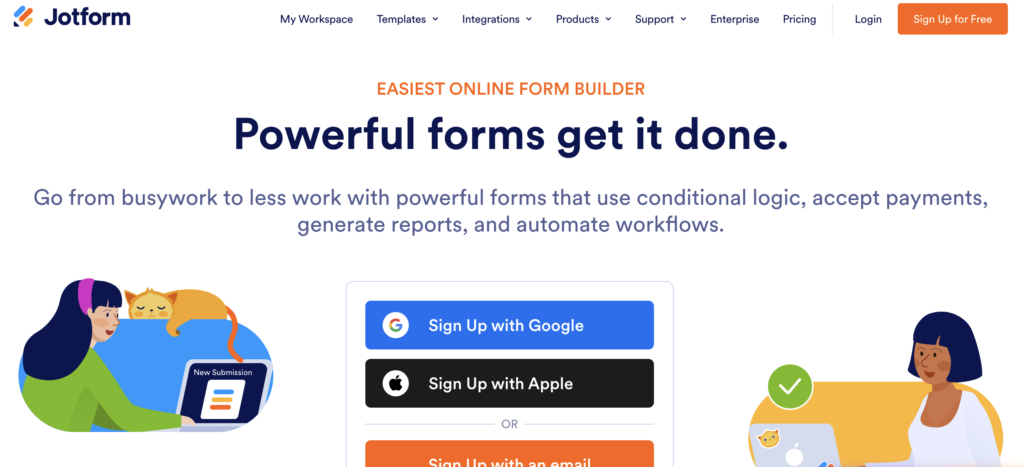
G2: 4.6/5 (5,000+ reviews)
Jotform takes first place as the best free online form builder because a small business can start easily and handle more involved tasks later if they choose to.
Teams can start from scratch, with AI, or a template, embed the form, collect payments, and organize registrations in Jotform Tables. Conditional logic keeps irrelevant questions out of the way.
Integrations, webhooks, no-code apps, reports, PDF documents, approvals, and workflows help handle submissions afterward. Jotform Sign supports e-signatures.
AI Form Builder helps with setup, while AI Agents offer conversational collection under separate allowances. MCP workflows connect compatible AI clients without an additional Jotform MCP charge, though account limits and client costs still apply.
The free Starter plan allows five forms, 100 monthly submissions, 100 MB storage, and 500 stored submissions. Payments and signed documents each have a ten-per-month allowance.
Paid plans start from Bronze, $34 per month billed annually, increasing capacity and removing branding.
Small businesses needing a free, easy-to-use no-code form builder.
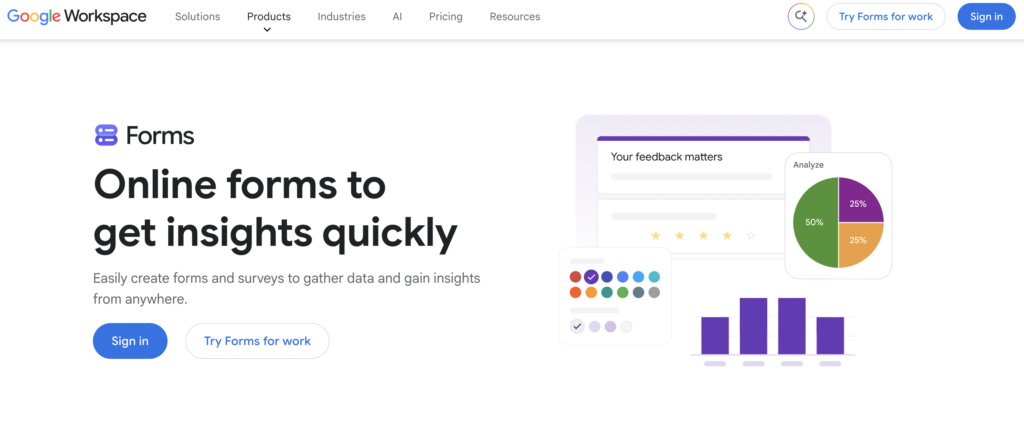
G2: 4.5/5 (5700+ reviews)
Google Forms comes second for teams that want a questionnaire or survey published quickly, with little setup.
Users can create a form, share its link, review response charts, and send answers to Google Sheets. Answer-based sections provide basic branching.
Design options are modest. Payments and signature workflows need other tools. File uploads require respondent sign-in.
Workspace Business Starter costs $7 per user monthly with an annual commitment or $8.40 on flexible billing. The upgrade mainly buys organizational services.
Google-based teams needing uncomplicated forms or a free survey maker.
G2: 4.4/5 (400+ reviews)
Microsoft Forms ranks third for straightforward feedback and quizzes, especially when Excel is already part of the team’s routine.
A personal account can build a feedback form, add branching, publish a link, review charts, and export answers to Excel.
Free personal accounts allow 200 responses per form. Organizational collaboration and automation depend on qualifying subscriptions.
Microsoft 365 Personal costs $9.99 monthly or $99.99 yearly, with 1,000 responses per form for paid personal accounts. Business licensing differs.
Microsoft users collecting routine feedback. Jotform is a stronger choice for payment forms.
G2: 4.4/5 (24,000+ reviews)
SurveyMonkey takes fourth place. Its survey-focused approach is helpful, but the free response allowance runs out quickly.
Basic supports unlimited surveys with ten questions each and 25 viewable responses per survey. A small customer-feedback exercise can stay within those boundaries.
Exports require payment. Longer questionnaires, skip logic, and payments also introduce plan restrictions.
Standard Monthly adds exports and skip logic. Prices vary by market.
Teams trying a short survey before investing. Google Forms and Jotform offer more breathing room for everyday collection.
G2: 4.5/5 (170+ reviews)
123FormBuilder ranks fifth for teams that prefer adapting an existing template, provided the form stays short.
Basic’s feature matrix lists five forms, 100 monthly submissions, ten fields per form, and conditional logic. Teams can customize a template, publish it, and review responses.
Branding remains, while uploads and payments require upgrades. Free allowances can differ between account versions, so the account dashboard deserves a check.
Gold lists $37 per month billed monthly before promotions. Platinum at $49 adds payments.
Teams with short intake forms that fit an existing template.
G2: 4.4/5 (HubSpot Marketing Hub, 16,000+ reviews)
HubSpot comes sixth because its biggest advantage appears after submission: leads arrive in the CRM you know and use.
A business can embed an inquiry form and manage the resulting contacts in HubSpot, easily keeping follow-up connected to the original inquiry.
Free tools support two users and retain branding. Form automation requires Starter, Professional or Enterprise subscriptions. Commerce tools are separate.
Marketing Hub Starter starts at $20 per seat monthly before promotions.
Businesses that care more about managing leads than building complex forms.
G2: 4.6/5 (Airtable, 3,000+ reviews)
Airtable ranks seventh. It makes sense when submissions belong in a working database, although setup takes a little more thought.
A form creates records that teammates can categorize, filter, and export from an Airtable grid.
Free includes 1,000 records and 1 GB attachments per base, with five editors or creators. Branding remains.
Team costs $24 per billable collaborator monthly or $20 billed annually.
Teams already working inside Airtable or managing requests and projects in it.
G2: 4.7/5 (190+ reviews)
Cognito ranks eighth overall but deserves attention when a form needs to calculate rather than simply collect.
The free Individual plan offers forms, conditional logic, calculations, and payments. An order form can calculate totals before customers submit.
Individual allows one user, 100 monthly entries, and 100 MB storage. Branding and payment charges remain. E-signatures require Pro.
Pro costs $24 monthly or $19 per month billed annually. Advanced workflows and approvals require Team.
Teams needing a free form builder with conditional logic and calculations.
Jotform is the strongest free form builder for small businesses. Google Forms suits simple surveys; Microsoft Forms suits Microsoft users. HubSpot fits CRM leads, Airtable fits database intake, and Cognito fits calculations. Growing teams should compare permissions and seat costs.
Jotform offers the strongest overall balance of ease, features, and growth options.
Google Forms suits basic questionnaires; Jotform makes broader business tasks approachable.
Yes, within allowances. Connected services and payment processors may charge separately.
Jotform suits businesses needing forms, payments, and approvals.
Jotform and Cognito Forms support both on the free plan, subject to limits.
Branding usually remains until an upgrade.
Export varies. SurveyMonkey requires payment.