


If you’re like most marketers, you’re in control of multiple channels, various products, and dozens of copy or content projects at any time. Knowing how to write faster without hurting quality can significantly increase your return on time investment.
Writing speed is the output of better inputs, a smarter writing process, and easy time management that doesn’t burn you out.
In this article, we explore how to write faster. We’ll explore using tools and techniques that not only help you focus more and reduce distractions, but also enable you to generate ideas faster. In just a few minutes, you’ll be able to build your custom writing process that cuts down your time from drafting to publishing.
You can’t discover how to write faster without knowing your current baseline.
Start by measuring your current writing speed. Do two 25-minute timed writing exercises. Write without editing. At the end, record the word count and calculate your words per hour. Average both runs to set a baseline. You now have a number to improve.
Next, look at where you’re spending most of your time. Ask questions like:
Try to write one sentence about what blocked you or what’s slowing you down. Maintain this habit for a week, and you’ll start to spot patterns.
Keep in mind that you may have different targets for each type of project. A short landing page may aim for 300 words per hour during ideation. A long blog draft may hit 800. A research-heavy piece, such as technical SEO in 2025, will be slower, and that’s fine.
Mixing the two will always slow you down, regardless of the type of writing you’re doing.
Give each task its own pass. The first pass is messy and fast; the second pass is careful and clean. If you’re writing copy and need an idea for humor, write [HUMOR] and keep it moving. This protects your writing process, allowing you to come back and fill in the blanks during the next pass.
The same goes for formatting. Leave it for the final edit pass. For example, if you’re writing a listicle, such as “ways to improve WordPress user experience,” create the headlines during the writing stage. You can add image ideas during writing. But find the images during your initial research and add alt text during editing.
Work in writing sprints to make the split practical. Try two 25-minute blocks to draft, then a single 25-minute block to edit. If you have more time, add one more edit block for SEO checks.
Create a simple pipeline to maintain momentum.
Use a three-column board with Today, In progress, and Done. Each card is one writing assignment.
For example, create stages like Research, Outline, Draft, Edit, Upload, Publish, and Update. Add a small box with goals and insights to each card.
Cross-functional work moves smoothly when everyone can see the pipeline. If you do a lot of content collaboration, it helps if everyone uses the same shared pipeline.
Your topic changes how fast you can go and which tools you use. That is normal, and planning for it will save hours.
For example, in sales copy, you’ll need deep discovery before writing a single word. Capture demographics, psychographics, market awareness, and the raw voice of the customer. Pull reviews, support chats, and call notes into a template. With your research ready, it’s much easier to write quickly.
For a technical one-off, expect to make frequent lookups while writing. Load sources into your second brain or another Google Doc tab so you do not keep switching to the browser. Keep one notes doc per section with the links you will need. That way, you can verify claims fast and keep writing.
You will write faster when your focus is protected. Cal Newport, in his book, Deep Work, explained how distractions not only damage your productivity, but can also affect your ability to rest and recover later. This can result in a snowball effect which further reduces productivity in the long run. Here’s what Newport wrote:
“If you keep interrupting your evening to check and respond to e-mail, or put aside a few hours after dinner to catch up on an approaching deadline, you’re robbing your directed attention centers of the uninterrupted rest they need for restoration.
Even if these work dashes consume only a small amount of time, they prevent you from reaching the levels of deeper relaxation in which attention restoration can occur. Only the confidence that you’re done with work until the next day can convince your brain to downshift to the level where it can begin to recharge for the next day to follow.
Put another way, trying to squeeze a little more work out of your evenings might reduce your effectiveness the next day enough that you end up getting less done than if you had instead respected a shutdown.”
Truly focused work helps avoid the need (or feeling of obligation) to try and squeeze in extra work later and allows you to break the cycle of interruption.
The Pomodoro technique is a simple way to win back focus. Work for 25 minutes, then rest for 5 minutes. Do three or four cycles. For deeper focus, try 50 minutes on and 10 minutes off.
While doing this, put your phone in another room. Close social media and shut down all tabs that are not the doc or timer.
It’s also a great tool if you want to discover what’s holding you back from knowing how to write faster. Set dedicated tasks for writing and editing passes. Use 1–3 sprints for each and see if you can keep up. Over time, this technique can train you to focus and work faster without burning out.
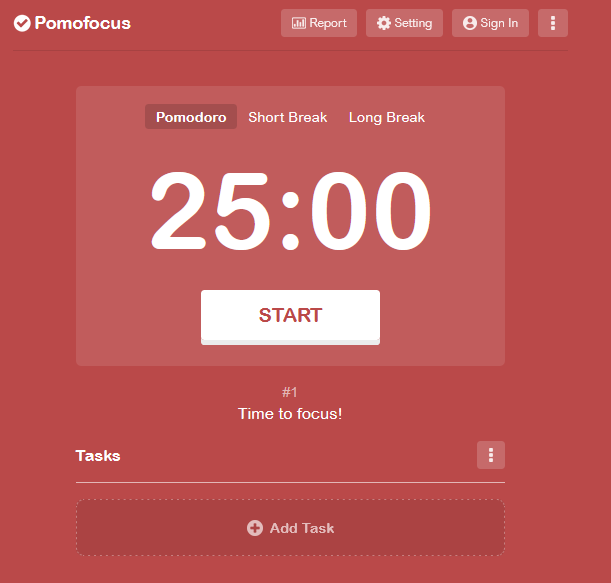
This technique may sound simple, but it remains effective today as AI at work becomes increasingly popular.
A report by Microsoft shows that while AI use is increasing, more people are likely to keep prompting if they don’t get an ideal response. While this is good, it also means you’ll need to balance time between prompting for light content changes vs focusing on writing undistracted.
Writing sprints help you beat writer’s block. Set a short window. Ten to fifteen minutes is enough to get moving. After each sprint, write one line for your debriefing sessions. Note what worked, what did not, and what to change next.
A simple way to quiet your inner editor is to remove the option to stop. Short tests inside The Most Dangerous Writing App will push you through sticky starts. Be careful, though: this app will automatically delete everything you wrote if you stop writing. Use it to train yourself to write faster and separate writing from editing.

Context switching slows down speed because your brain has to reorient itself each time.
Keep one doc, one outline, and one timer. Batch research earlier. Keep a list of links in your notes so you can drop them in later. Turn off all alerts while you draft.
Small advantages stack up. These tools remove friction from capture to cleanup.
Voice-to-text software allows you to write fast without editing or formatting.
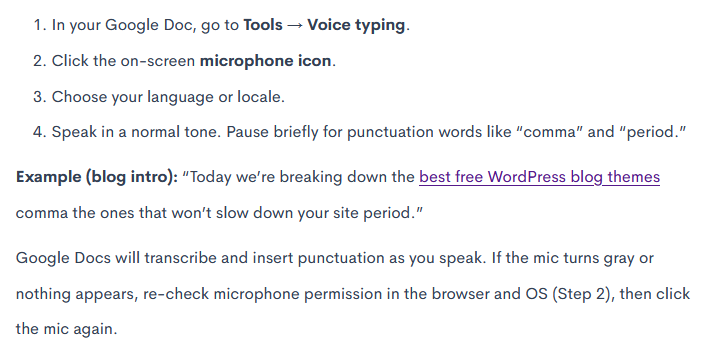
In Google Docs, go to Tools, then Voice typing. Use an external microphone if possible. Speak in short phrases and say punctuation out loud. If you want to master Google Docs voice typing, learn a short list of commands that help you when dictating. Skip any that are meant for editing.
When you’re ready, switch to the keyboard for your editing passes, like adding stats, links, and fixing mistakes.
If you’re on the go or want to use speech-to-text when brainstorming, you can use any recording app on your phone. Then use a transcription app like Rev.com to accurately transcribe into text that you can copy and paste to Google Docs. Don’t forget to check the transcription for any mistakes, especially if you have an accent.
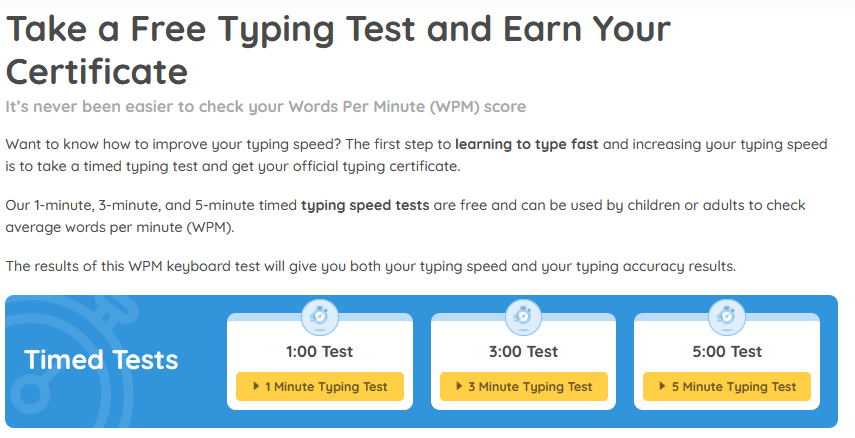
Typing games and typing practice tools can help build raw typing speed in just ten minutes a day. Take a test and track words per minute (WPM) weekly.
Here’s one of the tools you can use for this by Typing.com:
A quick cleanup stack saves time because it helps you catch easy fixes fast.
Use MS Word or Google Docs for structure and comments. Use tools like Grammarly Pro or Microsoft Editor for a fast grammar and clarity sweep. Keep your voice natural and do not let tools overcorrect your tone.
Finish with a human read to check rhythm and make sure there are no extra-long sentences.
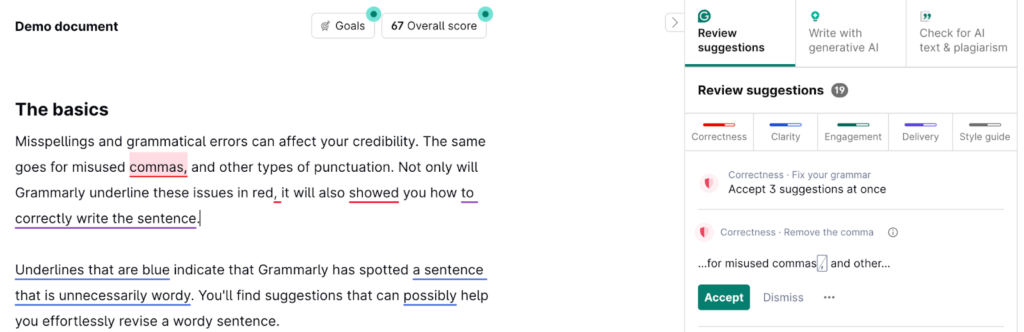
If you’re a Microsoft power user, consider reading Grammarly reviews before switching.
Publishing is where many teams lose hours. Instead of ideation, writing, and editing, it’s easy to struggle with formatting and content shifting when transitioning from a document to a CMS. This turns a slow task into a quick habit.
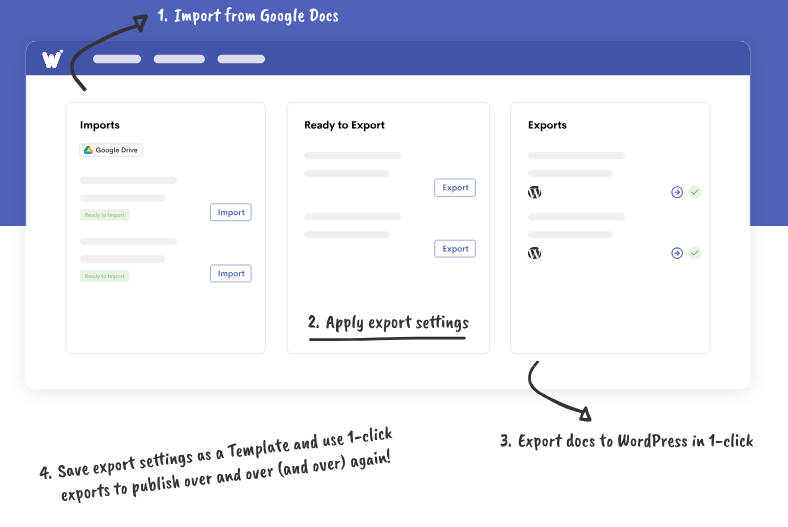
To trim publishing time, automate it. For example, you can use Wordable to publish from Google Docs to WordPress in seconds. It uploads images and links them, and even formats each post as you want it based on your settings and templates.
A small note-taking system lets you draft fast because the work is done up front.
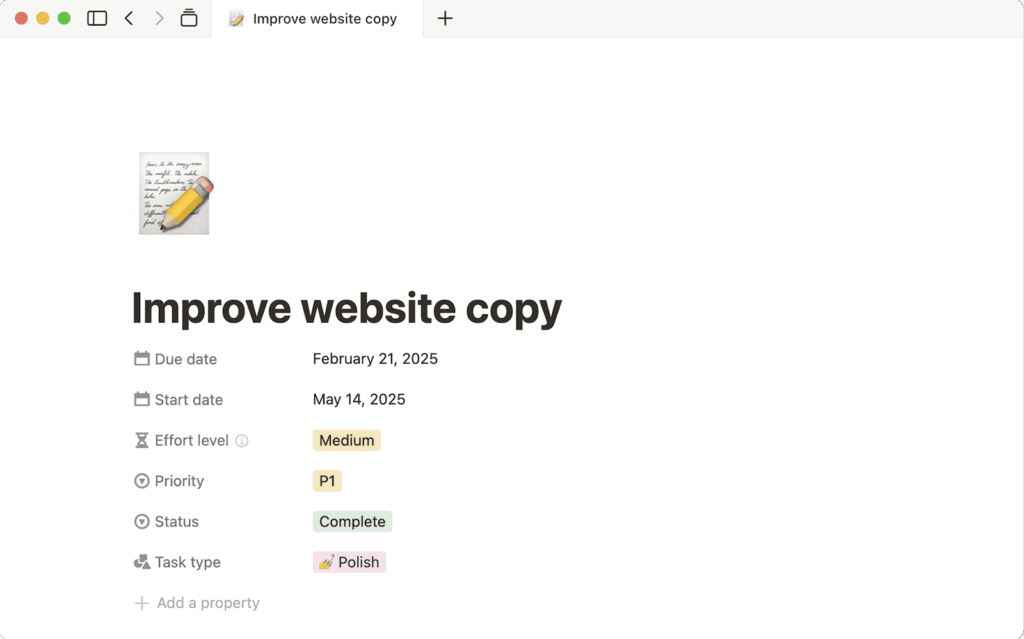
A second brain catches inputs so your draft starts hot. You can use Google Docs or try Notion if you want an all-in-one setup.
Here is a quick way to set up Notion to help you write notes:
A five-minute brain dump clears static and primes your brain.
Write anything that comes to mind. Do not edit. Later, move usable lines into your outline.
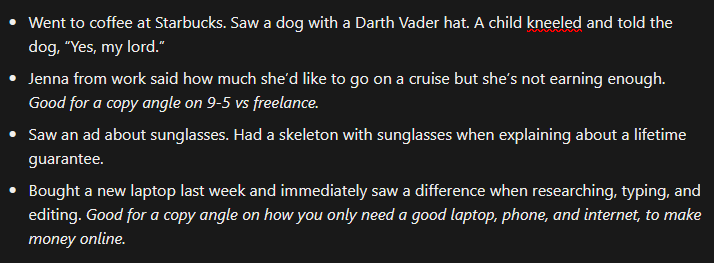
You can also create a daily journal to write experiences that inspire you later when writing. Even seemingly ordinary things can provide a good story for copy pieces later, especially if you have a personal brand. Store them in your notes so you have a file of ready ideas.
Here’s a simple example:
Screenshot provided by the author
Social media can help if you control it. Batch-capture helpful comments and threads into your notes. Avoid doomscrolling. Treat it like a research pass, not a break.
For example, whenever I come across high-quality posts related to copy, conversions, and marketing, I save them on a page in Notion. Then later, I categorize them and add my own notes:
Using a Notion page to save high-quality social posts
Screenshot taken by the author
So, say you’re searching for Reddit SEO strategies on your phone. Click share on the article or social media post, find the Notion app, select a parent page, and write a quick name for that page. Then go to Notion and you’ll find it there with a link to the original article or post.
Here is a compact playbook you can use today, and you can still protect quality.
Finally, don’t pass on generative AI tools. They’re not advanced enough to give you ready-to-publish pieces, especially if you have an intensive style guide. But they can still help speed up your research and drafting. A peer-reviewed experiment in Science found that a generative AI assistant cut task time by about 40% and raised quality by about 18%.
You now have a simple system for how to write faster without lowering quality. Use sprints, set time limits, and a clean toolchain. Draft fast, edit smart, and ship with less friction.
If you want to cut upload time even further so you can focus on writing, check out Wordable. Use it to publish with one click from Google Docs to WordPress without copy-and-paste formatting nightmares.