


Product managers almost always write product update emails without any content strategy input … and it shows.
You’ve seen them before. Features take over the copy, leaving customers to connect the dots between what’s new and why it matters. 🤦🏻♀️
That ends here.
Keep reading for a deeper look into why product update emails fail and the structural mistakes behind them.
I’ll also show you how to structure a product update email that customers can understand quickly and share with the teammates it affects.
Pro-Tip: Bookmark this article now so you can come back and reuse the email templates and subject line swipe file later.
Highlights
Product update emails fail because no one steps back and asks: “Why should customers care about this?”
Or, “How could this help our customer’s team do better work?”
Product managers understand the technical details behind every release.
But content strategists understand which details matter most to the reader and how to present them in a way that captures attention. Without that valuable perspective, product update emails read like a basic record of everything that’s changed.
➜ What you really need is a story about what’s changed for the customer.
Customers don’t open product update emails because they’re excited about version 5.8.2. They open them because they want to know how today’s update will make tomorrow’s work easier.
A boring product update email follows the same predictable formula.
It starts with a generic subject line like “July Product Updates” or “New Features Released.” Inside, readers find a list with features presented in the order they were built.
It might read something like this:
“Subject: July <Product Name> Product Updates
Hi there,
This month, we’ve released several new features and improvements, including:
We also fixed various bugs.
Read the full release notes here.
That’s a pretty standard example. As you can tell, it’s not terrible.
The problem is it’s easy to forget. Emails like these just present information without prioritizing the customer’s benefit or their unique use cases. (A content manager using Monday needs different updates and benefits language than an HR director using the same platform.)
The other issue is that each update receives the same amount of space — whether it’s a major improvement or a minor bug fix.
Technical explanations also tend to replace real-world benefits or outcomes. And there are few visuals or formatting elements to make the email easy to scan.
By the time readers reach the end, they’ve learned what changed. But they still haven’t been given a compelling reason to try out the new features, share the email with a teammate, or look forward to the next update.
Here’s a real example. 👇
I won’t embarrass the brand by listing its name because it’s not a horrible email. It’s just very bare bones:
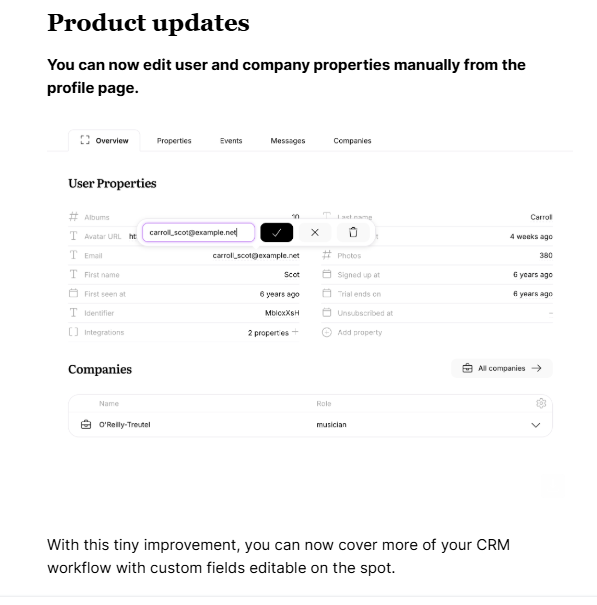
(Image provided by Ioana)
Again, not terrible. But it doesn’t tell you much. And I don’t know about you, but I don’t feel compelled to forward this.
Product update emails people forward read like they have a pulse.
They:
I’ll show you some subject line formulas that increase clicks in a bit. But for now, let’s look at real email examples that don’t suck and encourage users to explore what’s new.
Steal these templates. 👇
Subject: Now you can <achieve desired outcome>
Hi <First Name>,
Opening (1–2 sentences): Briefly introduce the theme behind this release or the customer problem these updates solve.
Until now, <describe the old workflow or limitation> meant that <pain point or frustration>.
Now you can <introduce the new feature(s)>.
<Screenshot or GIF showing the feature in action>
Here’s what makes that possible:
For more updates, check out our changelog. To see what’s coming next, check out our roadmap. We hope these new features <reinforce the biggest customer benefit or outcome>.
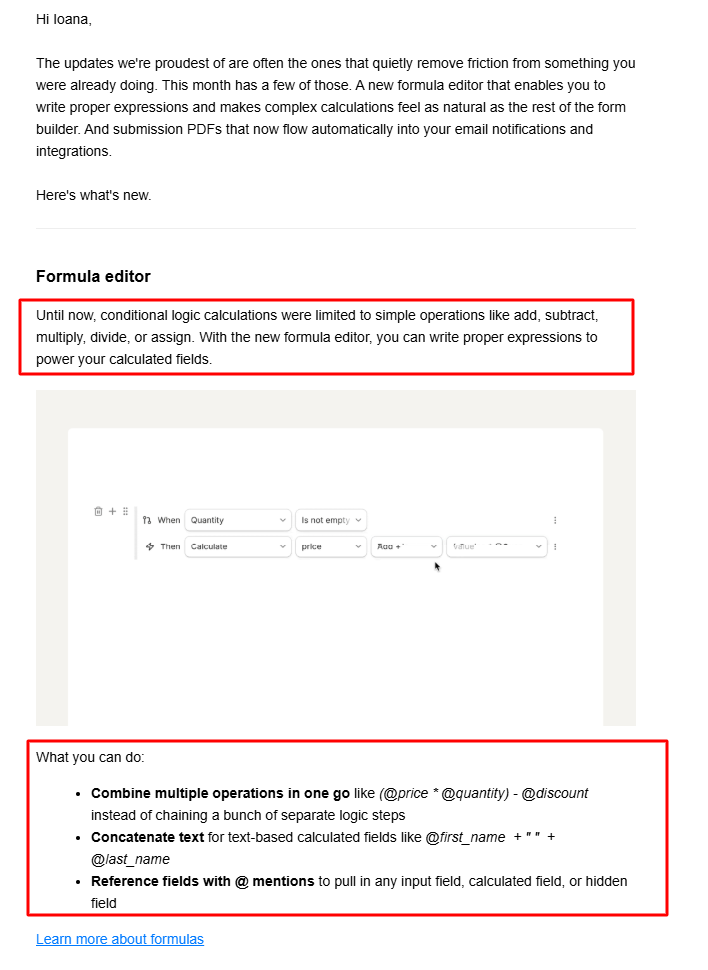
Tally used this structure when it released its new formula editor in June. 👇
(Image provided by Ioana)
Notice how Tally doesn’t say “We’ve launched a new formula editor.”
It frames the update around friction:
“Until now, conditional logic calculations were limited to …”
Then it introduces the solution:
“With the new formula editor …”
From there, it reinforces the value with real use cases. Readers don’t have to figure out why the feature matters. The email does it for them. ☑️
Subject: You asked. We listened.
Hi <First Name>,
When we launched <previous feature or release> <date/time of year>, many of you asked for <customer request>.
Now, that’s possible. Introducing … <new feature>.
Instead of <previous limitation>, you can now … <1–2 sentences explaining what the new feature helps customers accomplish>.
<Screenshot, video, or GIF showcasing the feature>
Here’s what you can expect:
<Short paragraph about key improvement/new change #1>
<Screenshot showcasing key improvement/new change #1>
<Short paragraph about key improvement/new change #2>
<Screenshot showcasing key improvement/new change #2>
<Short paragraph about key improvement/new change #3>
<Screenshot showcasing key improvement/new change #3>
Getting started:
<1–2 sentences explaining how/where to access the new feature(s).>
What’s next:
This is just the beginning. We’re already working on <1–2 sentences explaining future improvements>, so keep the feedback coming.
Share your feedback at <explain how/where>.
CTA: If you’re a <user/plan type>, you can log in and start using these updates right away!
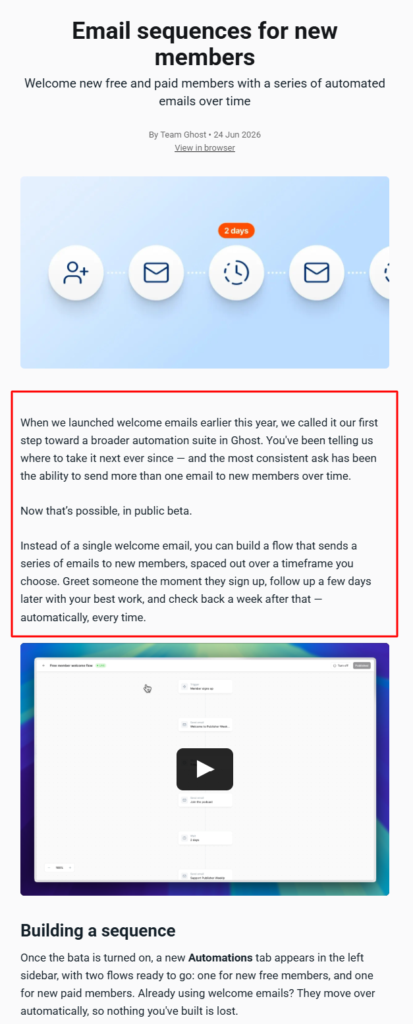
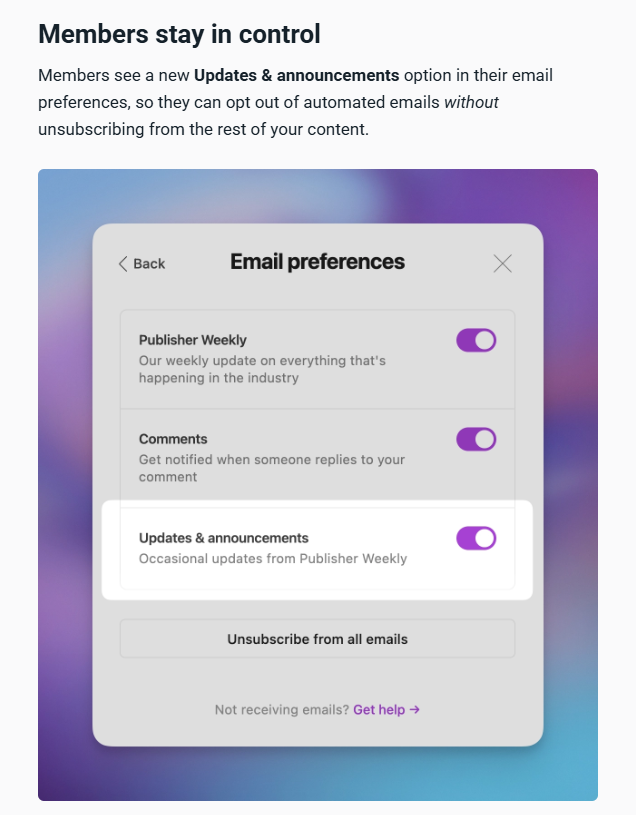
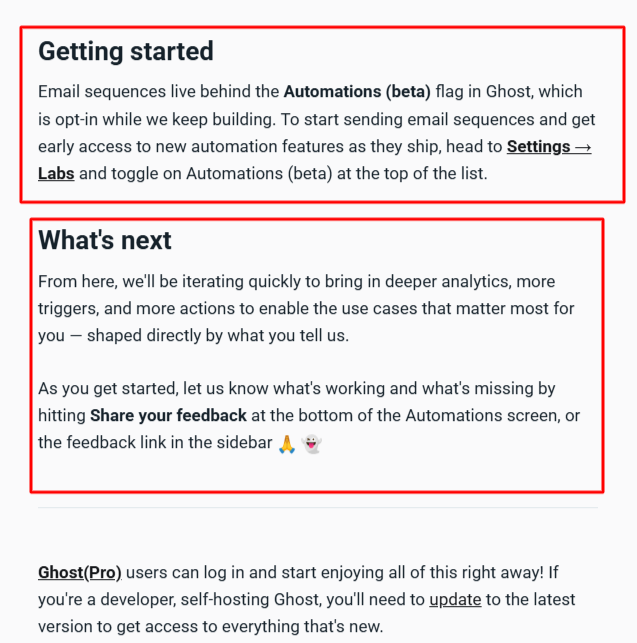
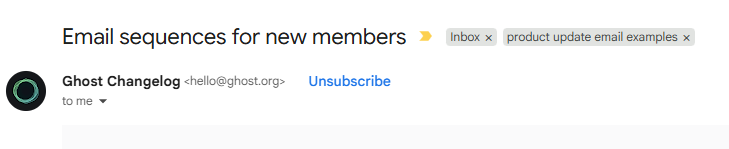
Ghost used this structure when it released its email sequences for new members
in June. 👇
(Images provided by Ioana)
Ghost spends almost no time talking about itself.
It opens by acknowledging customer feedback:
“You’ve been telling us where to take it next …”
This instantly positions the feature as a response to a real customer need.
It then breaks the feature into logical sections that answer different customer questions (from building a sequence and writing emails to member controls and getting started).
The email also looks ahead by teasing future improvements and inviting more feedback:
“From here, we’ll be iterating quickly to bring in deeper analytics, more triggers, and more actions to enable the use cases that matter most for you — shaped directly by what you tell us.”
This product update email works because customers feel like they’re helping shape the product instead of simply receiving updates about it. ✨
Subject: <New feature> will be available on <date>
Hi <First Name>,
We’re excited to let you know that you’ll automatically get access to <new feature> starting on <date>. <Feature name> will help you <list one or two benefits users will automatically gain>.
Benefits for you:
<List a main problem and agitate it in 1-2 sentences.> <Feature Name> helps:
How it works
<Briefly explain what happens behind the scenes and what users can expect once the feature is available.>
Pricing (optional)
<Explain any pricing changes, fees, or confirm that the feature is included at no extra cost.>
Want to opt out? (optional)
<Explain how users can disable the feature or change their preferences, if applicable.>
If you have any questions, visit <help center> or contact <support channel>. We’re here to help!
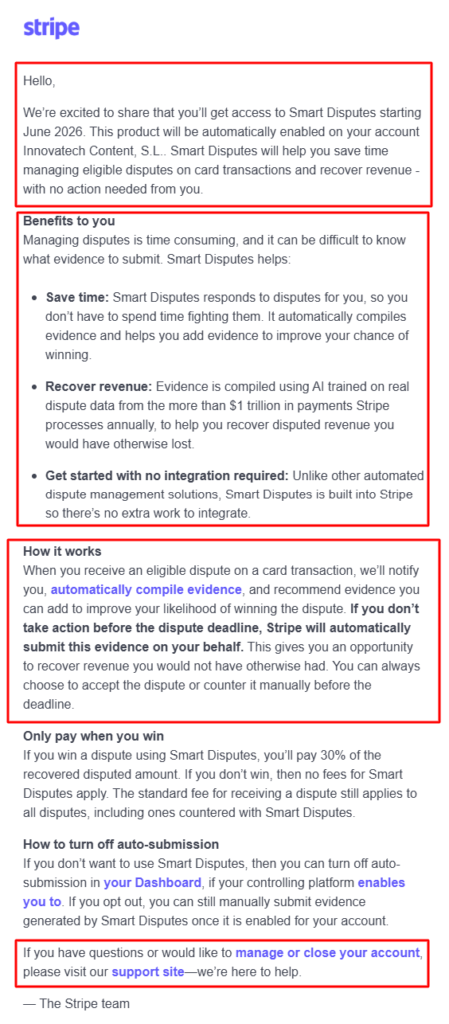
Stripe used this structure when it released its AI-powered smart disputes in June. 👇
(Image provided by Ioana)
Stripe’s entire email is relentlessly framed around customer value. It immediately answers the four questions customers care about most:
“We’re excited to share that you’ll get access to Smart Disputes starting June 2026. This product will be automatically enabled on your account, Innovatech Content, S.L. Smart Disputes will help you save time managing eligible disputes on card transactions and recover revenue, with no action needed from you.”
It then reinforces the main value with a “Benefits to you” section. This is my favorite part of the email because it explicitly tells readers what’s in it for them. Product update emails usually mention benefits throughout the copy, but Stripe actually calls them out.
After winning customers over with the benefits, Stripe explains how the feature works, pricing, and how to opt out.
Again, customers buy into outcomes before they buy into features. Stripe understands that, and structures the email accordingly. ☑️
Now that you’ve got the structure down, let’s look at subject line formulas inspired by real product update emails. Test them against your existing approach to see which options resonate with your audience.
Subject lines deserve careful testing. HubSpot reports that 64% of respondents decide whether to open or delete an email based on its subject line, while 69% use it to decide whether to mark the message as spam.
Pro-Tip: Copy and paste this section into a Google Doc as a swipe file for your content team to experiment with.
Formula:
“Now you can <achieve desired outcome>”
Examples:
This formula immediately answers the question every reader has: What’s in it for me?
Formula:
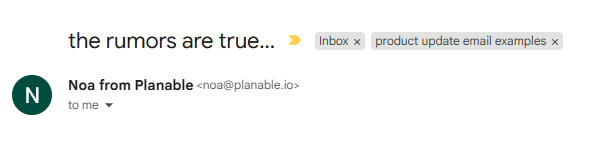
A few words that build anticipation or curiosity
(Image provided by Ioana)
Examples:
These subject lines create curiosity without becoming clickbait titles. Just make sure the email delivers on the promise.
Formula:
“Spend less time <manual task>”
Examples:
This works because it focuses on removing friction instead of announcing features.
Formula:
“Introducing <new feature>” or “Meet <new feature>”
(Image provided by Ioana)
Examples:
This works best when the feature is significant enough to deserve the spotlight.
Formula:
“<Feature> will be available on <date>” or “Your account is getting <new feature>”
Examples:
Use this when customers need a heads-up about an upcoming change that will affect their account, workflow, or team productivity.
Formula:
“For <persona>” or “If you manage <task> …”
(Image provided by Ioana)
Examples:
Readers are more likely to engage with emails that feel relevant to them. HubSpot reports that 93% of marketers say personalization improves leads or purchases. Calling out a specific role or workflow is a simple way to make a product update feel more useful to the right audience.
Formula:
“X new features to help you <goal>” or “X updates you’ll actually use”
Examples:
Specific numbers make the email feel more concrete and easier to scan before it’s opened.
Product updates deserve better than a feature dump, don’t you think?
Every new release has a story behind it. Your job is to help customers understand why it matters, how it makes their work easier, and why they should care enough to try it.
Use the ‘Until Now’ template when a release removes a familiar limitation, ‘You Asked, We Built It’ when customer feedback shaped the update, and ‘No Action Needed’ when the change will happen automatically.
Next time you ship a feature, steal one of the templates above instead of starting from scratch. Then tweak it to fit your product, audience, and release.
P.S. If your product update email links to a corresponding announcement page, Wordable can publish that page from Google Docs to WordPress with the formatting intact. Try Wordable for free.
How often should you send product update emails?
Send a product update email whenever you release a meaningful feature or improvement. Group smaller updates into a monthly or quarterly roundup.
What’s the ideal length for a product update email?
A useful starting range for a product update email is 150 to 500 words, although the right length depends on the update’s complexity. Keep it as short as possible while clearly explaining the customer benefit.
Should every new feature get its own email?
No. Not every new feature should get its own email. Major features often deserve a dedicated email, while smaller improvements can be grouped into a single update.
What’s the biggest mistake companies make?
The biggest mistake companies make is leading with features instead of customer benefits. (Readers care less about what changed. They want to know how the change helps THEM.)