


Your marketing tech stack can literally make or break your business processes.
That may sound dramatic. But unless you have a contingency plan for every system, a single breakdown can bring your day-to-day marketing operations to a screeching halt.
And nobody has time for that.
You need a tech stack that supports your team, scales with you, and has a reputation for reliability.
Let’s take a closer look at what a tech stack is and how to modernize yours with dependable tools that align with your business goals. 👇
A marketing tech stack is the software, tools, and technologies a company uses to build, run, and manage its marketing processes.
Digital transformation means reorganizing how your company uses technology so it can deliver more value.
In the past, digital transformation mostly focused on moving your business operations, customer interactions, and processes online. Now, it means reorganizing how your company already uses technology.
That may mean nixing your simple project management platform for a complete Work OS. Or swapping a bunch of single-purpose tools for an integrated stack that connects marketing, sales, and customer support without constant manual work.
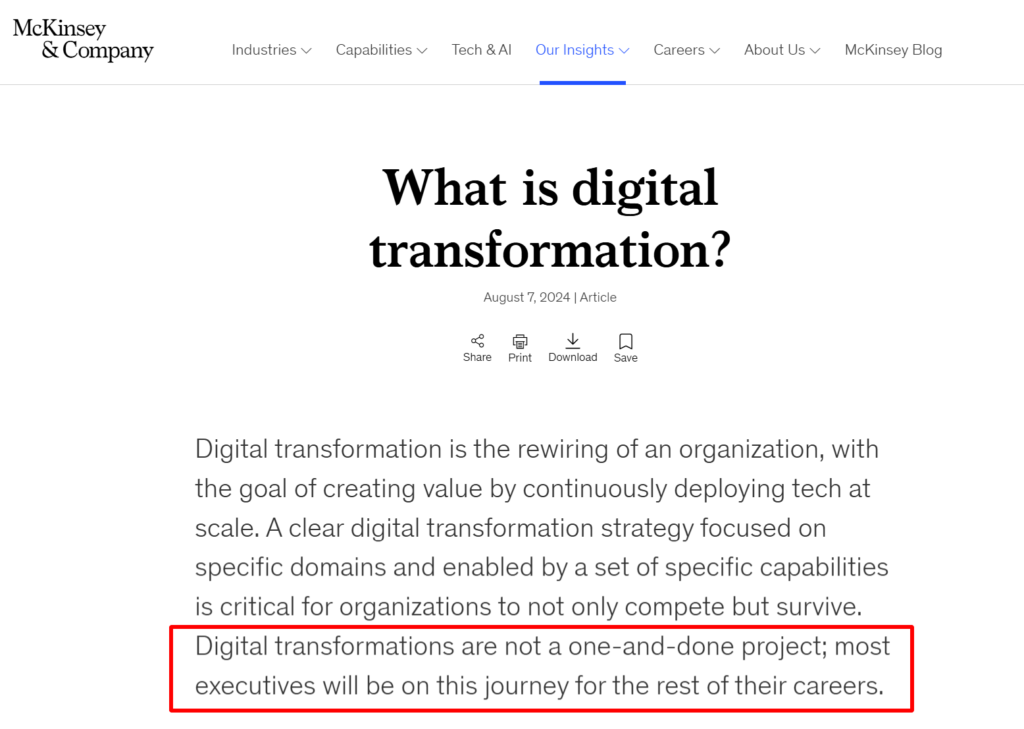
I like the way McKinsey & Company describes it. The research team refers to it as a “rewiring of an organization,” which fits perfectly because this work never really ends.
“Digital transformations are not a one-and-done project,” McKinsey says. “Executives will be on this journey for the rest of their careers.”
Luckily, I’ve created a super practical and simple guide you can start using to modernize your marketing tech stack in 2026. 👇
Follow these five steps to overhaul your marketing tech stack:
Before you spend a single dollar on new software, you need a clear picture of what you’re currently working with. (A lot of companies skip this step and end up buying tools they don’t need or can’t integrate. Don’t be that company.)
Start by listing every tool and mobile app your teams use: CRM, marketing platforms, collaboration apps, analytics dashboards, cloud storage … even those one-off Excel macros someone swears by. If it touches work, it goes on the list.
Next, map how your work currently flows. Pick a core process (like onboarding a new customer, launching a campaign, or fulfilling an order) and track every step. Which systems touch that process? Where do people duplicate data or wait on approvals? Highlight the points that slow things down.
Once you see the full picture, look for:
Here’s a pro tip: Don’t rely on memory. Interview the teams that use your systems daily. Ask them what drives them crazy, what slows them down, and what features they wish existed. You’ll uncover hidden blockers you likely wouldn’t see on a spreadsheet.
Finally, turn this audit into a scoring sheet.
Rank every tool on usage, impact, cost, and integration quality. Highlight which systems give real value and which are holding you back. This gives you a roadmap that tells you where modernization will move the needle.
After your thorough audit:
Also, it is SO pivotal to get aligned on your goals for 2026 before choosing any new tools.
For example:
➜ If you want campaigns to run smoother and faster, then your stack should connect project management, social scheduling, and messaging channels.
➜ If you want content publishing and editing to be effortless, then you’d use tools that let you move blogs from drafts to live posts in seconds, polish copy efficiently, and maintain brand consistency without extra manual steps.
➜ If your goal is better internal collaboration and client communication, then your stack should combine team chat, video recording, and client portals in a way that keeps everyone informed, engaged, and able to act immediately.
This step sets the foundation for every modernization decision you make, so don’t skip it!
After you’re crystal clear on what tools you’ll need, head to the next step.
You might think you can’t afford certain tools. But when you’re leading marketing, what you really can’t afford are crappy tools that compromise efficiency, accuracy, and results.
Case in point: Semrush. If you run SEO campaigns, you NEED Semrush in your tech stack.
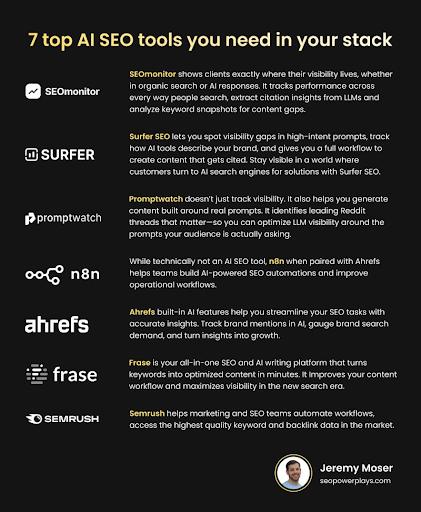
Here are some of my favorite marketing tools by category. 👇
(Make sure to vet these out for yourself and consider your own goals before choosing a tool. I also highly recommend signing up for free trials so you can test these out first.)
SEO tool faves: Semrush, Ahrefs, Moz, Frase, SEOmonitor, Surfer SEO, Promptwatch, and Screaming Frog.
Go-to messaging platform fave: You can’t go wrong with Slack. (Consider integrating it with Donut for some employee engagement fun.)
AI workflow automation tool: n8n or Zapier. n8n is great for turning Ahrefs data into automated workflows that route straight into Sheets, ClickUp, and Slack.
Marketing project management faves: ClickUp, Asana, Basecamp, or monday.com are the very best for marketing teams, in my opinion.
Digital business cards and QR codes with logos: Uniqode works well for this. (Fab for multi-channel marketing.)
Social media scheduling faves: Planable or SocialBee are solid social media schedulers.
Multi-purpose tool faves: Google Apps are SO practical. (I love Google Docs, Sheets, Gmail, and Google Analytics.)
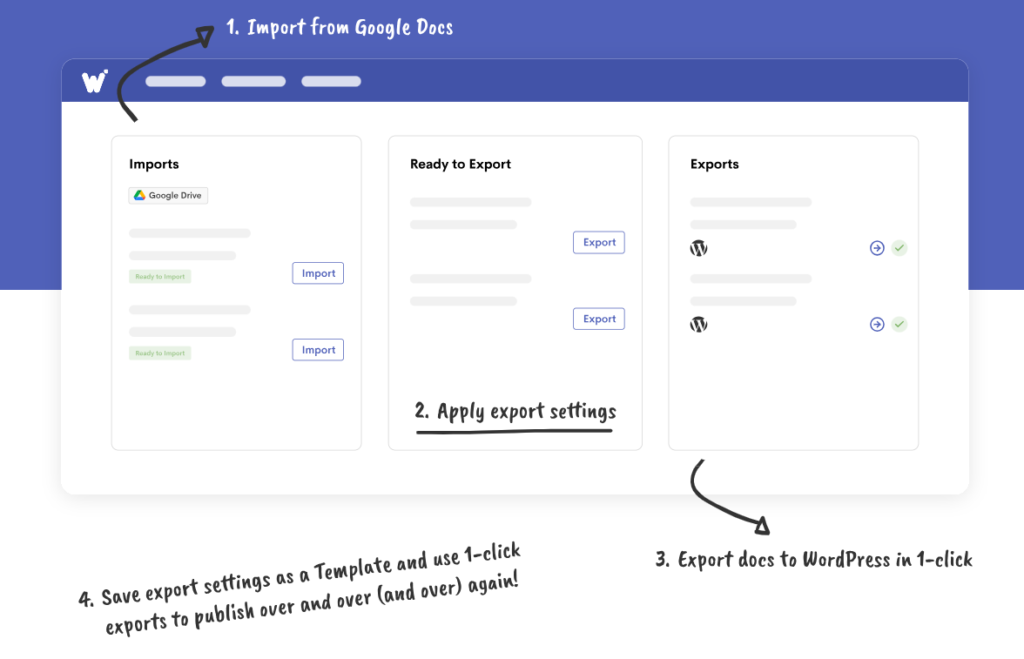
Blog post staging and publishing fave: Wordable is the best — obviously 😆.
Blog post and content asset editing faves: Writer and Hemingway are the best.
Image and design tool faves: Canva for branded design assets (or Adobe products if you’re fancy and have in-house graphic designers). AwesomeScreenshot is perfect for screenshots and screen recording. Unsplash works if you need stock images — but I recommend investing in your own professional camera or hiring pro photographers instead.
Meeting and presentation tools: Eye-catching free PowerPoint templates by SlideUpLift, Loom for video recording, and Riverside for recording high-quality video calls and messages with zero setup headaches. (Perfect for webinars, podcasts, and async team communication.)

Pre-built scrapers and APIs that automate repetitive tasks: Bright Data is the best for this.
Forms/landing page builders: Typeform, Tally, or native landing page builders (like Unbounce or Webflow) work well.
VPN service for remote work/hybrid/travel: Surfshark or CyberGhost are good.
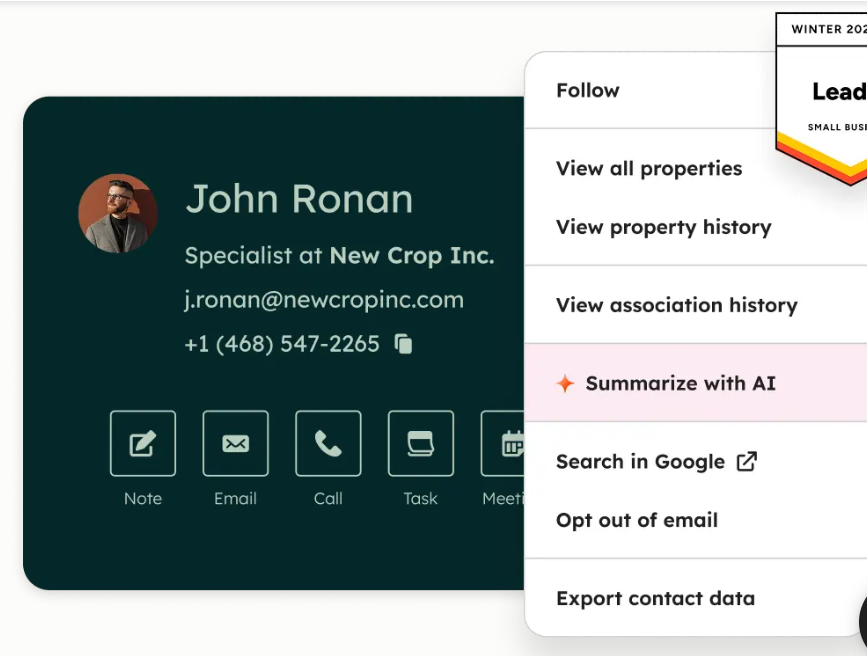
CRM and contact management faves: HubSpot, Pipedrive, or Close are trusted CRMs. Notion or Airtable can also work as a lightweight CRM if you want more flexible databases.
CMS fave: WordPress is for sure the best (non-headless) CMS. Ghost is also a great option if you need an all-in-one newsletter, email marketing, and blogging platform with membership tiers.
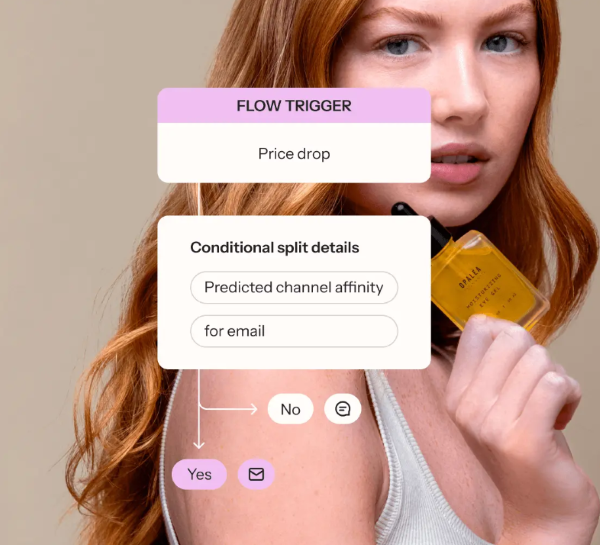
Email and lifecycle marketing: ActiveCampaign is great for enterprise email marketing, Klaviyo is the best for ecommerce email marketing, and ConvertKit works well for creator email marketing.
Reliable hosting platform fave: Kinsta® is great if you’re managing multiple websites.
Client portal fave: Assembly’s client portal makes you look super professional.
Cloud file storage tool: Internxt is solid and also includes lifetime storage options.
*Note: Make sure to evaluate tool security, compliance, and long-term flexibility before finalizing your new tech stack. Again, consider signing up for free trials so you can try before you buy.
You’ve got your audit done and chosen tools that align with your goals.
Now, the next step is integration.
Start small. Pick one high-impact workflow, like sending a new lead from a website into your CRM, assigning a follow-up task, and notifying your team via Slack. Map out every touchpoint. Then connect the systems using built-in integrations or automation tools like Zapier (think AI workflow automation).
Test it. Fix the kinks. Only then scale integrations across your stack.
Some quick wins you can aim for include:
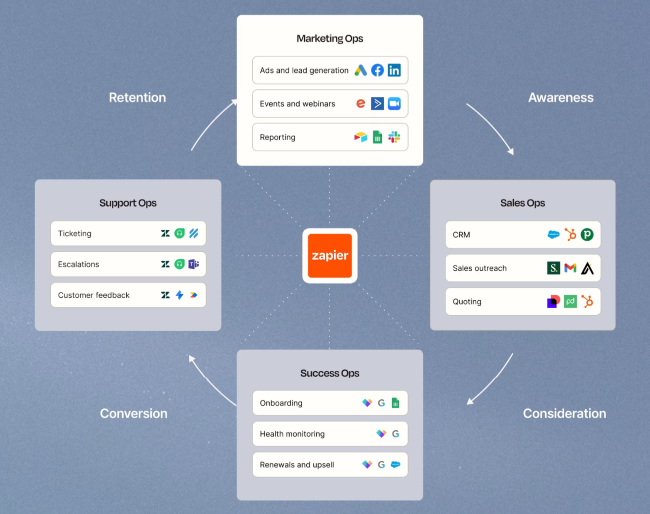
Integration is where your stack stops being a bunch of tools and starts becoming a system that supports your marketing team.
It’s a simple way to take your marketing strategies to the next level. The best part? You don’t need to know any complicated programming language.
You’ve invested in new tools and integrated your software stack. Now comes the human side.
Start by training your employees. Never give them a login and hope for the best. Walk them through your workflows, show them how to automate processes, and highlight exactly how the new tools make their lives easier. (People tend to adopt tools faster when they see real benefits.)
Finally, measure KPIs and ROI. Track adoption rates, efficiency improvements, revenue impact, customer satisfaction, and cost savings. If something isn’t working, adjust the workflow, tweak the training, or swap out a tool before it drags down performance.
Review, update, and optimize your stack regularly.
Start with quarterly reviews.
Ask: Are these tools still hitting KPIs? Is workflow efficiency improving? Are integrations still seamless? Are new features available that could replace manual work?
Stay on top of emerging technologies and market trends. Test new tools in small pilots before rolling them out across the team.
Don’t forget regulatory changes. Data privacy rules, email compliance, and accessibility standards can impact your marketing workflows. Make sure to keep your stack safe and compliant.
Modernizing your marketing tech stack helps you create more valuable processes at scale.
Remember to:
Soon, you’ll have a smooth-running system that keeps campaigns on track, projects moving, and your team working cohesively. 💜And it doesn’t take complicated programming languages to do so.
Psst … do you publish blog content often? Wordable can help your team save hours each week. Try it out for yourself now!
Why is modernizing your tech stack important?
Modernizing your tech stack is important because it speeds up workflows, centralizes data, and strengthens security. Business intelligence is the way of the future.
How do I choose the right tech stack for my business?
The most important thing you can do is align technology with your business goals. It’s also important to invest in high-quality tools with an intuitive user interface — now’s not the time for strict budgets.
What is the difference between all-in-one and best-of-breed tools in a tech stack?
All-in-one tools have multiple functions in one platform, unified data, and faster adoption.
Best-of-breed options are specialized tools for specific functions. (Like only payroll management or just employee recognition.)
What is included in a modern tech stack?
In a modern tech stack, there’s usually:
How often should I review my tech stack?
Review your tech stack at least quarterly. Check if tools still meet your goals, workflows are smooth, and integrations work without friction. A positive user experience is key.
Can small teams benefit from a modern tech stack?
Absolutely. Even a small marketing team saves time, avoids manual errors, and can operate like a well-oiled machine with the right tools and workflows.