

Many marketing teams think content success depends on writing. Yet, the real bottleneck happens after you hit save on a draft. Many teams spend hours each week fixing formatting, links, headings, images, and metadata in WordPress. These edits can mess up your schedule.
Publishing delays slow SEO performance and campaign launches. They also lead to slow uploads, which keep your best ideas hidden from your audience. Meanwhile, modern search tools are changing the rules. AI search and AI Overviews tend to favor well-structured, consistently published content.
A documented WordPress publishing workflow removes bottlenecks and reduces repetitive tasks. It can save teams several hours every week.
Highlights
Content teams lose a lot of time to busywork before an article even goes live. Asana found that workers spend 53% of their time on tasks such as status updates, information searches, and work coordination, rather than on skilled tasks.
Many content teams still manually copy content from Google Docs into WordPress. This creates a lot of problems. For example, headings may change in size. Or lists may lose their spacing.
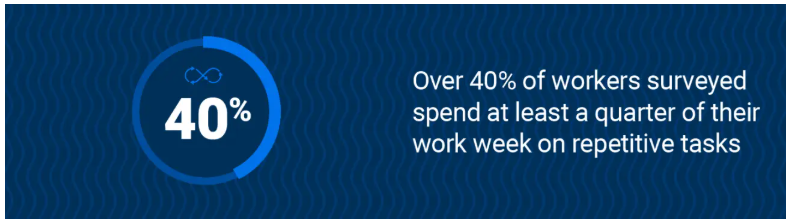
The cleanup process is the same for every article. In fact, Smartsheet reports that more than 40% of workers spend at least a quarter of their week on repetitive tasks. This is exactly what happens for most teams.
A post goes through several people before it goes live. For example, writers create drafts. Then, the editors review those drafts. And afterward, the SEO team checks that every link works.
Those handoffs slow everything down. A post may sit untouched for a few days. There may be a lack of ownership, as team members might not know who’s responsible for the next step.
Many teams still handle QA checks manually before publishing. A team member reviews links. Someone else checks that all images have been added. This process takes time when multiple articles are in the publishing queue.
Even with those checks, errors can still appear. A publisher may miss a broken link or forget to add image alt text to a product screenshot. The team then spends more time fixing live pages after publication.

An efficient WordPress publishing workflow gives content teams a clear path from draft to publication. Every article moves through the same process. So people spend less time fixing avoidable problems before a post goes live.
That consistency saves hours across the week.
Clear ownership also keeps work moving. For example, one person may handle metadata and internal linking. Another uploads images and checks page formatting in WordPress.
Most modern publishing workflows follow the same stages:
Formatting standards should remain consistent across all articles as well. A team may use the same heading structure, image sizes, and FAQ styling for each post. That reduces cleanup work during publishing.
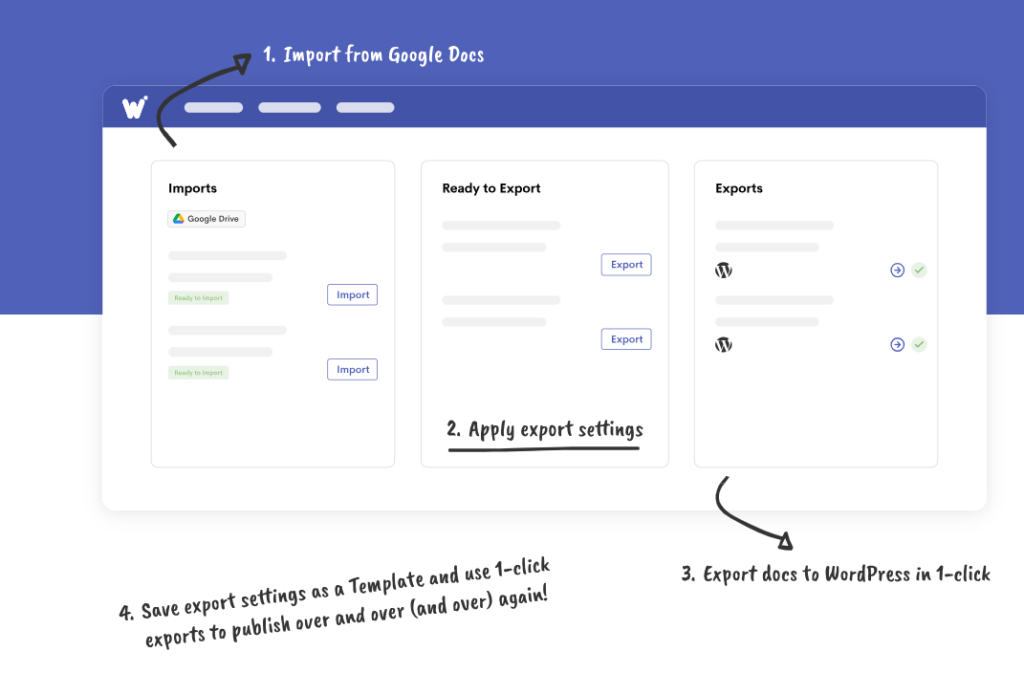
Automation also removes repetitive tasks where possible. For example, teams can export Google Docs to WordPress via Wordable. This ensures they don’t have to re-add images or manually fix spacing issues. Editors can then spend more time reviewing content quality.
Messy files can slow down your publishing speed. You must clean up your text before it ever enters your CMS.
This is how you can standardize your inputs to fix your WordPress publishing workflow.
Google Docs templates provide writers and editors with a consistent starting point for every article. A template may include:
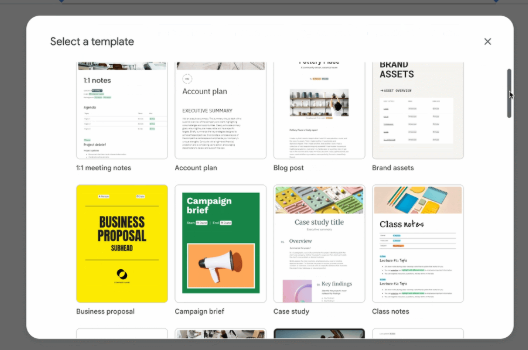
Content teams can review their templates before starting their first draft.
This prevents many formatting issues during WordPress imports. It also helps content teams keep articles consistent across different writers and editors.
Teams should set formatting rules before content creation begins. These may include heading capitalization, image sizes, table styling, and internal linking rules. Without them, editors spend extra time fixing small formatting differences before publication.
For example, one writer may upload oversized screenshots while another uses smaller images. A shared formatting standard prevents those inconsistencies from slowing the publishing process later.
Manual formatting slows down many content teams. Even a high-quality post can turn into extra work if you need to fix the layout and formatting in WordPress.
Here’s what you can do to reduce manual formatting.
Direct Google Docs-to-WordPress workflows eliminate much of the cleanup during publishing. Tools like Wordable help teams migrate content to WordPress while preserving headings, links, images, and styling.
Reusable WordPress blocks help teams avoid rebuilding the same sections for every post. You can save FAQ sections, CTAs, and product callouts in your editor for future use.
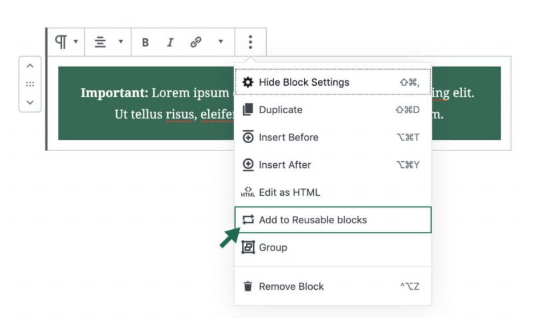
Image Source
SEO reviews should help your content move faster. A good process helps your team catch important SEO issues before publishing without slowing the workflow every time.
Some SEO checks need attention before publication. Content teams should focus first on on-page optimization elements as they affect how search engines read the page. These include:
Optional tweaks can wait until later updates. For example, a team may publish the article after core SEO checks are complete. They don’t have to delay publication for another round of wording suggestions or secondary keyword edits.
Pre-publish SEO checkpoints help teams review content without slowing down the workflow. A lightweight process keeps reviews focused. It also prevents long approval chains before articles go live.
For example, a publisher may follow the same checklist for every article:
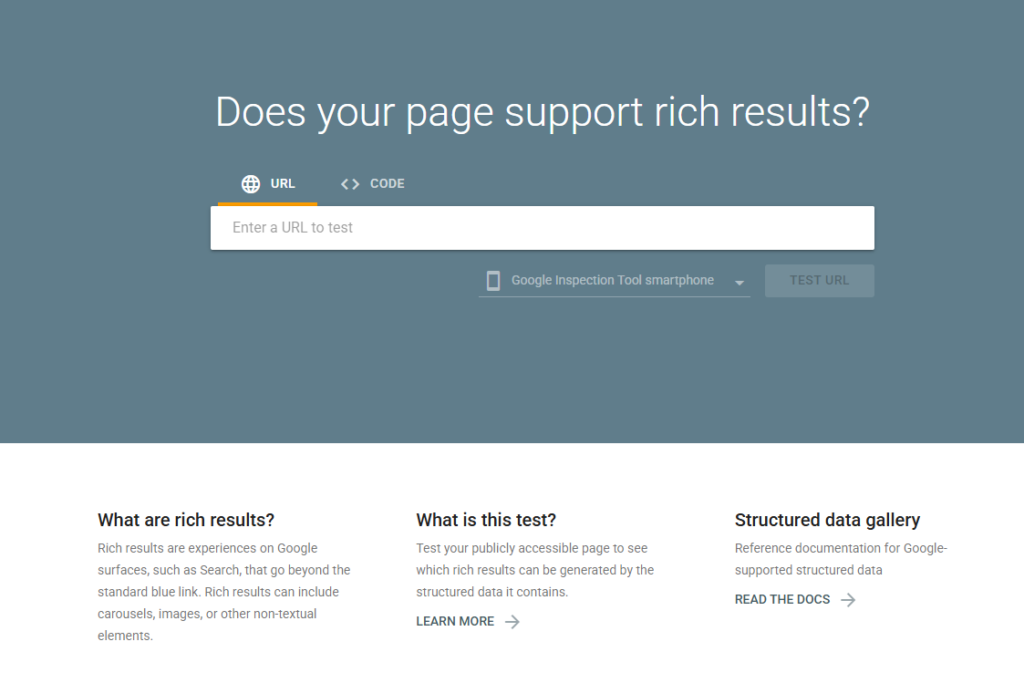
This keeps SEO reviews consistent across different team members and publishing schedules.
Publishing workflows should also support AI search visibility before the article goes live. Clear heading structures, FAQ formatting, entity-rich content, and scannable layouts help AI systems understand the page faster.
Say you’re creating a recipe page about how to bake sourdough bread. You may use clear step-by-step headings, FAQ sections, ingredient lists, and internal links to related baking guides. This structure helps both search engines and AI tools pull information from the page more easily.

Automation helps content teams eliminate repetitive publishing tasks that slow down the workflow. Instead of spending hours on manual setup tasks, teams can automate parts of the process and keep content moving toward publication faster.
Automation already plays a key part in marketing work. According to SurveyMonkey’s research, 88% of marketers use AI in their day-to-day roles.
For content teams, the best place to start is with tasks that repeat across every article. That includes:
Automation saves the most time in small admin tasks that pile up across the week. This ensures teams spend less time uploading drafts, fixing formatting, and moving content between tools before publication.
For example, a content manager can queue an entire month’s blog posts in advance. They don’t have to log into their CMS every day to publish articles one by one.
Automation can create publishing problems when your workflow is complex.
Some teams install too many plugins or connect too many tools in WordPress. This increases the risk of missing metadata and formatting issues during publishing.
For example, an automated publishing workflow may upload the article but skip the featured image. Teams still need QA checks in place, even when automation handles part of the workflow.
Too many approval layers slow content velocity and impact your pipeline. When a draft requires green lights from four different managers, there may be publication delays.
The problem gets worse when delays start piling up across multiple articles. A draft that sits an extra two days waiting for approval might not seem like a big deal on its own, but when it keeps happening, it can throw off your publishing calendar, content campaigns, and any SEO updates you had planned for the month.
Define exactly what requires formal approval and what doesn’t. For example, a major homepage rewrite requires a full brand review. However, a simple informational blog post can bypass approval.
Use clear deadlines for reviews to keep your team moving forward. If an editor does not review a draft within a defined timeframe, the article should automatically advance to the next stage.
Centralize feedback in a single tool to avoid back-and-forth emails. For example, you may leave comments directly in Google Docs to keep your team aligned on corrections without losing context.
Publishing speed affects more than deadlines. Slow workflows delay SEO growth, reduce content output, and create bottlenecks across the entire marketing process. Even strong content can underperform when teams spend too much time fixing formatting issues and handling manual publishing tasks.
Small workflow improvements add up over time. A standardized process helps teams publish faster with fewer errors. Automation also removes repetitive work that drains hours each week from editors, publishers, and SEO teams.
Better workflows create stronger consistency across large content libraries. Articles follow the same formatting standards, SEO structure, and publishing process, so they don’t look different every time a new writer joins the workflow.
The goal isn’t to publish faster at the expense of quality. The goal is to remove unnecessary work so teams can focus more on content quality, SEO, and user experience. When publishing runs smoothly, teams spend less time putting out fires and more time actually creating content that gets results.
Tools like Wordable help content teams reduce formatting work, streamline Google Docs-to-WordPress publishing, and speed up content production without having to rebuild articles in WordPress manually.
A WordPress publishing workflow is the process content teams follow to move an article from draft to publication. It usually includes:
A clear workflow helps teams reduce delays, avoid formatting issues, and maintain consistent publishing across all content.
Publishing workflows often slow down because teams handle too many tasks by hand. Formatting fixes, approval delays, metadata checks, image uploads, and broken imports can add hours of extra work before an article goes live. When several people handle different stages without a clear process, delays grow across the week.
Teams can reduce formatting problems by using structured Google Docs templates and standard formatting rules before content enters the WordPress editor. Direct Google Docs-to-WordPress workflows also help preserve headings, links, images, and spacing during imports. That reduces the need for manual cleanup before publication.
The best tasks to automate are the repetitive ones that happen with every article. That often includes uploading drafts, scheduling posts, and transferring metadata. Automation saves time on admin work so editors and publishers can focus more on content quality and reviews.
Publishing speed helps teams keep content fresh, organized, and consistent across their websites. Search engines and AI search tools prefer content that follows a clear structure and stays up to date. Slow publishing workflows can delay content updates, campaign launches, and SEO improvements that support long-term search visibility.