


Ever notice how productivity tool listicles lump content creation into one big category?
As someone who’s managed ambitious content teams, I can tell you that’s not how the content production process actually works.
Content teams need different tools for research, outlining, drafting, editing, publishing, distribution, and performance tracking.
That’s why I’ve organized this guide around the stages of the content workflow. (I won’t bore you with another generic app list.) You’ll find content productivity tools that solve the biggest bottlenecks at each step.
Here are some of the best. 👇
Highlights
According to MarTech Summit’s 2025 State of Digital Content, 45% of content teams say they lose productivity because of workflow inefficiencies.
Honestly, I’m surprised that number isn’t higher.
It’s easy to assume the answer is another standard productivity tool. (Cough cough … Slack. Notion. Asana.) Before long, you’ve got more software than workflow.
Content Marketing Institute’s 2026 B2B Content and Marketing Trends report shows that isn’t the case. CMI found that teams improved content effectiveness more through strategy refinement than by adopting new technology.
As the report puts it, “Tools don’t create strategy; they amplify it.”
That’s why my team stopped asking, “What’s the best productivity tool?” Now we ask, “Which part of our workflow slows us down?”
That starts with mapping your workflow.
For many content teams, the workflow looks something like this:
Once you’ve mapped those stages, the bottlenecks will become more obvious. Then you can choose tools that solve the right problems.
Speaking of which …
Think of this as a toolkit, not a shopping list. Each tool below solves a different problem in the workflow.
These are the tools I use to understand search intent, find content ideas, and build outlines worth writing. 👇
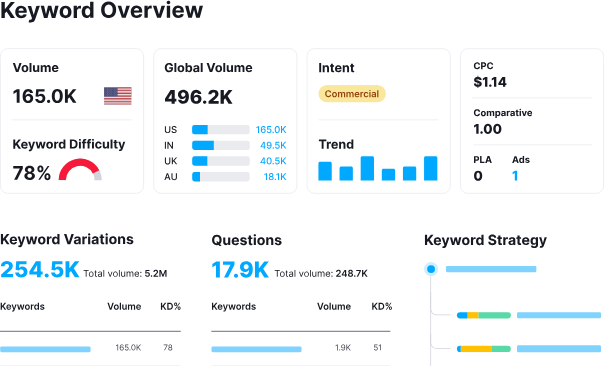
Every SEO writer has published something they later realized nobody wanted. Semrush has saved me from doing that many times.
Before I commit to an idea, I’ll check the search intent, who’s already ranking, and whether there’s room to create something better.
Why content teams love it: It connects keyword research, competitor analysis, and performance tracking in one platform, making content planning much more strategic.
Top productivity features:
Pricing: A free limited account is available. Semrush One plans start from $165.17/month.
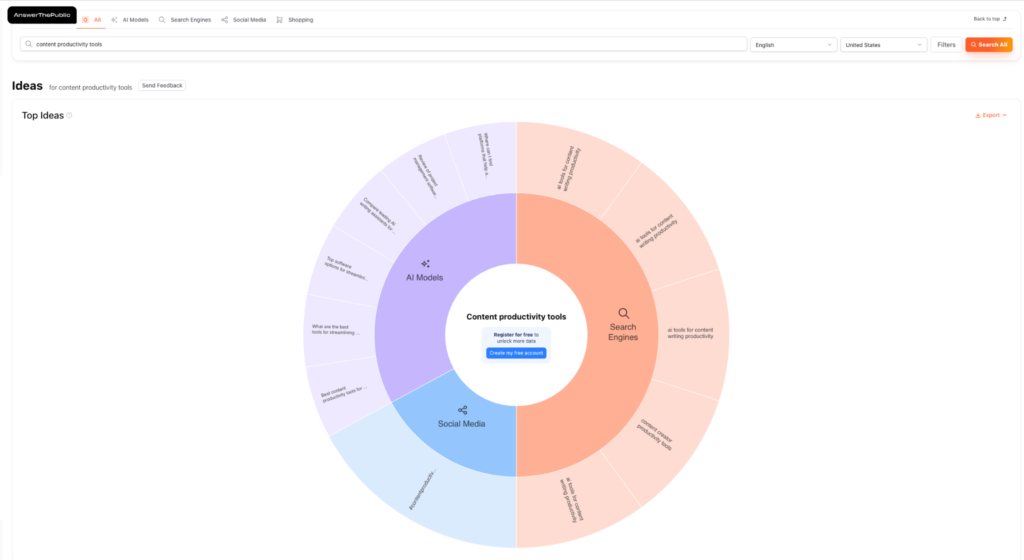
If you’re asking yourself “What else would someone search for?” when planning an outline, open AnswerThePublic.
It takes a topic and shows you the questions, comparisons, and phrases people Google. I use it to find FAQ ideas and uncover subtopics I’d probably have missed.
It’s particularly useful for long-form guides where I need to cover the full topic, not just hit the primary keyword.
Why content teams love it: It helps writers think like their audience, making articles more useful and aligned with real search intent.
Top productivity features:
Pricing: Three free searches daily. Paid plans start at $13.33/month billed annually.
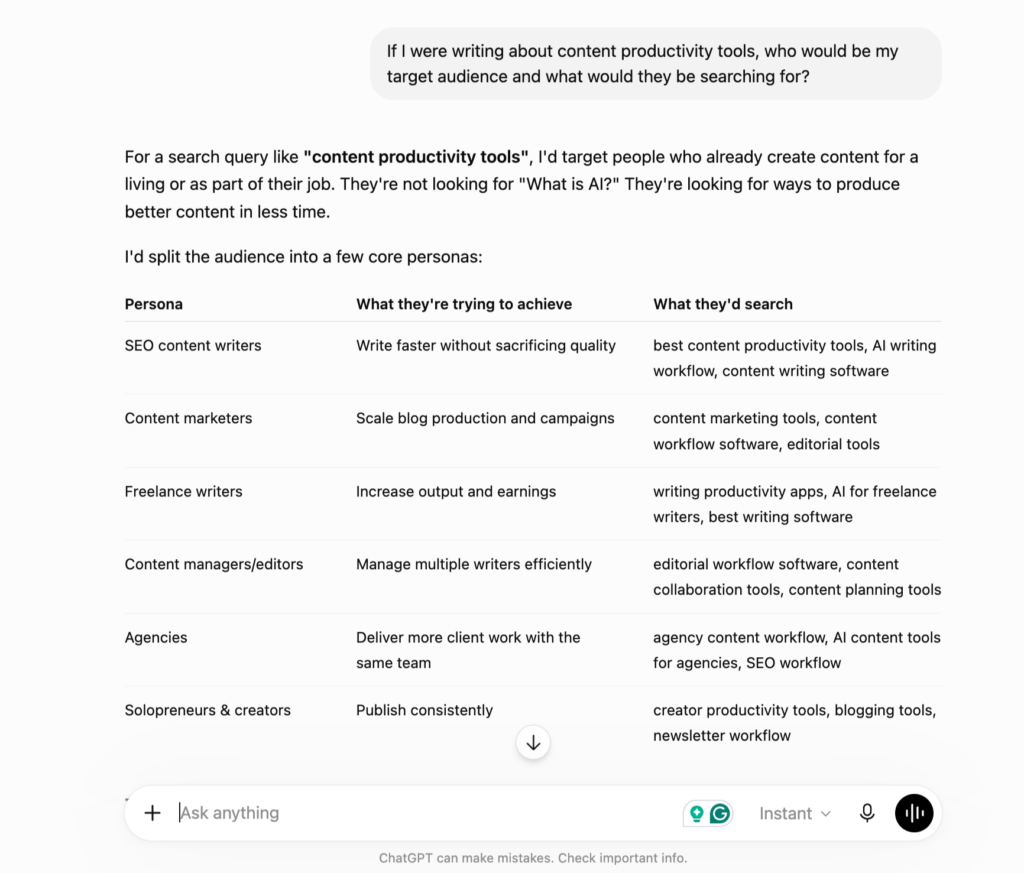
ChatGPT is usually the tool I open when I need a thinking partner. (NOT a copywriter.)
I give it my braindumps and ask it to organize my messy ideas into potential outlines.
It’s also a great tool when you have micro-questions like, “Does this intro hook the reader?” “Am I repeating myself?” “What does my target audience think about X?” “What’s missing from this outline?” or “Can you think of a better transition?”
Why content teams love it: It removes repetitive thinking tasks, so writers spend more time improving the ideas that matter.
Top productivity features:
Pricing: Free plan available. ChatGPT Go starts at $8/month.
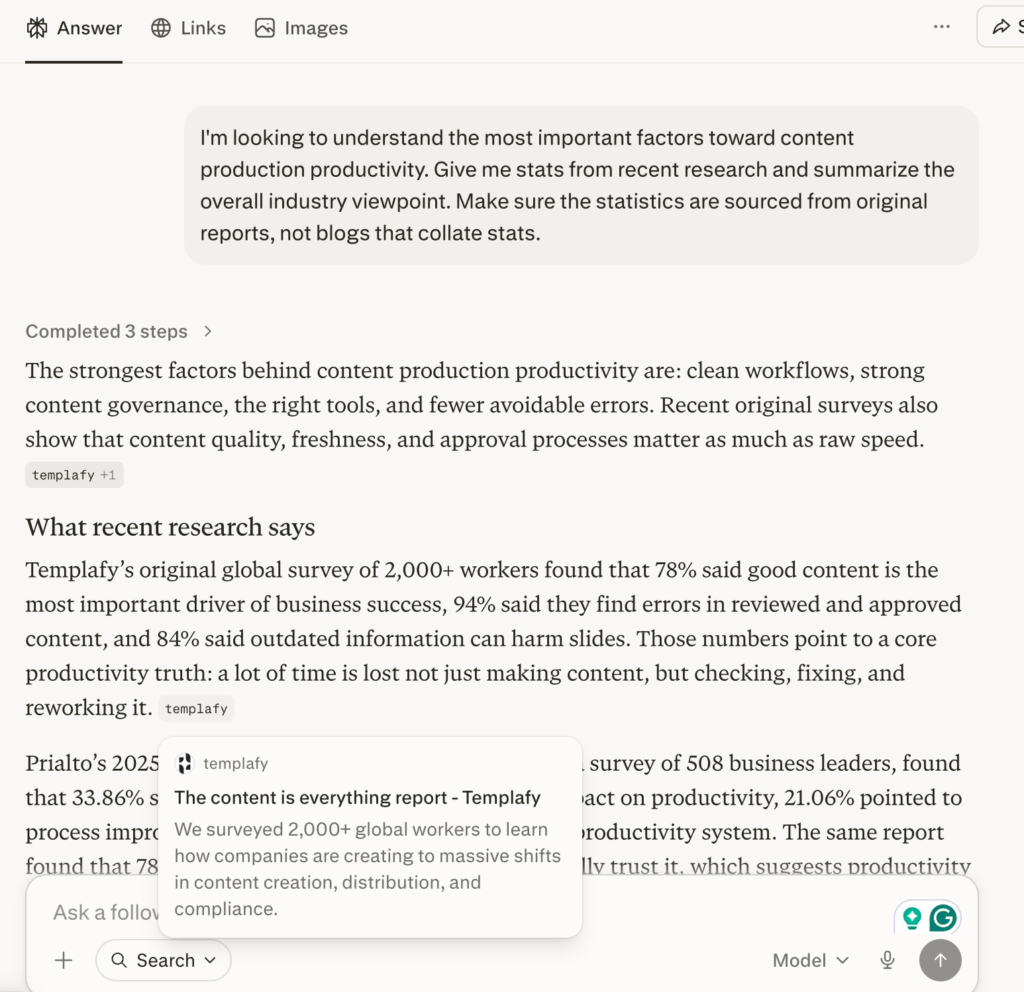
If I’m researching a topic that’s new to me, I head straight to Perplexity. It helps me build stronger outlines, understand unfamiliar industries, and compare multiple sources without opening twenty browser tabs.
What I like most is that it shows where its answers came from. If something looks useful, I can click straight through to the original source instead of wondering whether the AI has been a little … imaginative. 🙃
Why content teams love it: It combines AI-powered summaries with source citations, making research faster without sacrificing credibility.
Top productivity features:
Pricing: Free plan available. Pro starts at $17/month, billed annually.
These tools help you write, collaborate, stay consistent, and polish every draft before it goes live. 👇
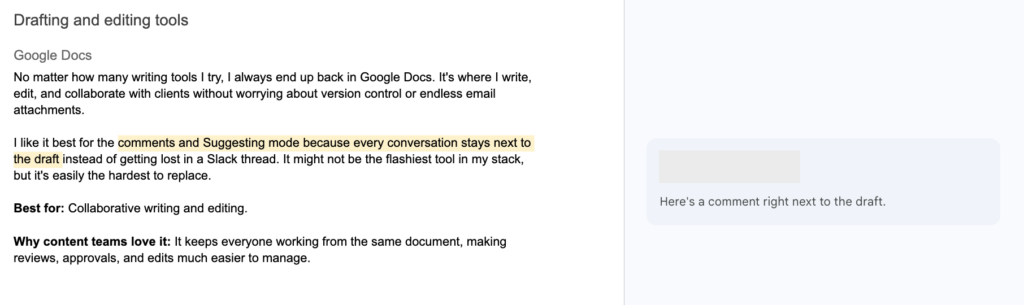
Google Docs is the bee’s knees.
It’s where my team writes, edits, and collaborates with clients without worrying about version control or endless email attachments.
I like it best for the comments and Suggesting mode because every conversation stays next to the draft.
It might not be the flashiest tool in my stack, but it’s the hardest to replace. I don’t think another tool will ever be able to compare to Google Docs. (And no, Microsoft Word doesn’t cut it.)
Why content teams love it: It keeps everyone working from the same document, making edits much easier to manage.
Top productivity features:
Pricing: Free with a Google account.
One writer is easy to manage. Ten writers?
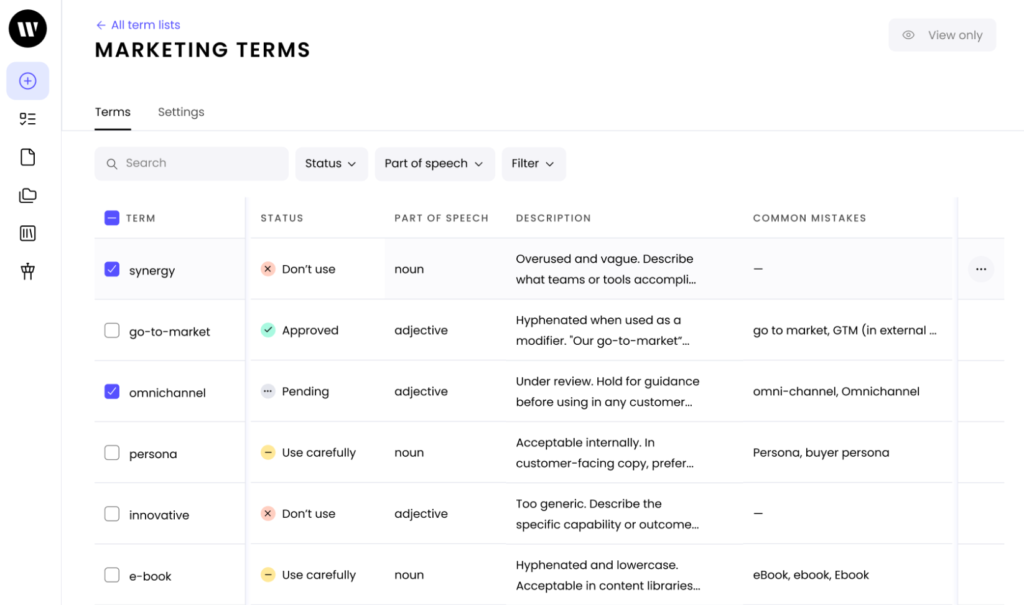
That’s when everyone starts inventing their own version of brand voice.
Writer catches those little inconsistencies while people are still drafting, and before they land on the editor’s desk. Style guides, terminology, approved language … it’s all there in the background, so you get feedback as you go along.
It’s most useful for larger marketing teams managing multiple brands.
(I prefer it over Grammarly because its suggestions fit online content better. Grammarly always wants to make everything sound more academic than it needs to.)
Why content teams love it: It reduces editing time by helping every writer follow the same voice and style guidelines.
Top productivity features:
Pricing: There’s a 14-day free trial. Custom paid plans are available on request.
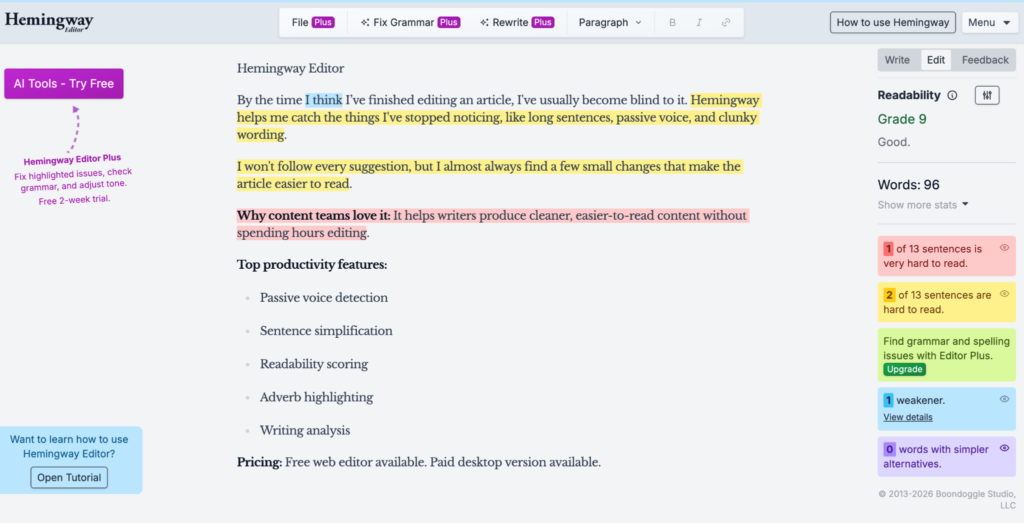
Hemingway helps my team catch long sentences, passive voice, and clunky wording.
I won’t follow every suggestion. But I almost always find a few small changes that make the article easier to read. (Like cutting adverbs or tightening an awkward sentence.)
Why content teams love it: It helps writers produce cleaner, easier-to-read content without spending hours editing.
Top productivity features:
Pricing: Free web editor available. Paid licenses for Mac OS and Windows are available for $19.99 each.
This is the stage that’s easiest to underestimate. Use these tools to cut down the time it takes to fix, format, and publish your content. 👇
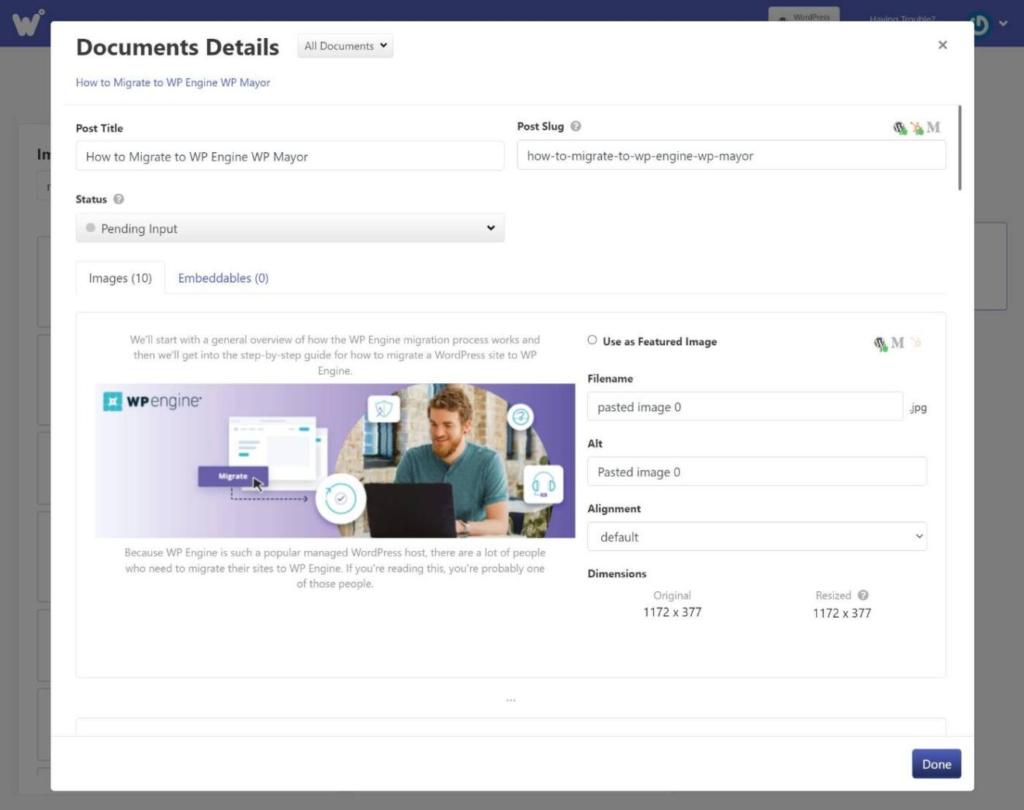
I used to underestimate how much time publishing took. Copy, paste, fix the headings, re-add the links, move the images … it all adds up.
Wordable skips most of that.
It imports my Google Doc into WordPress while preserving most of the formatting, so all I’ve usually got left is a quick check before I hit publish.
If you publish regularly, it’s a surprisingly big time saver. (Especially for blog marketing at scale.)
Why content teams love it: It removes repetitive formatting work so editors can spend more time reviewing content instead of cleaning it up.
Top productivity features:
Pricing: Free plan available. Paid plans start at $29/year.
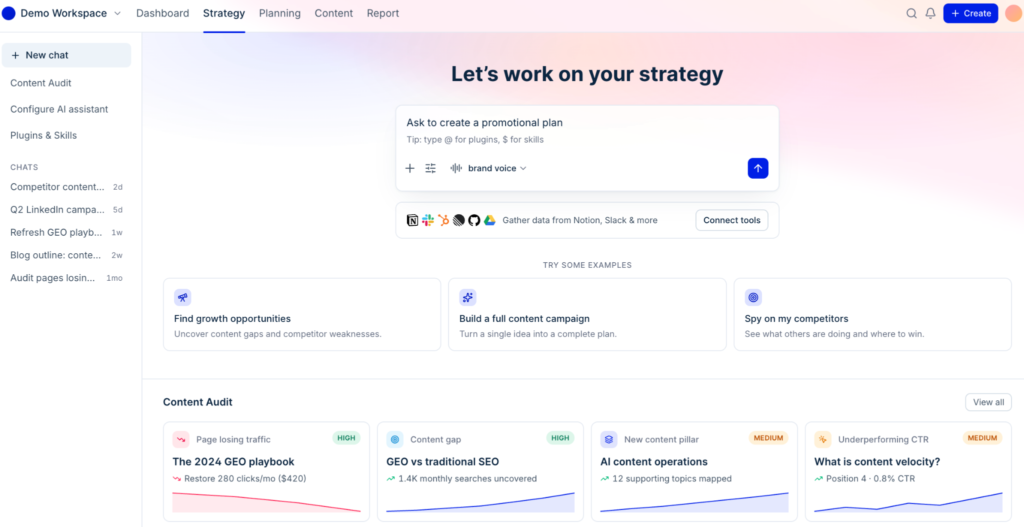
Once my article is live on WordPress, I still have plenty of publishing left to do.
I need to share it across social media, include it in newsletters, and repurpose it for other channels. StoryChief helps me publish that content from one place instead of logging into multiple platforms and repeating the same steps.
Why content teams love it: It makes multi-channel publishing faster and easier to manage from one place.
Top productivity features:
Pricing: Free plan available. Paid plans start at $29/month/seat.
These tools help you promote your content, earn backlinks through digital PR, and uncover new SEO opportunities. 👇
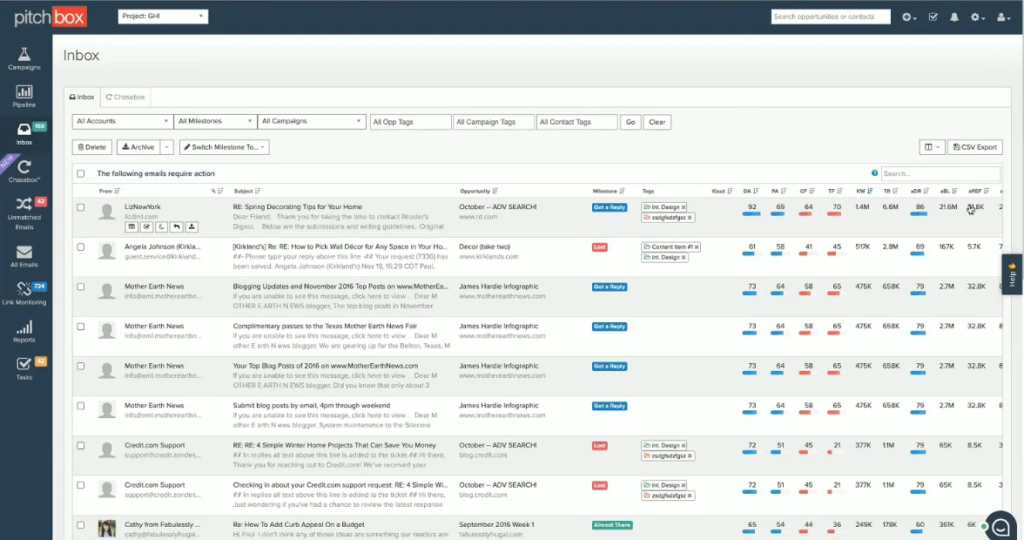
My team has perfected outreach emails.
But what used to slow us down is keeping track of every conversation, follow-up, and campaign once the emails start going out.
Pitchbox takes care of that side of digital PR, so we can spend more time building relationships with journalists, publishers, and affiliates. (Relationships are always our top priority.)
Why content teams love it: It keeps outreach campaigns organized, making it easier to build relationships and earn high-quality backlinks.
Top productivity features:
Pricing: Plans start at $210/month billed annually.
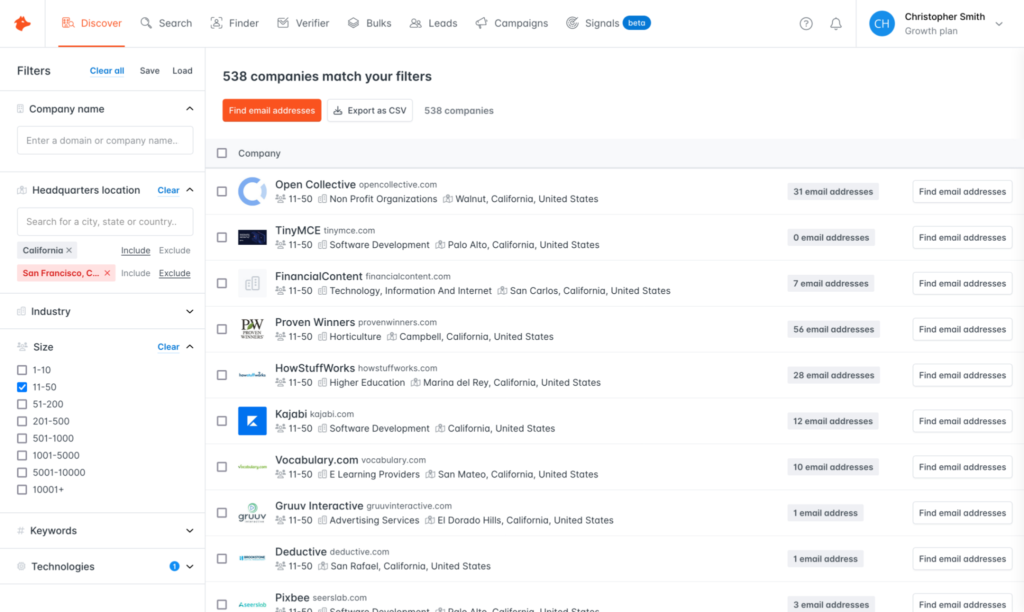
Building out contact lists is another major time-suck.
Hunter helps our outreach team find the right people, discover and verify their email addresses, and build prospect lists. (Without spending an afternoon clicking through company websites. 🙃)
Together, Hunter and Pitchbox cover the two biggest parts of digital PR: building prospect lists and managing outreach.
Why content teams love it: It cuts out hours of manual prospecting before the outreach even begins.
Top productivity features:
Pricing: Free plan available. Paid plans start at $34/month, billed annually.
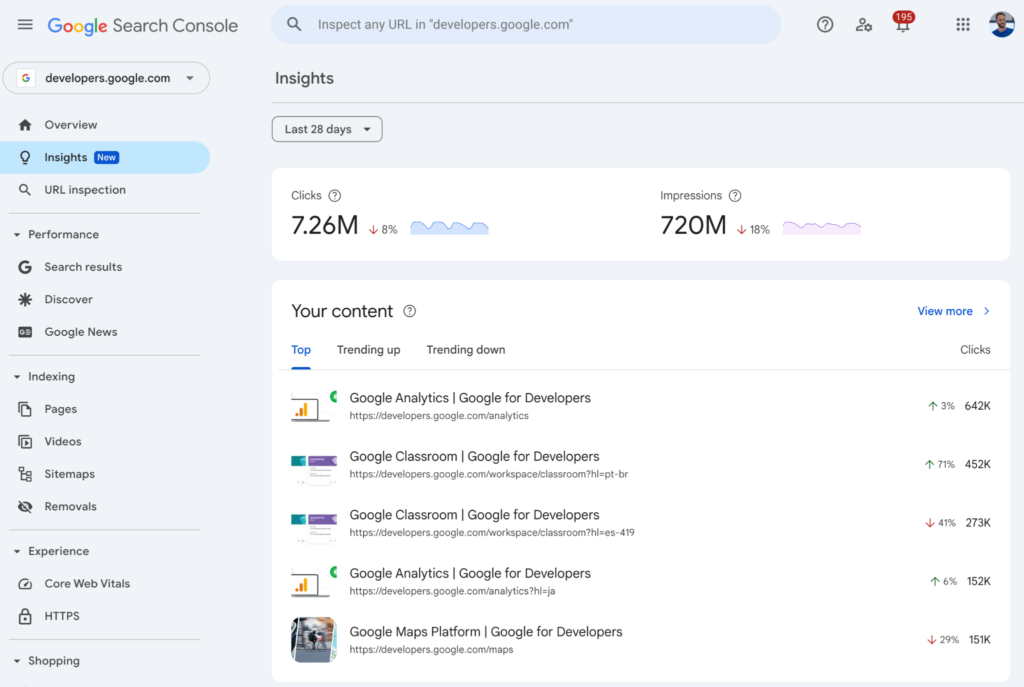
Before I start creating new content, I like to see whether there’s an easy win sitting on the website already.
Google Search Console shows me which pages are getting impressions, which queries are gaining visibility, and where a small update could have a big impact.
Some of our best content refreshes have started here.
Why content teams love it: It provides real search data that helps teams prioritize updates and improve existing content.
Top productivity features:
Pricing: Free!
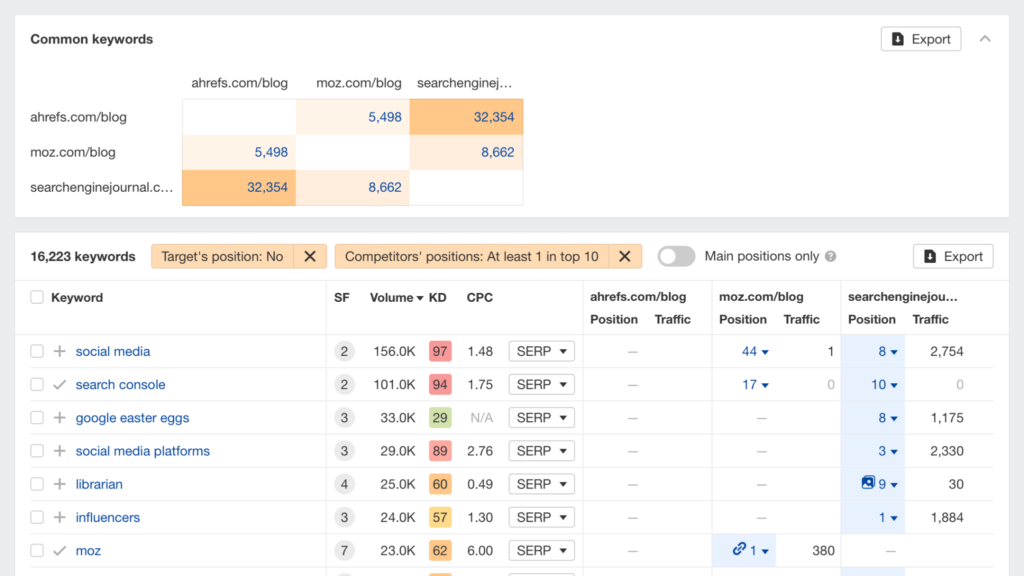
When I want to understand why some pages outrank others, I turn to Ahrefs.
We use it to uncover content gaps, analyze backlinks, find high-performing pages, and understand why competitors are ranking higher.
Why content teams love it: It helps teams track competitors, monitor backlinks, and uncover new opportunities to grow organic traffic.
Top productivity features:
Pricing: Free plan available. Paid plans start at $29/month.
The best productivity tools FOR YOU are the ones that remove the biggest bottlenecks in your content workflow.
I recommend mapping your workflow, identifying the stages that slow you down, and choosing tools that solve those problems.
You probably won’t need everything on this list. And that’s the point.
A few tools that fit your workflow beat a stack of apps you barely use.
P.S. If WordPress formatting is one of your biggest bottlenecks, give Wordable a try. It saves my team hours every month! 💃🏻✨
If you’re just getting started, I’d begin with ChatGPT, Google Docs, Google Search Console, and one SEO tool like Semrush or Ahrefs. They cover research, writing, collaboration, and performance without overcomplicating your workflow (or draining your budget!).
Usually fewer than you think. Focus on the biggest bottlenecks in your workflow first, then choose tools that solve those specific issues instead of automating everything at once.
Start with the tool that solves your biggest content production challenge. If research and drafting take too long, AI can help. If you’re struggling to grow organic traffic, invest in an SEO platform first.