


Remote work productivity will remain a focus as remote and hybrid workspaces are the norm.
And for good reason. How a team organizes its communication, tools, and processes has a big impact on its results. That’s why it’s so important to support remote workers with clear guidance and helpful resources.
Let’s take a closer look at best practices, effective techniques, and common mistakes to avoid so your remote team can perform at its best.
Highlights
Implement these best practices for better remote work productivity:
Productivity needs a clear picture.
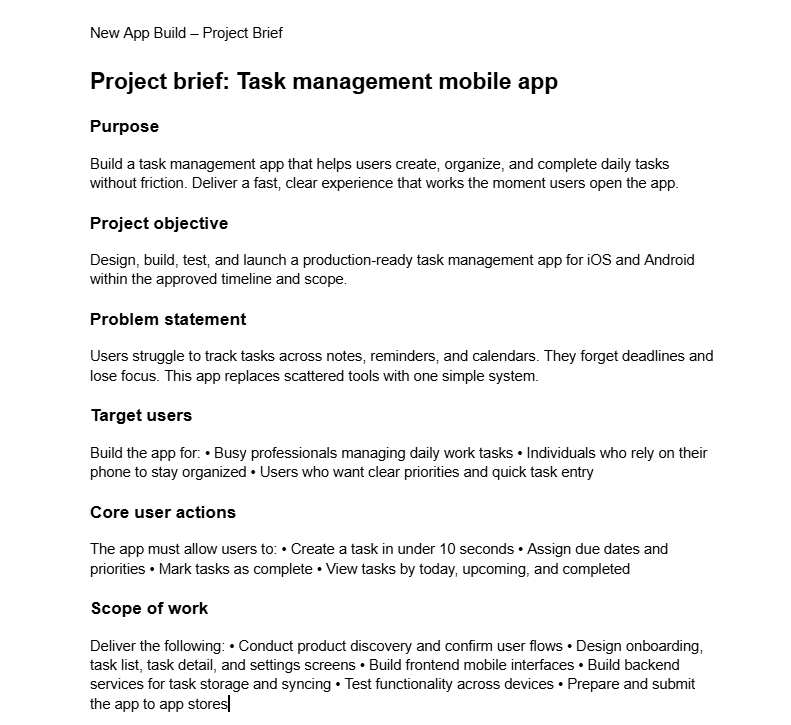
What exactly do you expect your remote employees to achieve? What does a complete project look like? What checkboxes must it check off? What does an incomplete deliverable look like?
Provide plenty of visual examples and reference points, such as style guides and detailed project briefs.
(Image by Ioana)
If team members are unsure, start with a test project before handing off a real client work order.
Provide specific employee feedback afterward so they know how to focus their approach on the next go-around. Use screen-sharing tools to share the project on screen and give tips in real time. (Leave plenty of room for questions to make sure team members get all of the information they need to succeed.)
Offer flexible schedules so your remote workers can work during their peak energy hours. Encourage them to block out time for deep work during those times.
When scheduling meetings, poll your team for their preferred times to sync. You want to protect their deep-work hours as much as possible since that’s when they’re most productive.
You can solve so many productivity tracking problems in advance by onboarding your remote workers the right way.
When a new employee starts, give them one helpful document.
Include:
You can also attach their first project brief. And any supporting documents, such as a style guide or playbook. This will definitely support the employee experience.
If onboarding is clear and organized, new remote employees can get up to speed faster. (And start contributing without confusion or unnecessary delays.)
Use these techniques to improve remote productivity:
Give remote employees access to tools that make their jobs run more smoothly.
If they’re in IT support, give them access to TeamViewer or TeamViewer alternatives for remote access and control jobs. If they’re content marketers, give them access to a document editing tool, like Writer, and a blog post publishing tool, like Wordable.
If they’re designers, give them access to Adobe Creative Cloud for design work. And a file-sharing platform, like Google Drive or Dropbox, to share assets with the team.
If they’re managers overseeing hourly or distributed workforces, give them access to a time management tool.
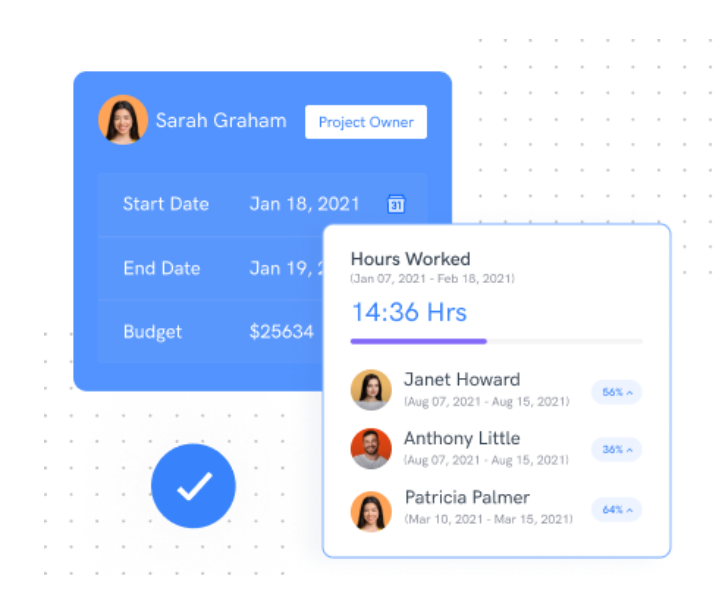
More on tools in a bit.
If possible, help your remote workers pay for a comfortable home office. It doesn’t have to be fancy. Consider offering a stipend or reimbursement for essentials such as a chair, monitor, or better lighting. Ask them what they need and set a budget.
Host sessions that teach practical productivity skills for remote work.
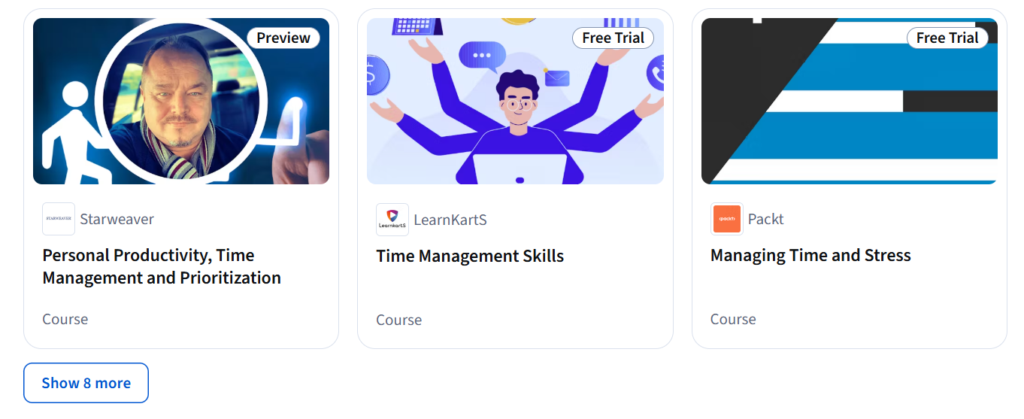
Teach things that directly impact day-to-day work, such as:
➜ Time management techniques: Teach prioritization methods like the Eisenhower Matrix, time-blocking, and the Pomodoro technique.
➜ Digital tool proficiency: Show team members how to get the most out of the apps they use daily (e.g., Project management tools, document collaboration tools, and communication software).
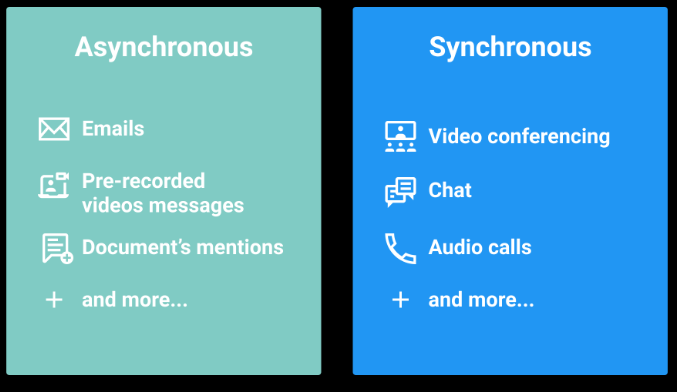
➜ Effective asynchronous communication: Train staff how to write clear updates and use status channels.
➜ Remote collaboration strategies: Teach methods for brainstorming, feedback, and decision-making.
➜ Focus and energy management: Offer tips on minimizing distractions, setting boundaries, and protecting deep-work time.
You can host these training sessions live via video conferencing. Or record them (using a video conferencing tool) for on-demand access, and employees can reference them anytime. Pair training with follow-ups and Q&A sessions to reinforce skills. ✅
Here’s what NOT to do (and what to do instead) to protect remote work productivity:
Staying updated on progress is important. But constant status meetings and long emails pull remote team members away from real work.
Try this instead. 👇
Switch to short weekly updates.
Ask your team to answer three simple things:
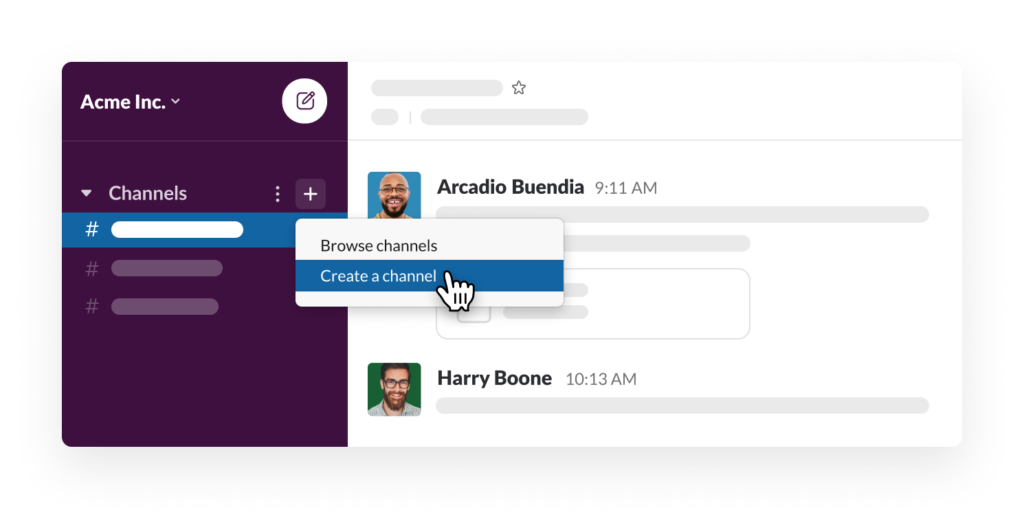
Keep these updates written and asynchronous whenever possible, so people can read them on their own time. Maybe create a “Status Updates” channel in Slack. Or have a dedicated company updates section in your remote workforce management software.
A full office doesn’t automatically mean high output.
On hybrid teams, forcing people into the office can drain their energy. When you decide to make in-person attendance mandatory, ensure you have a clear rationale.
For example, schedule office time around things that work better in person. Like strategy chats or problem-solving together.
If you’re designing airports for several cities, having everyone gathered around the same table, pointing at maps and sketches, makes sense. If you’re designing a simple content workflow, you can probably meet async or host a video meeting.
Pay attention to how your office space gets used, too. Tweak the layout to support how people actually work.
Maybe your teams do their best thinking around a big round table with an endless pot of coffee nearby. Or maybe they need quiet corners for focused work, and a few flexible spaces they can reconfigure when they need to sync up.
Collect feedback from your team before making any changes. Ask them what hybrid workplace design helps them focus best when they’re in the office.
And when possible, make attendance optional.
When team members feel unsupported or lack work-life balance, productivity can naturally dip.
Strike a balance between giving your team independence and also offering them guidance and resources. When speaking with your team members, ask them what’s energizing and where they need support. Gallup’s Productivity Report says productivity improves when people work in roles that match their strengths and talents.
Try to give them more projects that excite them and provide tools to help them succeed.
For instance, introduce programs like:
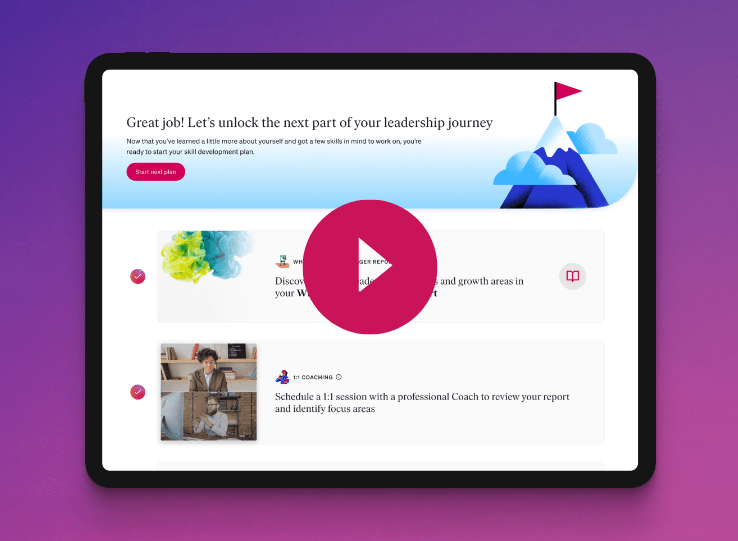
Consider also offering a wellness program that includes:
It’s important to support your remote and hybrid workers if they’re going through something in their personal lives. If they have a mental health issue, offer empathy and flexibility. The more you help protect their health, the better they’ll feel at work.
Use async channels, like Slack (we review this in our content collaboration tools blog), to leave funny memes in the watercooler chat. Or to catch your team up on company updates.
Don’t use it to speak negatively about team members or ignore gossip chains.
If toxic communication comes up, shut it down immediately. If you’re feeling frustrated about a team member, take a pause and process your feelings before communicating with anyone.
Speaking negatively about people wreaks havoc on team morale and distracts team members from meaningful work. It also chips away at your team’s culture. Your team will be less collaborative, less positive, and less aligned … so it’s just bad news all around. 😓
Instead:
➜ Set clear communication expectations: Define what’s acceptable and encourage constructive feedback.
➜ Address negativity immediately: Handle issues privately and calmly before they spread.
➜ Provide safe outlets: Use one-on-ones or anonymous feedback channels for concerns.
➜ Praise positive behavior: Recognize positive collaboration, problem-solving, and respectful communication.
➜ Make consequences clear: Make sure team members know that toxic communication won’t be tolerated.
Instead of helping, tools sometimes create invisible friction. Multiple apps and overlapping software can make remote work feel like a logistics job instead of productive work.
To encourage better productivity among remote workers, pick one progress-tracking tool. Make it your remote team’s home base so updates don’t get scattered across messages, docs, and meetings. Try options like Blink, monday.com, or Basecamp.
Use your main tool to house:
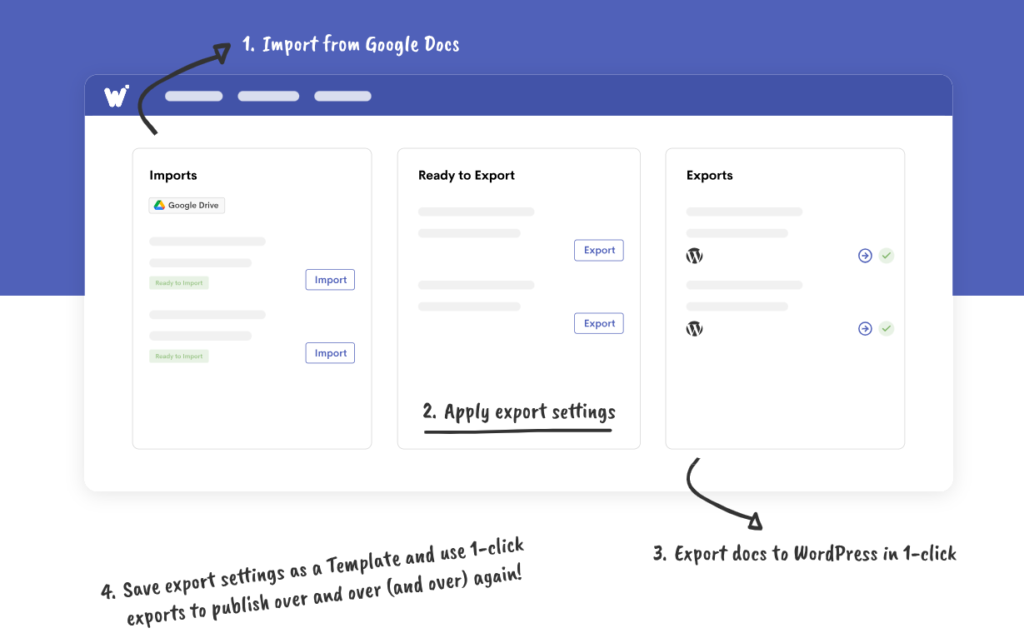
For async communication, choose a simple tool, like Slack. For document management, Google Docs, Google Drive, and Wordable are all you need.
(Note: Wordable helps you save a lot of time. It lets you export your Google Doc directly to WordPress, Medium, or HubSpot.)
Measure your productivity growth after implementing these tools.
Is remote productivity easier? Has employee participation increased? Is employee retention strong? Is work getting done well?
Here are some other productivity metrics to track:
Audit your tools quarterly. Remove anything redundant and ensure the remaining tools are used consistently by everyone.
Micromanaging remote staff is a fast track to frustration and lower productivity. Constant check-ins, asking for updates on every small task, or monitoring every move can make employees feel mistrusted.
This hurts morale and stifles creativity.
Remote workers thrive when they have autonomy and trust.
Instead of hovering, focus on outcomes and let your team choose the best way to reach them.
Try these approaches:
➜ Set clear expectations: Define what “done” looks like for each project, so employees know what success means. (A reminder from earlier!)
➜ Schedule purposeful check-ins: Keep meetings short and focused on removing blockers or providing guidance.
➜ Use async updates for visibility: Use dashboards or shared progress tools so you’re informed without having to interrupt employee work.
➜ Trust, then verify: Give team members autonomy, and only step in when there’s a real need or obstacle.
➜ Celebrate initiative and problem-solving: Recognize employees who take ownership. They’ll continue solving problems and, hopefully, inspiring their teammates to do the same.
Remote work productivity improves when your expectations are clear, systems stay simple, and people have room to do their jobs well.
Support your team with the right tools and training, and remove friction wherever possible.
Do this consistently, and productivity will follow. 💪
PS: Does your remote team need a quick way to publish blog posts to WordPress? Wordable can help you do that in seconds. Try Wordable now!
How can I make sure my remote team is productive without micromanaging?
Focus on outcomes, not hours or activity. Set clear business goals, milestones, and expectations. (And give your team autonomy to get there.) Use weekly check-ins or short written updates for tracking projects without hovering.
How do I prevent remote workers from feeling isolated?
It’s important to build genuine connections if you have a remote work model. Encourage casual coffee chats or host small peer groups regularly. Use collaboration tools to facilitate natural conversations and work check-ins for remote workers.
How often should hybrid teams be in the office?
Office days are most productive when they serve a purpose. For hybrid work, think about planning, collaboration, problem-solving, or team-building. Let deep, focused work stay at home.
Communicate this clearly to avoid unnecessary commuting.
What’s the best way to manage remote productivity tools?
Use simple and purposeful tools. Like one platform for communication, one for collaboration, and apps for document management and content publishing — like Google Docs and Wordable. Too many tools create friction and split attention.
How do I measure productivity without creating stress?
Track results and outcomes, not hours or online presence. Focus on deliverables, quality, and milestones rather than constant availability.
How do I support wellbeing and prevent burnout remotely?
Build wellbeing into your workflow. Check in on stress, offer wellness programs, and normalize recovery time.
How can I help my team maintain focus while working from home?
When managing a remote team, encourage focus blocks and flexible schedules. Energy management is just as important as time management.
How do I keep remote workers engaged over time?
Engagement grows when people feel seen, valued, and connected. Celebrate wins, provide regular feedback, and create opportunities for collaboration and learning. Rotate small peer recognition initiatives or micro-learning sessions to keep engagement high.