


A blog post checklist has saved me from MANY mistakes that could’ve hurt my credibility.
As a B2B content writer, I need every post to offer real value, match search intent, and deliver accurate, in-depth information readers can apply.
But quality issues usually don’t show up as one huge mistake. They show up as missed metadata, uneven formatting, weak internal links, unclear sections, or final drafts that still need cleanup before they can go live.
That’s why my team uses a detailed checklist before publishing any blog content.
Below is the exact process we follow.
Highlights
A blog post checklist helps you review important details before publishing an article.
Writers, editors, and content teams use it to catch formatting issues, readability problems, and missing optimization details before content goes live.
According to CMI research, the factors that improve B2B content marketing are relevance and quality, team skills and capabilities, and alignment with sales.
A blog post checklist can help your team with this. It helps speed up editing, improve quality control, and make publishing workflows easier to manage at scale.
(That last part is VITAL if you publish a lot of content.)
Here are the top benefits of using a blog post checklist:
You can’t afford to skip any of these.
K, off to the checklist. 👇
I highly recommend bookmarking it, sharing it with your team, or adding it to your style guide or blog post SOP!
Use the checklist below to make sure your blog posts are ready to publish.
Sound knowledgeable, clear, and helpful without sounding robotic or overly formal.
The ideal tone is “conversational expert.”
Write like you’re explaining something useful to a smart colleague.
Aim for a 6th to 8th-grade reading level whenever possible. For more advanced audiences or technical pieces, keep the reading level between 8th- and 10th-grade levels.
Use Hemingway to check this. Screenshot your grade and paste it at the top of your draft.
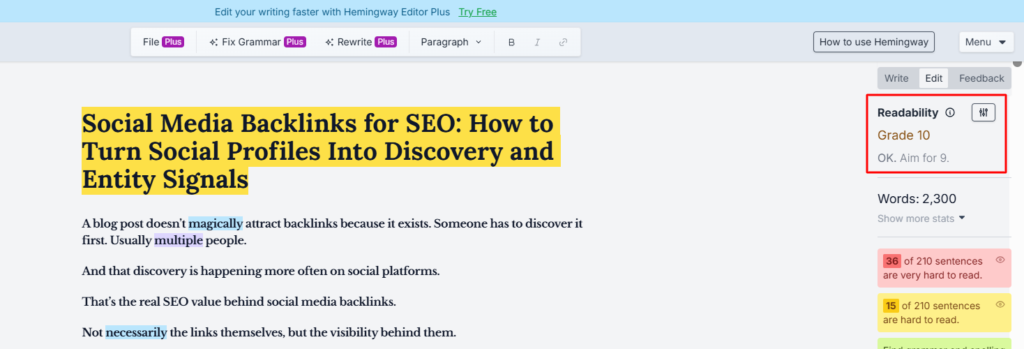
(Image by Ioana)
Add new value to every section instead of repeating the same point in different ways. (Unless repetition adds clarity or helps reinforce an important takeaway.)
The reader should know how to apply your insights to solve their specific problem and search intent.
If the main keyword is “build a project timeline,” your piece should walk readers through the process of creating one.
Stick to two or three lines per paragraph (four max) and use generous spacing.
Read your piece out loud to spot weird pacing. Then choose the appropriate spacing and paragraph length.
Avoid passive voice unless it’s necessary. Keep your piece to 2–3% passive voice or less to make your writing feel clearer and easier to read.
(Highly recommend using a passive voice tracker to practice this.)
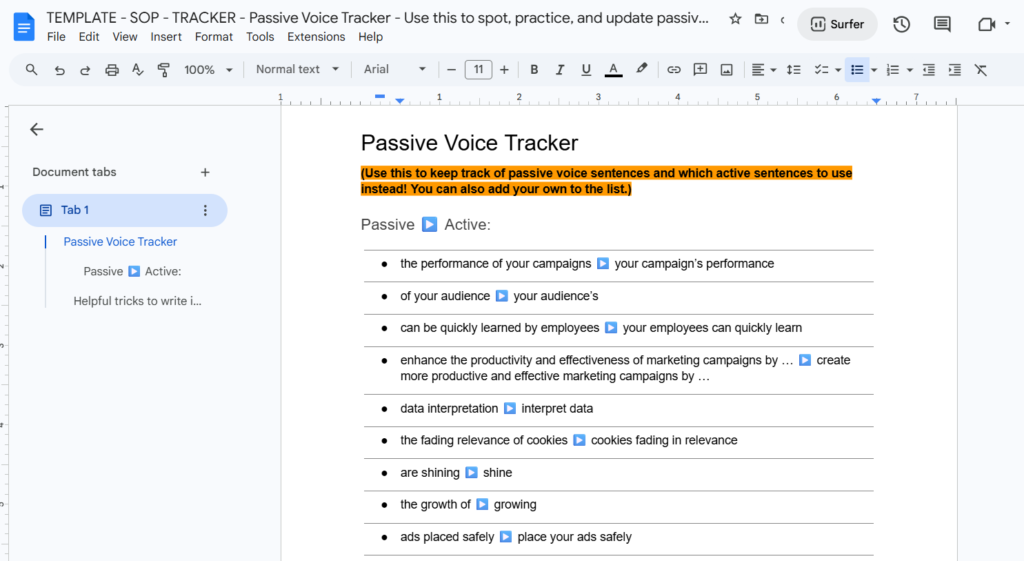
Image by Ioana
Always use contractions.
E.g., use “can’t” instead of “cannot” and “it’ll” instead of “it will.”
Choose direct words like “can,” “helps,” and “supports” over “could,” “enables,” or exaggerated claims.
Cut unnecessary wording like “all about,” “and more,” or “over and over again.”
Skip AI-sounding phrases like:
If it sounds generic or bot-like, please cut it.
Stick to root verbs like “help” instead of “helping,” and “grow” instead of “growing” whenever possible.
Once the writing itself is clear, the next step is making sure the article is easy to scan, format, and publish.
Make sure your article feels complete and structured.
Follow this seven-part structure for every blog post:
Use our blog post creation templates to make sure you don’t forget!
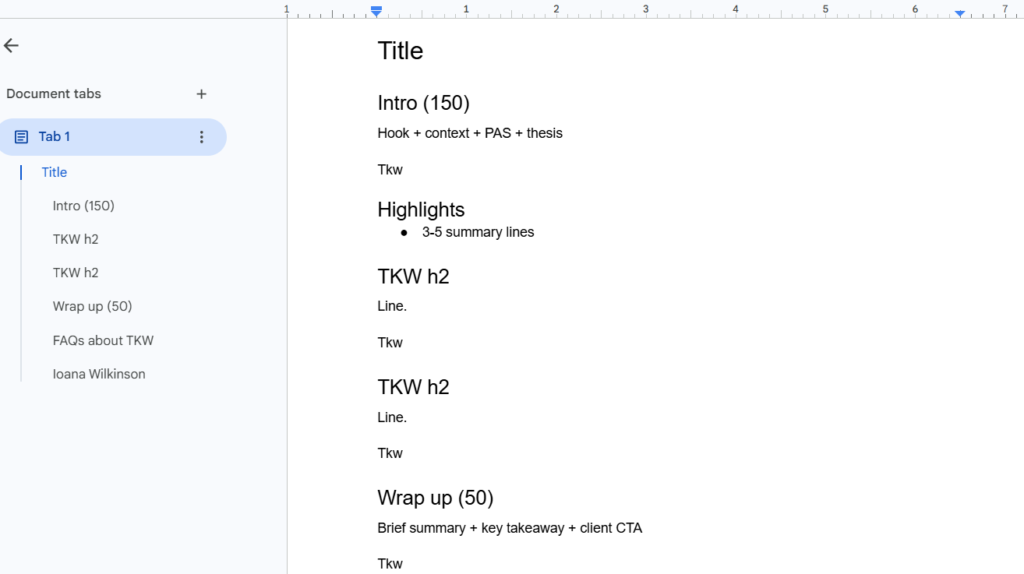
(Image by Ioana)
Never drop readers directly into bullets or numbered lists. Explain what they’re looking at before providing the list.
Example:
“Here’s why teams outsource project managers:
Limit bullets to one or two sentences each.
If you need to make them longer, swap them out for bold text headings or H3s instead.
Highlight important ideas, keywords, and takeaways with bold text and italics to improve readability.
Check headings, spacing, lists, punctuation, and emphasis styles throughout the article.
If you see inconsistencies, edit them to match the rest of the piece.
Add at least a short sentence before moving into the next section. (You can skip this if you’re writing a major listicle with sub-sections.)
When writing lists, order them from longest to shortest sentence. This usually makes lists easier to scan. See the example below.
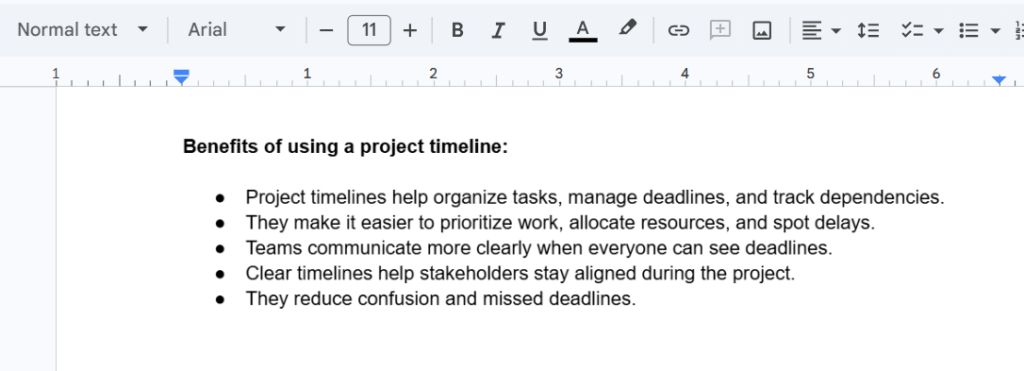
(Image by Ioana)
Note: Don’t follow this rule if the order matters. For example, when explaining steps or a specific process.
Link naturally to five relevant internal pages. Ideally, link to blog posts within the same topic cluster. (Try to match the anchor text to the page’s URL.)
Tell readers what action to take next at the end of every article.
The call to action should link out to a demo, product, trial, or sales call page.
Include both the meta title and meta description at the top of the draft. Keep the meta title to 60 characters or less and the meta description to 160 characters or less. Sell why the user should read the piece in the description.
Compress large files, center-align images, and include image sources, titles, and alt text.
Images must be 400KB or smaller.
Ensure all headings and sections flow logically and follow SEO best practices. (Follow the seven-part structure in #11.)
Answer the search intent in the first body header, right after the Highlights section. Include a benefits section after.
Below that, include a listicle, how-to, comparison, or review based on the SERP for your target keyword.
Here’s an example:
Make sure you can answer yes to these questions:
Paste your main keyword into the provided semantic SEO tool and pull secondary keywords.
Make sure to weave these throughout your article, naturally. (They MUST make sense. No keyword stuffing, please.)
Your content should score at least 5-15 points above the target SEO score.
Review the article from top to bottom before submitting it. Does the formatting look okay? Do all headings clearly satisfy search intent?
Check the spelling, grammar, fonts, and sizing, too. Are there any random errors, spacing problems, or font and sizing inconsistencies?
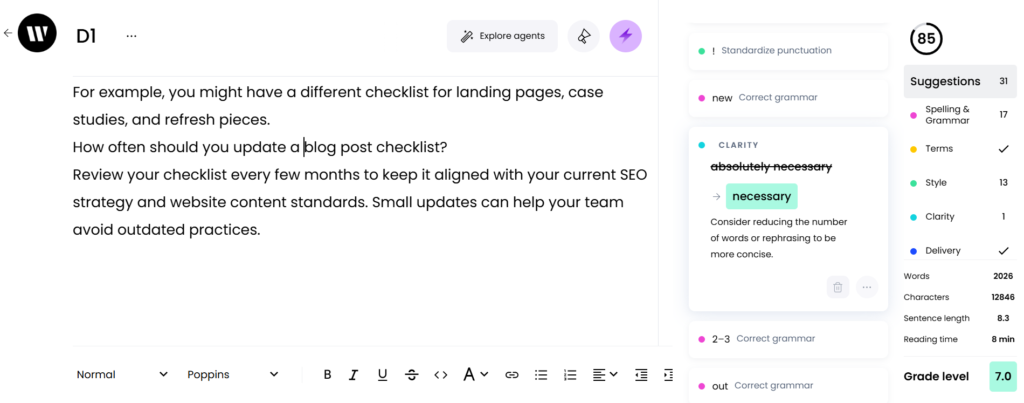
Use Grammarly and Writer to cross-check for plagiarism issues and grammar errors. The score should ideally be 90%. (Use your own best judgment, too — these tools often make mistakes.)
(Image by Ioana)
Remember to also perform a readability check using Hemingway. The post should score a Grade 6–8 or an 8–10, depending on the audience’s sophistication. (See #2.)
Check to see that the article looks polished enough to send directly to the client or publish immediately. If you wouldn’t publish it as is right now, rescan it and improve it until it feels handoff-ready.
The bigger your content operation gets, the harder it becomes for content teams to maintain quality without clear systems.
At first, you can usually keep everything in your head. But once multiple writers, clients, and SEO specialists get involved, small inconsistencies start showing up everywhere.
(Tone shifts between sections. Formatting changes from article to article. Important SEO steps get skipped. And publishing takes longer because editors keep fixing the same avoidable mistakes.)
That’s why SOPs and checklists are invaluable. They create consistency without killing creativity.
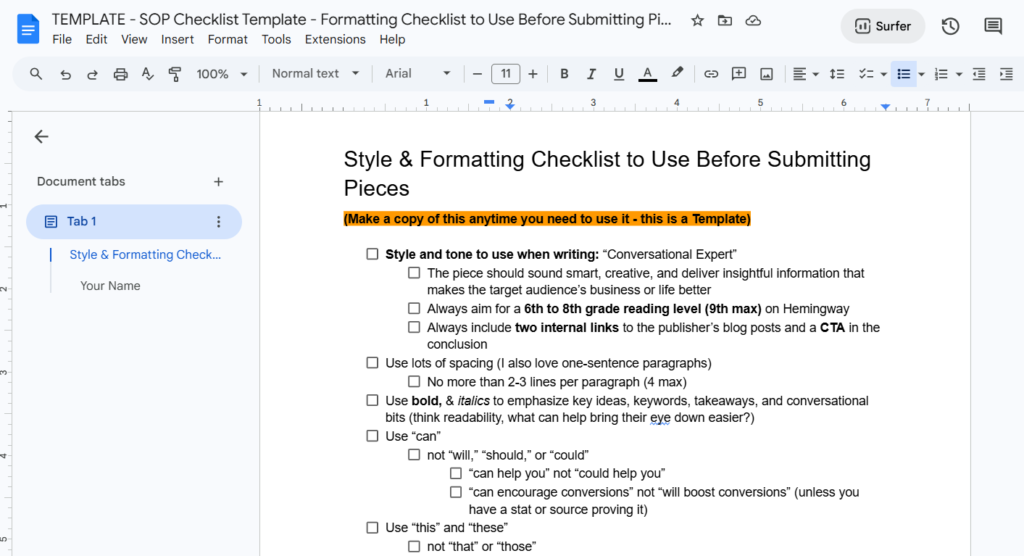
They also reduce the number of judgment calls editors have to make from scratch. Instead of asking whether every draft has the right structure, formatting, metadata, and final QA checks, the team can follow the same review path every time.
(Image by Ioana)
With the right processes, you can:
But most importantly, standardized systems help content scale without the AI slop! 🤢
You can publish faster, maintain quality across articles, and create a smoother experience for everyone involved in content production and publishing.
A blog post checklist helps you standardize your content quality.
But content teams often forget another part of the workflow.
Uploading and publishing the article.
Even after writing and editing are done, publishing can still introduce formatting issues that slow the process down.
Manual formatting inside WordPress or HubSpot can be a huge time drain. (Headings can break, images can shift around, and spacing gets weird.) Suddenly, your “finished” draft needs another hour of cleanup before it can go live. 🙃
That’s why many content teams build publishing tools directly into their editorial workflows and SOPs.
Wordable helps with this part of the process by moving blog posts from Google Docs to WordPress without manually recreating the formatting.
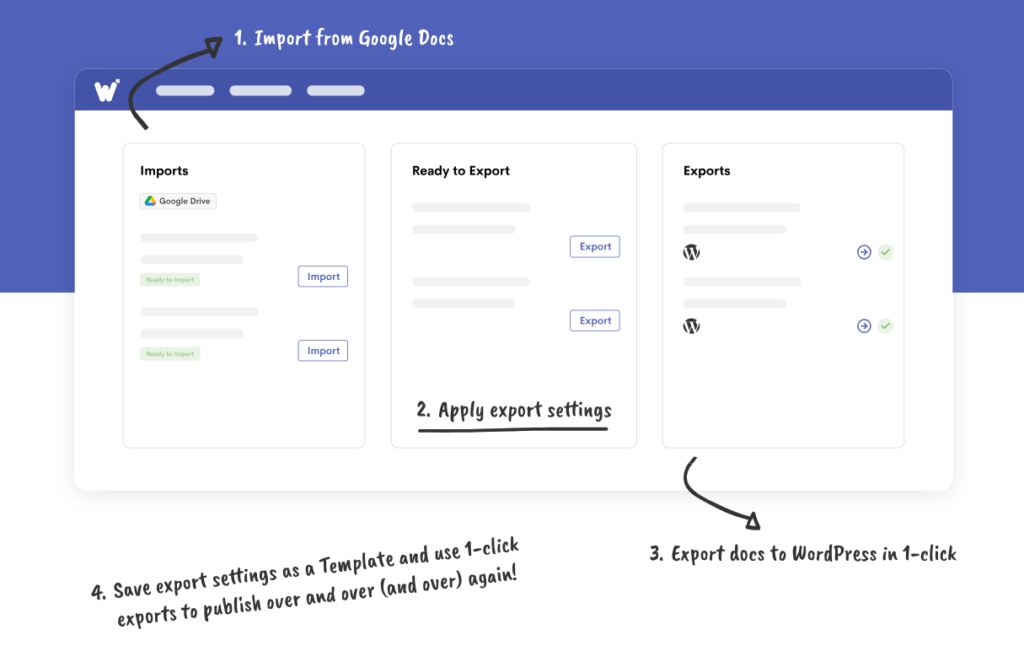
With Wordable, you can publish blog posts from Google Docs to WordPress faster, without messing up your formatting.
Here’s how it works:
This saves SO much time, especially if you publish content frequently or manage multiple writers and editors.
I highly recommend trying Wordable this week if you have articles you’re batching. Start using Wordable now.
A blog post checklist helps you catch the small mistakes that hurt readability, SEO, and overall quality before readers or clients ever see them.
It also makes the entire publishing process feel less chaotic. Writers know what to check, editors spend less time fixing avoidable issues, and content reads more polished and consistent.
Once the checklist becomes part of your workflow, quality control feels less dependent on memory and more like a repeatable process.
Use this checklist before every submission so every draft goes through the same review process before it reaches readers, clients, or your CMS.
And if you want to speed up the publishing side too, create a smoother workflow with Wordable now. ✨
Yes, a blog post checklist can improve SEO.
It reminds you to include SEO basics in your articles, like:
Anyone writing blog posts can use a blog post checklist. It’s super helpful for bloggers, freelance writers, content marketers, SEO teams, agencies, and website owners.
Usually yes, but some publishers create separate checklists for different content types.
For example, you might use different checklists for landing pages, case studies, and refresh pieces.
Review your checklist every few months to keep it aligned with your current SEO strategy and website content standards. Small updates can help your team avoid outdated practices.