


Got 90 days to build a content team? I’ve got you.
A few years ago, I was a lone freelancer. Out of nowhere, clients started flooding my LinkedIn DMs asking for writing support. Funny enough, a few of my writing friends also reached out at the same time to see if I needed help with my projects.
Call it fate, call it luck, but one thing led to another …
And my micro content agency was born.
I never planned on building a content team. But what can I say? The agency life chose me.
Since then, I’ve built a team of writers and worked alongside content managers, editors, SEO specialists, and other agency owners. I’ve seen what helps a content team grow quickly and what creates needless stress.
If I had to build a content team from scratch today, this is the exact plan I’d follow.
Keep reading for a complete breakdown on how to build a content team in 90 days. 💪🏻
Highlights
Here’s a quick 90-day look at what’s ahead as you build your content team.
I recommend copying and pasting this inside of a Google Doc or Notion template to use as a live checklist. 👇🏻
Below, I’ll walk you through each of these stages.
Here’s how to build a successful content team in just 90 days. ✨
Choose your org structure based on your company size and business goals. This includes the people you’ll need and who each person will report to.
For example, if you run a small business, I’d choose one of these org structures:
These make sense because you have SEO research, content strategy, and content production covered.
For the first choice, I’d have your content manager own content strategy, writer assignments, content calendar management, and editing. That’s a lot of hats though.
If you can, choose the second option. You’ll have a dedicated content strategist who’ll own content strategy (which can feel like a full-time job). And your content manager can focus on managing writer assignments, editing, and the content calendar.
If you’re looking to build a mid-size content agency, I’d pick one of these org structures:
I’d also have dedicated account managers for each client account.
If you’re building a large content agency, plan on having marketing departments or micro teams.
For example for EACH micro team, I’d choose one of these org structures:
Again, I’d also have dedicated account managers for each client account.
Once you’ve chosen an org chart, head to Step 2.
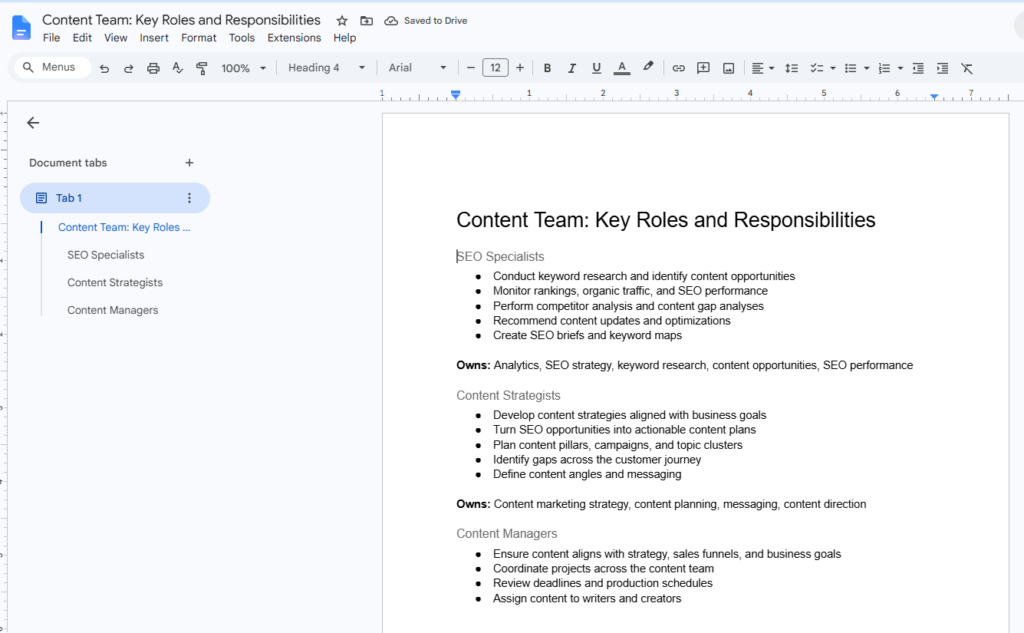
Your org structure shows you which roles you need to hire for, so jot those down now in a fresh doc. Label it: “Content Team: Key Roles and Responsibilities.”
Say you’re building a mid-size team and you chose structure two:
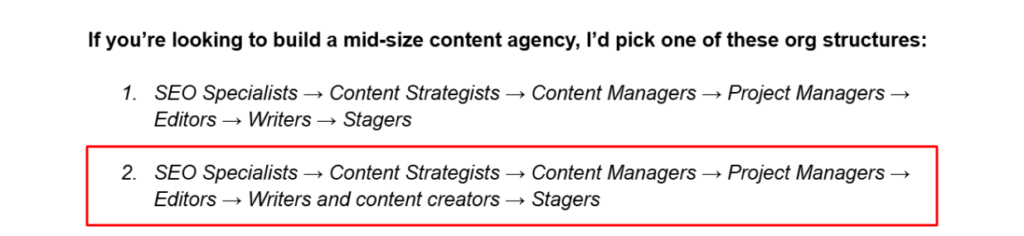
(Image by Ioana)
Jot down each role in the order it appears in your org and define what each role will own.
Here’s how I’d do it:
Owns: Analytics, SEO strategy, keyword research, content opportunities, SEO performance
Owns: Content marketing strategy, content planning, messaging, content direction
Owns: Content operations, content calendar, writer management, workflow oversight
Owns: Project timelines, team coordination, resource management, delivery schedules
Owns: Content quality, editorial standards, brand consistency
Owns: Content creation and first drafts
Owns: Content staging, final formatting, publishing, pre-launch quality assurance
Don’t look for team members until you’re clear on your exact content operations. (It’ll be chaotic. You’ll look unprofessional. AND they’ll quit.)
For this step, map out three processes: Your SEO strategy process, content production process, and content publishing process.
Then choose a Work OS, like ClickUp, Asana, or Basecamp to create digital workflows with automated handoffs for each of these processes. Everything you work on as a content team will live in this software.
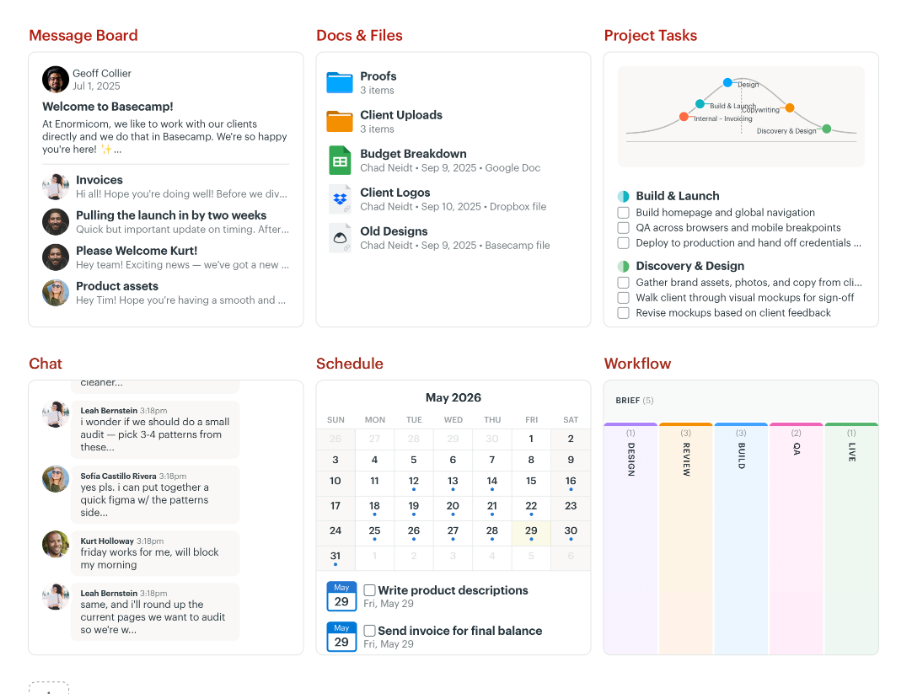
Finally, set up automations so each stage in your process automatically triggers the next task and notifies the person responsible. (Your team members just need to change the task status inside the workflow when they’re done.)
For example, for your content production process, I’d set up the automated workflow this way:
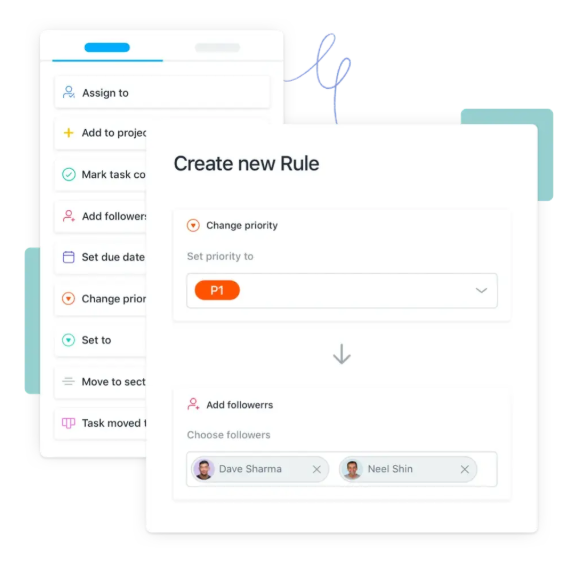
Note: If you’re building a scrappy small team, you can absolutely get by with Google Workspace apps for most things. (Google Docs for writing and editing comments. Google Calendar for deadline scheduling. Google Sheets for content orders and keyword lists. Google Drive for doc storage and client folders. Etc.)
Make sure to also create documented SOPs (scopes of procedure) and tell your team members where they live. Attach these to your Work OS or in Google Drive if you haven’t upgraded yet.
I recommend creating SOPs on:
Write these in a blueprint style. Not too wordy.
Create templates for these, too, when possible.
I’d also have a SOP that lists out any extra content marketing tools you have (e.g., semantic SEO tools, like Frase or an editing tool, like Grammarly), plus, how to use them.
Again, attach your SOPs to your docs/files tab in your Work OS. Remind your team members where they are often. Cuz they WILL forget, lol.
Now it’s time to start hiring. Your first hire should always be your partners and leadership.
I recommend hiring in this order:
This hiring order helps you make sure you have strategy, operations, and editorial processes in place before content production ramps up.
To find the right people, start with referrals.
Reach out to any content peeps you already know in the marketing world via email.
Then, use LinkedIn. Use the search bar to find potential team members with experience in the niches you need. For example “B2B content writer for hire.” Or “marketing agency for hire” if you need white label support.
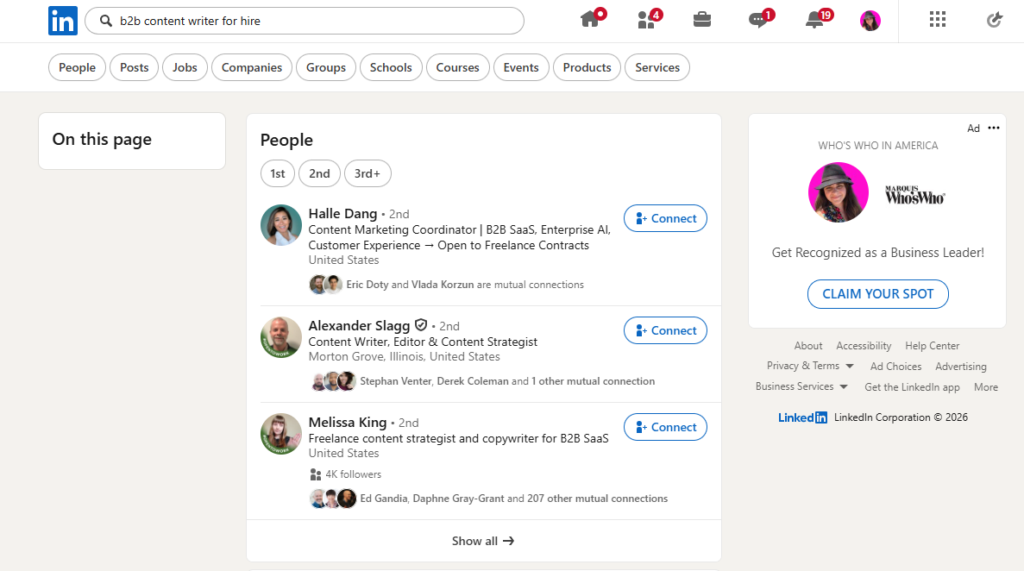
Always review portfolios, testimonials, and resumes carefully before setting up an interview or hiring. Look for strong content and experience writing for your target audience.
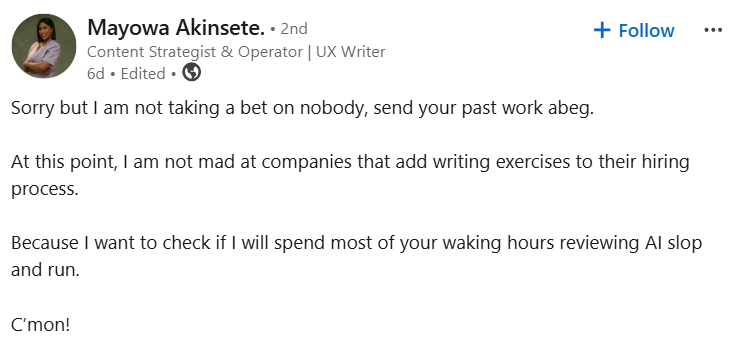
Mayowa Akinsete recently said this and I almost spit out my coffee … 😂
“Sorry but I am not taking a bet on nobody, send your past work I beg. At this point, I am not mad at companies that add writing exercises to their hiring process. Because I want to check if I will spend most of your waking hours reviewing AI slop and run.
C’mon!”
I’d also like to stress that sometimes you have to see how someone works before you can know if they’re the best fit.
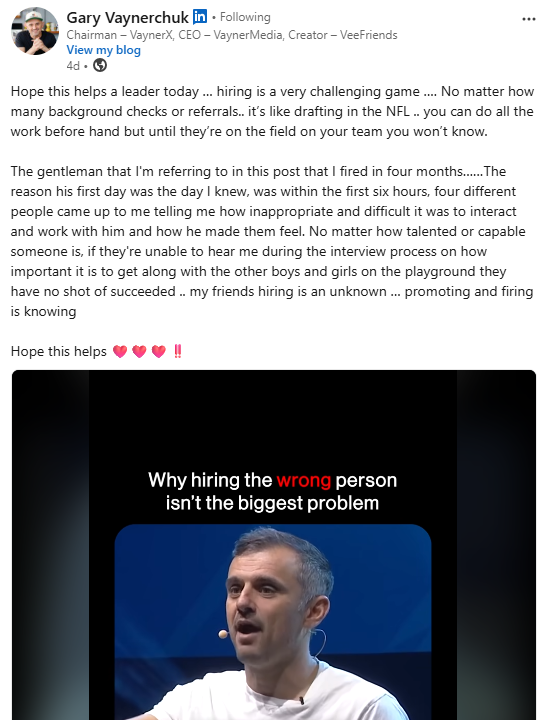
Actually, Gary Vaynerchuk recently said:
“Hiring is a very challenging game … No matter how many background checks or referrals … it’s like drafting in the NFL …, you can do all the work beforehand but until they’re on the field on your team you won’t know.”
One way to make this part less painful is by starting with a paid test project first.
Or you can hire team members on a trial basis. Let them know they have X amount of days (e.g., 30-90) during the trial, and you’ll have a final say on their longer term hire at the end.
Or, if you want a done-for-you team that already performs, consider outsourcing to a white-label content agency like uSERP or Codeless. They’re also great if you need supplemental support (like just link building or just content production).
Once you have a killer team, empower them.
Make them feel good! Praise their good work, huddle up with virtual coffees when you get a chance, and build long-term relationships.
That last part will change everything for you. Promise.
Before taking on projects, train your new team and run them through a test run from start to finish.
First, make sure everyone knows where to find documentation and who to contact. Send them an email with clear instructions on how to access your Work OS, SOPs, templates, and tools. (Add links to these resources in a central location inside your Work OS.)
Attach a “Point of Contact” list and your “Content Team: Key Roles and Responsibilities” doc, too. (The one you created in Step 2.)
(Image by Ioana)
These should show every team member:
Next, discuss training.
Provide training schedule options if you’d prefer to host live video trainings. Or, attach pre-recorded videos using Loom. Or give them login instructions for a training app like Trainual, and upload your pre-recorded videos there.
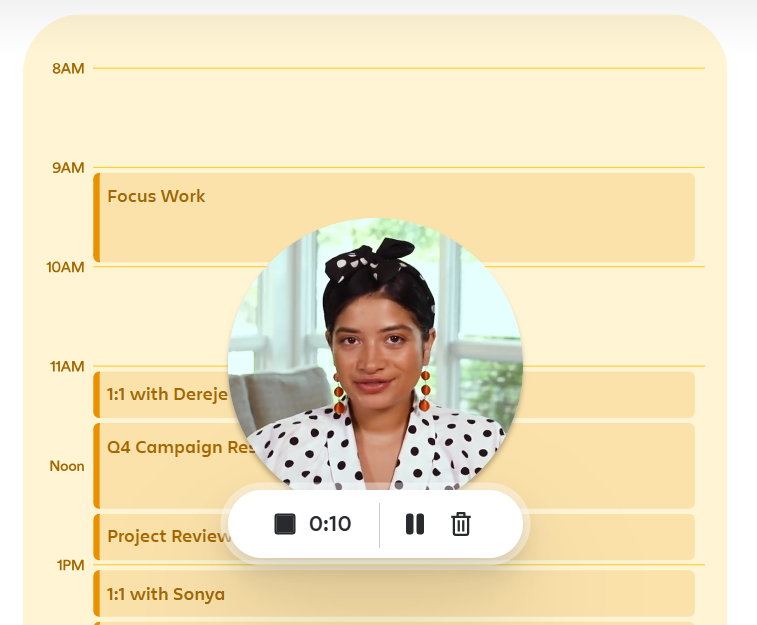
Make sure your videos walk everyone through how your workflows, tools, and templates work.
Show examples of successful content projects, too. (Leave plenty of room for questions if you’re hosting live videos. If they’re pre-recorded, host a mandatory video meeting to see if anyone has any concerns before the test run.)
Finally, decide on a test run date. Pre-create a few test scenarios and have them ready to go on testing day. Learn as you go and note any necessary adjustments.
Speaking of which …
K, you’re almost there!
On the timeline, I’ve allocated Days 81-90 to learning and making adjustments. But honestly, if you need more time, TAKE IT.
It’s not worth the chaos and industry shame to go live with clunky processes and confused team members. So if that means you launch in 100 days instead of 90, who cares. What matters is that you and your team feel prepared to do your best work.
Alrighty, it’s time to build your content team!
I recommend bookmarking this blog and sending it to anyone who’s building out your team with you.
You can also paste it into a Google Doc, add check boxes, and check off each step as you go. (Or my personal favorite, print it out and check off boxes with ink. Old-school, baby.)
And FR FR if you want to save loads of time on content publishing, you’re going to need Wordable. It’s affordable, easy to use, and uploads your content from Google Docs to WordPress in seconds.
The right headcount depends on your goals, budget, content volume, and specific content needs. (Content formats, niches, etc.)
A small team can often get by with a content strategist, content manager, writer, and editor. As production grows, you can add specialists like SEO strategists, project managers, content creators, and stagers.
All three options can work.
An in-house team with employees is great for long-term consistency, but get ready to pay big. Freelancers offer flexibility and are more affordable. Agencies provide access to established processes and multiple specialists.
The right choice depends on your budget, timeline, and how much content support you need.
If you’re distributing content, you may also need influencers, a videographer, social media managers, and digital PR support. (uSERP’s a great option for digital PR, btw.)
Hiring before your processes are ready. This is going to tank your ROI.
If you don’t have documented workflows, content marketer SOPs, role responsibilities, and communication channels in place, team members will struggle to execute — and do their best work.
Build the systems first, then hire people to run them. I highly recommend Wordable if you’re posting on WordPress blogs.
Note: When you’re scaling your team, your workflows may need to evolve. Always double-check these before you bite off more than you can chew. You’ll also need your partners and leadership to be more hands-on during this time.