


When people search for a content tracker, they’re often looking for very different things.
Some want to track articles from idea to draft. Others want to know what’s been published and where. And some only care about measuring traffic, rankings, and conversions.
This guide breaks content tracking into three layers: creation, publishing, and performance. Find the layer that matches your biggest bottleneck, then head straight to that section below.
But first, here’s a quick overview of each layer and the tools that fit it best.
| Content tracking layer | What it tracks | Example tools |
| Creation | Content ideas, briefs, drafts, deadlines, and production progress | Notion, Asana, monday.com, Trello, Airtable |
| Publishing | What’s been published, where it went live, and publishing status | Wordable, CoSchedule, HubSpot CMS, WordPress editorial calendar. |
| Performance | Traffic, rankings, backlinks, conversions, and engagement | Google Analytics 4, GSC, Ahrefs, Semrush, Databox |
Highlights
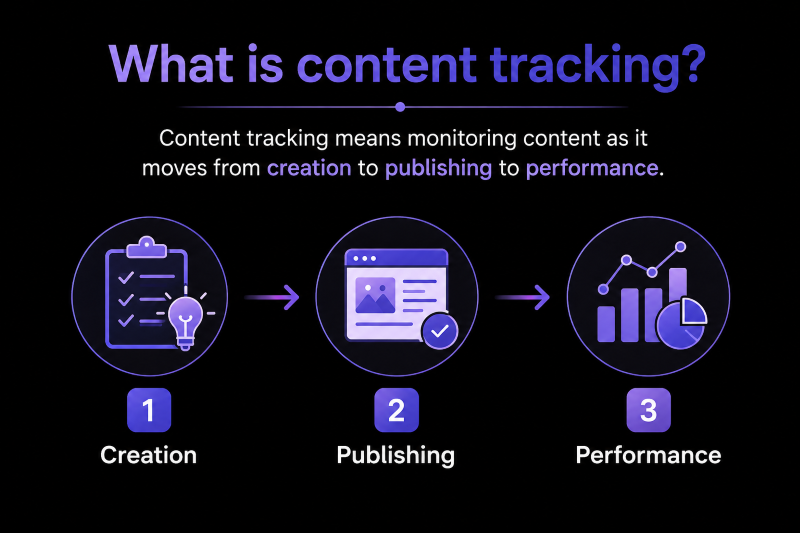
Content tracking means monitoring content as it moves from creation to publishing to performance.
(Image by Ioana)
Content moves through three distinct stages, and each one needs different tools:
Content teams use tools across all three stages. I recommend starting with the layer that’s slowing your team down the most.
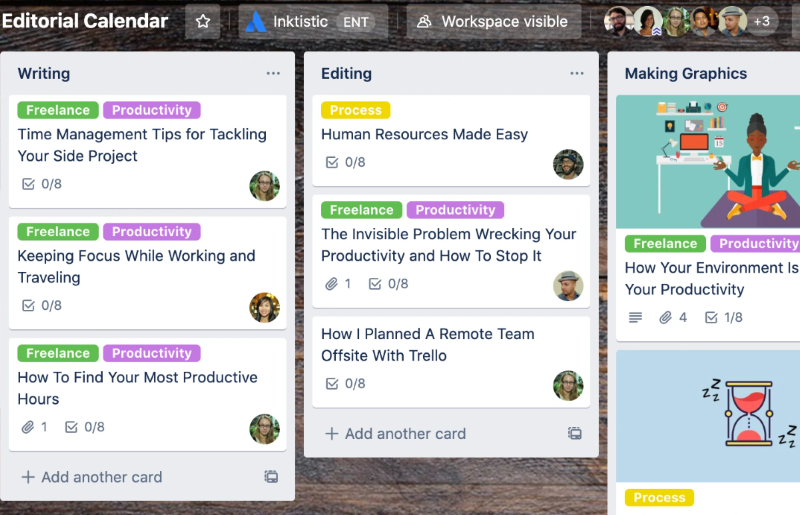
Content creation trackers help you answer one simple question:
“Where is this piece of content right now?”
They show you what’s waiting for a content brief, what’s being written, what’s with an editor, and what’s ready to publish.
You probably need a content creation tracker if:
In other words, if articles regularly get stuck in your workflow, this is the first layer to improve.
Before choosing a tool, consider how many people need access, whether you need to assign tasks, and how much flexibility your editorial workflow requires. A simple board may be enough for a small team, while a larger operation may need task dependencies, approval stages, and automated reminders.
That said, here are some of the best content marketing tools for managing your editorial calendar and production workflow.
| Tool | Best for | Free plan? | Key feature |
| Trello | Simple editorial workflows | Yes | Kanban boards |
| Notion | Content planning and documentation | Yes | Custom databases |
| Airtable | Complex content operations | Yes | Spreadsheet-style content database |
| Asana | Managing large content teams | Yes | Task dependencies and timelines |
| monday.com | Cross-functional marketing teams | Yes | Custom workflow automation |
If you’re still not sure which content creation tracker is right for you, here are some quick recommendations:
Content publishing trackers answer another important question:
“Has this content been published yet?”
They show you what’s live, where it was published, and when it went out. They’re especially useful if you publish across multiple websites, CMSs, or marketing channels and need a clear record of what’s already been shipped.
Publishing is one of those jobs that’s easy to underestimate until you’re doing it every day.
You probably need a content publishing tracker if:
Think about where you need to publish your content and what tools you’re already using before picking a tool for this layer.
Here are some of the best content publishing trackers for managing your publishing workflow.
| Tool | Best for | Free plan? | Key feature |
| Wordable | Google Docs → WordPress publishing | Yes | Tracks exports to your CMS |
| CoSchedule | Marketing campaign scheduling | Yes (limited) | Unified marketing calendar |
| HubSpot CMS | Marketing teams using HubSpot | Yes (limited) | Content publishing and CMS management |
| WordPress editorial calendar | WordPress publishing workflows | Yes | Drag-and-drop publishing calendar |
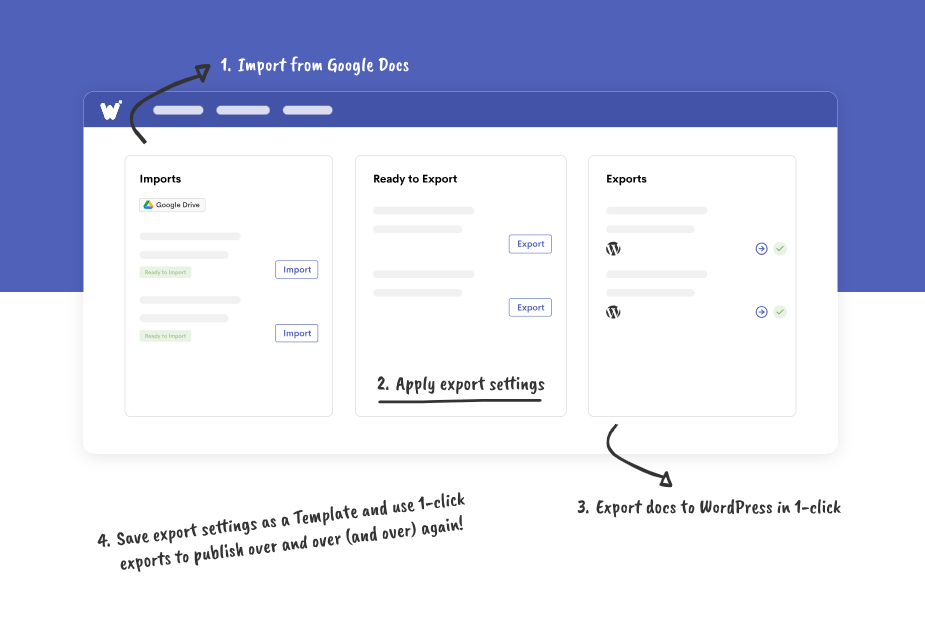
If your team writes in Google Docs, Wordable helps you manage the transition from drafting to publishing. It lets you track content exports to WordPress or HubSpot, making it easier to see which documents have been transferred to your CMS.
However, an export record does not necessarily confirm that an article is live. You may still need to check your CMS to confirm its publication status.
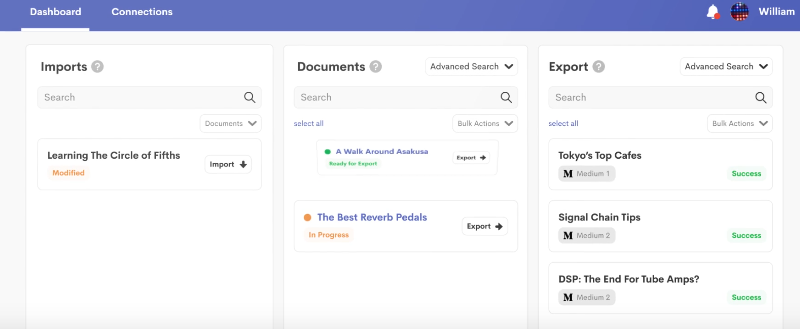
You don’t have to maintain a separate spreadsheet to track which documents you’ve exported to your CMS and which still need to be transferred.
If you’re still not sure which publishing tracker is right for you, here are some quick recommendations:
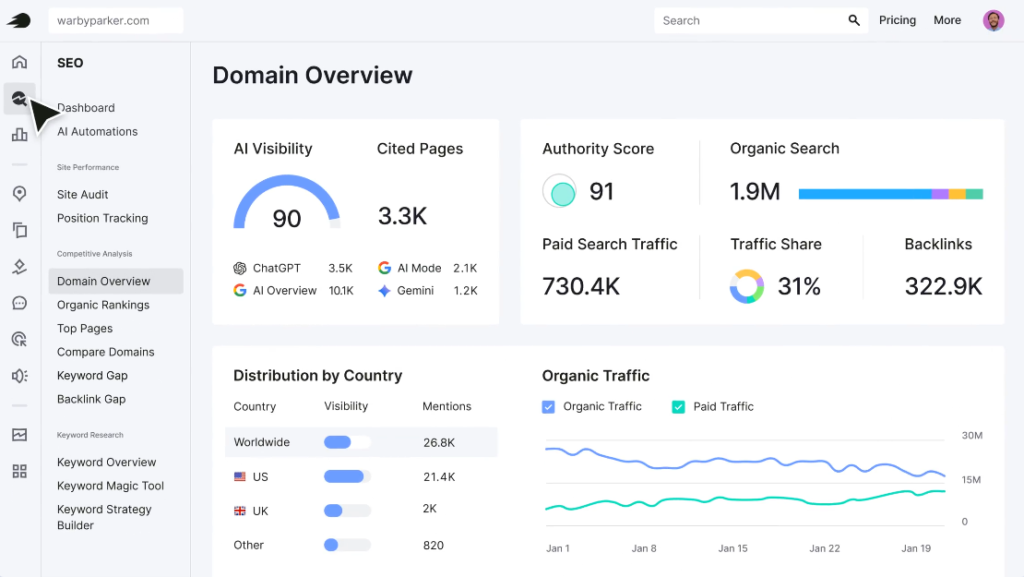
Content performance trackers answer a final question:
“Is this content delivering results?”
They show you how your content performs after it goes live, including traffic, rankings, backlinks, engagement, and conversions. For example, an article that receives traffic but generates few conversions may need a more relevant call to action. An article that has lost search visibility may need a content update.
This is where your content marketing strategy gets interesting. Performance data often tells a different story than your instincts suggest.
You probably need a content performance tracker if:
Here are some of the best content performance trackers for measuring your content’s impact.
| Tool | Best for | Free plan? | Key feature |
| Google Analytics 4 | Measuring the results from published content | Yes | Tracks traffic, engagement, and conversions from published content |
| GSC | Tracking organic search performance | Yes | Shows clicks, impressions, rankings, and indexing |
| Ahrefs | Finding SEO opportunities after publishing | Yes (limited) | Backlink analysis and content gap reports |
| Semrush | Tracking rankings and competitors | Yes (limited) | Position tracking and keyword monitoring |
| Databox | Reporting on content performance | Yes | Combines marketing data into one dashboard |
If you’re still not sure which performance tracker is right for you, here are some quick recommendations:
If you’re looking for tools that support content production, publishing, and performance tracking, pick ones that fit your team’s size and workflow rather than choosing tools based on the length of their feature lists.
Here’s what I’d recommend:
| Team size | Primary pain | Recommended tool combination |
| Solo creator or freelancer | Staying organized | Trello + Wordable + Google Analytics 4 |
| Small content team (2–5 people) | Managing workflows and publishing consistently | Notion + Wordable + Google Search Console |
| Growing marketing team (5–10 people) | Coordinating campaigns across multiple channels | Airtable + CoSchedule + Wordable + Semrush |
| Large content team (10+ people) | Managing complex workflows and reporting | monday.com + HubSpot CMS + Databox + Ahrefs |
Sign up for free trials or freemium plans to test drive some of these before investing in a paid option. Set up your workflows, test a few pilot campaigns, and see how well your content team adopts the tools.
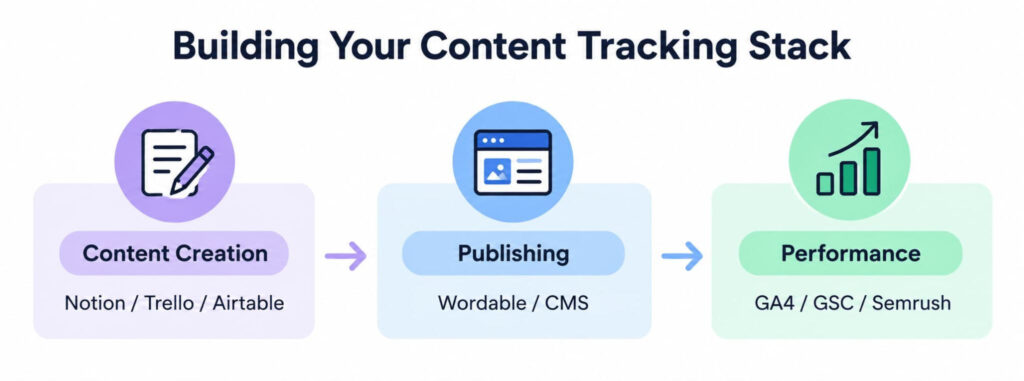
Image created by the author
The best content tracker depends on what you’re trying to track.
If your biggest challenge is keeping content moving, start with a creation tracker. If publishing is slowing your team down, focus on publishing tools. And if you’re not sure whether your content is paying off, invest in a performance tracker.
If publishing is slowing your team down, Wordable can help you move content from Google Docs to WordPress or HubSpot while tracking your exports.
The best free content tracker depends on what you want to track.
Trello is a great free option for managing content production. Google Search Console and Google Analytics 4 are excellent for tracking content performance. And Wordable is a solid choice for tracking content as it’s published from Google Docs to WordPress or HubSpot.
To calculate content marketing ROI, compare the revenue attributed to your content with the cost of creating, publishing, and promoting it. Use this formula: ROI = [(Revenue − Cost) ÷ Cost] × 100. Tools like Google Analytics 4 can help you track conversions and revenue attributed to your content.
The difference between a content tracker and an editorial content calendar is:
Some platforms support multiple stages of content tracking, but their capabilities vary. Depending on your workflow, you may need separate tools for content creation, publishing, and performance measurement.
Small teams do well with a simple stack, like Notion or Trello for content creation, Wordable for publishing, and Google Analytics 4 or Google Search Console for performance tracking.