


Got handed a spreadsheet full of page data and told to “audit the content?”
And let me tell you, staring at hundreds of URLs, outdated articles, and declining traffic isn’t for the faint of heart.
The main challenge is figuring out what to do with it all.
Luckily, good content audit software helps you decide. It brings your content data together, so you can see where to focus your updates. You’ll see which pieces are performing and which ones need more love. You can also check other important information, such as page speed and how many backlinks your content earns.
The best tools for you depend on what you’re auditing. Are you reviewing website pages, evaluating blog content, or looking for ways to improve your search visibility?
Let’s take a closer look at the best content audit software for website, blog, and SEO audits in 2026.
Highlights
Not sure where to start looking? This table compares the best content audit tools by strengths, pricing, and free trial options. We’ll look at each tool in more detail below.
| Tool | Best for | Price | Free trial |
| Ahrefs | Finding landing pages and money pages with ranking potential | Free plan available. Paid plans start at $29/month | No free trial. Free plan available |
| Google Analytics 4 | Understanding which pages contribute to engagement and conversions | Free | Not required |
| Claude | Evaluating content quality and page-level improvement opportunities | Free plan available. Paid plans start at $20/month | No free trial. Free plan available |
| Semrush | Auditing large blog libraries and identifying content refresh opportunities | Limited free plan available. Paid SEO plans start at $139/month ($117.33/month with annual billing) | Free trial available. |
| NeuronWriter | Finding content gaps and improving topical coverage | Starts at $23/month | 7-day free trial |
| Surfer | Comparing content against top-ranking pages and building update plans | Starts at $49/month when billed annually | 7-day free trial of the Pro plan |
| Screaming Frog | Uncovering technical issues, crawl problems, and on-page SEO weaknesses | Free for up to 500 URLs. Paid plan costs $279/year | Free version available |
| Google Search Console | Finding keyword opportunities, indexing issues, and pages losing visibility | Free | Not required |
Content audit software helps you evaluate your website’s content and find opportunities for improvement.
It brings together data like traffic, rankings, engagement, and content quality. This helps you see what’s performing well and what needs attention.
Google wants to serve the best content available. Regular audits help you identify outdated pages, improve weak content, and stay competitive. Ahrefs E-E-A-T audit guide breaks this down if you’d like to read more about the “why.”
Website audits focus on your most important pages. (Think landing pages, service pages, product pages, and other content that supports conversions.)
These tools help you understand how those pages perform and where improvements could have the biggest business impact.
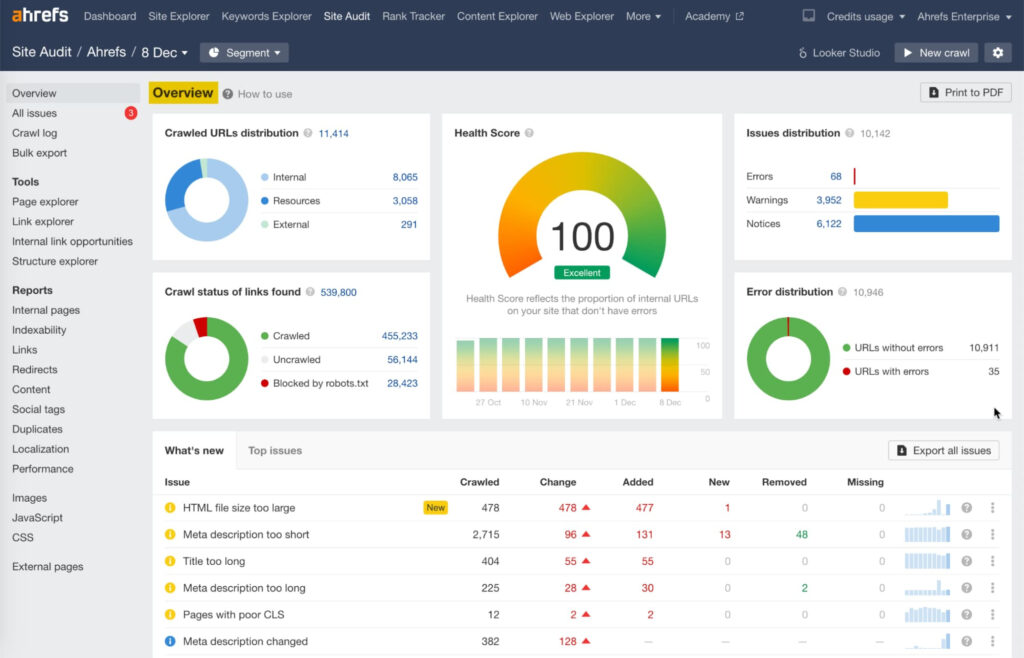
Ahrefs answers one of the most important content marketing questions: Is this page pulling its weight in search?
A page might look fine on the surface, but Ahrefs shows you what’s happening underneath.
You can see:
I love using Ahrefs to find pages that are almost there.
During an audit, I’ll often find content that ranks at the bottom of page one or the top of page two and has opportunities for improvement. Ahrefs helps me identify those opportunities.
You can also see which pages get the most backlinks, identify your strongest link-earning content, and look for ways to replicate that success across your site.
Best for: Landing pages, service pages, product pages, keyword opportunities, backlink analysis, and competitor analysis
Price: Ahrefs Free costs nothing, while basic plans start at $29 per month
Free trial: No free trial is available, but Ahrefs offers a free account with limited access to tools such as Site Explorer and Site Audit for verified websites.
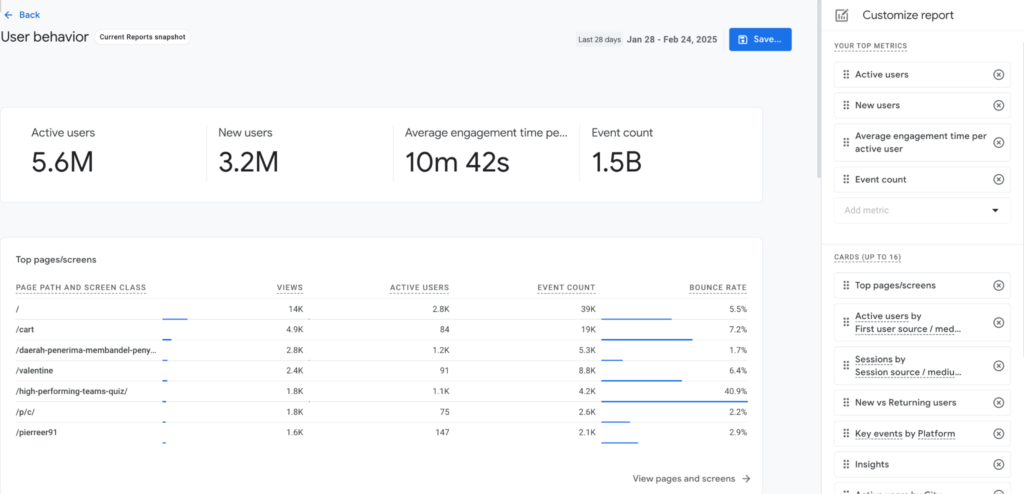
A page might bring in thousands of visitors but contribute very little to your business. Another might attract far less traffic but generate a steady stream of leads and sales.
Google Analytics 4 helps you understand the difference.
During a content audit, GA4 shows what happens after someone lands on a page.
You can answer questions like:
If your audit goal is deciding where to invest time and resources, GA4 helps you separate pages that generate results from pages that only drive traffic.
Best for: Understanding engagement, conversions, user behavior, and business impact
Price: Free
Free trial: Not required
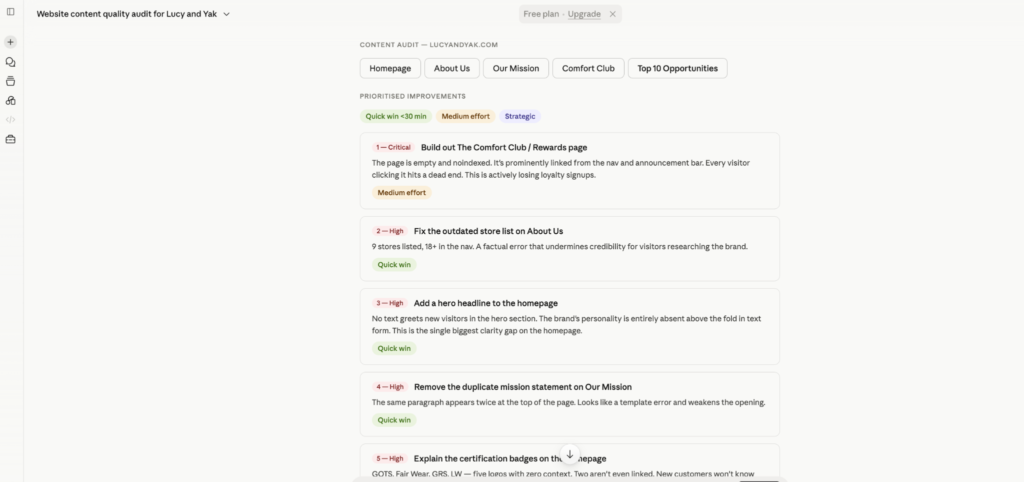
(Image by Ioana)
Sometimes, my traffic and ranking data suggest that a page should be performing better, but reviewing the content reveals potential weaknesses that the numbers alone can’t explain.
It can review pages for clarity, readability, tone, structure, and usefulness. That’s a huge time-saver during large audits, where manually reviewing every page takes days.
(It’s not a replacement for human judgment, of course, but it’s an excellent second set of eyes.)
Ultimately, performance data can tell you which pages deserve attention. Claude can help you identify potential content weaknesses and suggest improvements to review.
Best for: Content quality reviews, messaging audits, readability analysis, and content improvement opportunities
Price: Free plan available. Paid plans start at $20/month.
Free trial: There’s no free trial since there’s a free plan
While website audits often focus on individual pages, blog audits help you identify patterns across your content library.
The right blog tools can help you audit at scale so you can decide which posts need your time first.
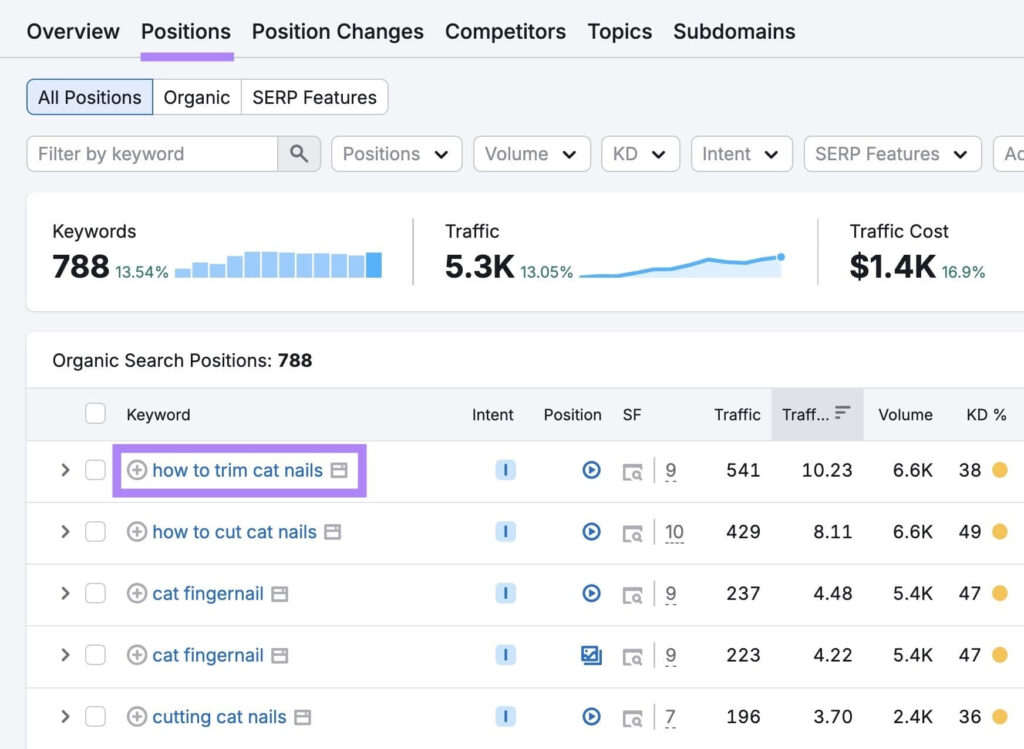
Once a blog reaches a few hundred posts, reviewing pages one by one stops being practical.
This is where Semrush earns its keep.
When you’re blogging as a business, you can use Semrush to answer questions like:
Its Content Audit tool helps you find pages that need work without manually reviewing every post. You can then use keyword data and competitor insights to see why those pages are losing visibility, where competitors have stronger content, and which updates are most likely to improve performance.
If you’re working with a large content library, Semrush helps you quickly separate the blog content worth updating from the content that can wait.
It’s one of the MOST important SEO tools. In fact, 10 million users have tried Semrush so far!
Best for: Blog audits, content libraries, content decay analysis, and keyword opportunity discovery
Price: Semrush’s SEO plans start at $139 per month, or $117.33 per month when billed annually.
Free trial: A 7-day free trial is available.
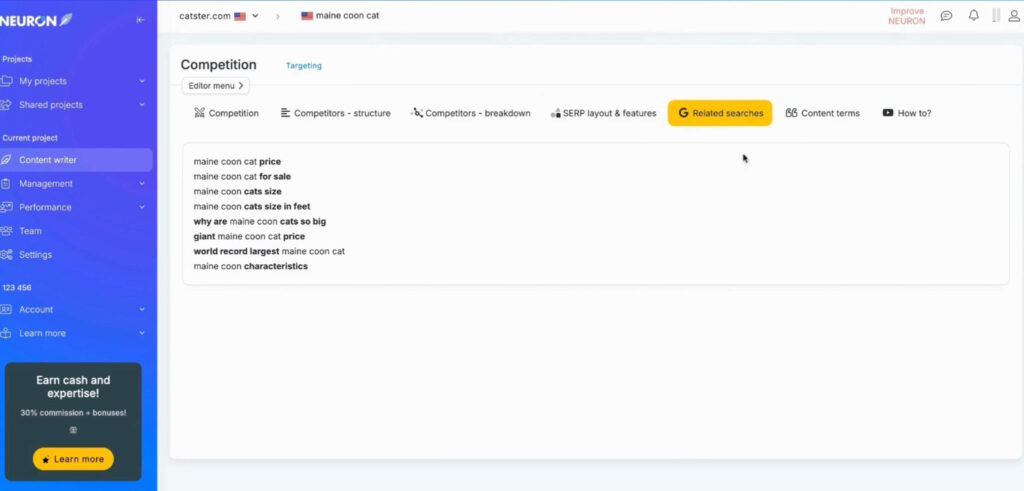
Outdated blogs need fresh insights and research. I’ve also noticed that they almost always have room for more depth. NeuronWriter helps you spot those gaps.
It compares your content against top-ranking pages and highlights missing topics, concepts, and questions that your competitors cover better.
This helps you pinpoint the pages that need to answer the reader’s question in more detail.
NeuronWriter is a particularly good choice for bloggers and SMBs on a budget.
It delivers many of the same content optimization benefits as higher-priced competitors. (Without such a hefty price tag.)
Best for: Content optimization, topical coverage, content gaps, and updating existing blog posts
Price: Plans start at $23 a month
Free trial: You can access a 7-day free trial of NeuronWriter’s GOLD plan
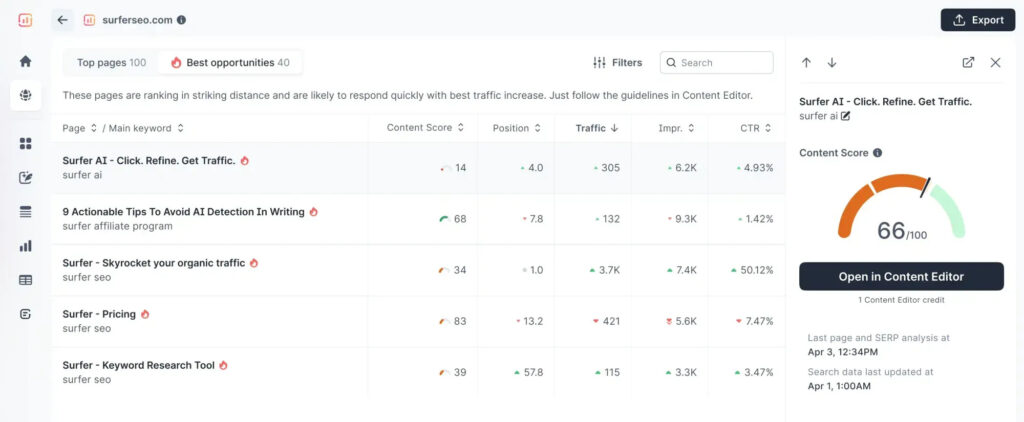
Surfer also compares your content with top-ranking pages, but its recommendations extend to keyword usage, content structure, and optimization opportunities.
The platform analyzes top-performing pages and highlights potential content gaps, including relevant terms and topics that your competitors cover. It also recommends keyword usage and content structure. You can also see if a piece has enough images and sections compared to your competitors.
Those insights help you prioritize the updates most likely to improve rankings.
The trade-off, though, is price.
Surfer delivers excellent content optimization features. But it’s pricier than alternatives like NeuronWriter.
If you’re updating content regularly, that investment makes sense. For occasional audits, it may be harder to justify.
Best for: Content optimization, SERP analysis, and improving rankings
Price: Plans start at $49 per month when billed annually.
Free trial: New accounts can access a 7-day free trial of the Pro plan.
Great content needs a strong technical foundation for search engines to discover and rank it.
These SEO audit tools show you how search engines crawl, index, and interpret your website.
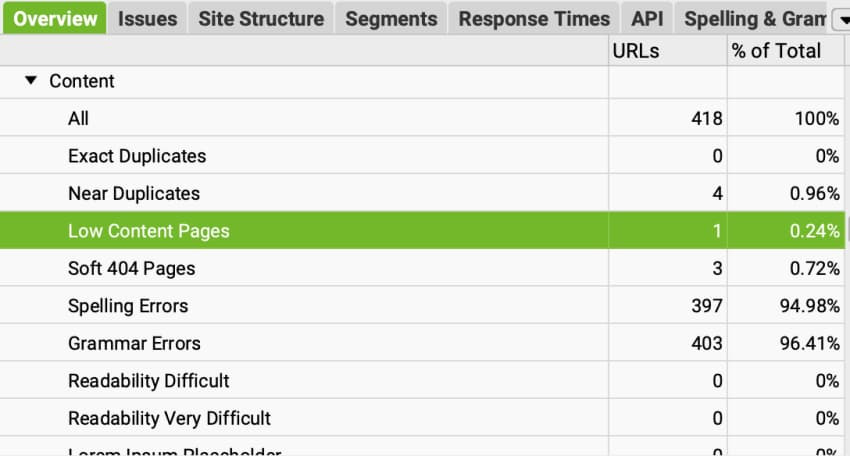
Screaming Frog focuses on what search engines see.
The tool crawls your website to find technical issues that can hurt content performance.
It can spot:
You can also connect it to PageSpeed Insights to audit page speed and Core Web Vitals.
If you’re working with a large website, this is really helpful because problems rarely affect just one page. (A technical issue can show up across dozens or hundreds of URLs.) Screaming Frog helps you identify those patterns quickly.
I’ll be honest. Screaming Frog isn’t the prettiest tool on this list.
In fact, if you’re new to technical SEO, the interface can feel a little intimidating. But once you get the hang of it, Screaming Frog can help you identify technical issues affecting your website.
Best for: Technical SEO audits, site structure analysis, crawl issues, and on-page SEO reviews
Price: It’s free for up to 500 URLs, while its paid plan with unlimited URLs costs $279 per year.
Free trial: Free version available
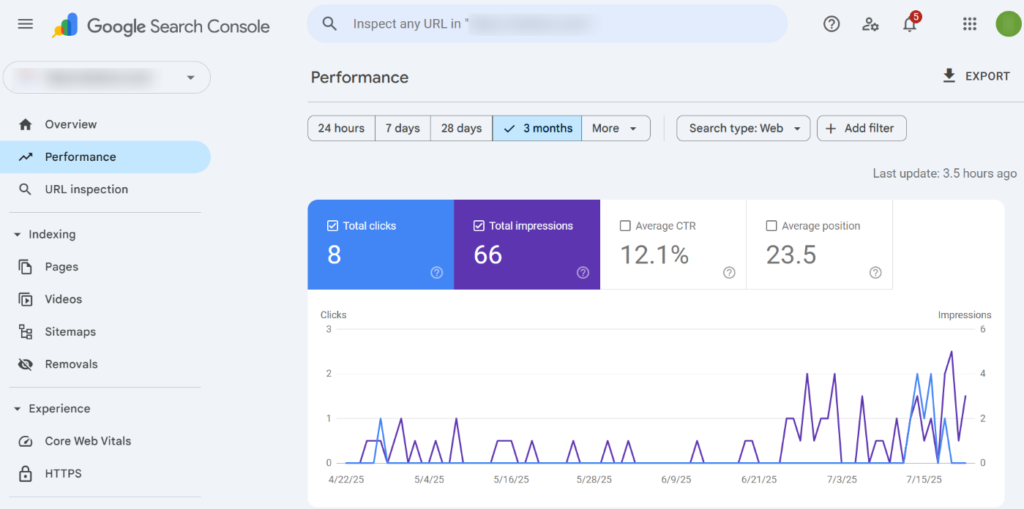
While GA4 shows you what happens once someone lands on your website, Google Search Console shows you how they found it.
One of the first places I look during an audit is the Performance report.
You can see which keywords bring people to your site, which pages appear in search results, and where opportunities exist to gain more traffic.
For example, you might discover that a page is ranking for keywords you never intended to target. That’s an opportunity to expand content around those keywords, btw.
Or you might find that a page is already appearing for valuable search terms but sitting just outside the top results. That page is a strong candidate for a refresh.
Search Console can also help you identify crawling and indexing problems. Reviewing these issues before updating content helps you determine whether a page needs technical fixes, content improvements, or both.
And because the data comes directly from Google, Search Console gives you one of the most accurate views of your current search visibility.
Best for: Keyword opportunities, indexing issues, visibility analysis, and identifying pages to update
Price: Free
Free trial: Not required
Choosing the right content audit software starts with identifying the problems you need to solve. Pick software that provides the insights you need, fits your workflow, matches your budget, and gives you a clear path from finding opportunities to acting on them.
Once you’ve identified the pages that need updating, the next step is publishing those improvements. Wordable helps you export updated content from Google Docs to WordPress in one click, making it easier to publish changes across your content library.
Yes. Google Analytics 4 and Google Search Console are both free and provide a lot of useful data. If you’re working with a smaller website, those tools alone can uncover plenty of opportunities before you invest in a paid platform.
Start with the problem you’re trying to solve. Are you evaluating a handful of landing pages, reviewing hundreds of blog posts, or looking for technical SEO issues?
Next, think about the data you need. Some tools focus on traffic and conversions, while others focus on blog marketing (rankings, content quality) or indexing.
Then, consider your budget and how often you’ll use the tool. The best content audit software for you answers your questions and fits how you work.
After completing a content audit, prioritize the pages with the biggest potential impact first.
For example:
A good rule of thumb is every six to twelve months.
But if your blog grows quickly or content plays a big role in your marketing strategy, quarterly audits can make it easier to spot opportunities while they’re still easy wins.