


Publishing a blog now takes much more than just writing the article itself. Most teams also manage SEO updates, newsletters, social promotion, scheduling, and analytics.
That means the real challenge is no longer just creating content. It’s moving each post through review, optimization, publishing, and promotion without losing time to manual handoffs.
That’s why good blog publishing tools are a must. The right setup helps you publish faster, stay organized, and get more value from every post you create.
Let’s take a closer look at the best blog publishing tools to streamline your content workflow in 2026. 👇
Highlights
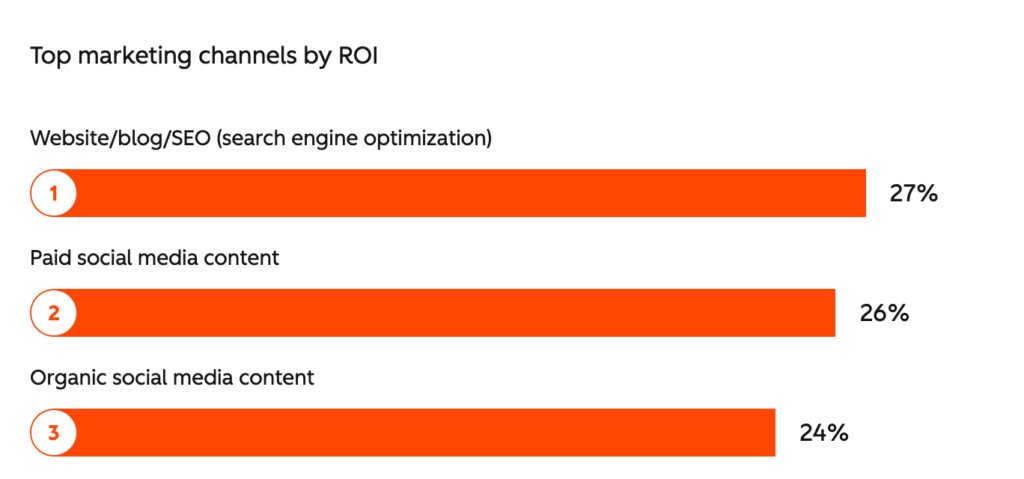
According to HubSpot’s 2026 State of Marketing Report, blogs and SEO are the number one marketing channel for ROI.
But blogging isn’t as simple as writing an article.
Now, the process includes many more moving parts that help content last longer, including:
… alongside the writing itself.
The good news is that modern blog publishing tools handle much of the heavy lifting.
Some tools help you polish drafts faster. Others help you schedule content, improve SEO, or organize approvals. Together, they can make the publishing process feel smoother and easier to manage.
Here are some of the biggest benefits of using blog publishing tools:
With the basics covered, here are some of the best blog publishing tools in 2026:

Ghost is for people who want to publish content without the messy dashboards. It combines blogging, newsletters, memberships, and analytics. This significantly reduces tool jumping during the publishing process.
The editor feels fast and simple to use. You can write, schedule, publish, and manage subscribers from the same dashboard. I absolutely LOVE Ghost.
Pros:
Cons:
Best features:
Pricing: Ghost Starter plan starts at $15/month, billed yearly.

Webflow is an all-in-one web builder, content management system (CMS), and hosting platform. It’s popular with brands that want more design control than a typical blog platform can offer.
You can build custom layouts, landing pages, and content hubs without developers. That’s why it’s a strong choice for small brands that still want their blog to feel visually polished.
Pros:
Cons:
Best features:
Pricing: Webflow has a free Starter plan for testing. CMS plans for blogs start at $25/month, billed yearly.
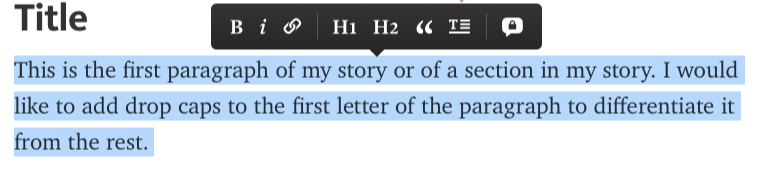
Medium is one of the easiest ways to start publishing online. You don’t need to worry about hosting, website setup, plugins, or design updates. You can create an account, write a post, and publish it in minutes.
The platform already has a large reader community, which gives you a better chance of reaching new readers without spending loads of time promoting. That makes Medium a strong choice for thought leadership and brand content focused on reach and visibility. (It’s also great for new writers!)
Pros:
Cons:
Best features:
Pricing: Free to publish, while Medium Membership starts at $5/month.
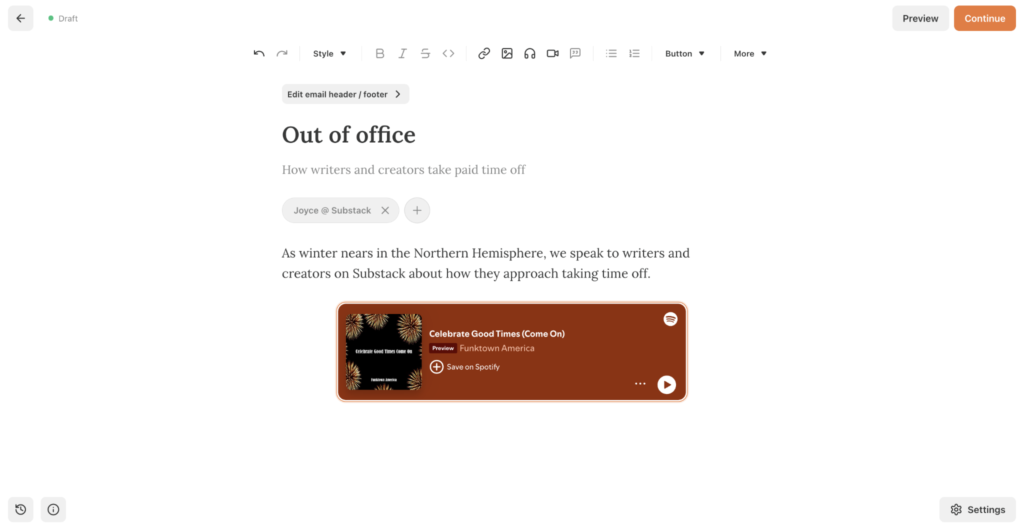
Substack combines blog publishing, email newsletters, and paid subscriptions in one place. You can publish posts to the web and send them straight to subscribers at the same time. This means there’s much less admin work behind the scenes.
It’s a popular choice for writers who want to build loyal reader communities and monetize a website without managing a separate email platform.
Pros:
Cons:
Best features:
Pricing: Free to start, but Substack takes a 10% fee on paid subscriptions, plus Stripe processing fees.
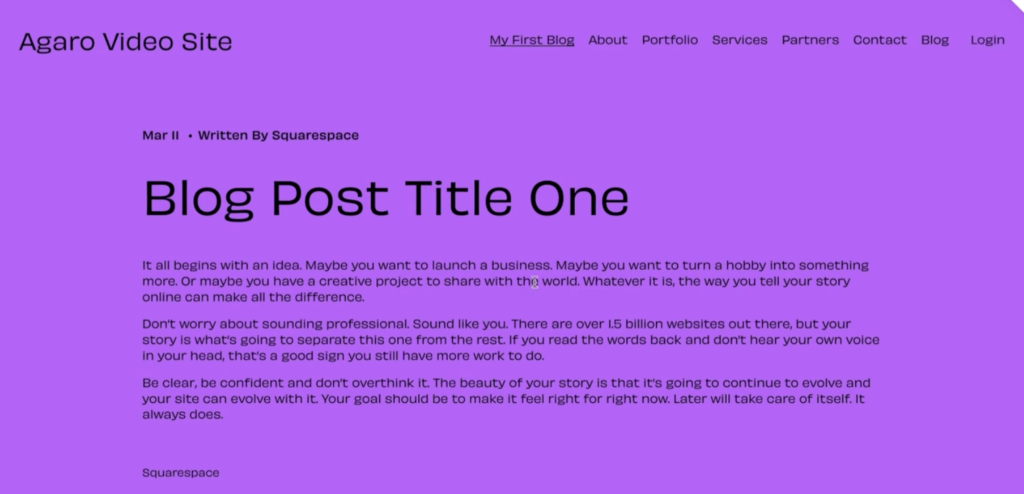
Squarespace is popular with creators and smaller businesses that want a blog and website without the hassle of extensive setup. Everything runs from one dashboard, so you spend less time managing updates, plugins, and separate tools.
The templates look polished straight out of the box, and the editor is simple to use. You can publish blogs, update pages, manage products, and check analytics, all from the same place.
Pros:
Cons:
Best features:
Pricing: Entry-level annual pricing starts at $16/month.
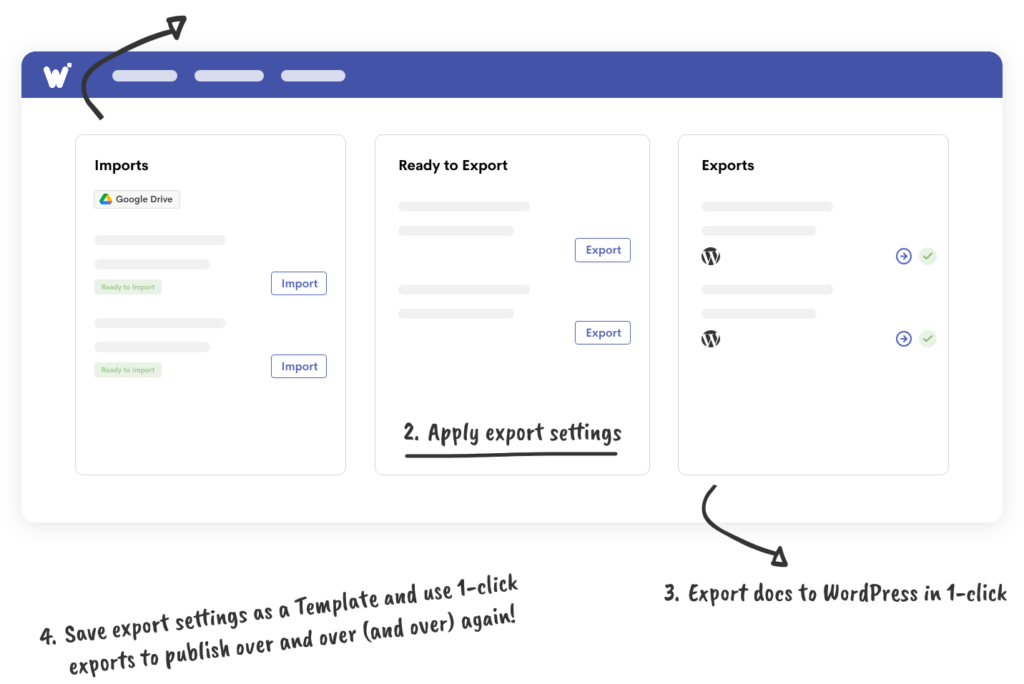
Wordable helps teams move blog drafts from Google Docs into publishing platforms much faster. Normally, you’d need to copy your draft across and then manually fix the formatting. Wordable transfers your content while keeping headings, images, links, and layout.
It’s great for blogs that regularly publish large volumes of content. You spend way less time fixing weird formatting issues and more time getting content live.
Pros:
Cons:
Best features:
Pricing: There’s a free basic plan, and paid plans start at $29/year.
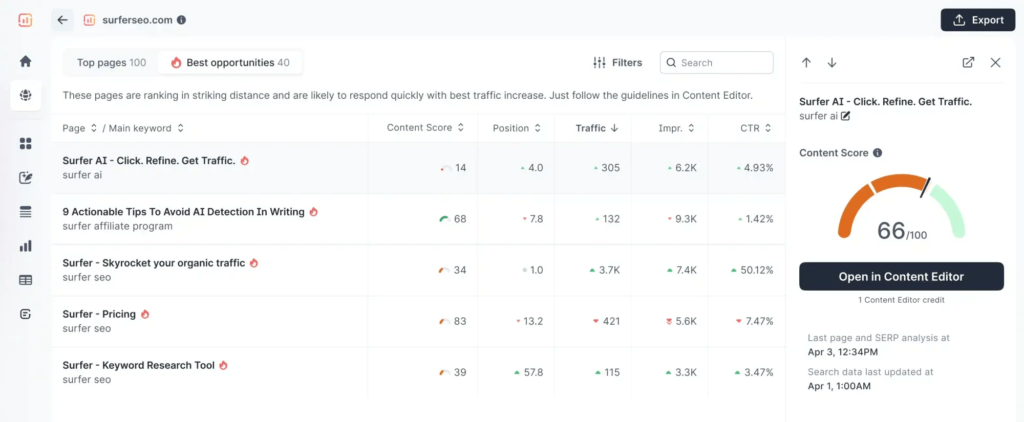
Surfer is an SEO tool to optimize blog marketing posts before they go live. The platform analyzes top-ranking search results and suggests ways to improve SEO as you write. It helps with headings, keyword usage, structure, and readability.
It’s especially useful for teams using AI-assisted writing tools during content production. Surfer also includes a relatively accurate AI detection tool. This feature helps you review drafts and humanize content before publishing.
Pros:
Cons:
Best features:
Pricing: Plans start at $99 a year, billed annually.
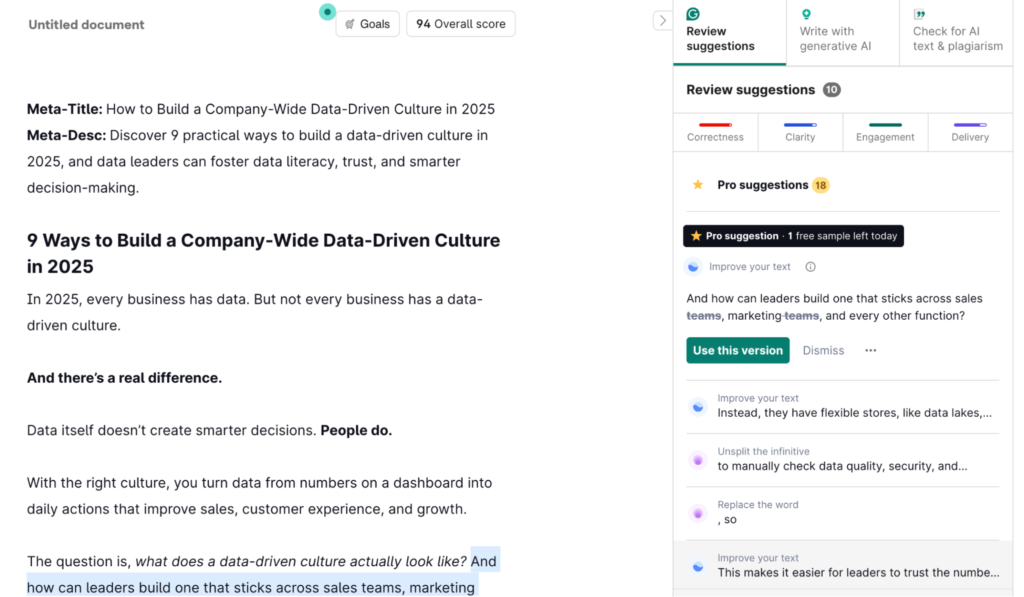
If you’re using Grammarly correctly, it’s running in the background across most of your content tools all day. It works inside browsers, Google Docs, CMS platforms, emails, and messaging apps. This helps you spot grammar mistakes and awkward phrasing while you work, wherever you work.
Thanks to these real-time edit suggestions, final edits are much quicker. In fact, drafts are practically clean before they even reach an editor. (Pair this with Writer.com and you’ve got two awesome editing tools in your stack.)
Pros:
Cons:
Best features:
Pricing: Free plan available; paid plans start at $12/month.
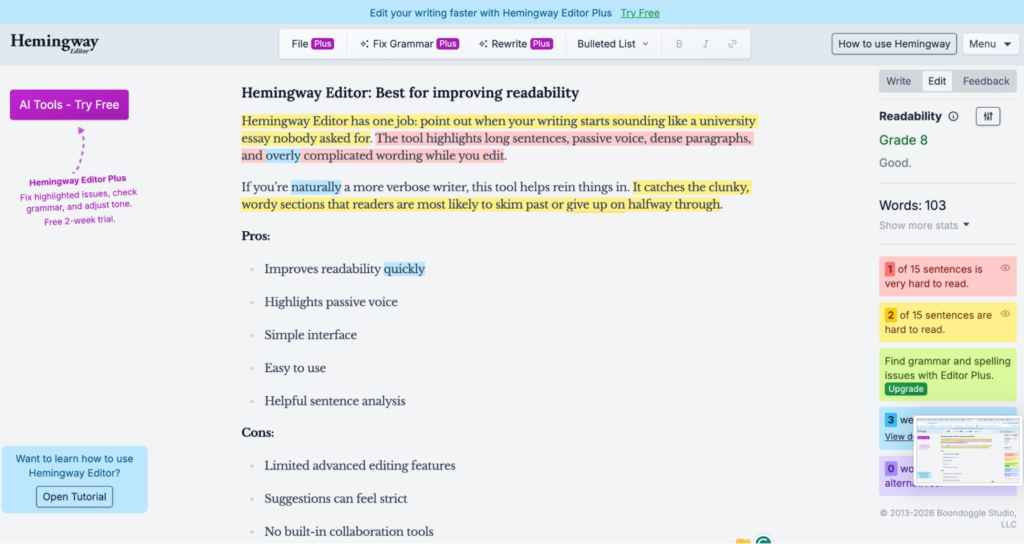
Hemingway Editor has one job: point out when your writing starts sounding like a university essay nobody asked for. The tool highlights long sentences, passive voice, dense paragraphs, and overly complicated wording while you edit.
If you’re naturally a more prose-y writer, this tool will help you cut the fluff for online readers. (It catches the clunky, wordy sections that readers are most likely to skim past or give up on halfway through.)
Pros:
Cons:
Best features:
Pricing: Free browser version available, with paid plans starting at $8.33 a month.
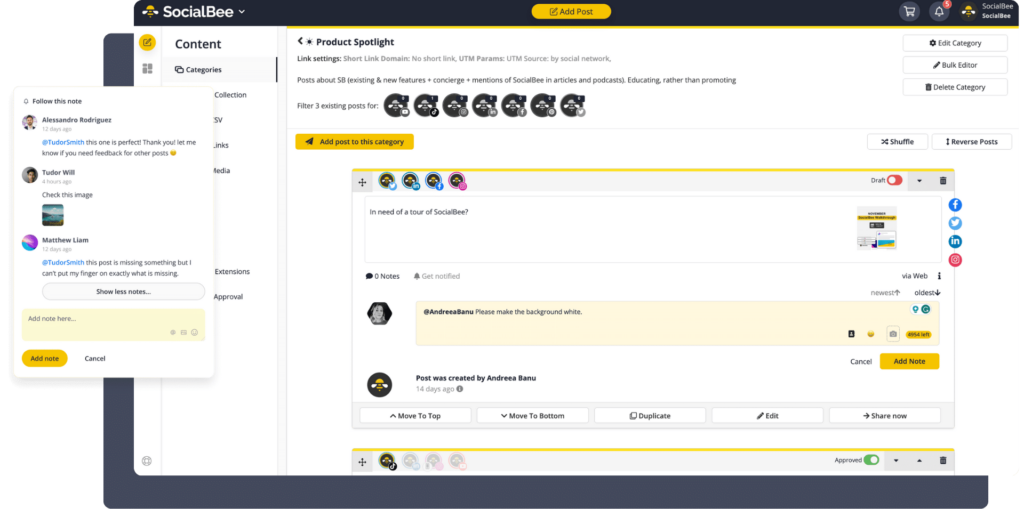
Publishing your blog post is only half the job. SocialBee helps you keep content moving after it goes live. It’s a highly intuitive tool for scheduling and distributing posts across different social media platforms.
It’s especially useful for repurposing blog posts. It helps you break one post into several social updates to get more coverage for your content.
Pros:
Cons:
Best features:
Pricing: Entry pricing starts at $24/month.
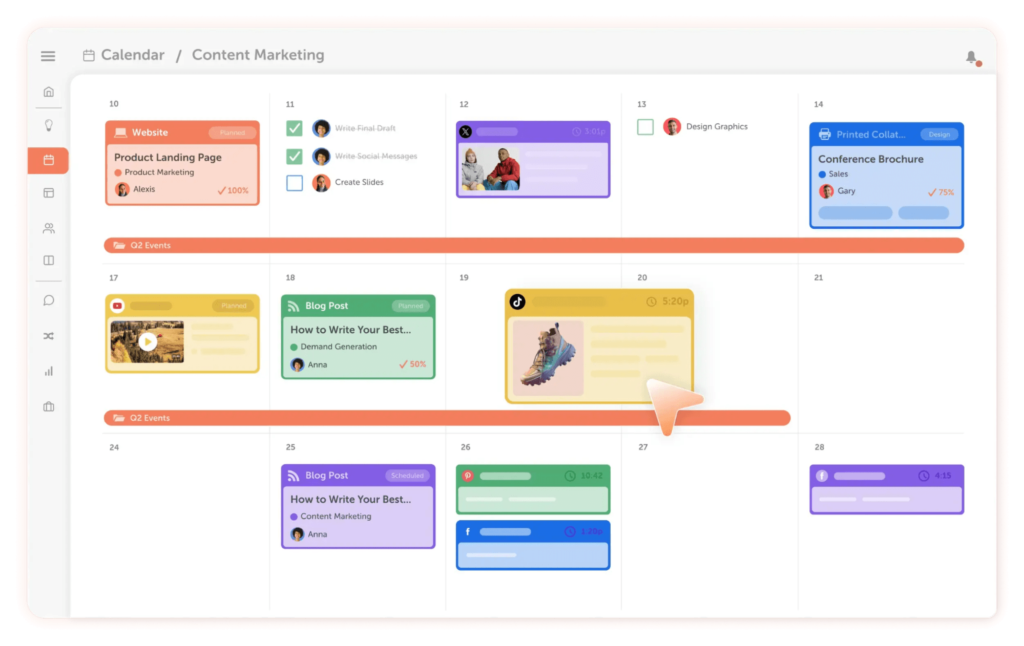
CoSchedule is a content production planning tool that works best when several blog posts, deadlines, and writers are all moving at once. The platform combines editorial calendars, publishing schedules, campaign planning, and task management.
It’s great for teams that have reached the “wait … whose job was this again?” stage of content production. Instead of hunting through Slack threads and mystery spreadsheets, you can see the whole publishing schedule in one dashboard.
Pros:
Cons:
Best features:
Pricing: There’s a free calendar available with limited scheduling for one social account. Paid plans start at $19 per user per month.
The best setup depends on how your team publishes content day-to-day. A tool that works brilliantly for a solo blogger might feel limiting for a bigger content team.
Here’s how to pick the right tools for your blog publishing workflow:
Start by looking at your current process from draft to publish.
Write down every tool your team uses, where content slows down, and which tasks feel repetitive or messy.
Next, decide what you want to improve. Maybe you want faster approvals, better SEO workflows, simpler scheduling, or fewer tools open at once.
Once you know the gaps, look for tools that solve those specific issues. Focus on platforms that align with how your team already creates, edits, publishes, and promotes content.
Sign up for free trials, demos, or starter plans.
Then test the tool on a real blog post to see how it fits into your actual publishing process.
Choose the tools that save time and make publishing easier.
A good setup should help your team with writing, editing, scheduling, promotion, and team productivity.
Connect your tools properly before rolling them out fully.
Test scheduling, publishing, formatting, analytics, and social promotion to make sure everything works smoothly together.
Walk writers, editors, and marketers through the new workflow before launch day. This helps everyone understand how content should transition from draft to published post.
Once everything feels stable, start using the new workflow fully.
Review the process regularly and adjust things as your content team grows.
Effective blog publishing tools save time, keep content organized, and make your publishing process feel less chaotic.
But remember, the best publishing stack usually evolves. Start with one or two tools that solve your biggest workflow bottlenecks first, then expand as your content process grows.
The easier your workflow feels, the easier it’ll be to publish consistently.
P.S. If your biggest bottleneck is moving finished drafts from Google Docs into WordPress or Medium, Wordable is a practical place to start. It helps preserve formatting, images, and links so your team can spend less time cleaning up posts before publishing. Give Wordable a try now.
What’s the best blog publishing tool for beginners?
Squarespace, Medium, and Substack are all good starting points because they’re simple to set up and easy to manage.
Which blog publishing tool is best for SEO?
Ghost and Surfer work well for SEO-focused blogs because they give teams more control over optimization and content structure.
Do small blogs really need publishing tools?
Yes. Even simple tools for scheduling, editing, or promotion can save time and keep publishing more consistent.